Team productivity is not just about asking people to work faster. It is about helping teams work with less friction, fewer delays, and better focus. That matters even more now, because Microsoft’s 2025 Work Trend Index highlights a real pressure point in modern work, with the follow-up report pointing to the “infinite workday” and the strain created by nonstop messages and meetings. At the same time, Atlassian and Loom both emphasize that clear collaboration systems, shared context, and asynchronous communication can reduce wasted time and help teams move work forward more smoothly.
For a worldwide team, the challenge is even bigger. People may work across different time zones, languages, and schedules, so productivity tools need to do more than store tasks. They need to keep conversations organized, make responsibilities clear, and centralize documents, updates, and decisions in one place. Google Workspace, Microsoft Teams, Slack, Asana, Trello, Notion, Monday.com, Zoom Whiteboard, Loom, Zapier, and Clockify are all built around that basic idea in different ways.
Table of Contents
Why team productivity tools matter
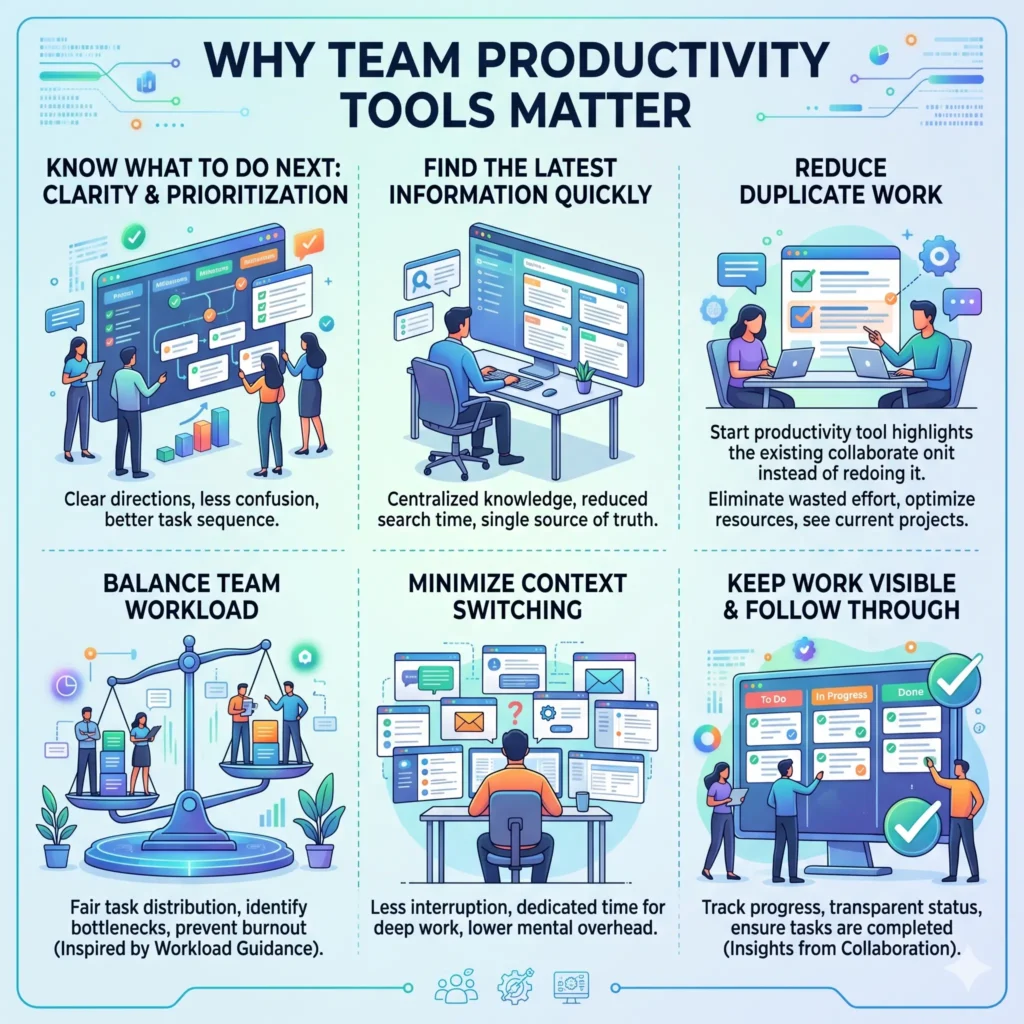
A productive team is usually not the team that sends the most messages or attends the most meetings. It is the team that knows what to do next, where to find the latest information, and how to avoid duplicate work. Atlassian says project collaboration depends on effective communication, consistent processes, and the right tools. Asana’s workload guidance also shows that teams work better when work is distributed more clearly and the load is balanced instead of left to chance.
This is why productivity tools matter so much. They help teams reduce context switching, keep work visible, and make it easier to follow through on tasks. Loom’s discussion of async work notes that people lose time when they jump between meetings and scheduling tasks, while Microsoft’s Work Trend Index links modern work overload to a busier, more fragmented day.
How to choose the right productivity tools
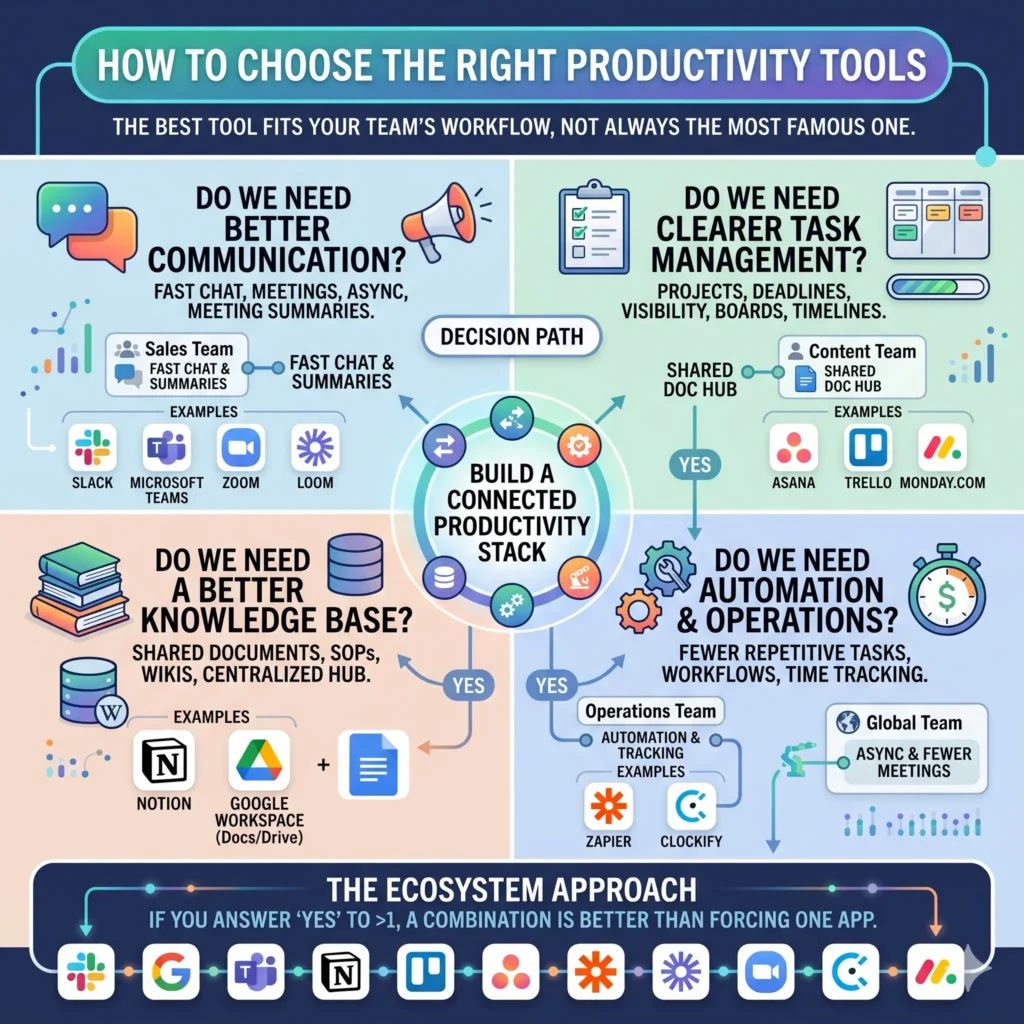
The best tool is not always the most famous one. It is the one that fits the way your team actually works. A sales team may need fast chat and meeting summaries. A content team may need a shared document hub. An operations team may need automation and time tracking. A global team may need fewer meetings and stronger async workflows. These needs line up closely with the categories supported by Slack, Google Workspace, Microsoft Teams, Notion, Trello, Asana, Zapier, Loom, Zoom Whiteboard, and Clockify.
A practical way to decide is to ask four questions.
- Do we need better communication?
- Do we need clearer task management?
- Do we need a better knowledge base?
- Do we need fewer repetitive manual tasks through automation?
If the answer is yes to more than one of these, a combination of tools is usually better than trying to force one app to do everything. That matches the way modern work platforms are positioned by Google Workspace, Slack, Notion, monday.com, and Zapier.
Best tools to improve team productivity
1. Slack for fast team communication
Slack is one of the strongest tools for teams that need quick, organized communication. Its official product pages emphasize channels, workflow automation, AI features, enterprise search, lists, and file sharing. That makes it useful for teams that want to keep conversations grouped by project, department, or client instead of buried in email threads.
Slack is especially helpful when a team needs to move quickly but still wants structure. Instead of asking people to search through scattered messages, teams can keep decisions, files, and updates in specific channels. Slack also highlights AI features that can summarize chats, translate conversations, and automate workflows, which are useful for global teams working across languages and time zones.
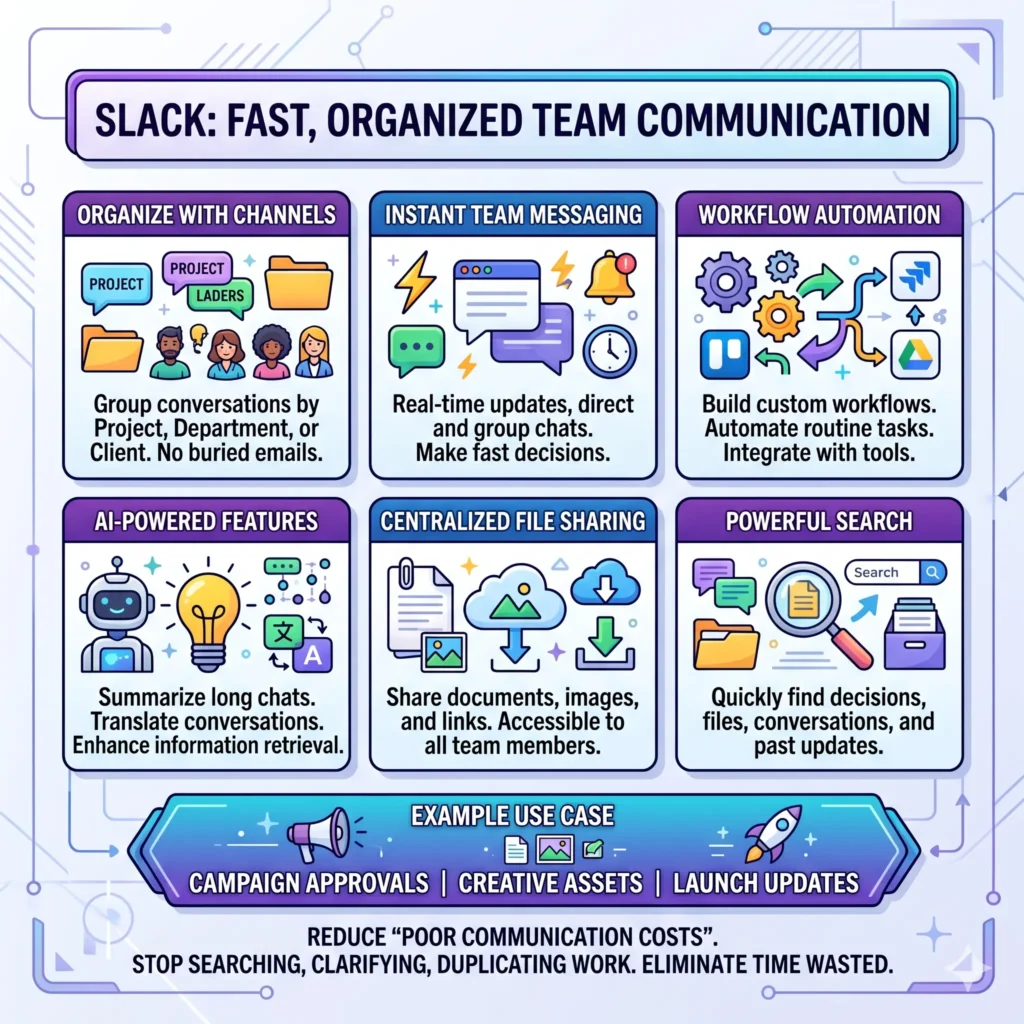
Example: A marketing team can keep one channel for campaign approvals, another for creative assets, and another for launch updates. That way, everyone knows where to look, and no one wastes time chasing the latest file. Slack’s own guidance on organizational communication says that poor communication leads to more time spent searching, clarifying, and duplicating work.
2. Microsoft Teams for messaging, meetings, and file collaboration
Microsoft Teams is built around AI-enhanced messaging, meetings, task flow, and file sharing. Microsoft says Teams can view, edit, organize, and collaborate securely on files, whether they are in the office or working remotely. It also positions Teams as a place to stay organized and move faster, which makes it strong for companies already using Microsoft 365.
One of Teams’ biggest strengths is that it brings together messaging, meetings, and shared files in a single environment. Microsoft’s file-sharing and collaboration pages explain that team files can be stored in SharePoint or OneDrive, depending on the context, so work stays tied to the right conversation.
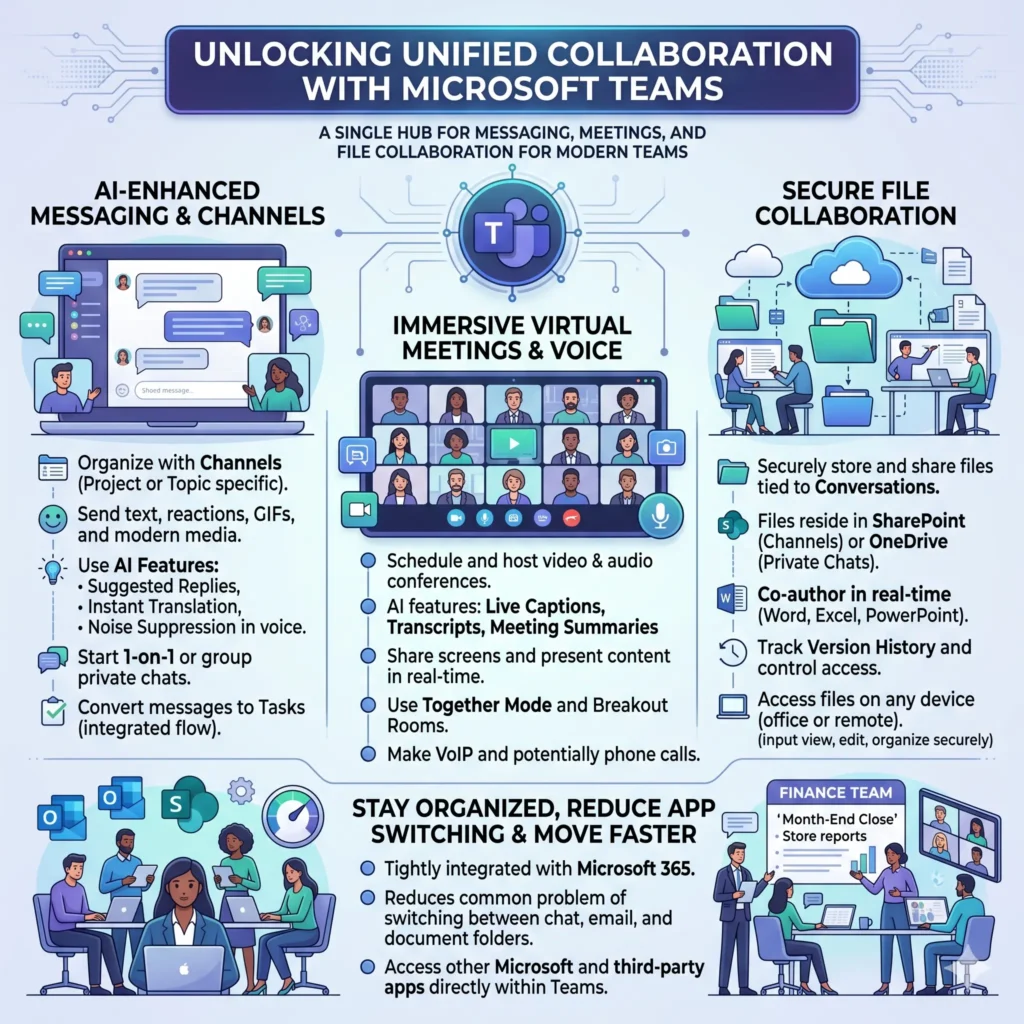
Example: A finance team can discuss the month-end close in a channel, store reports in the same workspace, and use meetings only when a real conversation is needed. That reduces the common problem of switching between chat apps, email, and document folders.
3. Google Workspace for shared documents and real-time collaboration
Google Workspace is a strong fit for teams that rely on Docs, Sheets, Slides, Drive, Meet, and Chat. Google says these tools are part of an integrated collaboration suite for businesses of all sizes, and its Docs and collaboration pages emphasize real-time editing, version history, comments, and cross-app integration.
This makes Google Workspace especially valuable for teams that create and review content together. People can edit the same document at the same time, leave comments, and check version history instead of sending files back and forth. Google also notes that collaboration can happen on mobile and even offline, which is useful for distributed teams and people who travel frequently.
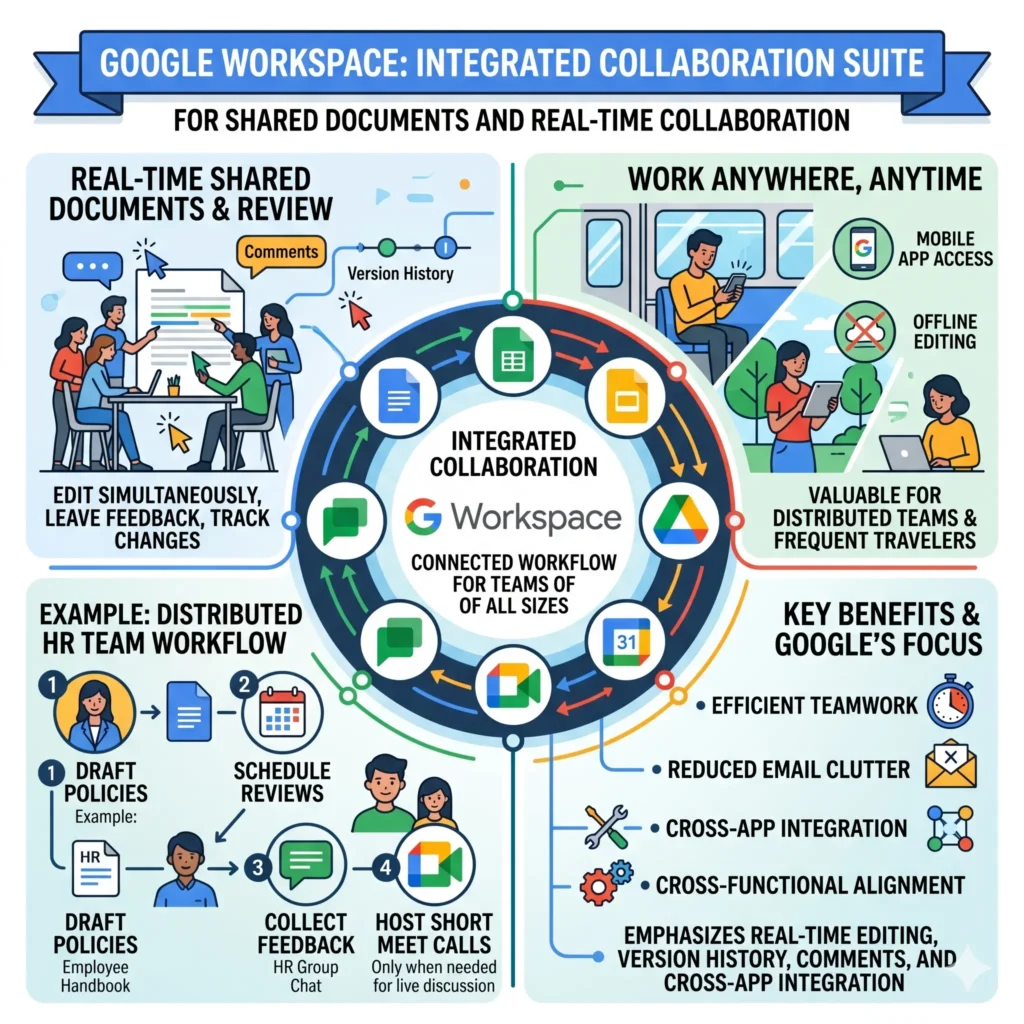
Example: A distributed HR team can draft policies in Docs, schedule reviews in Calendar, collect feedback in Chat, and host a short Meet call only when the agenda really needs live discussion. Google explicitly promotes this kind of connected workflow across its collaboration tools.
4. Asana for workload management and project clarity
Asana is a useful choice when teams need better workload management, clearer ownership, and fewer bottlenecks. Its 2026 workload guide says the topic covers common challenges, a five-step process for sharing work effectively, and practical tips for keeping a team productive and balanced. Asana’s productivity resources also stress that productive teams spend less time on work about work and more time on the work that matters.
This matters because many teams do not struggle with effort. They struggle with visibility. Work gets delayed when no one knows who owns what, what is blocked, or which task should come first. Asana is designed to help organize that flow more clearly.
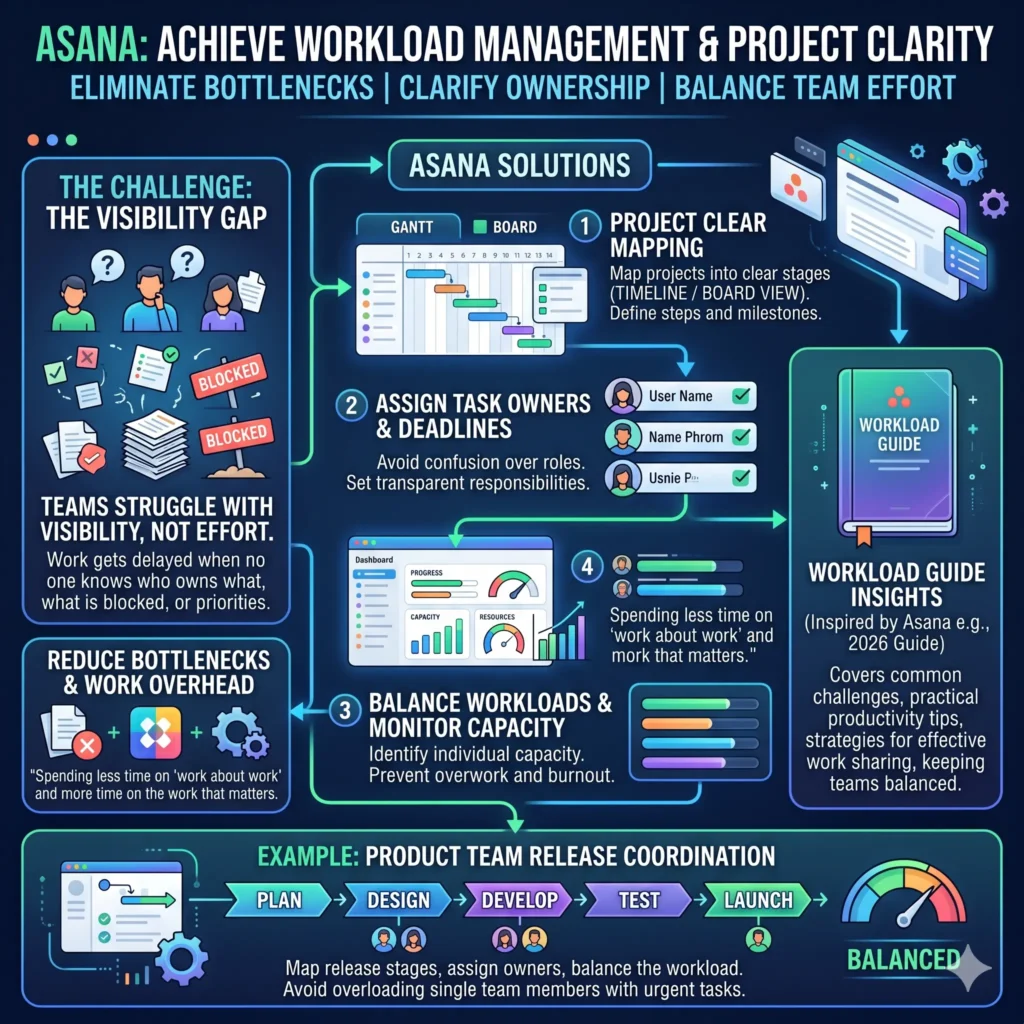
Example: A product team can map a release into stages, assign owners, and balance the workload so one person is not stuck with too many urgent tasks at once. Asana’s workload guide is built around exactly that kind of coordination.
5. Trello for simple visual task management
Trello is one of the easiest tools for teams that want a visual, low-friction way to manage work. Trello says it helps teams get work done, keep things organized, and monitor projects from initiation to completion. Its board-based system is a natural fit for teams that like simple status tracking.
The real strength of Trello is clarity. You can see what is to do, in progress, and done without needing a complicated setup. Trello also offers templates and project management use cases for teams of any size, which makes onboarding easier for smaller teams or non-technical users.
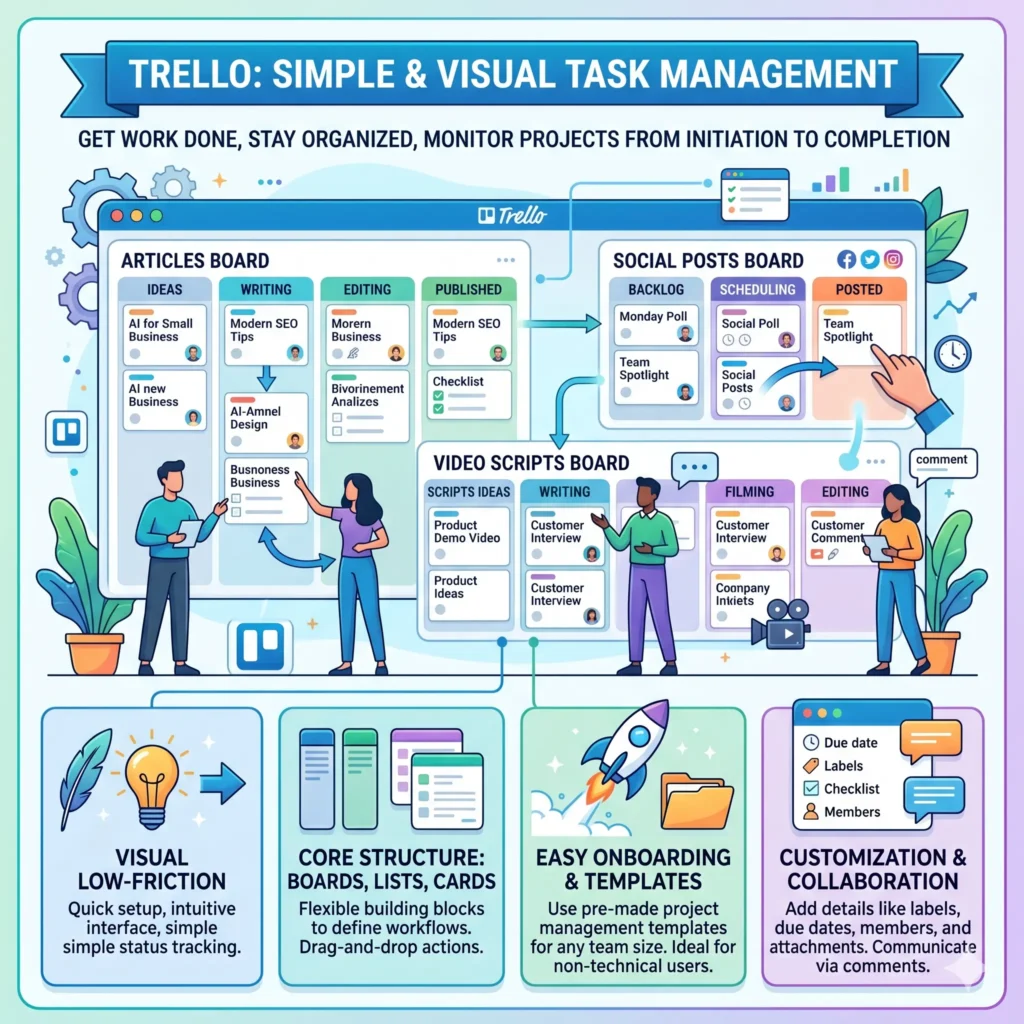
Example: A startup content team can use one board for articles, another for social posts, and another for video scripts. That keeps the workflow visible without requiring everyone to learn a complex system.
6. Notion for knowledge sharing and connected workspaces
Notion is especially strong for teams that need a knowledge base, docs, projects, and app connections in one place. Its homepage describes Notion as an AI workspace with tools for knowledge bases, docs, projects, integrations, and AI meeting notes. It also highlights “more productivity, fewer tools,” which matches the needs of teams trying to reduce fragmentation.
Notion works well for teams that want their information to live in one searchable system rather than across disconnected folders. The platform’s product and guide pages show how teams use it for wikis, project hubs, and shared operating processes. That makes it a good fit for onboarding, internal documentation, and process consistency.
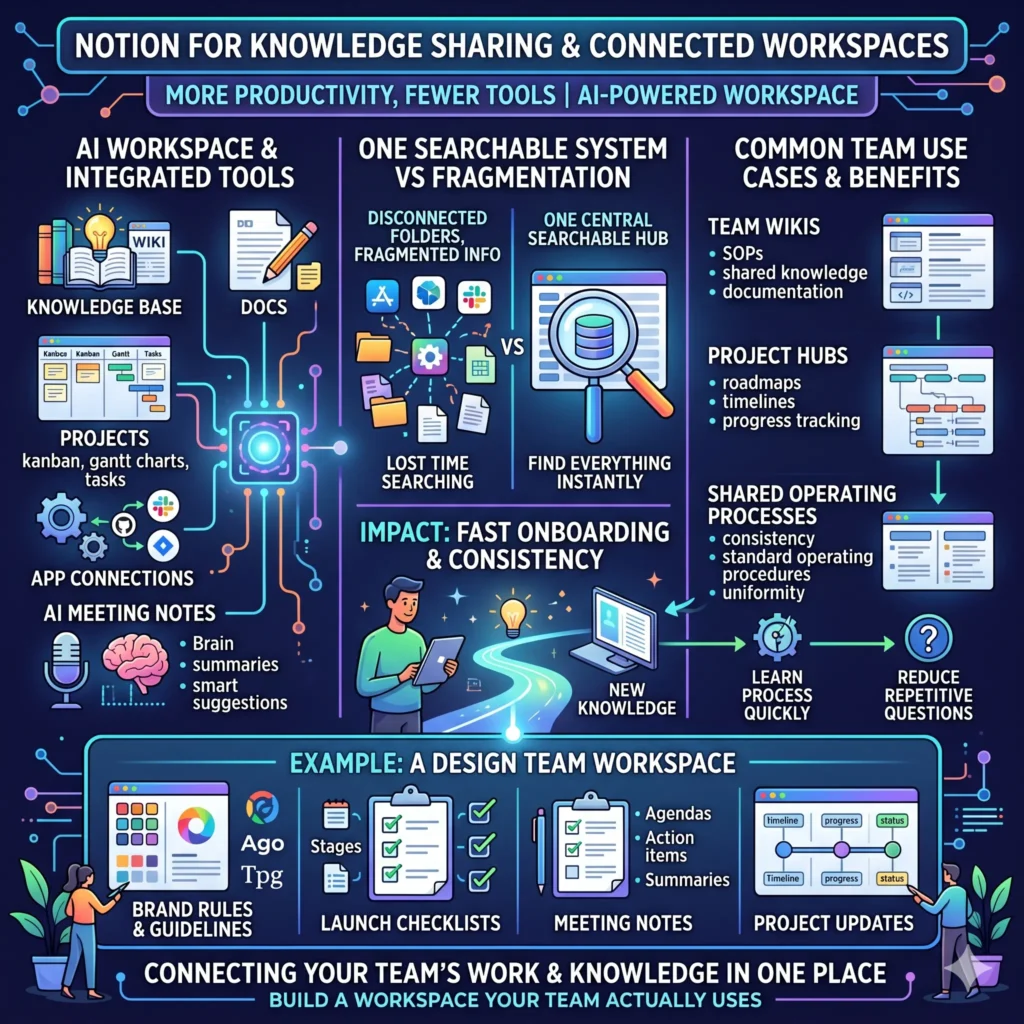
Example: A design team can store brand rules, launch checklists, meeting notes, and project updates in one workspace. That way, new team members can learn the process quickly instead of asking the same questions again and again.
7. Monday.com for cross-functional work management
Monday.com positions itself as a Work OS, which it defines as a cloud-based platform where teams build custom workflow apps to plan, run, and track projects and everyday work. Its recent teamwork and project management pages also emphasize shared visibility, collaboration, and resource management.
This makes Monday.com a strong option for teams that need more than a simple task board. It works well when a business wants dashboards, shared views, and coordination across different departments. Monday.com’s recent material also highlights workload views, shared dashboards, and cross-functional collaboration as ways to reduce silos and keep execution moving.
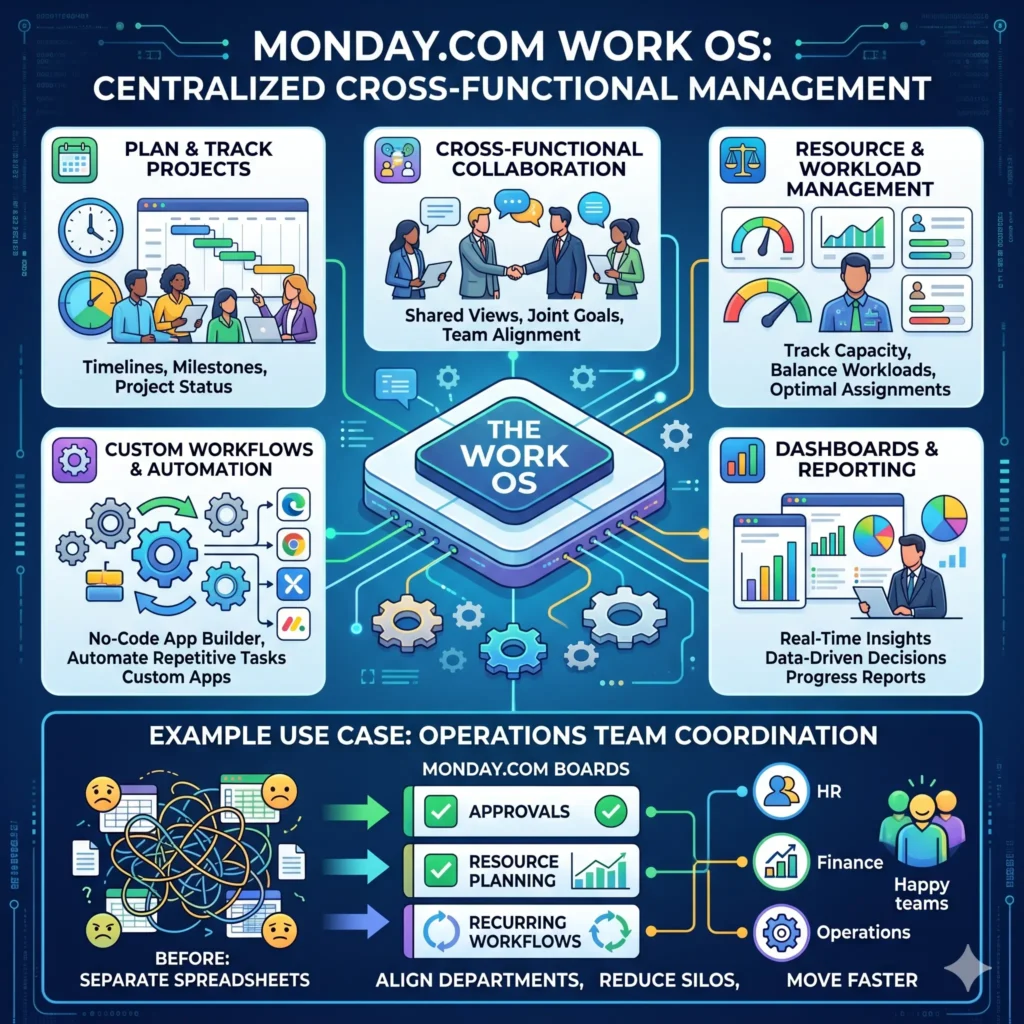
Example: An operations team can use one board for approvals, one for resource planning, and one for recurring workflows. That helps different departments stay aligned without forcing everyone into separate spreadsheets.
8. Zoom Whiteboard for visual brainstorming and planning
Zoom Whiteboard is helpful for teams that think visually. Zoom says the tool is built for real-time collaboration, flowcharts, mind maps, planning, task management, and continuous collaboration. It also supports templates, voting, and interactive brainstorming features.
That makes Zoom Whiteboard a valuable companion to meetings, especially for hybrid teams. Instead of letting good ideas disappear after a call, a team can keep the visual plan in one shared workspace and continue improving it after the meeting ends. Zoom’s own pages describe it as useful before, during, and after meetings.
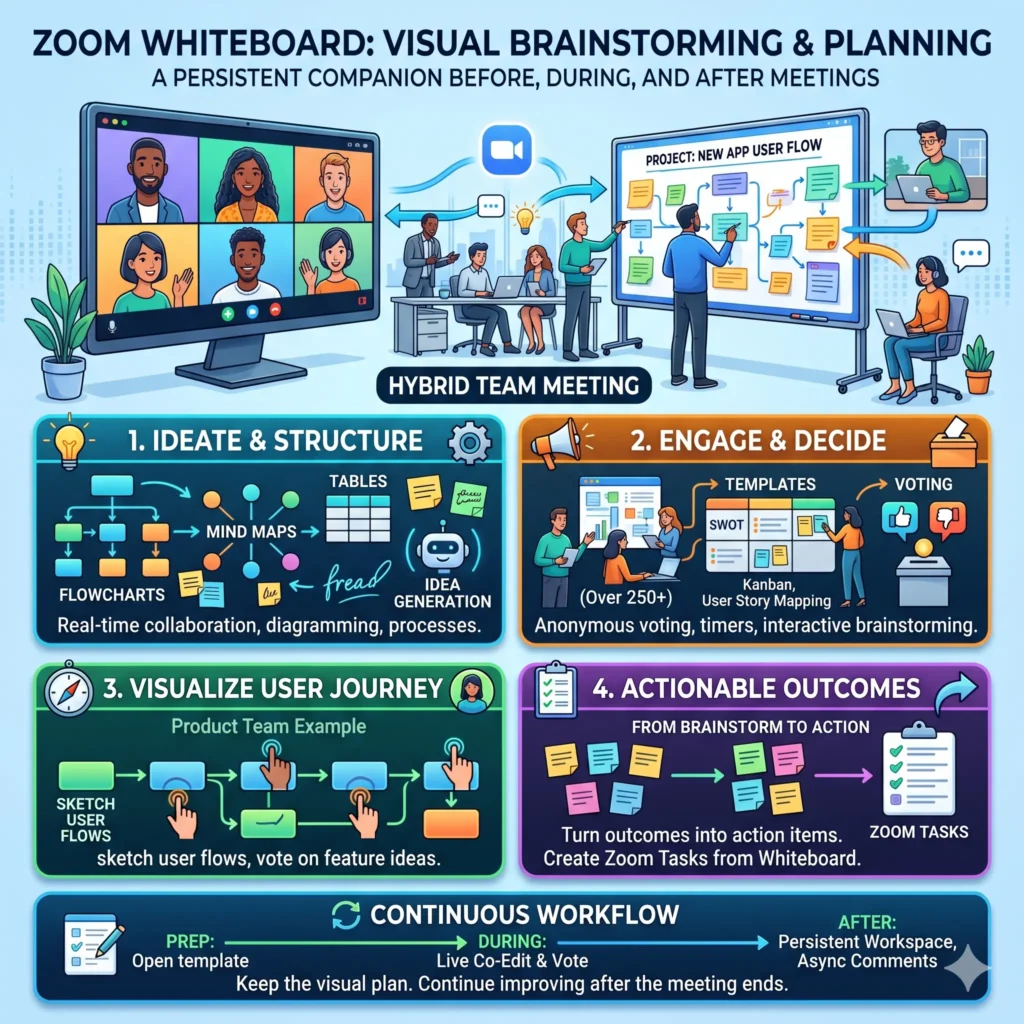
Example: A product team can sketch user flows, vote on feature ideas, and turn brainstorm outcomes into action items. That is much better than trying to remember everything from a spoken conversation.
9. Loom for asynchronous video updates
Loom is one of the best tools for teams that want fewer live meetings and clearer, recorded updates. Loom and Atlassian’s Loom content highlight async communication, screen recording, video messages, and fewer meetings as key benefits. Loom also says async communication can reduce meeting load, improve clarity, and help teams work across time zones.
This is especially useful when a message needs context, tone, or a quick walkthrough. A short video can explain a design change, a customer issue, or a bug more clearly than a long message thread. Loom’s pages also position it as a good fit for training, customer support, marketing, and general productivity.
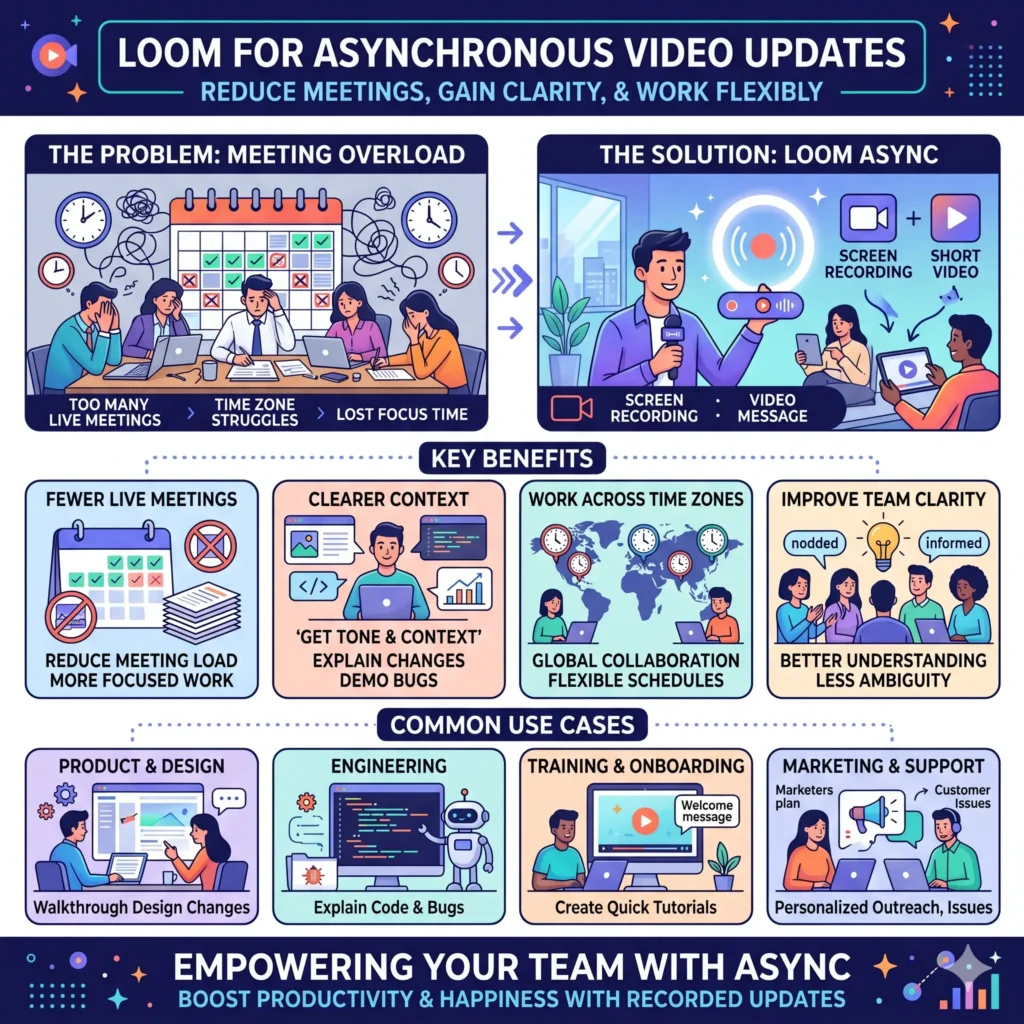
Example: A manager can record a five-minute update for the team instead of scheduling another status meeting. That keeps everyone informed without forcing a live call when different time zones make it inconvenient.
10. Zapier for workflow automation
Zapier is built for teams that want to automate repetitive work without writing code. Its homepage describes it as an AI workflow platform that connects 9,000 apps and helps people build, automate, and scale workflows. Zapier also highlights AI workflows, AI agents, templates, and no-code automation.
That matters because many productivity problems come from repetitive handoffs, not from major strategic issues. When data moves automatically between tools, teams spend less time copying information and more time making decisions. Zapier’s official pages emphasize that it can help teams automate advanced workflows and get started quickly with templates.
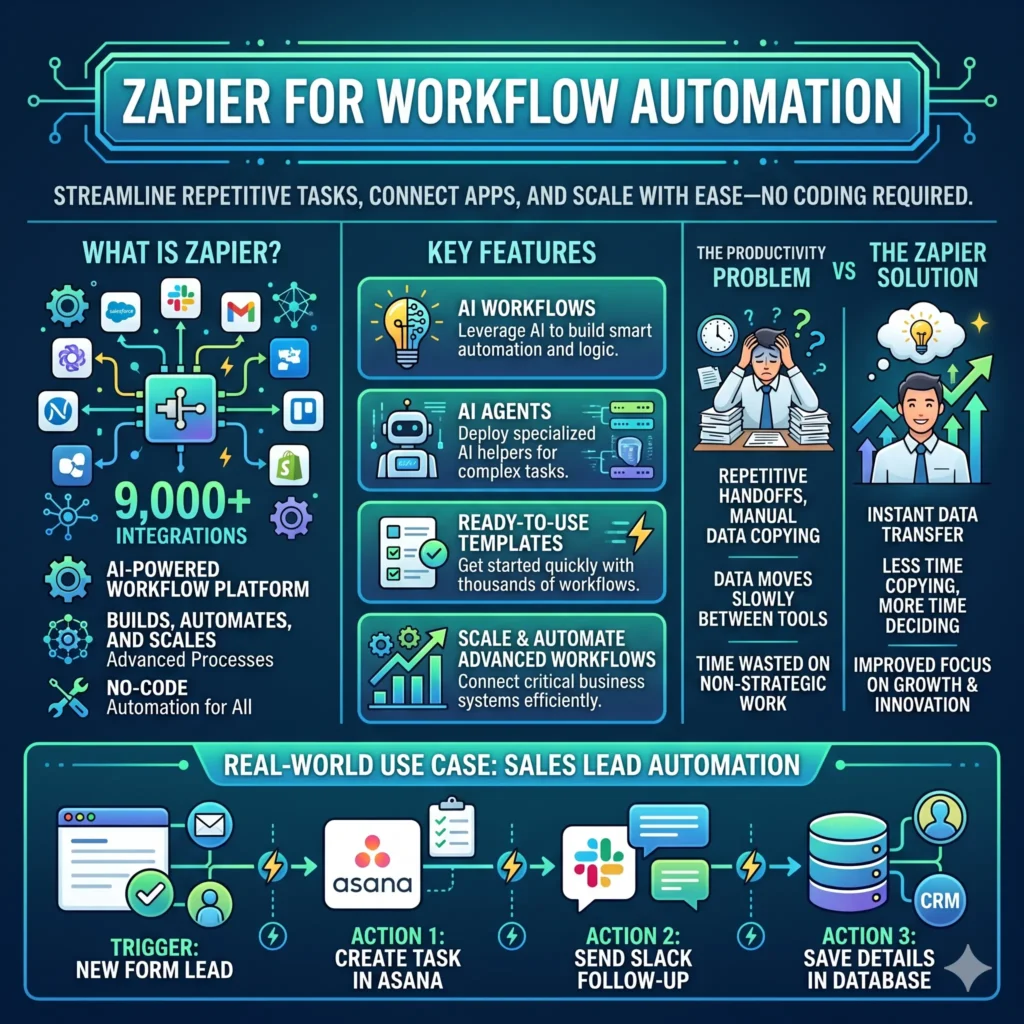
Example: A sales team can automatically create a task in Asana when a lead fills out a form, then send a follow-up in Slack and save the details in a central database. Zapier’s whole platform is designed around that kind of connected workflow.
11. Clockify for time tracking and productivity measurement
Clockify is useful when a team needs to understand where time actually goes. Its official site says it tracks productivity, attendance, and billable hours, and includes timer, timesheet, calendar, and auto-tracker features. It also presents itself as a way to organize tasks by projects and see tracked time in reports.
Time tracking is especially important for agencies, consultancies, and service teams that need a clear view of effort. It can also help internal teams spot overloading or repeated bottlenecks. Clockify’s own materials emphasize transparency and team visibility in time tracking practices.
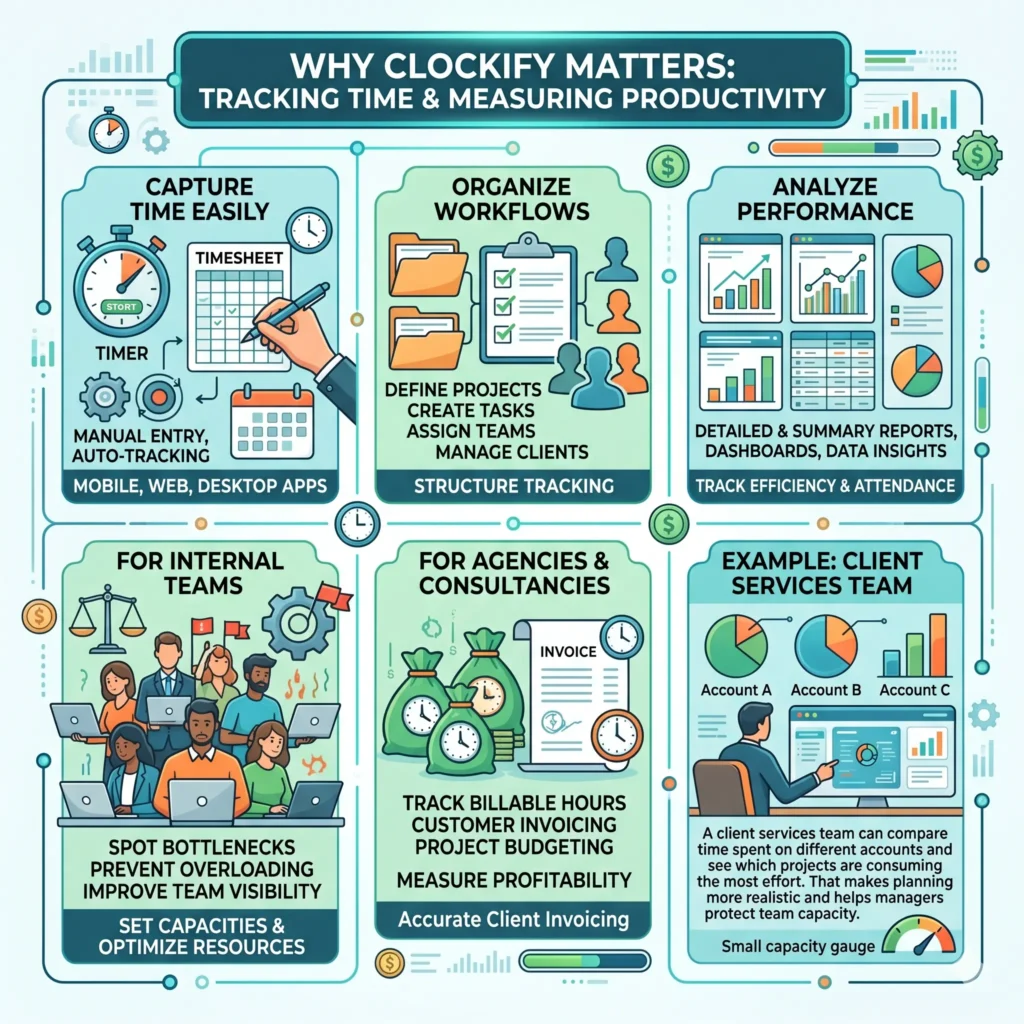
Example: A client services team can compare the time spent on different accounts and see which projects are consuming the most effort. That makes planning more realistic and helps managers protect team capacity.
Large comparison table of top productivity tools
| Tool | Main strength | Best for | Standout feature | Why does it help productivity |
|---|---|---|---|---|
| Slack | Fast communication | Teams that need organized chat | Channels, AI search, workflow automation | Keeps conversations in one place and reduces app switching |
| Microsoft Teams | Messaging plus meetings | Microsoft 365 teams | File sharing, meetings, AI-enhanced task flow | Combines chat, calls, and files in one workspace |
| Google Workspace | Real-time documents | Distributed teams | Docs, Sheets, Slides, Meet, Chat | Let’s teams co-edit files and keep version history |
| Asana | Workload balance | Project teams | Workload management | Makes task ownership and capacity clearer |
| Trello | Simple task boards | Small to medium teams | Visual boards and templates | Keeps work visible and easy to follow |
| Notion | Knowledge hub | Teams that need docs and wikis | Docs, projects, AI meeting notes | Centralizes knowledge and reduces tool sprawl |
| monday.com | Cross-functional work OS | Departments working together | Work OS, dashboards, workload views | Links strategy, tasks, and reporting |
| Zoom Whiteboard | Visual collaboration | Hybrid teams | Whiteboards, templates, voting | Helps teams brainstorm and plan in real time |
| Loom | Async video updates | Global and hybrid teams | Screen recording and video messages | Reduces meetings and adds clearer context |
| Zapier | Automation | Teams with repetitive workflows | No-code automations, AI workflows | Removes manual handoffs between apps |
| Clockify | Time tracking | Agencies and service teams | Timer, timesheet, reports | Shows how time is spent and where capacity is going |
Which tools fit which team type
| Team type | Recommended tools | Why this stack works |
|---|---|---|
| Remote global team | Slack, Loom, Google Workspace | Helps teams communicate async, co-edit files, and reduce meeting overload. |
| Cross-functional business team | Monday.com, Slack, Zapier, Notion | Gives one system for planning, communication, documentation, and automation. |
| Creative team | Notion, Trello, Zoom Whiteboard, Loom | Supports brainstorming, drafts, feedback, and visual planning. |
| Operations team | Asana, Slack, Zapier, Clockify | Improves task ownership, communication, automation, and capacity visibility. |
| Agency or client service team | Teams or Slack, Asana, Clockify, Google Workspace | Makes client communication, task tracking, and billable time easier to manage. |
How to build a productivity stack that actually works
The most effective productivity stack is usually a simple combination of tools rather than a huge pile of apps. One tool should be the place for communication, one should be the place for tasks, one should be the place for documentation, and one should handle automation or tracking. That design principle fits the strengths of Slack, Teams, Google Workspace, Notion, Asana, Trello, Zapier, and Clockify.
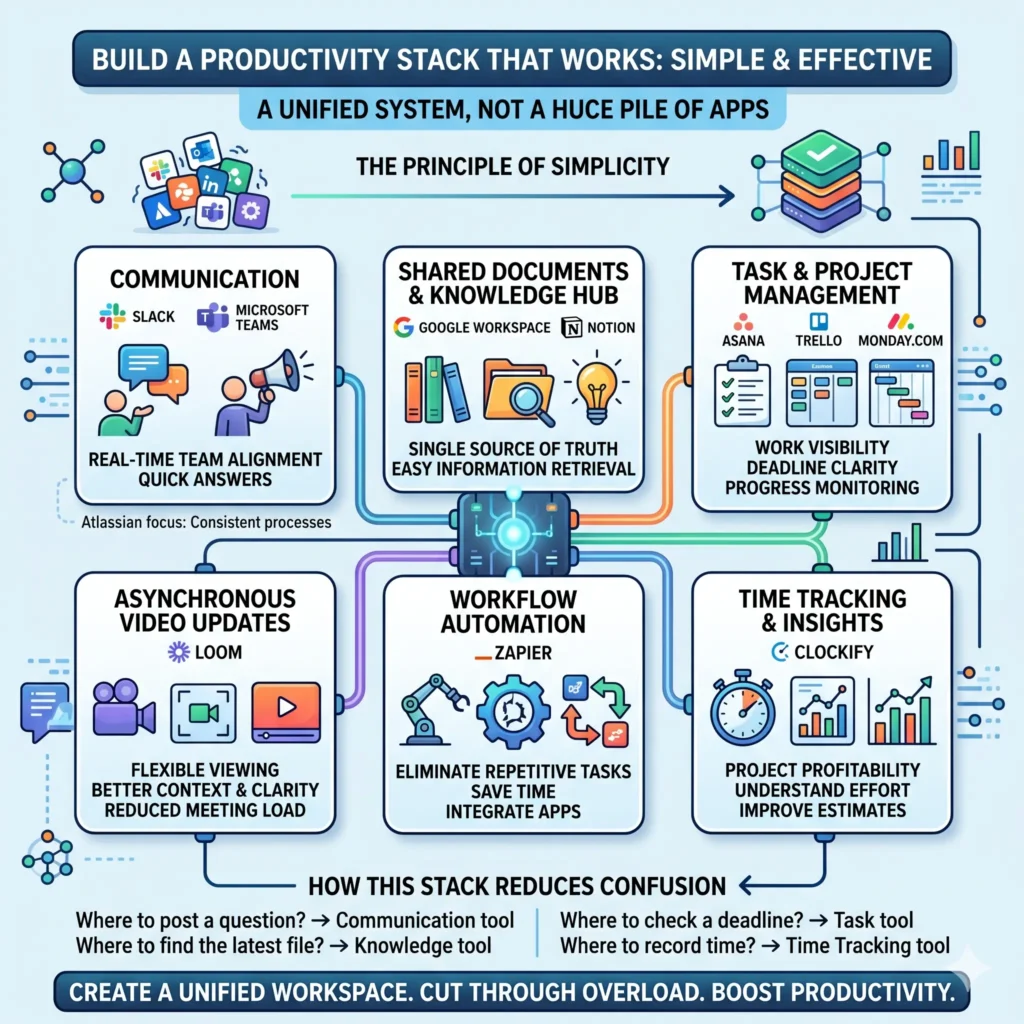
A clean stack might look like this:
- Communication: Slack or Microsoft Teams
- Documents and knowledge: Google Workspace or Notion
- Tasks and projects: Asana, Trello, or monday.com
- Async updates: Loom
- Automation: Zapier
- Time tracking: Clockify
This setup works because it reduces confusion. People know where to post a question, where to find the latest file, where to check a deadline, and where to record time. That aligns with Atlassian’s emphasis on consistent processes and Microsoft’s focus on cutting through overload.
Practical habits that make these tools more effective
Even the best productivity tool will fail if the team has no working habits around it. Atlassian repeatedly points out that productive collaboration depends on communication, shared goals, and clear roles, while Asana’s workload guidance shows that balanced work distribution matters just as much as the software itself.
Here are a few habits that improve results:
- Keep a single source of truth for project information.
- Use channels or spaces by topic, client, or project.
- Reserve live meetings for decisions, not status updates.
- Use async video or written updates when a meeting is unnecessary.
- Review workload regularly so tasks are spread fairly.
- Automate repetitive handoffs wherever possible.
These habits fit naturally with the way Slack, Teams, Google Workspace, Loom, Notion, Asana, monday.com, Zapier, and Clockify are designed to work.
Examples of strong tool combinations
A marketing team might use Slack for fast chat, Notion for campaign briefs, Google Docs for drafts, Loom for feedback, and Asana for launch tasks. This gives the team both speed and structure. The mix fits the documented strengths of those tools around collaboration, docs, and project tracking.
A product team might prefer Microsoft Teams, monday.com, and Zoom Whiteboard. Teams keeps communication and files close together, monday.com adds visual project oversight, and Zoom Whiteboard supports brainstorming and planning.
A consulting or agency team might combine Google Workspace, Clockify, Slack, and Zapier. That lets them collaborate on client documents, track time, communicate quickly, and automate repetitive admin tasks.
What the best productivity tools have in common
The strongest tools share a few important traits. They reduce friction, keep work visible, support collaboration across locations, and make it easier to act on information. Microsoft’s, Google’s, Slack’s, Atlassian’s, Asana’s, and Loom’s current product and research pages all point in that direction, even though they serve different purposes.
In simple terms, the best tools help teams do four things well:
- Talk clearly
- Plan work clearly
- Store knowledge clearly
- Automate repeated tasks
When those four things happen, teams usually become faster without feeling more rushed. That is the real goal of productivity.
Final thoughts
There is no single perfect tool for every team. A small startup, a global enterprise, a creative agency, and a customer support team will not work the same way. But the right mix of communication tools, project management software, knowledge hubs, automation platforms, and time tracking apps can make a huge difference. Slack, Microsoft Teams, Google Workspace, Asana, Trello, Notion, monday.com, Zoom Whiteboard, Loom, Zapier, and Clockify each solve a different part of the productivity puzzle.
The most productive teams are not the ones that try to do everything in one app. They are the ones who choose a few well-matched tools, agree on simple rules, and keep work moving with less confusion. That is how productivity becomes a habit instead of a struggle.
Also, Read these Articles in Detail
- Best Business Tools for Small Businesses in 2026
- Top Business Tools Every Startup Needs
- Best Productivity Tools for Modern Teams
- Essential Business Tools for Remote Teams
- Best AI Business Tools to Save Time and Money
- Top 10 Project Management Tools for Growing Businesses
- 8 Best CRM Tools for Sales and Customer Growth
- Top 7 Accounting Tools for Small Business Owners
- Best Collaboration Tools for Business Teams
- Must-Have Business Tools for Entrepreneurs
- 10 Best Business Automation Tools for Faster Workflows
- Top Tools to Organize Your Business Like a Pro
- Best Online Business Tools for Daily Operations
- Top Digital Tools for Small Business Success
Article’s References and Sources
- Microsoft Work Trend Index: Breaking Down the Infinite Workday
- Microsoft Teams: Group Chat and Collaboration Software
- Microsoft Teams: File Sharing and Collaboration
- Google Workspace: Business Collaboration Tools
- Google Workspace: Real-Time Editing and Collaboration
- Slack: Team Communication Platform
- Slack AI Features and Workflow Automation
- Slack: Improving Organizational Communication
- Asana: Effectively Manage Team Workload
- Trello: Project Management and Task Boards
- Trello Project Management Templates
- Notion: All-in-One Workspace for Teams
- Notion: Build a Knowledge Base or Wiki
- Monday.com: Work OS Platform Overview
- Monday.com: Cross-Functional Collaboration Guide
- Zoom Whiteboard: Online Collaboration Tool
- Zoom Whiteboard Features: Collaboration & Facilitation
- Loom: Asynchronous Communication and Team Alignment
- Loom: Asynchronous Communication Guide
- Zapier: Automation and AI Workflow Platform
- Clockify: Time Tracking Software for Teams
- Clockify: Time Tracking Best Practices
- Atlassian: Project Collaboration and Work Management Guide
- Atlassian: Cross-Functional Team Collaboration
Frequently Asked Questions
FAQ 1: What are the best tools to improve team productivity?
The best team productivity tools are the ones that make work easier to organize, faster to complete, and simpler to follow. In most teams, productivity improves when people can communicate clearly, manage tasks in one place, share files without confusion, and reduce repetitive manual work. That is why tools for communication, project management, document collaboration, automation, and time tracking are so valuable.
For communication, tools like Slack and Microsoft Teams help teams stay connected without filling inboxes with endless emails. For document collaboration, tools like Google Workspace and Notion make it easier for people to work on the same file or knowledge base at the same time. For task planning, tools like Asana, Trello, and monday.com help teams see who is doing what and when it needs to be done. For repetitive tasks, Zapier can connect apps and automate simple workflows. For time awareness, Clockify can show where time is being spent.
The best choice depends on the team’s size, work style, and goals. A small startup may do well with a simple stack of chat, tasks, and docs. A large company may need a more structured setup with stronger automation and reporting. The main idea is not to use every tool available. The main idea is to choose the tools that remove friction and help the team focus on real work.
FAQ 2: Why do teams need productivity tools at all?
Teams need productivity tools because modern work is often spread across messages, meetings, files, and deadlines. Without the right system, people waste time searching for information, repeating instructions, and checking multiple apps to find one answer. That slows everything down and creates stress.
A good productivity tool reduces that confusion. It gives teams a shared place to talk, plan, store information, and track progress. It also helps managers see bottlenecks early, so they can fix problems before deadlines slip. For example, if a task board shows that one person is overloaded, the work can be redistributed before that person gets burned out. If a shared document is updated in real time, the team does not need to keep sending new versions back and forth.
Productivity tools are also important for remote teams and global teams. When people work in different time zones, they cannot always depend on live meetings. They need systems that support asynchronous communication, clear documentation, and simple handoffs. That is where tools like Loom, Notion, Slack, and Google Workspace become especially useful.
In short, teams need these tools because productivity is not just about effort. It is about clarity, coordination, and consistency.
FAQ 3: Which tool is best for team communication?
The best tool for team communication depends on how your team works, but the most popular choices are Slack and Microsoft Teams. Both are designed to reduce messy email chains and make conversations easier to organize.
Slack is often preferred by teams that like fast, flexible communication. It uses channels so that conversations can stay grouped by project, department, or topic. That makes it easier to find old messages later and helps keep discussions from getting lost. Slack is especially useful for teams that move quickly and need short, focused updates throughout the day.
Microsoft Teams is a strong choice for organizations that already use Microsoft tools. It combines chat, meetings, file sharing, and collaboration in one environment. That makes it a good option for teams that want messaging and document work in the same place.
The best communication tool is not the one with the most features. It is the one your team will actually use every day. If your team needs quick chat and organized channels, Slack is a great fit. If your team wants a more all-in-one meeting and file-sharing system, Microsoft Teams may be better. Either way, the goal is to make communication more structured, not more noisy.
FAQ 4: How do project management tools improve productivity?
Project management tools improve productivity by making work visible, organized, and easier to follow. Instead of keeping tasks in people’s heads or scattered across emails, these tools create a shared view of what needs to happen, who owns each task, and what the current status is.
Tools like Asana, Trello, and monday.com are built for this purpose. They help teams break large projects into smaller tasks, assign deadlines, and see progress at a glance. This lowers the chance of missed work and reduces the time spent asking for updates. It also helps managers identify slowdowns early, which keeps projects moving.
These tools are especially helpful when multiple people are working on the same project. For example, a launch campaign may involve design, writing, approvals, and publishing. A project management tool can show each step clearly, so no one is waiting blindly for the next person to act.
Productivity improves because people spend less time guessing and more time doing. That is the real value of project management software. It creates structure, keeps accountability visible, and reduces confusion across the team.
FAQ 5: What is the difference between a task tool and a knowledge tool?
A task tool helps teams organize work. A knowledge tool helps teams store and share information. Both are important, but they solve different problems.
A task tool such as Trello, Asana, or monday.com is used to track work that needs to be completed. It shows tasks, deadlines, owners, and status. It helps people answer questions like, “What needs to be done next?” and “Who is responsible for this?” Task tools are about action.
A knowledge tool, such as Notion or shared documents in Google Workspace is used to store information that the team needs to access later. This may include notes, procedures, meeting summaries, training material, or internal guides. It helps people answer questions like, “Where is the latest process document?” and “What did we decide in the last meeting?” Knowledge tools are about reference and understanding.
A productive team usually needs both. A task tool keeps the work moving. A knowledge tool keeps the team informed. When these two systems work together, teams are less likely to lose important context or repeat the same mistakes.
FAQ 6: How can automation tools save time for teams?
Automation tools save time by handling repetitive steps that people would otherwise do manually. This can include sending messages, creating tasks, updating spreadsheets, moving data between apps, or assigning reminders after an event happens.
A tool like Zapier is useful because it connects different apps and lets them work together automatically. For example, when a new customer inquiry comes in, Zapier can send a notification, create a task, and save the information in another app without anyone copying it by hand. That saves time and reduces human error.
Automation is especially useful for teams with repeated workflows. Sales teams, support teams, operations teams, and marketing teams often do the same kind of admin work over and over. Automating small tasks gives people more time for decisions, communication, and problem-solving.
Even small automations can have a big effect. If a team saves five minutes on ten repeated tasks every day, that adds up quickly. The real benefit is not just speed. It is also consistent because automated workflows often follow the same process every time.
FAQ 7: Why is asynchronous communication important for productivity?
Asynchronous communication means people do not need to respond immediately. They can read, think, and reply when it fits their schedule. This is important because not every conversation needs to happen live, and too many live meetings can reduce productivity.
Tools like Loom, Slack, Notion, and Google Workspace support asynchronous work in different ways. A short recorded video can explain a task more clearly than a long meeting. A written update can share progress without pulling everyone into a call. A shared document can collect feedback over time instead of forcing everyone into one live session.
This style of work is especially helpful for remote teams and global teams. When people are in different time zones, meeting at the same time can be difficult. Async communication gives everyone a fairer way to stay informed and contribute.
It also improves focus. Instead of jumping into meetings for every small issue, team members can protect time for deep work. That usually leads to better concentration, fewer interruptions, and higher-quality results.
FAQ 8: How do I choose the right productivity tools for my team?
Choosing the right productivity tools starts with understanding your team’s real problems. Do you need better communication, clearer project tracking, easier file sharing, stronger documentation, or less manual work? Once the main problem is clear, the right tool becomes easier to identify.
A good rule is to choose tools based on workflow, not popularity. For communication, a tool like Slack or Microsoft Teams may be enough. For shared documents, Google Workspace is often a strong choice. For project planning, Asana, Trello, or monday.com may work better. For knowledge management, Notion is often a good fit. For automation, Zapier can connect your systems. For time tracking, Clockify helps show where effort is going.
It is also important to keep the stack simple. Too many tools can create more confusion instead of less. A small set of well-chosen tools usually works better than a large collection of apps that do not connect well.
The best way to choose is to test a tool with a real team workflow. If the team uses it naturally and it reduces friction, it is probably a good fit. If people avoid it or find it confusing, it may not be the right choice.
FAQ 9: What productivity tool stack works best for remote teams?
A strong remote team productivity stack usually includes four parts. First, a communication tool like Slack or Microsoft Teams. Second, a shared document system like Google Workspace or Notion. Third, a task management tool like Asana, Trello, or monday.com. Fourth, an async communication tool like Loom.
This combination works well because remote teams need both structure and flexibility. Communication tools keep people connected. Document tools store the latest information. Task tools show who is doing what. Async video helps explain ideas without forcing everyone into a call.
Many remote teams also add Zapier for automation and Clockify for time tracking. Automation reduces repetitive admin work, while time tracking helps teams understand workload and project effort.
The best remote stack is the one that keeps everyone aligned without overwhelming them. Remote work becomes much easier when people know where to ask questions, where to find documents, and where to check deadlines. That clarity is often more valuable than any single feature.
FAQ 10: Can productivity tools really improve team performance in the long run?
Yes, they absolutely can, but only when they are used consistently and supported by good habits. Productivity tools do not magically fix weak processes, but they do make strong processes easier to follow. Over time, that can improve team performance in a very real way.
A good tool helps teams save time, reduce mistakes, improve visibility, and make faster decisions. It also makes it easier for new team members to learn how things work. When a team has a clear system for communication, tasks, documents, and automation, everyone spends less energy figuring out the basics and more energy doing meaningful work.
Long-term productivity also depends on the way the team uses the tools. If everyone understands where to post updates, how to assign tasks, and when to use meetings versus async updates, the tools become part of the team’s culture. That is when performance starts to improve in a lasting way.
The biggest benefit is not just speed. It is stability. Teams with the right tools and habits are usually more organized, less stressed, and better prepared to handle busy periods, growth, and change.
Article Disclaimer
The information provided in this article, “Top 11 Tools to Improve Team Productivity,” is intended for general informational and educational purposes only. While every effort has been made to ensure that the content is accurate, up to date, and helpful, the tools, features, and recommendations mentioned may change over time as software platforms continue to evolve. Readers are encouraged to verify details directly from official sources before making any decisions based on this content.
This article does not constitute professional, business, financial, or technical advice. The tools and strategies discussed are based on general industry knowledge, common practices, and publicly available information. Every organization is unique, and what works well for one team may not be suitable for another. Readers should carefully assess their own team structure, workflow, budget, and operational requirements before selecting any productivity tools or implementing new systems.
The mention of specific tools such as Slack, Microsoft Teams, Google Workspace, Asana, Trello, Notion, monday.com, Zoom Whiteboard, Loom, Zapier, and Clockify is for informational purposes only and does not represent endorsements, sponsorships, or guarantees of performance. The effectiveness of these tools depends on proper usage, team adoption, and individual business needs.
Additionally, the article may include general productivity strategies, workflow suggestions, and examples to help readers better understand how these tools can be applied in real-world scenarios. These examples are illustrative in nature and may not reflect every possible situation. Actual results may vary depending on team size, experience, industry, and internal processes.
The author and publisher are not responsible for any outcomes, losses, or damages that may arise from the use or misuse of the information provided in this article. Readers are advised to conduct their own research, test tools carefully, and, where necessary, consult with qualified professionals before making significant business or operational decisions.
By reading this article, you acknowledge that the content is provided “as is” without any warranties of completeness, reliability, or suitability. Your use of any information from this article is solely at your own discretion and risk.
