Running a business becomes much easier when the right tools are doing some of the heavy lifting for you. Good organization is not just about keeping things neat. It is about making work visible, reducing confusion, improving communication, and helping your team move faster with fewer mistakes. Modern business tools can bring tasks, files, conversations, goals, and even approvals into one smooth system, which is why many teams now rely on platforms such as Asana, monday.com, Trello, ClickUp, Notion, Slack, Google Workspace, Dropbox, Zapier, Microsoft Power Automate, and QuickBooks.
The best part is that these tools are not only for large companies. Small businesses, solo founders, agencies, online stores, service providers, and growing teams can all use them to build a more organized workflow. The key is to choose tools that match the way your business actually works, instead of collecting software that looks impressive but adds extra clutter.
Table of Contents
Why Business Organization Matters More Than Ever
A well-organized business makes it easier to track priorities, keep projects moving, and avoid missing important details. Tools like Asana and monday.com are designed to help teams manage work, goals, schedules, approvals, and communication in a structured way, while ClickUp and Notion help teams keep tasks, docs, and knowledge in one place. Google Workspace supports shared email, calendars, files, meetings, and documents, which is useful when you want daily operations to stay connected. Dropbox adds secure file sharing and version control, while Slack helps teams talk in channels or huddles without losing context.
When you organize your business well, you create a clearer path for decision-making. That means fewer duplicated tasks, less time spent searching for files, and better team accountability. Automation tools such as Zapier and Microsoft Power Automate also reduce repetitive work by connecting apps and streamlining business processes across systems, which frees up time for more valuable work.
Best Business Organization Tools at a Glance
| Tool | Main Strength | Best For | Why It Stands Out |
|---|---|---|---|
| Asana | Work and goal management | Teams that need visibility and structure | Let’s teams set company-wide goals, manage strategic plans, and organize work on a single platform. It also supports AI-powered workflows and integrates with more than 200 apps. |
| monday.com | Flexible work management | Cross-functional teams | Covers task management, resource management, portfolio management, scheduling, approvals, business operations, and goals & OKRs. |
| Trello | Visual project organization | Simple teams and visual planners | Uses boards to help teams organize projects and workflows in a simple way. |
| ClickUp | All-in-one productivity hub | Teams that want tasks, docs, and goals together | Organizes tasks, projects, teams, and company goals in one hierarchy, and its Docs can connect notes, tasks, and OKRs. |
| Notion | Knowledge and database system | Teams with lots of docs and internal knowledge | Databases help structure company information, notes, tasks, and projects in a flexible workspace. |
| Slack | Team communication | Fast-moving teams | Huddles support quick audio or video conversations, screen sharing, and a dedicated thread for notes inside channels or DMs. |
| Google Workspace | Daily collaboration suite | Businesses of all sizes | Includes Gmail, Calendar, Meet, Chat, Drive, Docs, Sheets, Slides, Forms, Sites, and more. |
| Dropbox | Secure file storage and sharing | Teams that handle many files | Offers cloud storage, file sharing, permissions, version history, file requests, and collaboration tools in one place. |
| Zapier | Workflow automation | Businesses that want no-code automation | Connects AI workflows across 9,000+ apps and helps teams build automations without waiting on developers. |
| Microsoft Power Automate | Business process automation | Operations-heavy teams | Automates workflows across apps, systems, and websites using AI, digital, and robotic process automation. |
| QuickBooks | Accounting organization | Small businesses | Helps track expenses, manage cash flow, send invoices, capture receipts, view reports, and manage inventory. |
1. Asana: Best for Clear Work Management
Asana is one of the strongest choices for businesses that want structure without making work feel rigid. It is designed as a work management platform where teams can set company-wide goals, manage strategic plans, and keep work moving on one platform. It also supports AI-powered workflows and integrates with more than 200 apps, which makes it easier to connect your daily tools instead of switching between disconnected systems.
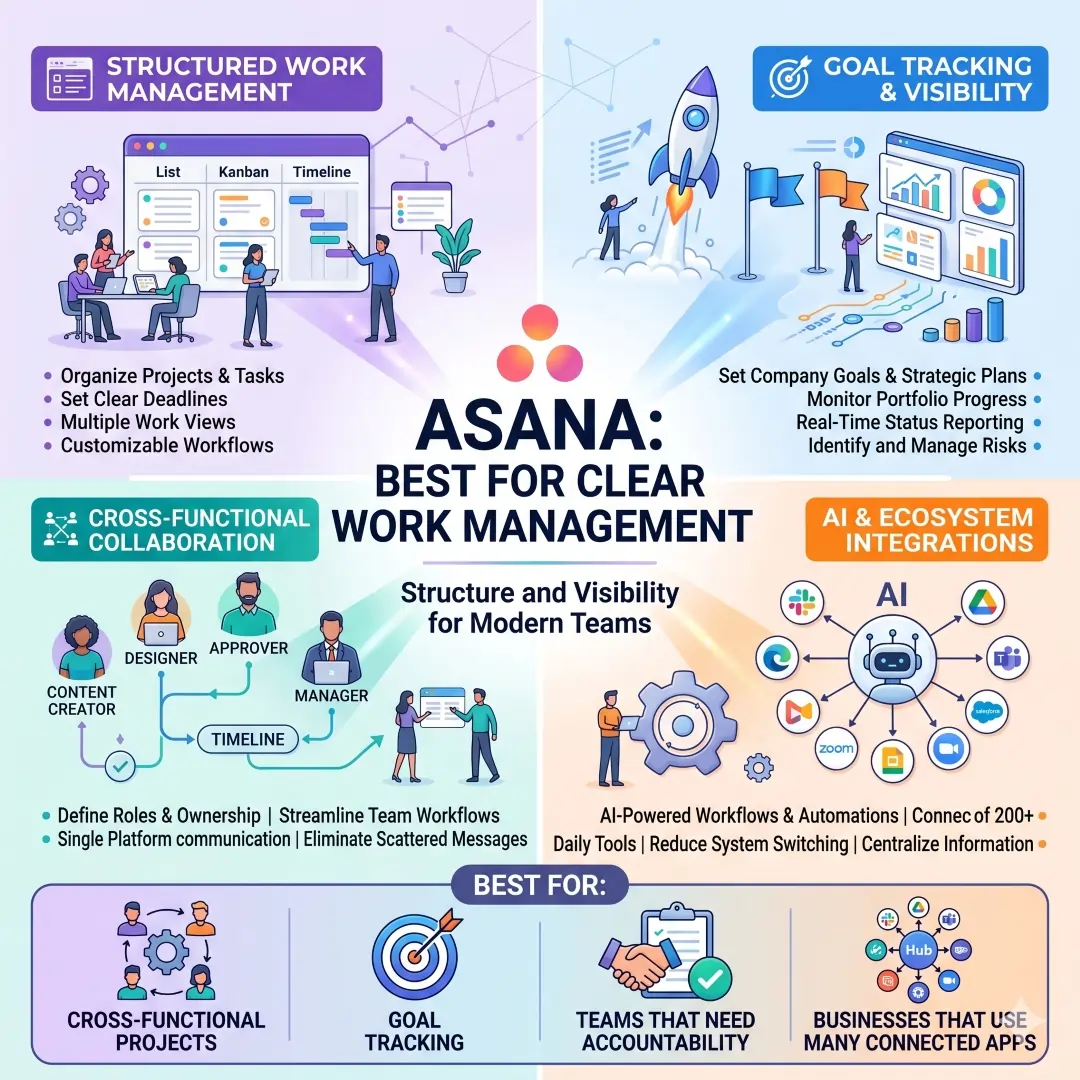
A good use case for Asana is a marketing team launching a new campaign. One person owns the content, another handles design, another approves the final copy, and the manager tracks the entire launch timeline. Instead of relying on scattered messages, the whole team can see what is done, what is overdue, and what still needs attention. That visibility is exactly what makes a business organization feel professional.
Best for:
- Cross-functional projects
- Goal tracking
- Teams that need accountability
- Businesses that use many connected apps
2. Monday.com: Best for Flexible Work Organization
Monday.com stands out because it combines multiple business functions in one work management space. Its work management platform includes task management, resource management, portfolio management, time management and scheduling, request and approval management, business operations, client project management, and goals & OKRs. That makes it a strong choice for teams that want a single place to monitor both daily work and long-term business performance.
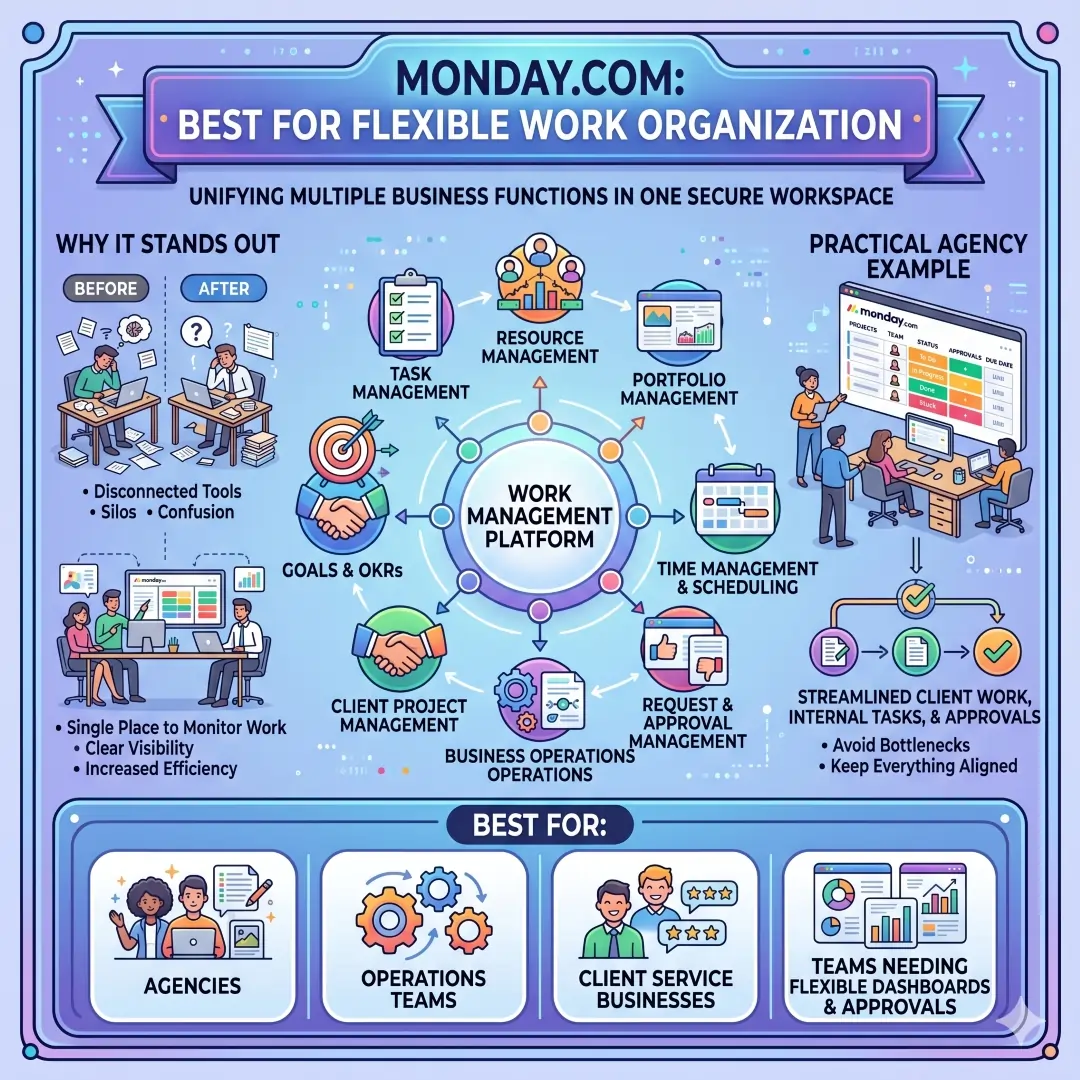
A practical example would be a small agency that manages client work, internal tasks, and approvals at the same time. Instead of using separate systems for schedules, requests, and progress updates, the agency can use one board-based system to keep everything aligned. This reduces confusion and makes it easier for managers to see bottlenecks before they slow down delivery.
Best for:
- Agencies
- Operations teams
- Client service businesses
- Teams that need flexible dashboards and approvals
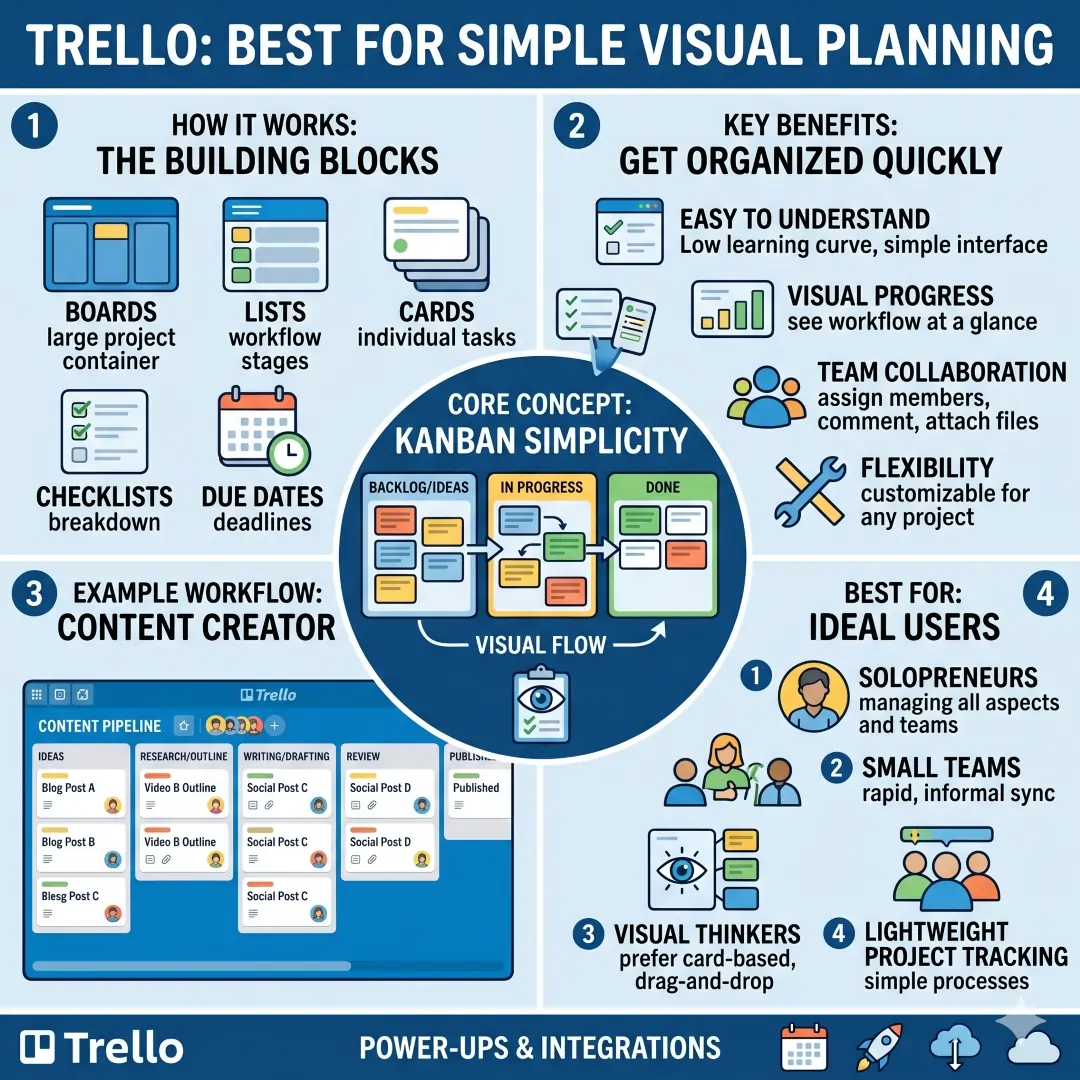
3. Trello: Best for Simple Visual Planning
Trello is ideal for teams that like simplicity. Its board-based system is easy to understand and works well for almost any project, workflow, or team. Trello is often a smart option for businesses that want to get organized quickly without a steep learning curve.
For example, a content creator or small product team can use one board for ideas, one for in-progress work, and one for completed items. That visual flow helps people see progress at a glance. When businesses are just starting to build structure, Trello often feels approachable and natural.
Best for:
- Solopreneurs
- Small teams
- Visual thinkers
- Lightweight project tracking
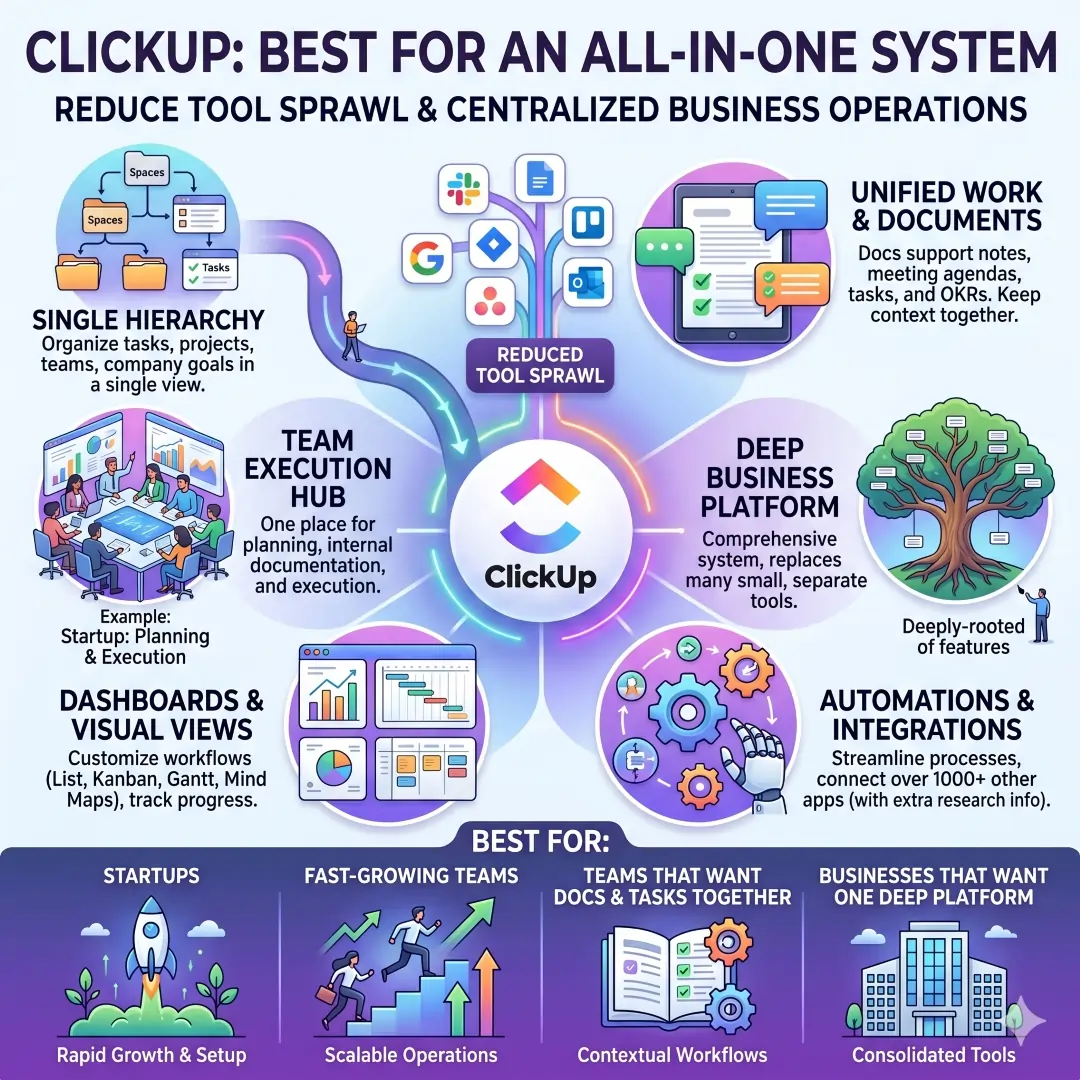
4. ClickUp: Best for an All-in-One System
ClickUp is a powerful option for businesses that want tasks, docs, teams, and goals inside one system. Its product features page says that tasks, projects, teams, and company goals are organized in a single hierarchy, and its docs support work like notes, meeting agendas, tasks, and OKRs. That makes it especially useful for teams that want to reduce tool sprawl.
A realistic example is a startup that wants one place for planning, internal documentation, and team execution. Instead of writing meeting notes in one app, tracking tasks in another, and storing goals somewhere else, the team can centralize a lot of this work in ClickUp. That kind of connection can make business operations much easier to follow.
Best for:
- Startups
- Fast-growing teams
- Teams that want docs and tasks together
- Businesses that want one deep platform instead of many small tools
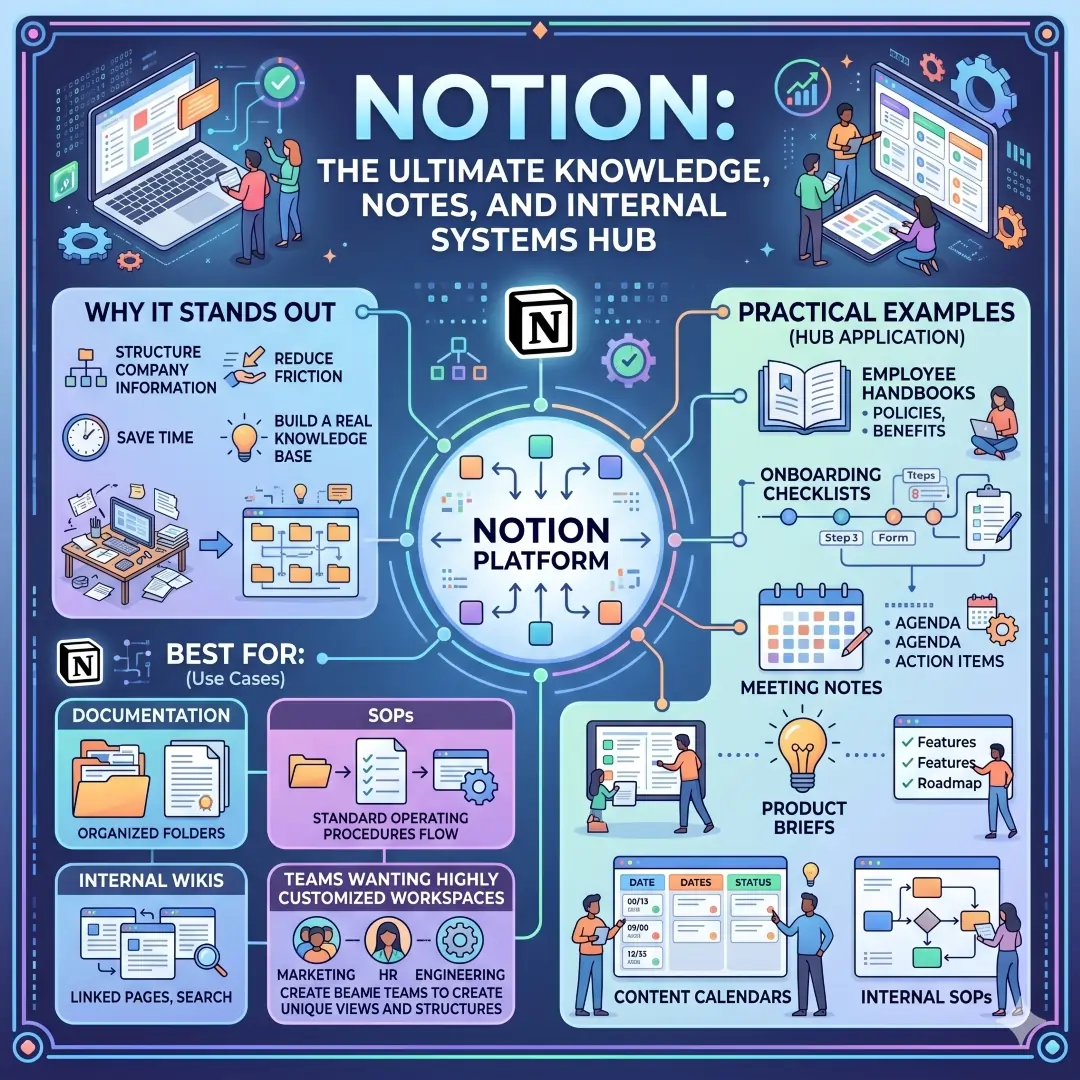
5. Notion: Best for Knowledge, Notes, and Internal Systems
Notion is especially strong when a business needs to organize information, documents, and internal knowledge. Its documentation explains that databases can be used to structure company information, and that teams can organize notes, docs, tasks, and projects in one place. That flexibility makes Notion useful for building a real knowledge base rather than just a note-taking space.
This is helpful for employee handbooks, onboarding checklists, meeting notes, product briefs, content calendars, and internal SOPs. A growing business can turn Notion into a central reference hub, so people are not always asking the same questions in chat. That saves time and reduces friction.
Best for:
- Documentation
- SOPs
- Internal wikis
- Teams that want highly customized workspaces
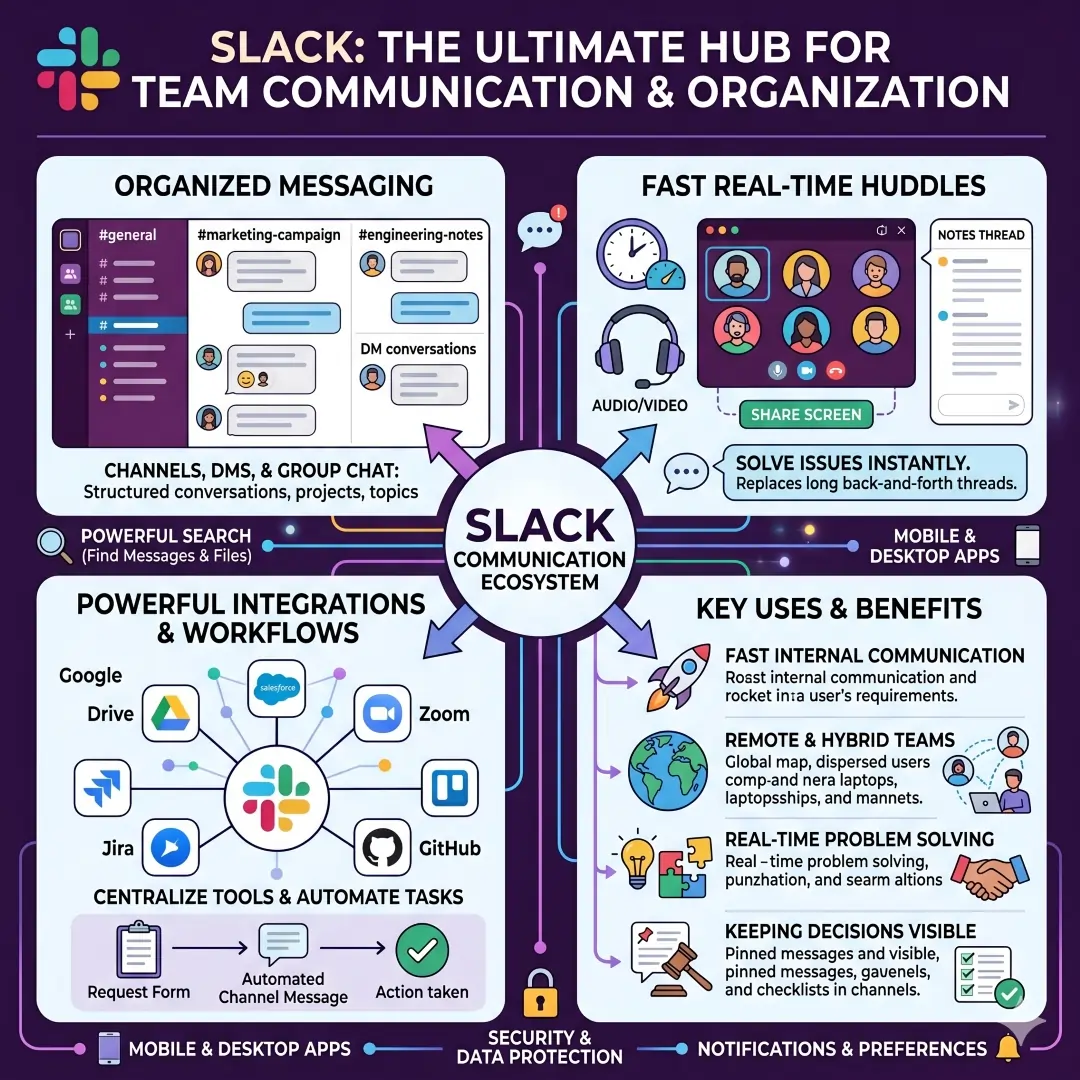
6. Slack: Best for Team Communication
Slack helps businesses stay organized by keeping communication inside channels, direct messages, and huddles. Slack’s huddle feature lets teams start audio or video conversations directly in a channel or DM, share screens, and use a dedicated thread for notes. That means quick discussions do not get lost inside endless message chains.
A useful example is when a sales team needs to review a lead quickly or a support team needs to solve a customer issue in real time. A huddle can replace a long back-and-forth thread and turn the conversation into action faster. For businesses, cleaner communication often means better organization everywhere else, too.
Best for:
- Fast internal communication
- Remote and hybrid teams
- Real-time problem solving
- Keeping decisions visible in channels
7. Google Workspace: Best for Everyday Collaboration
Google Workspace is one of the most practical business organization suites because it covers so many daily needs in one ecosystem. It includes Gmail, Calendar, Meet, Chat, Drive, Docs, Sheets, Slides, Forms, and Sites, which makes it useful for communication, scheduling, file storage, writing, and meetings.
For example, a business can use Gmail for client communication, Calendar for meeting scheduling, Drive for storage, Docs for written content, and Sheets for tracking data. Because these tools work together, teams can keep information connected instead of saving it in separate places.
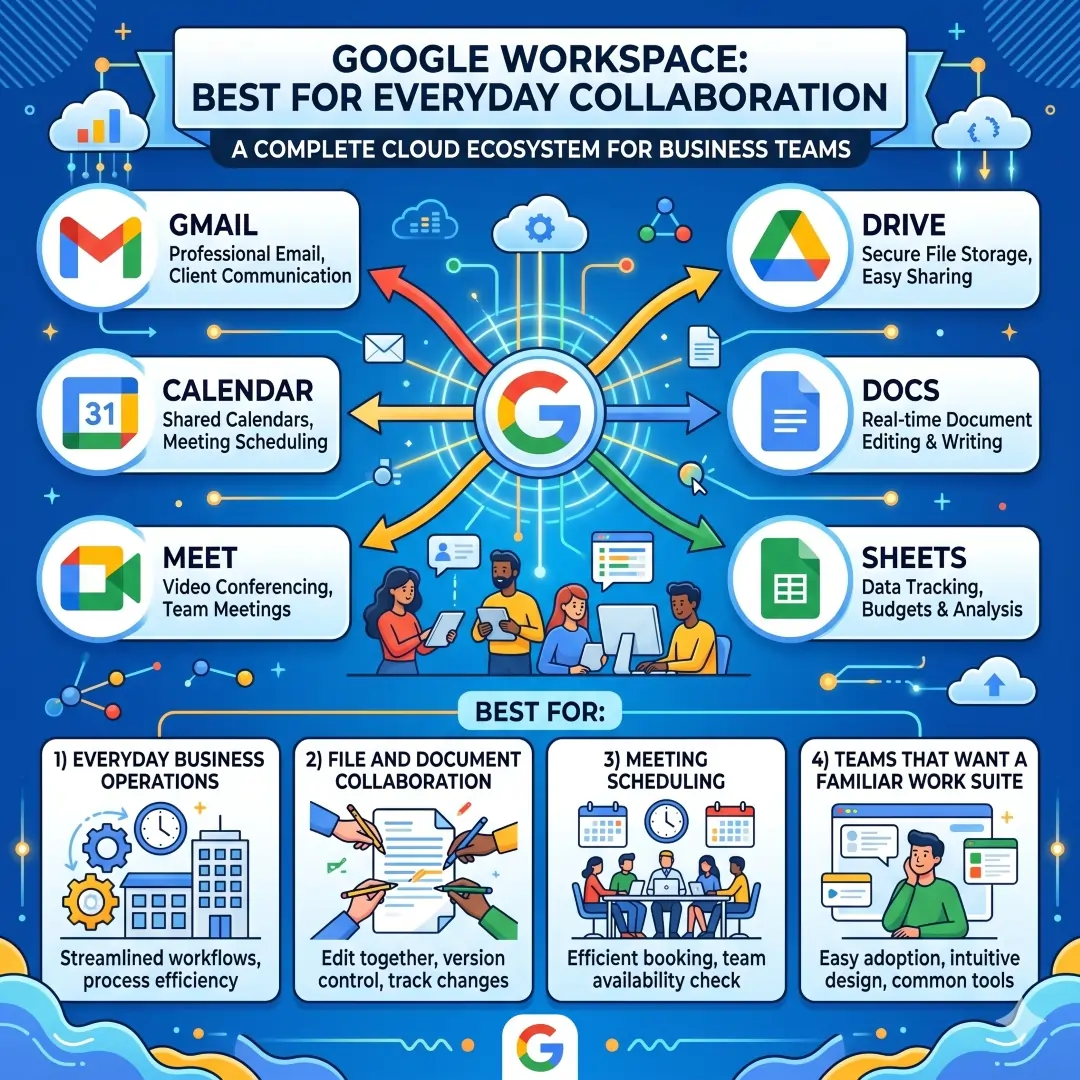
Best for:
- Everyday business operations
- File and document collaboration
- Meeting scheduling
- Teams that want a familiar work suite
8. Dropbox: Best for Secure File Organization
Dropbox is a strong choice for businesses that handle many files, versions, and approvals. Its official feature pages highlight cloud storage, file sharing, permissions, version control, file requests, and collaboration features. It also supports team folders and admin controls, which help businesses manage files in a more organized and secure way.
This is especially useful for agencies, designers, consultants, and teams that exchange large files often. A shared folder structure can keep client work, internal assets, and archived material separated, which reduces file chaos and makes it easier to find the right version when needed.
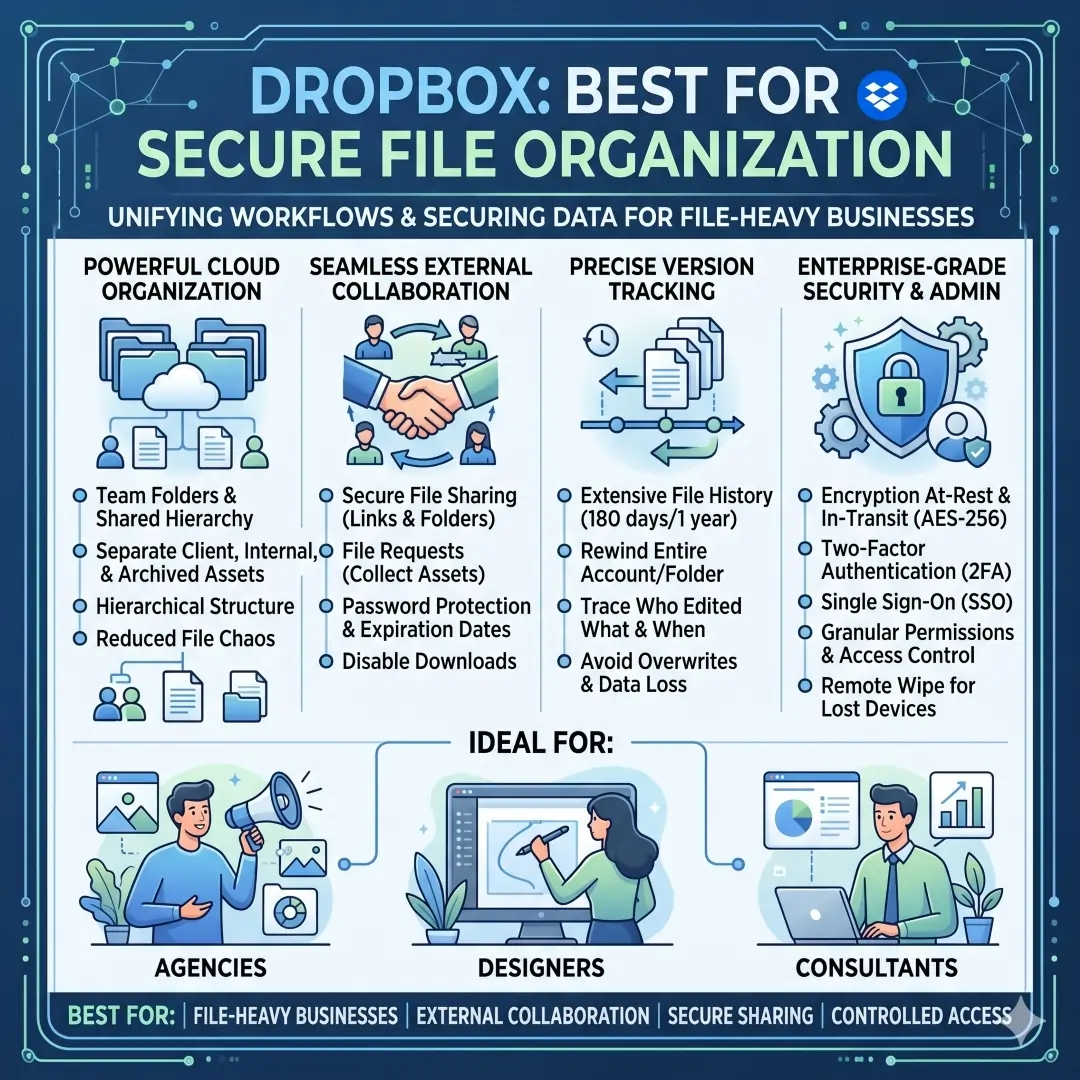
Best for:
- File-heavy businesses
- External collaboration
- Secure sharing
- Version tracking and controlled access
9. Zapier: Best for No-Code Automation
Zapier helps businesses connect apps and automate repeatable work without needing a developer for every little task. Zapier says it connects AI workflows across 9,000+ apps, and it is built to help people automate work in minutes. That makes it ideal for businesses that want to reduce manual handoffs and save time.
A practical example is automating lead capture from a form into a CRM, a spreadsheet, and a team notification at the same time. Another example is automatically creating tasks when a deal closes or sending reminders when a deadline is near. Small automations like these can make a business feel much more organized.
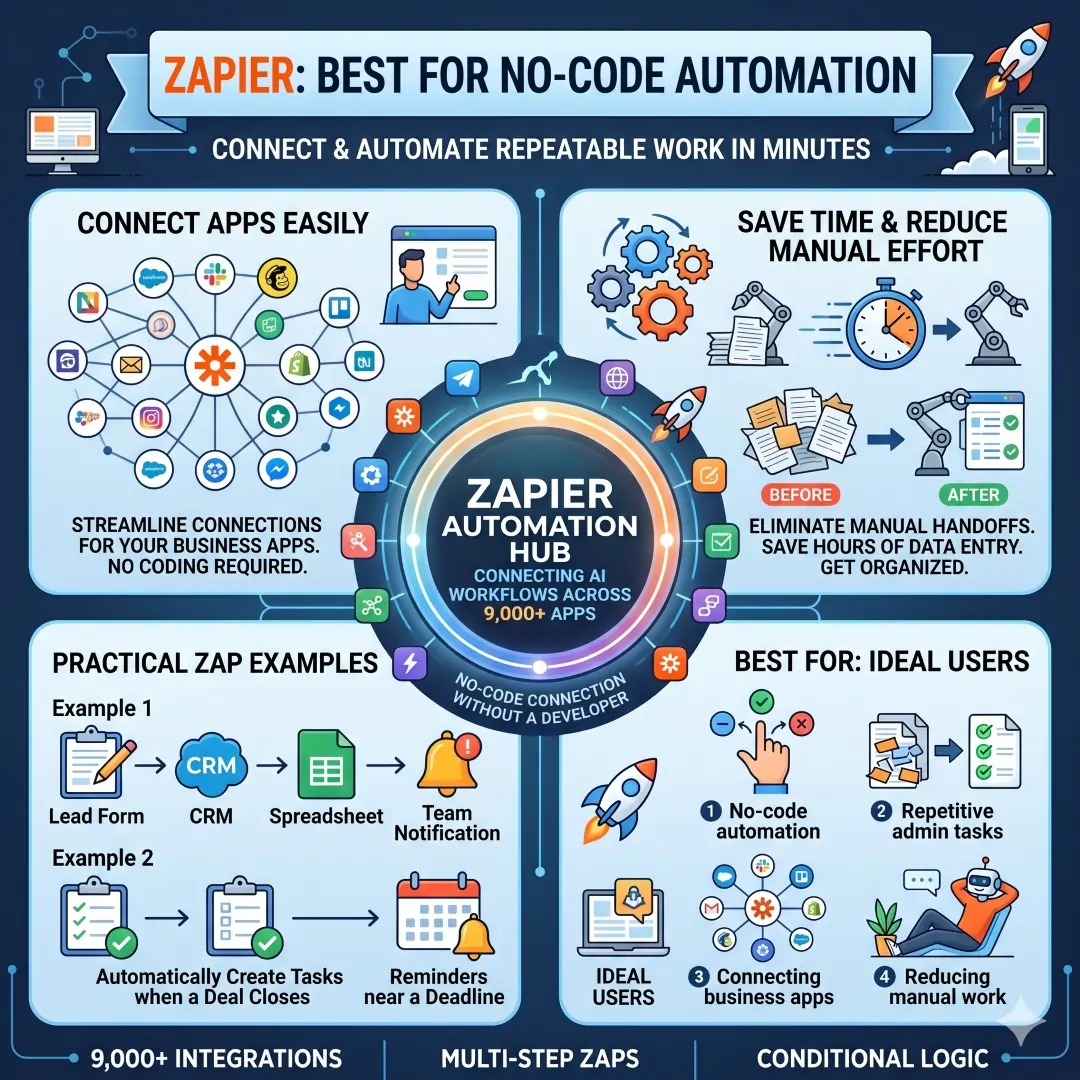
Best for:
- No-code automation
- Repetitive admin tasks
- Connecting business apps
- Reducing manual work
10. Microsoft Power Automate: Best for Process Automation
Microsoft Power Automate is built for automating business processes across apps, systems, and websites. Microsoft describes it as a tool for AI-powered, digital, and robotic process automation, which means it can handle both simple and more advanced workflows.
This is especially useful for larger organizations or teams that already use Microsoft tools heavily. Businesses can use it to route approvals, send notifications, sync files, or automate repetitive administrative work. When process-heavy businesses automate the routine parts of their day, they gain more consistency and fewer errors.
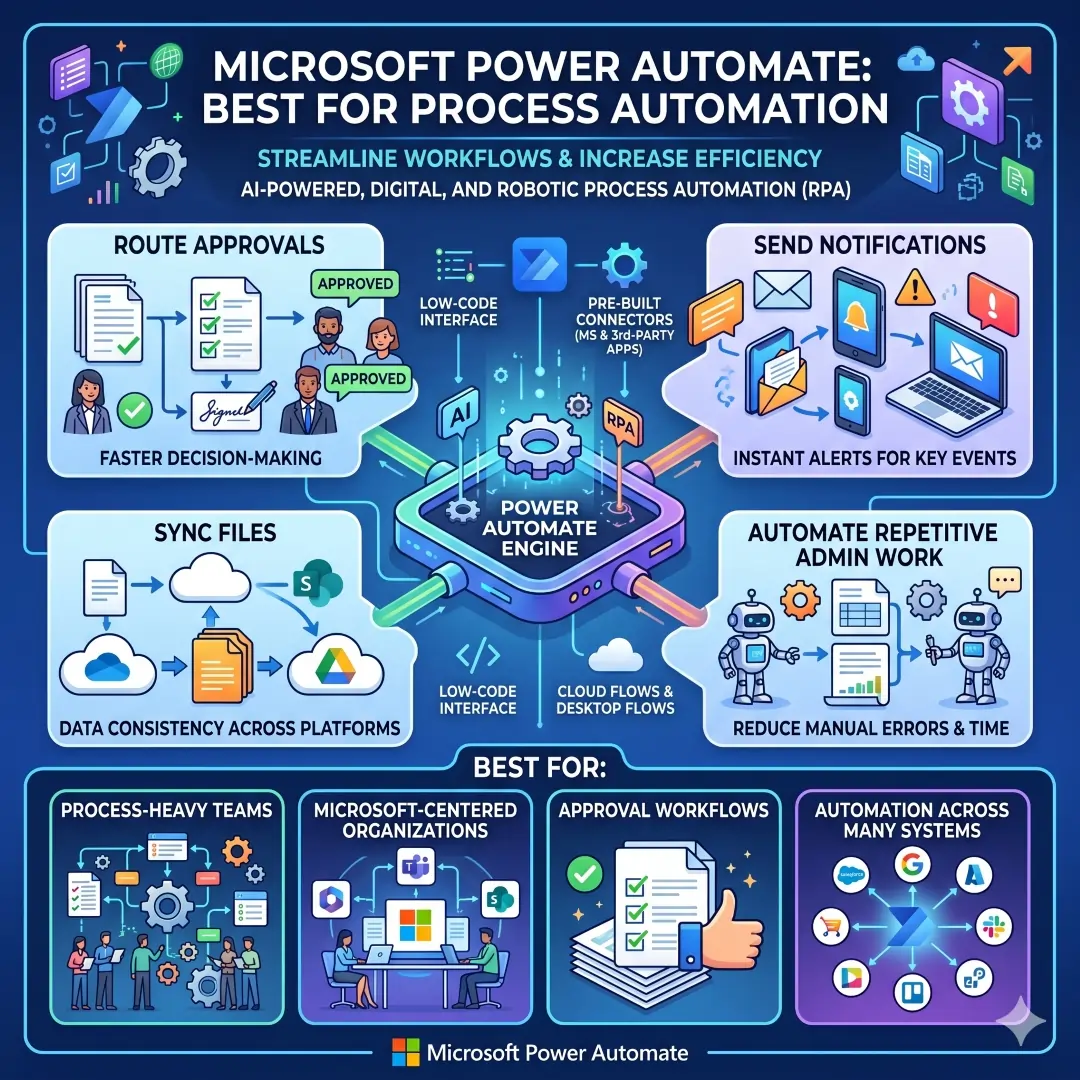
Best for:
- Process-heavy teams
- Microsoft-centered organizations
- Approval workflows
- Automation across many systems
11. QuickBooks: Best for Financial Organization
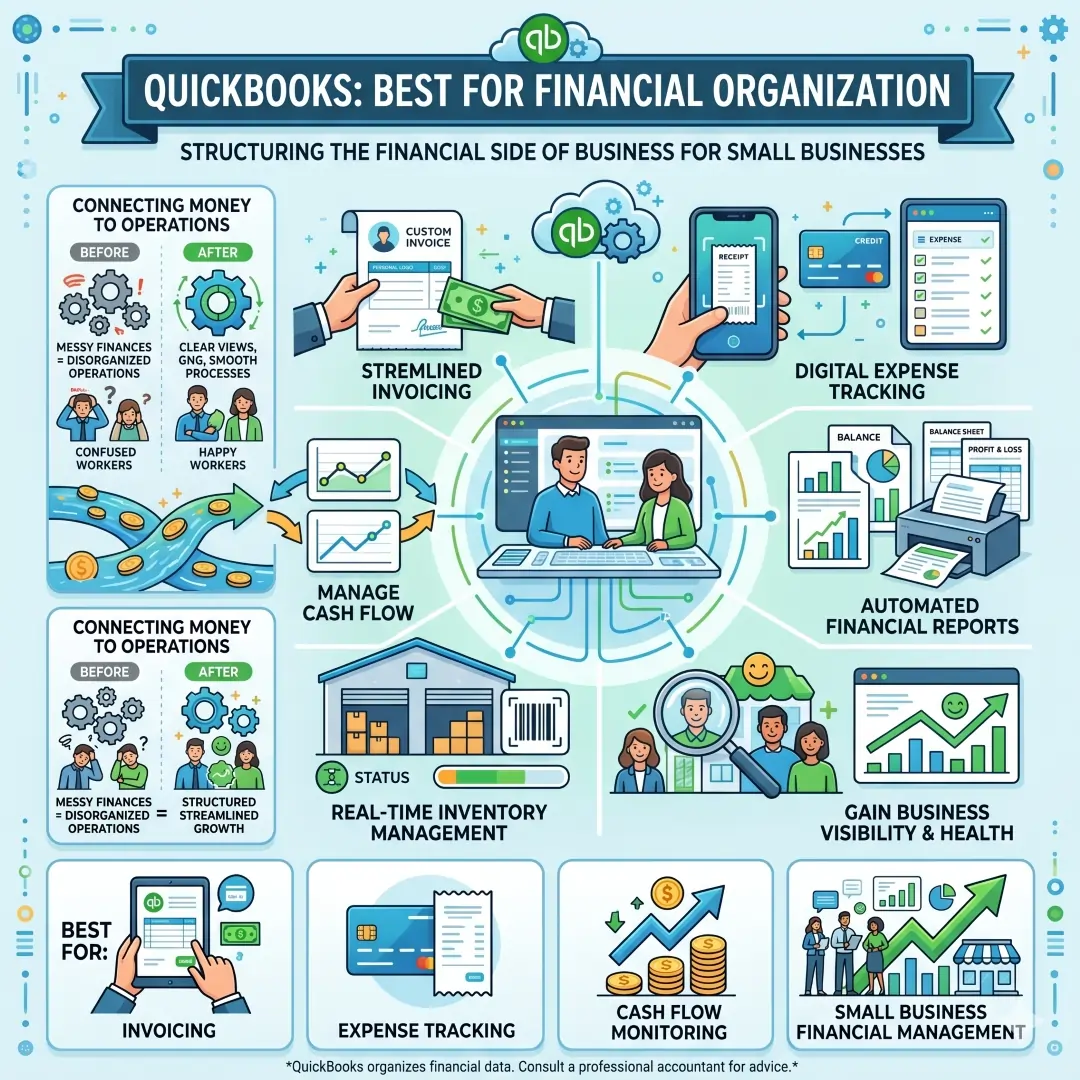
QuickBooks helps small businesses manage the financial side of an organization. Its official accounting software page says it can help track expenses, manage cash flow, send custom invoices, create financial reports, capture and organize receipts, and manage inventory in real time. That makes it a strong tool for keeping business finances structured and visible.
A business may have excellent project management and communication, but if the money side is messy, the whole operation feels disorganized. QuickBooks helps fix that by giving owners a clearer view of income, spending, and business health. For many companies, that is just as important as task organization.
Best for:
- Invoicing
- Expense tracking
- Cash flow monitoring
- Small Business Financial Management
How to Choose the Right Tools for Your Business
Here is a simple way to think about your setup.
| Business Need | Best Tools | Why This Combination Works |
|---|---|---|
| Project execution | Asana, monday.com, Trello, ClickUp | These tools help you see work clearly, assign tasks, track goals, and keep projects moving. |
| Team communication | Slack, Google Workspace | Slack handles quick conversations and huddles, while Google Workspace supports email, calendar, and meetings. |
| Knowledge and documentation | Notion, Google Docs, ClickUp Docs | These tools help you store SOPs, notes, internal documents, and shared knowledge in one place. |
| File management | Dropbox, Google Drive | These tools support storage, sharing, permissions, and easier file access. |
| Automation | Zapier, Power Automate | Both reduce repetitive work by connecting apps and streamlining processes. |
| Finance | QuickBooks | Keeps billing, cash flow, receipts, and reporting more organized. |
A Smart Business Stack by Team Size
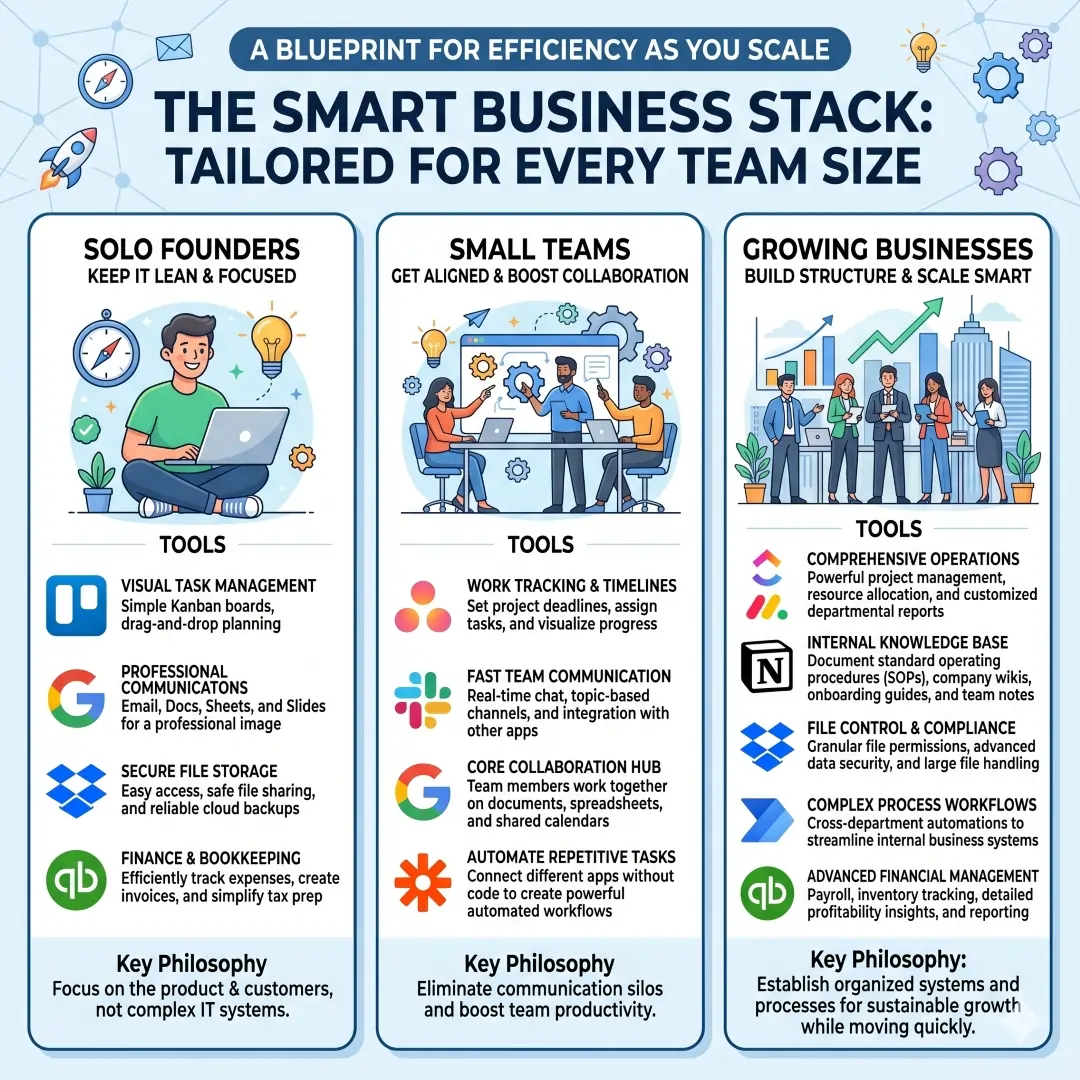
- For solo founders
- For small teams
- A stronger setup might include Asana or monday.com for work tracking, Slack for communication, Google Workspace for collaboration, and Zapier for automation. This combination helps teams stay aligned without becoming overloaded with software.
- For growing businesses
- A growing company may benefit from ClickUp or monday.com for operations, Notion for internal knowledge, Dropbox for file control, Power Automate for process workflows, and QuickBooks for financial management. This kind of stack is useful when different departments need structure but still need to move quickly.
Practical Tips to Stay Organized Like a Pro
- Keep one main tool for tasks, instead of spreading projects across multiple apps. Tools like Asana, monday.com, Trello, and ClickUp are built for this kind of centralization.
- Use one central knowledge base for company notes, SOPs, and onboarding material. Notion and ClickUp Docs are especially useful for this.
- Keep communication in clear channels. Slack huddles and channels help teams discuss work without burying decisions in scattered messages.
- Store files in a system with permissions and version history. Dropbox is built with these controls, which matter when multiple people work on the same documents.
- Automate repetitive steps wherever possible. Zapier and Power Automate are both designed to reduce manual work and connect apps more efficiently.
- Keep the money side clean. A platform like QuickBooks can make expenses, invoices, cash flow, and reporting far easier to manage.
Common Mistakes Businesses Make
One common mistake is choosing too many tools at once. A stack becomes powerful when each tool has a clear purpose. Another mistake is using chat apps like Slack for everything, including project tracking and file storage, which makes information harder to find later. Businesses also sometimes forget the finance side, even though cash flow and reporting are essential parts of staying organized. Tools like Google Workspace, Dropbox, Slack, Asana, monday.com, Notion, Zapier, Power Automate, and QuickBooks work best when each one handles a specific job in the larger system.
Final Thoughts
If you want to organize your business like a pro, the answer is not just one tool. It is a smart combination of tools that cover projects, communication, documents, files, automation, and finances. Asana, monday.com, Trello, and ClickUp help with work management. Notion and Google Workspace help with knowledge and daily collaboration. Slack keeps communication flowing. Dropbox keeps files secure and accessible. Zapier and Microsoft Power Automate remove repetitive work. QuickBooks keeps the financial side in order. When these tools are used with a clear system, your business becomes easier to run, easier to scale, and much more professional in everyday practice.
Also, Read these Articles in Detail
- Best Business Tools for Small Businesses in 2026
- Top Business Tools Every Startup Needs
- Best Productivity Tools for Modern Teams
- Essential Business Tools for Remote Teams
- Best AI Business Tools to Save Time and Money
- Top 10 Project Management Tools for Growing Businesses
- 8 Best CRM Tools for Sales and Customer Growth
- Top 7 Accounting Tools for Small Business Owners
- Best Collaboration Tools for Business Teams
- Must-Have Business Tools for Entrepreneurs
- 10 Best Business Automation Tools for Faster Workflows
Article Reference Citations
- Asana. Work Management Platform Features and Benefits.
- Monday.com. Work Management Software for Teams.
- Trello. Visual Tool for Organizing Your Work and Projects.
- ClickUp. All-in-One Productivity Platform Features.
- Notion. Creating Databases and Organizing Information.
- Google. Google Workspace Overview and Tools.
- Slack. Huddles Feature for Team Communication.
- Dropbox. Cloud Storage, File Sharing, and Collaboration Features.
- Zapier. Automation Platform Connecting Apps and Workflows.
- Microsoft. Power Automate for Business Process Automation.
- Intuit. QuickBooks Accounting Software for Small Businesses.
Frequently Asked Questions
FAQ 1: What does it really mean to organize a business like a pro?
To organize a business like a pro means creating a system where daily work is easy to track, easy to understand, and easy to complete. It is not only about keeping documents in the right folder or using a task list. It is about building a business structure where projects, communication, files, deadlines, approvals, and financial records all have a clear place. When a business is organized properly, people spend less time searching for information and more time doing useful work.
A professional level of organization also helps a business stay calm under pressure. When tasks are spread out across many places, small problems quickly become bigger ones. But when the work is managed through the right project management tools, communication tools, and automation tools, the business becomes more predictable. That makes it easier to manage growth, handle clients, and support team members without confusion.
For example, a small business owner can use one system for task tracking, another for file storage, and another for financial records. The important part is that each tool has a clear role. This prevents overlap and keeps the workflow clean. A well-organized business usually looks simple on the outside because the complexity is handled quietly in the background.
In everyday life, this kind of organization helps with things like meeting deadlines, keeping customer requests in order, and making sure nothing is forgotten. It also creates a stronger professional image. Clients and team members can feel the difference when a business is structured, responsive, and reliable. That is what makes organization such a powerful part of long-term success.
FAQ 2: Which type of business organization tool should I choose first?
The first tool you should choose depends on the biggest problem in your business right now. If your main issue is missed deadlines or unclear responsibilities, start with a task management tool. If your team keeps losing messages or repeating discussions, begin with a communication tool. If your files are scattered and hard to find, start with a cloud storage tool. If you are wasting time on repeated manual steps, then an automation tool should come first.
For many businesses, the most practical starting point is a work management platform because it helps bring tasks, projects, and progress into one place. Tools like Asana, monday.com, Trello, and ClickUp are often used for this reason. They help turn scattered work into a visible system that everyone can understand. Once the main workflow is under control, it becomes easier to add other tools later.
A good way to decide is to ask one simple question. What is causing the most friction in my business every day? The answer usually points to the right starting tool. A business with strong communication but weak planning may need a project tool. A business with strong planning but weak file handling may need better storage. A business with both but too much repetition may need automation.
It is also wise to avoid choosing too many tools at once. That can create new confusion instead of solving the old one. Start small, solve the biggest pain point, and then expand slowly. A simple system that people actually use is always better than a complicated system that looks impressive but gets ignored.
FAQ 3: Why are project management tools so important for business organization?
Project management tools are important because they help businesses turn ideas into action. Without them, tasks often live in emails, chat messages, notebooks, or memory. That makes it easy to forget deadlines, misunderstand responsibilities, and lose track of progress. A good project management tool creates a shared space where work can be planned, assigned, reviewed, and completed in a visible way.
These tools also improve accountability. When everyone can see who is responsible for what, the chances of confusion go down. Team members know what they need to do, managers can see progress at a glance, and problems can be noticed early. That makes it easier to stay on schedule and maintain quality. It also helps with teamwork because people can work together without constantly asking for updates.
For example, a marketing team can use a project management tool to plan a campaign from start to finish. One person can handle writing, another can manage design, another can check approvals, and another can monitor the launch date. Instead of depending on scattered conversations, the whole process stays in one place. This creates more structure and fewer mistakes.
Project management tools are also useful for small businesses, not just large teams. A solo entrepreneur can use them to track content plans, client work, product launches, or internal goals. The real value is not the size of the team. The real value is the clarity the system creates. When work is easy to see, it becomes easier to finish.
FAQ 4: How do communication tools help a business stay organized?
Communication tools help a business stay organized by keeping conversations in the right place. In many businesses, important information gets buried in random chats, text messages, or long email threads. That makes it harder to find decisions later. A strong communication tool creates a more structured space where conversations can be grouped by topic, project, or team.
This matters because communication is often where organization begins to break down. Even if tasks are well planned, the business can become messy if people do not share updates clearly. Tools like Slack help solve this by letting teams keep communication inside channels and focused conversations. Quick discussions, file sharing, and real-time updates become easier to manage.
A good example is a support team that needs to handle urgent customer issues. Instead of sending separate messages to different people, the team can discuss the issue in one shared place and keep a record of the solution. That reduces repeat questions and improves response time. The same idea works for sales, marketing, operations, and leadership discussions.
Communication tools also support remote and hybrid teams. When people are not physically in the same room, structure becomes even more important. The right tool helps teams stay connected without being overwhelmed by noise. It helps separate urgent communication from general updates, which keeps the whole business more organized and easier to manage.
FAQ 5: What makes automation tools so valuable for business organization?
Automation tools are valuable because they remove repetitive work from daily operations. Many businesses spend too much time on tasks like sending reminders, copying data, creating repeated follow-ups, or moving information from one app to another. Automation helps handle those tasks automatically, which saves time and reduces human error.
Tools like Zapier and Microsoft Power Automate are useful because they connect different apps and systems. That means a business can create workflows that run in the background without needing constant manual attention. For example, a new customer form can automatically create a task, notify a team member, and save the lead information in a spreadsheet or CRM. That is much cleaner than doing everything by hand.
The real benefit of automation is not just speed. It is consistency. When a process is automated, the same steps happen the same way every time. That makes business operations more reliable. It also helps small teams do more with less effort, which is especially useful when resources are limited.
Another advantage is that automation frees up mental energy. When people are not stuck doing the same repetitive tasks every day, they can focus on planning, service, sales, creativity, and problem solving. In a well-organized business, automation supports the system quietly and makes everything feel smoother behind the scenes.
FAQ 6: Why should a business use both a task tool and a knowledge tool?
A business should use both because tasks and knowledge are two different things. A task tool helps people know what needs to be done. A knowledge tool helps people know how to do it. When both are combined, the business becomes much easier to manage because work and information support each other instead of living separately.
For example, a team may use Asana, monday.com, or ClickUp to track tasks and projects. At the same time, it may use Notion to store SOPs, onboarding guides, content briefs, and internal policies. That way, when someone opens a task, they can also access the instructions or background information they need. This reduces mistakes and saves time.
This combination is especially helpful for growing teams. New employees can get up to speed faster when important information is documented clearly. Existing team members also benefit because they do not need to ask the same questions repeatedly. The business becomes less dependent on memory and more dependent on structure.
A strong business organization system usually includes both action and reference. The task tool shows the next step. The knowledge tool explains the step. Together, they create a smoother experience for the whole team. This is one of the simplest ways to make a business look and feel more professional.
FAQ 7: How can file organization improve business performance?
File organization can improve business performance because it saves time, reduces mistakes, and makes team collaboration easier. When files are stored in a messy way, people spend too much time searching for the right version of a document, image, contract, invoice, or proposal. That lost time adds up quickly and slows down the whole business.
A good file organization system uses cloud storage and clear folder structure. Tools like Dropbox and similar file systems help teams store, share, protect, and update documents in a more controlled way. Features such as permissions, version history, and file requests are especially useful when multiple people work on the same material. They help prevent confusion and accidental overwrites.
For example, a design agency might store client files in one folder, internal templates in another, and archived projects in a separate section. This keeps active work clean and easy to access. It also helps when a team member needs to hand off a project or when a manager needs to review progress quickly. The less time people spend looking for files, the more time they can spend serving customers.
Good file organization also matters for trust. Clients feel more confident when a business is neat and professional with its documents. Internal teams work better too because they do not need to guess where information is stored. In many cases, better file organization can improve productivity almost immediately.
FAQ 8: What is the best way to organize a small business without making it too complicated?
The best way is to keep the system simple, clear, and consistent. A small business does not need every tool available. It needs the right few tools, used well. The smartest approach is to focus on the main areas of business organization, which are tasks, communication, files, automation, and finances. Once those are stable, the business can grow without feeling messy.
A simple setup might include one task management tool for work tracking, one communication tool for team conversations, one cloud storage tool for files, one automation tool for repetitive steps, and one accounting tool for money management. That combination covers a lot without becoming overwhelming. Tools like Trello, Slack, Google Workspace, Zapier, and QuickBooks can fit well in a small business setup.
Small business owners should also avoid trying to make every tool do everything. That creates confusion. A task tool should handle tasks. A file tool should handle files. A finance tool should handle money. When each tool has a clear purpose, the workflow becomes easier to understand and easier to maintain.
The best system is one that the team actually uses every day. A simple process that is followed consistently is far more effective than a fancy setup that no one understands. Small businesses grow faster when organization is practical, not complicated.
FAQ 9: How do financial tools help organize a business better?
Financial tools help because business organization is not complete without clear money management. Even if projects are running well, a business can still struggle if invoices are missing, expenses are not tracked, or cash flow is unclear. A financial tool brings structure to the money side of the business, which is essential for long-term stability.
A tool like QuickBooks helps with expense tracking, invoicing, cash flow monitoring, receipt capture, inventory management, and reporting. These features make it much easier to understand how the business is performing financially. Instead of guessing, owners can see real numbers and make better decisions. That is a major part of staying organized like a professional.
For example, a small retailer can use financial software to monitor purchases, sales, and stock movement. A service business can use it to send invoices on time and keep records of client payments. A consultant can use it to track income and expenses without relying on scattered notes. In each case, the tool reduces stress and improves control.
Financial organization also supports tax preparation, budgeting, and planning. When records are accurate and easy to access, the business is better prepared for audits, reporting, and future growth. In this way, financial tools do much more than count money. They help the business stay steady and well structured.
FAQ 10: How can I build a complete business organization system that actually works every day?
A complete business organization system starts with clarity. First, decide where tasks will live, where communication will happen, where files will be stored, where knowledge will be documented, where automation will run, and where financial records will be managed. Once each part has a home, the business becomes much easier to run.
A practical system often includes a project management tool like Asana, monday.com, Trello, or ClickUp. It may also include Slack or another communication tool for team discussions, Google Workspace or Notion for documentation, Dropbox for file management, Zapier or Power Automate for automation, and QuickBooks for accounting. Together, these tools create a strong foundation for daily operations.
The second step is to set rules for how the tools will be used. For example, project updates should go in the task tool, not in random messages. Final documents should be stored in the file system, not in personal inboxes. Standard procedures should be written down once and reused. These habits are what make the system reliable over time.
The third step is consistency. A business system only works when people follow it regularly. That means naming files properly, updating tasks on time, recording decisions in one place, and reviewing progress often. When the habits are strong, the tools become powerful. This is how a business moves from scattered to structured, and from stressed to organized.
The final goal is to create a workflow that feels natural. The best systems do not force people into confusion. They help people work with more confidence, more speed, and less effort. When that happens, the business is no longer just busy. It is truly organized like a pro.
Article Disclaimer
The information provided in this article, “Top Tools to Organize Your Business Like a Pro,” is intended for general informational and educational purposes only. While every effort has been made to ensure accuracy, relevance, and usefulness, the content should not be considered as professional advice related to business management, financial planning, legal compliance, or technology implementation. Readers are encouraged to evaluate their own business needs and consult with qualified professionals before making any decisions based on the information presented.
This article may reference various software tools, platforms, and services that are widely used for business organization, productivity, and automation. These mentions are for informational purposes only and do not represent endorsements, guarantees, or official partnerships. The performance, pricing, features, and availability of these tools may change over time, and users should always verify details directly from the official providers before making a purchase or subscription.
Every business operates differently, and what works effectively for one company may not be suitable for another. Factors such as team size, industry type, budget, technical expertise, and workflow complexity can significantly influence the effectiveness of any tool or system. Therefore, readers should conduct their own research, test different options when possible, and choose solutions that best align with their specific goals and operational requirements.
Additionally, the use of third-party tools may involve data storage, privacy considerations, and security risks that are outside the control of this article. Users are responsible for reviewing the privacy policies, terms of service, and security practices of any software they choose to use. It is important to ensure that business data is handled responsibly and in compliance with applicable regulations and standards.
While this article aims to provide helpful insights and practical guidance, no guarantees are made regarding business outcomes, efficiency improvements, or financial results. Implementing new tools and systems requires time, effort, and proper execution. Success depends on consistent usage, team adoption, and ongoing optimization.
By reading and using the information in this article, you acknowledge that the author and publisher are not liable for any losses, damages, or issues that may arise from the use or misuse of the tools and strategies discussed.
