Small business owners often begin with spreadsheets, paper receipts, and a lot of memory. That can work for a while, but it becomes risky as soon as sales grow, expenses multiply, or tax season arrives. Good recordkeeping matters because it helps you monitor business progress, prepare financial statements, identify income sources, track expenses, and support tax returns. The IRS also notes that a business recordkeeping system should clearly show income and expenses.
That is why the right accounting tools matter so much. The best software does more than add up numbers. It helps with invoicing, expense tracking, bank reconciliation, cash flow management, reporting, and often payroll or inventory too. Many modern tools are cloud-based, which means you can work from a phone, tablet, or computer without installing heavy desktop software.
For small business owners, the real goal is simple. You want fewer manual tasks, fewer mistakes, faster payments, and better visibility into your business’s health. The tools below are among the strongest choices for that job, especially when you want a system that feels practical, easy to use, and ready for daily business life.
Table of Contents
What Small Businesses Should Look for in Accounting Software
Before choosing a tool, it helps to think about what actually matters day to day. Small businesses usually need software that can handle the basics first, then grow with the company later. The most valuable features are usually invoice creation, expense management, bank feeds, bank reconciliation, financial reports, and simple collaboration with an accountant or bookkeeper. The IRS and SBA both emphasize the importance of accurate records and financial tracking for business decisions and tax support.
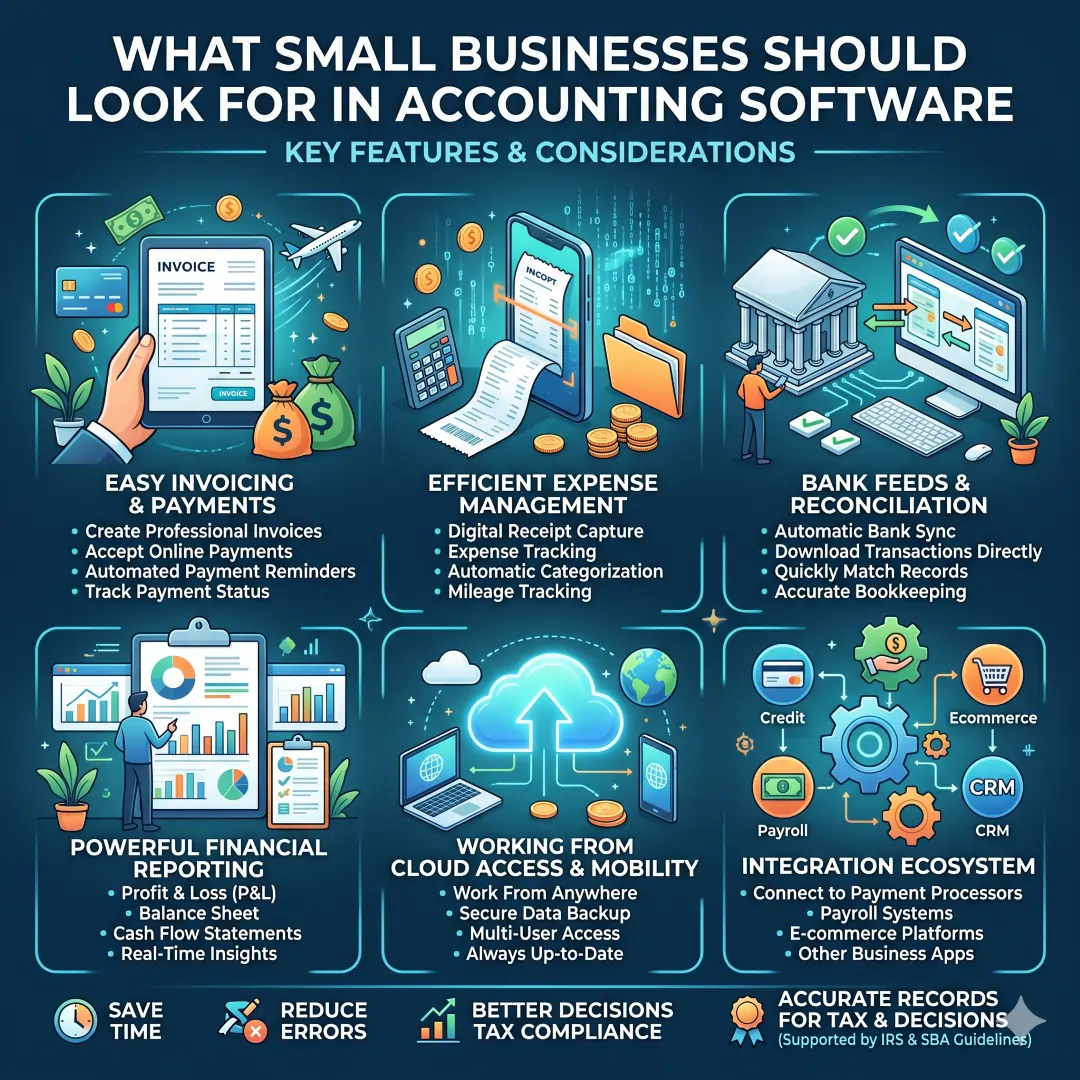
A strong accounting tool should usually give you some combination of the following:
- Easy invoicing for faster billing and clearer payment tracking.
- Expense tracking with receipt capture or receipt scanning.
- Bank reconciliation so your books match your bank records more reliably.
- Reporting such as profit and loss, balance sheet, or cash flow summaries.
- Cloud access so you can work from anywhere and share data more easily.
- Integrations with payment tools, payroll, ecommerce, or expense apps.
In simple terms, the best accounting software should save time, reduce errors, and help you make better decisions with less stress. That is the real value, not just the software label itself.
Top Accounting Tools for Small Business Owners
1. QuickBooks Online
QuickBooks Online is one of the most recognizable cloud accounting tools for small businesses. It is built to help business owners manage cash flow, track expenses, send invoices, and work from any device through the cloud. The platform also offers invoicing, expense tracking, and mobile access, making it a practical choice for owners who want a single finance system instead of several disconnected apps.
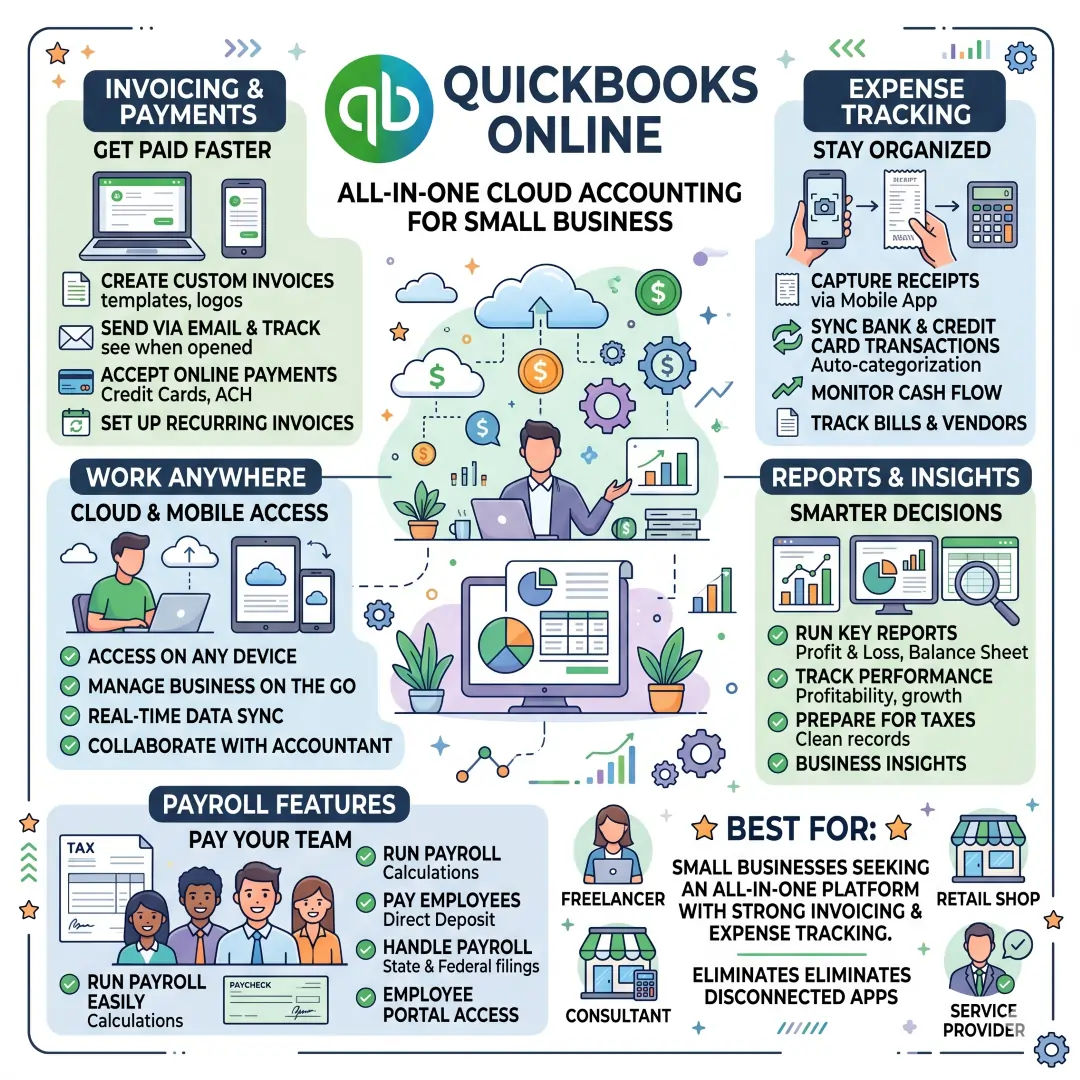
It is especially useful when your business has regular billing, recurring expense entry, or a need to keep financial records organized in one place. A service business, for example, can create invoices, monitor payments, and keep receipts attached to expenses without juggling spreadsheets. QuickBooks also highlights payroll features on its online platform, which can matter a lot once you start hiring.
Best for: small businesses that want an all-in-one accounting platform with strong invoicing and expense tracking.
2. Xero
Xero is a cloud accounting platform designed for small businesses and sole traders. Its feature set includes online invoicing, bank connections, expense claims, app integrations, bank reconciliation, and bill payment tools. Xero also says it connects to 21,000+ global institutions, which is especially helpful for businesses that want bank data flowing into the accounting system with less manual work.
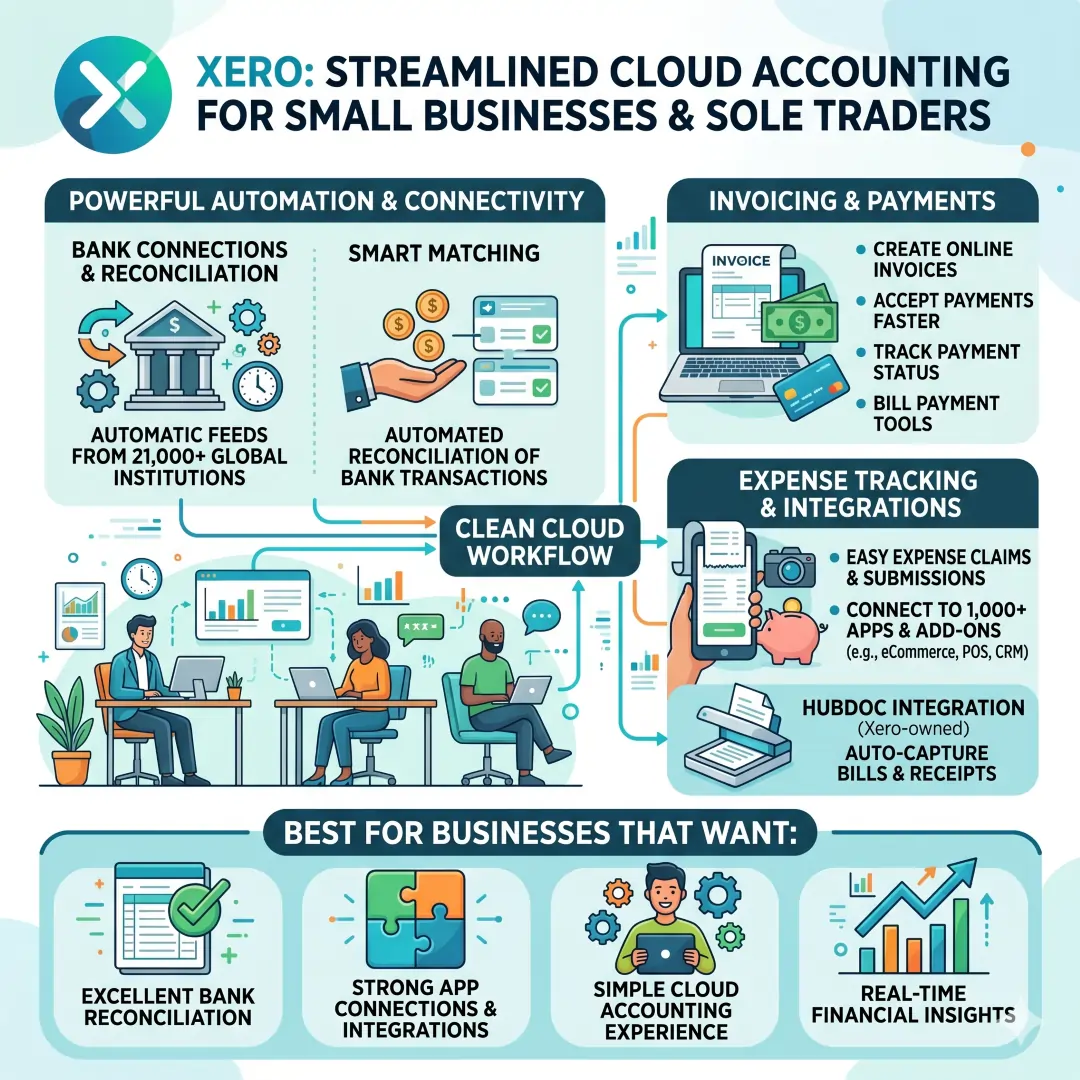
Xero is strong for business owners who want a clean cloud workflow and a lot of automation around matching transactions. The platform explains that bank reconciliation is about confirming that all transactions in your bank accounts are recorded in your business records, which is one of the most important habits in solid bookkeeping.
Best for: businesses that want excellent bank reconciliation, strong app connections, and a simple cloud accounting experience.
3. Zoho Books
Zoho Books is a feature-rich accounting tool that works well for small businesses wanting invoicing, expense tracking, bank account imports, reconciliation, and reporting. Zoho Books says users can send invoices, simplify online payments, manage customers, track expenses, connect bank accounts, reconcile transactions, and access 50+ financial reports.
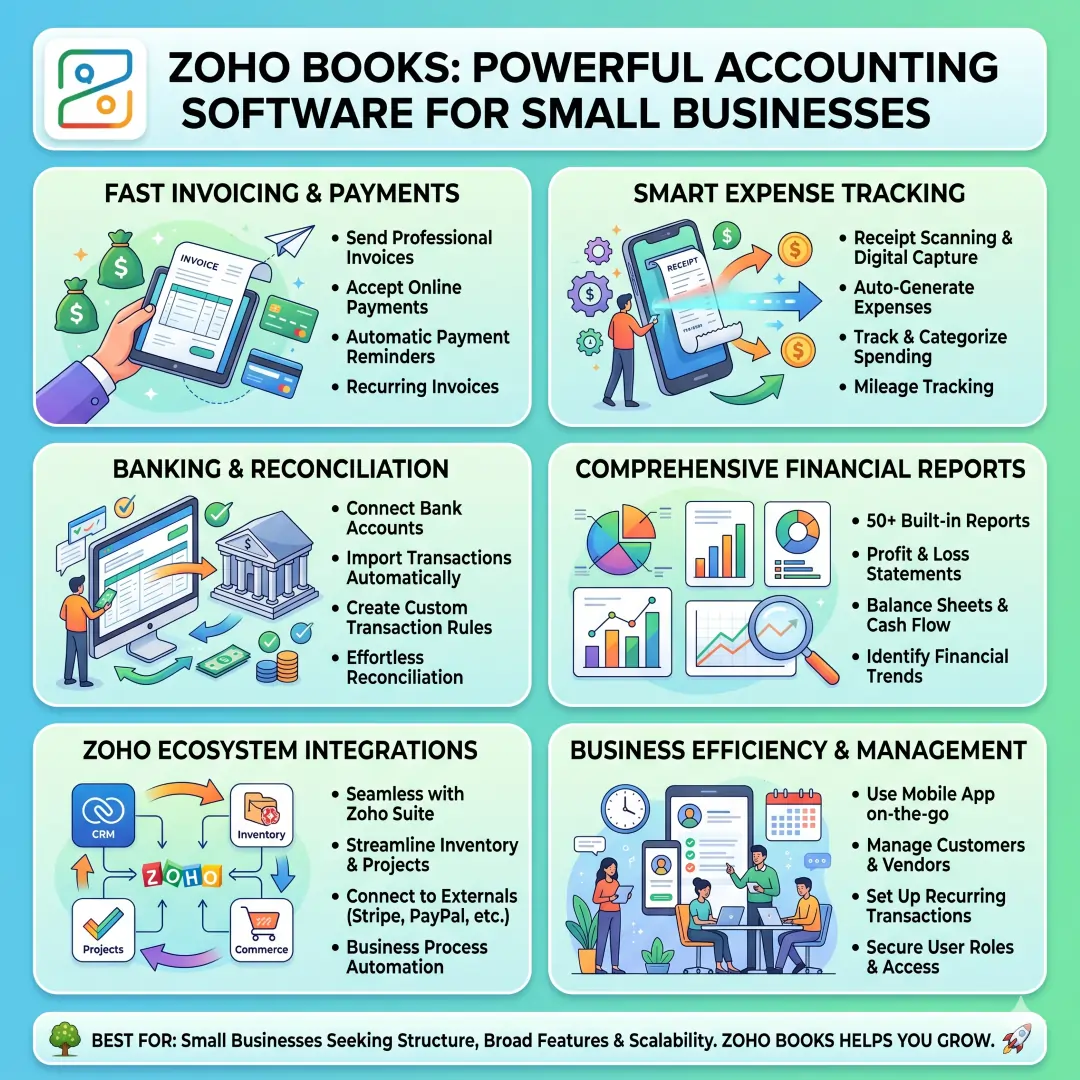
One of its biggest strengths is how it supports day-to-day bookkeeping details in a practical way. Zoho Books highlights receipt scanning or forwarding, automatic expense creation, transaction rules, and customer portal features. That makes it appealing for businesses that want structure without making bookkeeping feel complicated.
Best for: small businesses that want a broad feature set, especially around reports, expenses, and bank reconciliation.
4. Wave
Wave is well known for its simple approach to accounting, invoicing, and payments. Wave says small business owners can create invoices, accept online payments, and manage accounting in one place. It also offers a free accounting option, with paid Pro features available for users who need more.
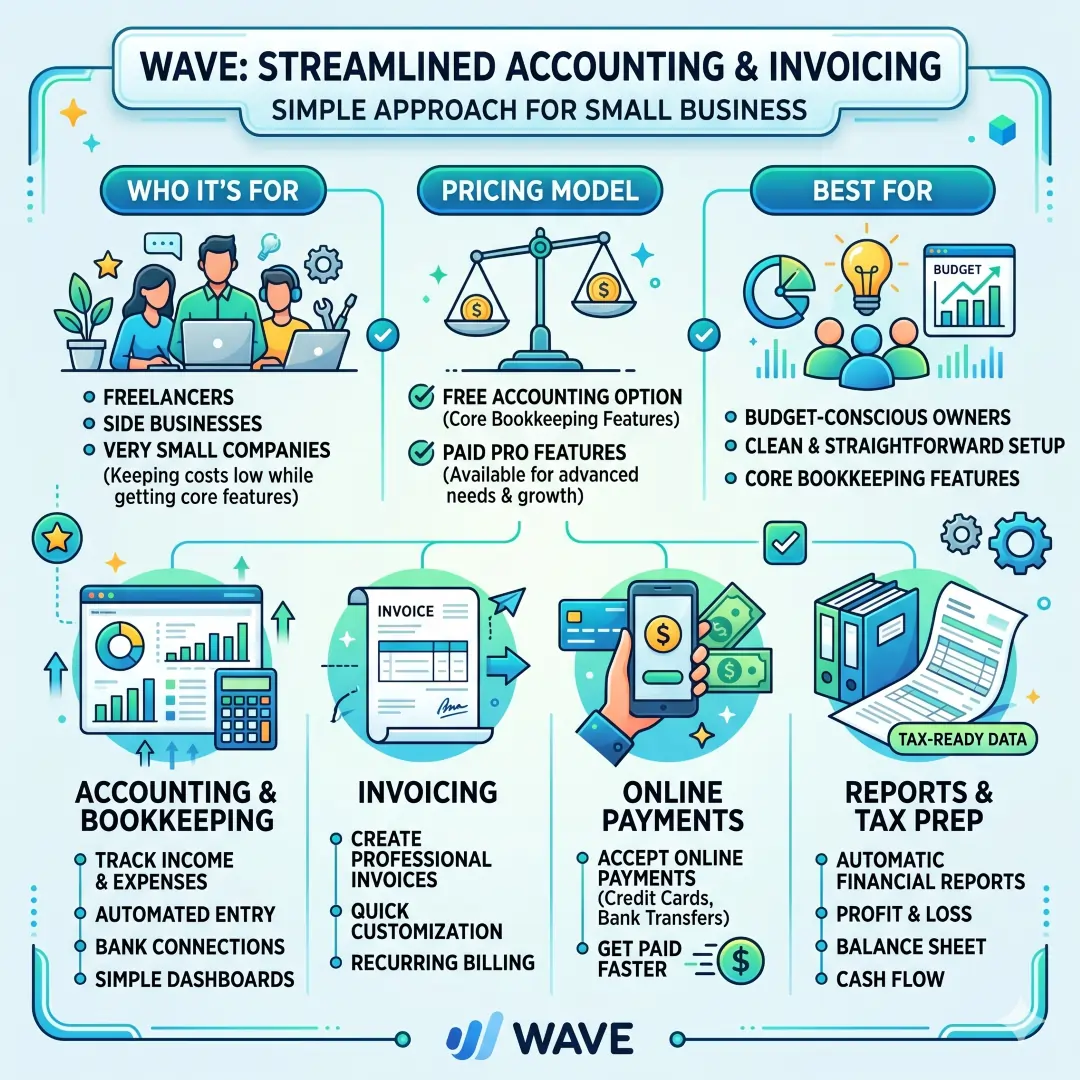
Wave is especially attractive for freelancers, side businesses, and very small companies that want to keep costs low while still getting core bookkeeping features. Wave’s bookkeeping pages mention dashboards for income, expenses, payments, and invoices, plus automatic tax reports like profit and loss, balance sheet, and cash flow reports.
Best for: budget-conscious owners who want a clean and straightforward accounting setup.
5. FreshBooks
FreshBooks is especially well-suited to service businesses, freelancers, and consultants. Its official pages highlight professional invoice creation, automatic addition of tracked time and expenses, tax calculation, and custom payment options. FreshBooks also promotes expense and receipt tracking, which helps reduce manual bookkeeping work.
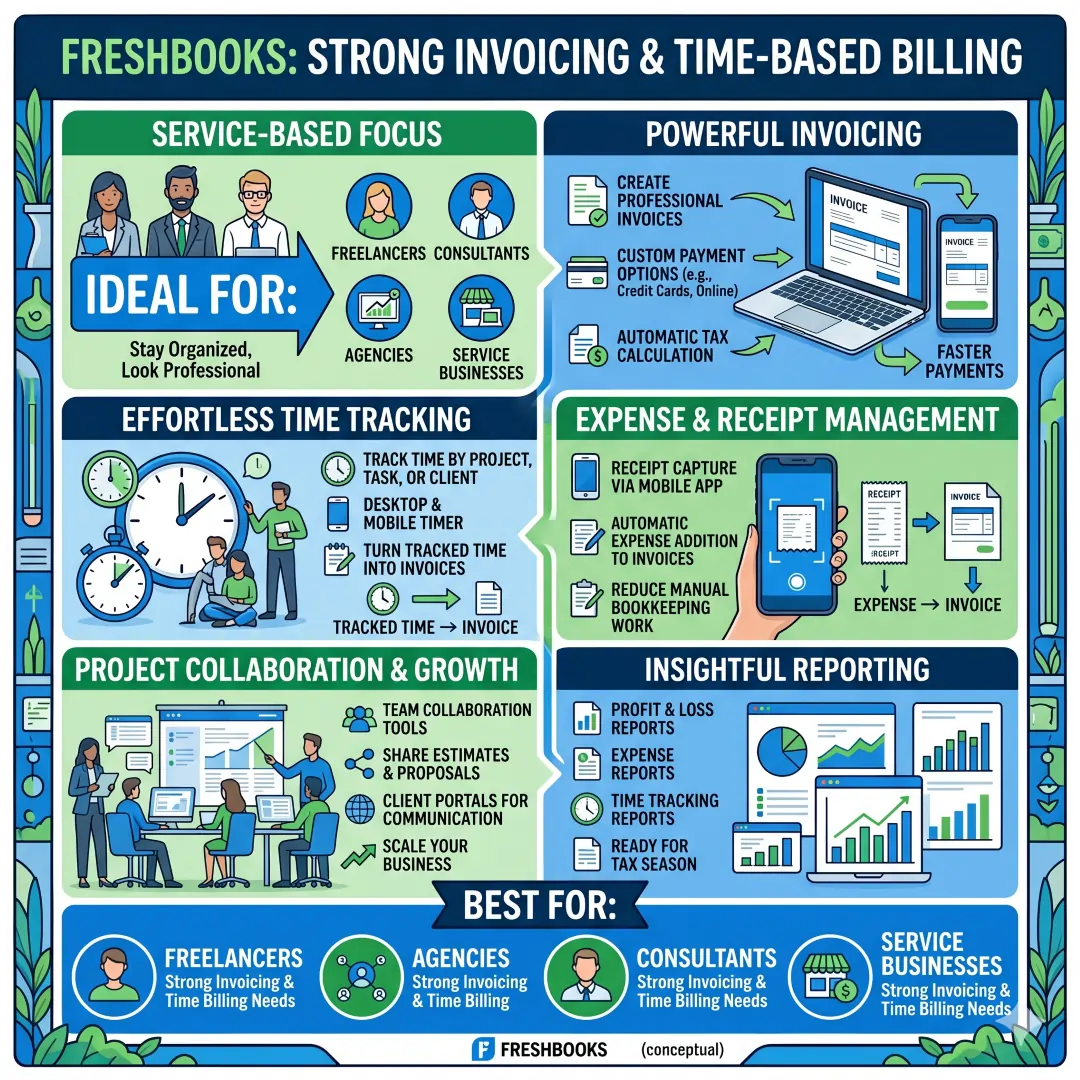
This tool is a good fit when your work is billed by time, project, or client. For example, a freelance designer can track time, attach expenses, and turn that information into invoices without rebuilding the billing process from scratch every month. That makes FreshBooks especially appealing for service providers who want to stay organized while looking professional to clients.
Best for: freelancers, agencies, consultants, and service businesses that need strong invoicing and time-based billing.
6. Sage Accounting and Sage 50
Sage offers online accounting tools aimed at small and medium businesses, and its product pages highlight features such as real-time access, collaboration, invoicing, expense oversight, tax compliance, job costing, and inventory support. Sage 50 is positioned for small businesses with in-house bookkeepers and includes invoicing, expense tracking, payroll, financial reporting, and inventory management.
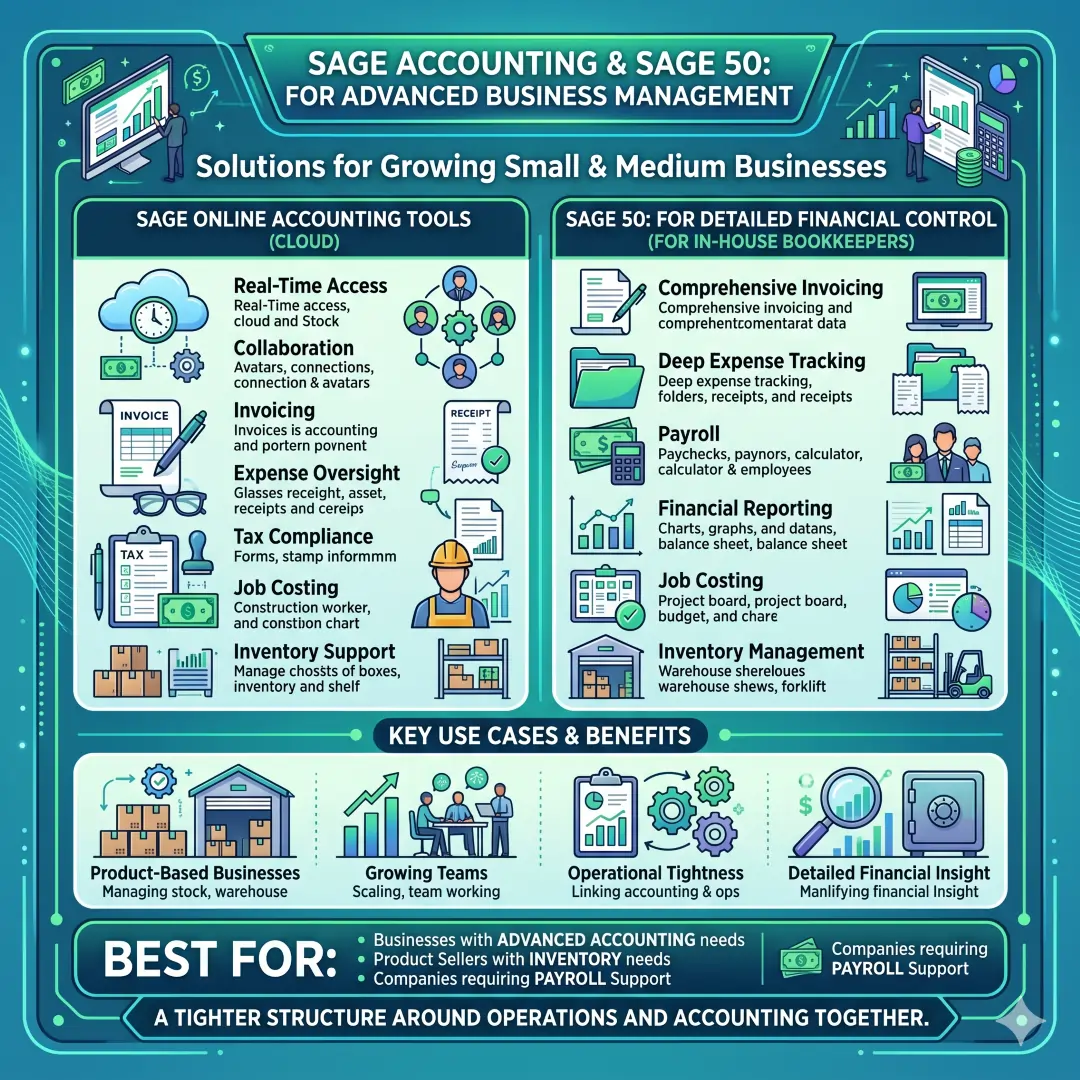
This makes Sage a strong choice when a business needs more than basic invoicing. It becomes especially useful where inventory, job costing, or more detailed financial control matters. That is often the case for product-based businesses, growing teams, or owners who want a tighter structure around operations and accounting together.
Best for: businesses that need a more advanced accounting setup with inventory or payroll support.
7. Expensify
Expensify is not a full replacement for every accounting system, but it is one of the most useful tools for expense management and receipt scanning. Expensify says it automates receipt capture, expense reports, reimbursements, and accounting sync, and it integrates with systems like QuickBooks, Xero, Sage Intacct, NetSuite, ADP, and Gusto.
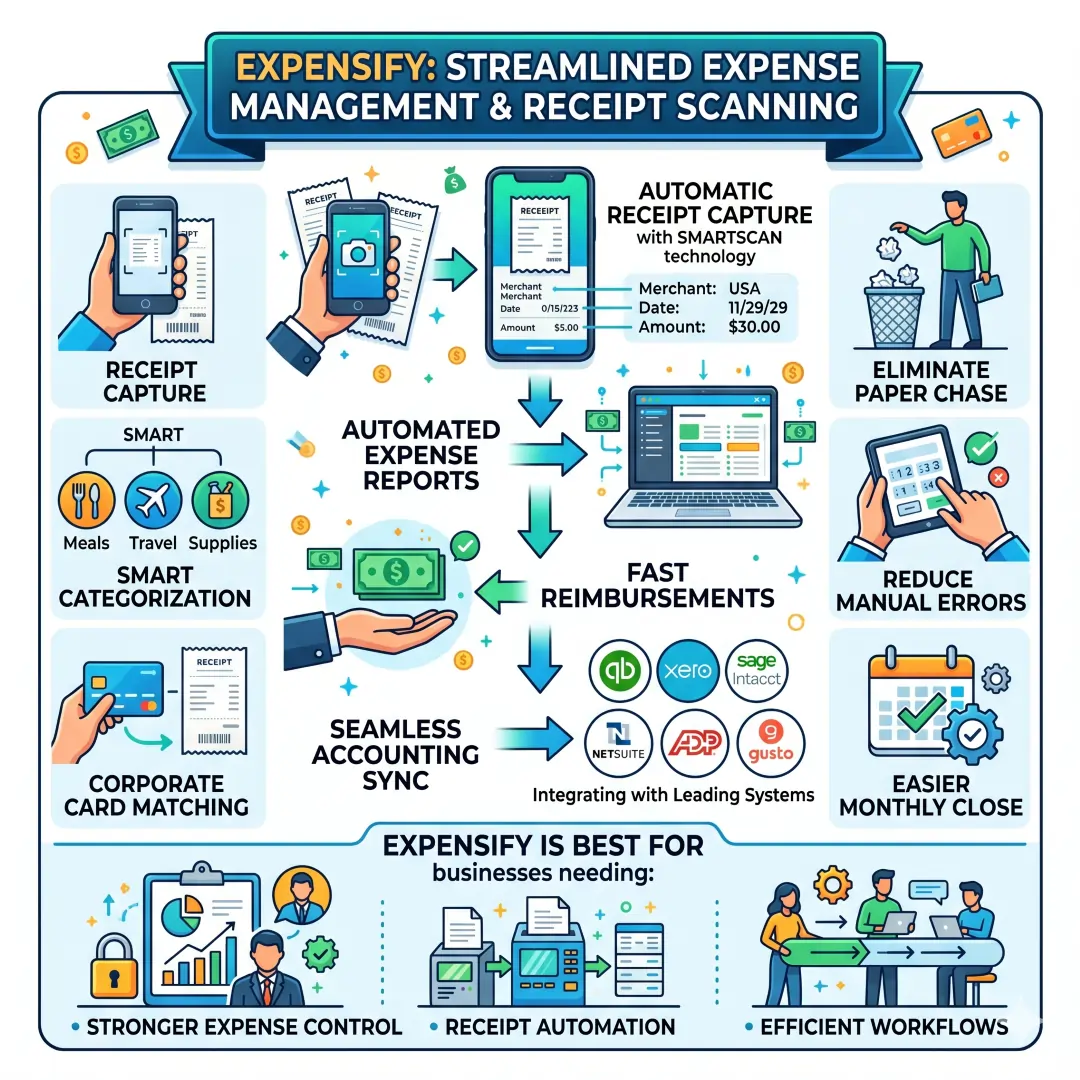
This kind of tool is valuable when a business has lots of employee spending, travel costs, or scattered receipts. Instead of chasing paper slips and manual entries, the owner or finance team can use a dedicated expense platform and sync the data into the main accounting record. That reduces friction and makes the monthly close easier.
Best for: businesses that need stronger expense control, receipt automation, and reimbursement workflows.
Comparison Table: Top Accounting Tools at a Glance
| Tool | Best For | Key Strengths | Notable Features |
|---|---|---|---|
| QuickBooks Online | All round small business accounting | Cloud access, invoicing, expense tracking, and mobile use | Cash flow support, online invoicing, built-in expense tracking, payroll focus |
| Xero | Businesses that want strong reconciliation | Bank connections, app integrations, and invoice management | Online invoicing, bank reconciliation, expense claims, 21,000+ global institutions |
| Zoho Books | Businesses that want detailed reporting | Reports, automation, customer management | 50+ reports, bank account import, transaction rules, expense tracking |
| Wave | Very small businesses and freelancers | Low-cost entry, simple setup | Free accounting option, invoicing, bookkeeping dashboards, tax reports |
| FreshBooks | Freelancers and service firms | Client billing and time tracking | Professional invoices, tracked time, expense capture, and tax calculation |
| Sage | Businesses needing more structure | Inventory, payroll, job costing | Invoice automation, expense oversight, tax compliance, and financial reporting |
| Expensify | Expense-heavy businesses | Receipt scanning and reimbursements | Smart receipt capture, expense reports, accounting sync, policy workflows |
Which Tool Fits Which Type of Business?
| Business Type | Best Tool Choice | Why It Fits |
|---|---|---|
| Freelancer or consultant | FreshBooks or Wave | Easy invoicing, time tracking, and simple bookkeeping matter most here |
| Service business | QuickBooks Online or FreshBooks | Strong billing, payment tracking, and customer-facing invoices are useful |
| Product business | Sage or Zoho Books | Inventory, reporting, and structured accounting become more important |
| Growing business with regular bank activity | Xero | Bank feeds and reconciliation help keep records accurate and current |
| Business with many receipts or reimbursements | Expensify | Receipt scanning and expense workflows save time and reduce manual entry |
| Very small business on a budget | Wave | A free accounting option can cover core needs without heavy cost |
The Real Benefits of Using Accounting Software
The biggest benefit of accounting software is not just convenience. It is control. When your records are organized, you can understand where money comes from, where it goes, and how quickly customers are paying. The IRS says good records help monitor progress, prepare financial statements, identify income sources, keep track of expenses, and prepare tax returns.
In practical business terms, that means accounting software can help you:
- See your cash flow more clearly.
- Send invoices faster and follow up on unpaid bills.
- Cut down on manual entry and receipt hunting.
- Reconcile bank records more accurately.
- Generate reports that help with decisions, taxes, and planning.
A good tool does not remove the need for business judgment. It gives you a clearer picture, so your judgment has better data behind it. That is especially important for owners who are making decisions quickly and wearing many hats at once.
Simple Examples of How These Tools Help in Real Life
A freelance writer who bills by project might use FreshBooks to track time, add expenses, and send polished invoices. That keeps client billing connected to actual work completed. (FreshBooks)
A small online store might prefer Zoho Books or Sage because it needs more structured reporting and possibly inventory-related visibility. Zoho Books offers a wide set of reports and bank reconciliation tools, while Sage highlights inventory and financial management features.
A business with employees traveling for work may combine QuickBooks Online or Xero with Expensify. The accounting platform handles the books, while Expensify handles receipt capture, reimbursements, and expense automation.
A very small local service business may start with Wave because it provides core invoicing and bookkeeping without immediate pressure to pay for a large software stack. That can be a sensible first step when budget matters more than advanced features.
How to Choose the Right Accounting Tool
Choosing software becomes easier when you focus on your real workflow instead of shiny feature lists. A smart process is to start with your biggest accounting pain point. Is it unpaid invoices, messy receipts, bank reconciliation, or tax prep? Then compare the tools around that need first. This approach fits the IRS guidance that you should use a recordkeeping system suited to your business that clearly shows income and expenses.
A good selection checklist looks like this:
- Does it handle your core accounting tasks well?
- Does it support mobile access or remote work?
- Does it connect to your bank and the apps you already use?
- Does it make reports easy to understand?
- Can your accountant or bookkeeper work inside it comfortably?
- Will it still fit when your business grows?
One helpful rule is to avoid choosing software only because it is popular. Popular is not the same as suitable. A freelancer and a retail business do not need the same accounting setup, even if both are profitable.
Common Mistakes Small Business Owners Make
One common mistake is waiting too long to move away from spreadsheets. Spreadsheets are useful, but they are not a great long-term accounting system when the volume of transactions starts rising. The IRS and SBA both stress the value of organized records for taxes, statements, and business monitoring.
Another mistake is ignoring bank reconciliation. If your software does not match the bank statement, your reports can slowly drift away from reality. Xero and Zoho Books both emphasize reconciliation as a core function, which shows how central it is to healthy bookkeeping.
A third mistake is choosing a tool that is too complex for the business stage. A very small company may not need advanced inventory controls on day one. A larger or product-based company, on the other hand, may outgrow a simple invoicing tool very quickly. The right choice depends on what your business actually does.
Best Practices for Getting Started
Once you pick a platform, keep the setup simple and disciplined. Start with your chart of accounts, connect your bank feeds, import recent transactions, and decide how you will categorize common expenses. Then make invoice templates, payment reminders, and report schedules part of your routine. These habits help create the kind of records that the IRS describes as useful for monitoring progress, preparing returns, and identifying income and expenses.
A practical startup checklist looks like this:
- Connect business bank and credit card accounts.
- Set up invoice templates and payment methods.
- Turn on receipt capture or expense upload.
- Review reports every week or every month.
- Reconcile your bank activity regularly.
The best accounting system is the one your team will actually use. A simple system used consistently is usually better than a powerful system that nobody opens. That is true for both tax readiness and everyday decision-making.
Final Thoughts
The best accounting tools for small business owners are the ones that make money management easier, not more stressful. For many businesses, QuickBooks Online, Xero, Zoho Books, Wave, FreshBooks, Sage, and Expensify cover the most important needs across invoicing, expenses, reconciliation, reports, and workflow automation.
There is no single perfect tool for every company. The right choice depends on your size, budget, business model, and how much accounting support you need. If you focus on cash flow, records, reconciliation, and reporting, you will be much better prepared to run a stable and profitable business.
If you are building a small business from scratch or improving an existing one, the smartest move is often to start with one solid accounting platform and one reliable expense process. That combination can save time, reduce errors, and give you a clearer view of your business every single day.
Also, Read these Articles in Detail
- Best Business Tools for Small Businesses in 2026
- Top Business Tools Every Startup Needs
- Best Productivity Tools for Modern Teams
- Essential Business Tools for Remote Teams
- Best AI Business Tools to Save Time and Money
- Top 10 Project Management Tools for Growing Businesses
- 8 Best CRM Tools for Sales and Customer Growth
Article References and Sources
- QuickBooks Online
- QuickBooks Global Features
- QuickBooks Invoicing
- QuickBooks Expense Tracking
- Xero Accounting Software
- Xero Bank Reconciliation Guide
- Zoho Books
- Wave Accounting
- Wave Bookkeeping Software
- FreshBooks
- Sage Accounting
- Sage US Accounting Solutions
- Expensify
- Expensify Accounting Integration
- IRS Recordkeeping Guidance
- IRS Small Business Recordkeeping
- IRS Importance of Records
- SBA Financial Management Guide
Frequently Asked Questions (FAQs)
FAQ 1: What are accounting tools for small business owners, and why are they important?
Accounting tools are software programs that help small business owners manage their money in a clear and organized way. They are used for invoicing, expense tracking, bank reconciliation, financial reporting, and sometimes payroll and inventory management. For a small business, these tools are important because they reduce manual work, save time, and help prevent mistakes that often happen when records are kept by hand or in simple spreadsheets.
A good accounting tool gives business owners a better view of their cash flow, which means they can see how much money is coming in and going out. This is very helpful when paying bills, planning growth, or preparing for tax season. It also makes it easier to stay organized when the business becomes busier. Instead of searching through paper receipts or old files, the owner can check everything in one place.
Another major benefit is accuracy. When transactions are recorded properly, it becomes easier to create reports that show how healthy the business is. These reports help owners make smarter decisions about spending, pricing, hiring, and expansion. In simple terms, accounting tools help small businesses run with more control, more confidence, and less stress.
FAQ 2: What features should small business owners look for in accounting software?
Small business owners should look for accounting software that matches their daily needs and is easy to use. The most important features usually include invoice creation, expense tracking, bank feeds, reconciliation, reporting, and cloud access. These features help business owners handle routine money tasks without spending too much time on manual work.
A useful accounting tool should also allow you to connect your bank accounts and credit cards. This makes it easier to import transactions automatically and match them with your records. Another helpful feature is receipt capture, which lets you store proof of expenses digitally. That can save a lot of time during bookkeeping and tax preparation.
It is also smart to choose software that can grow with the business. For example, a tool that works well for a freelancer should still be useful if that freelancer later hires staff or starts selling products. Features like integrations, collaboration with accountants, and mobile access can make a big difference too. The best software is not always the most complex one. It is the one that fits the business clearly and helps the owner work faster and more accurately.
FAQ 3: Which accounting tool is best for freelancers and service-based businesses?
For freelancers and service-based businesses, FreshBooks is often a very strong choice because it is built around invoicing, time tracking, and client billing. Many freelancers work on projects or hourly jobs, so they need a tool that can turn tracked time and expenses into clean invoices. That is exactly the kind of workflow FreshBooks supports well.
Wave can also be a good option for very small service businesses or independent workers who want a simpler and lower-cost solution. It offers core features like invoicing and bookkeeping, which can be enough at the beginning. If the business is still small and the owner wants a straightforward setup, Wave may be enough to handle the essentials.
The best choice depends on how complex the business is. A solo consultant may need very little beyond billing and expense tracking, while a growing agency may need stronger reporting and automation. In both cases, the goal is the same. The software should help the owner get paid faster, stay organized, and spend less time on manual accounting work.
FAQ 4: Why is bank reconciliation so important in accounting software?
Bank reconciliation is the process of checking that the transactions in your accounting records match the transactions in your bank statement. This is one of the most important parts of bookkeeping because it helps confirm that the numbers are correct. If something is missing, duplicated, or entered incorrectly, reconciliation makes it easier to catch the problem early.
For small business owners, this matters because even small mistakes can create bigger issues later. A missed transaction can make profit look higher or lower than it really is. An incorrect entry can also affect tax records and business decisions. Reconciliation helps keep the books reliable, which is essential for understanding the true financial position of the business.
Many modern accounting tools make reconciliation easier by pulling in bank transactions automatically and suggesting matches. This saves time and reduces errors. It also gives the owner peace of mind, because the records are not just being entered; they are being checked against real bank activity. A business that reconciles regularly is usually much better prepared for tax time, audits, and financial planning.
FAQ 5: Is free accounting software good enough for a small business?
Free accounting software can be a very good starting point for some small businesses, especially freelancers, side hustlers, and very early-stage companies. A tool like Wave can cover basic needs such as invoicing, bookkeeping, and simple financial reports. If the business is small and the number of transactions is manageable, free software may be enough for a while.
However, free software may not always be the best long-term choice. Some businesses eventually need more advanced features such as inventory tracking, project costing, team permissions, advanced reports, or deeper automation. At that stage, paid software can become more valuable because it saves time and gives more control.
The right question is not whether free software is good or bad. The real question is whether it matches the current needs of the business. If the business is simple, a free tool may work very well. If the business is growing fast or has more complicated finances, investing in stronger software may be the better decision.
FAQ 6: How does accounting software help with invoicing and getting paid faster?
Accounting software helps with invoicing by making the whole billing process faster, cleaner, and more professional. Instead of creating invoices manually, business owners can use templates, add customer details quickly, and send invoices directly from the system. Many tools also allow automatic reminders, which help follow up on unpaid bills without awkward manual chasing.
This is useful because late payments can create cash flow problems. When customers take too long to pay, the business may struggle to cover rent, inventory, marketing, or salaries. A good accounting tool helps reduce that risk by making invoices easier to send and easier for clients to understand. Some tools also support online payment links, which can make the payment process even smoother.
For service businesses, invoicing features can include tracked time, reusable line items, taxes, and custom notes. For product businesses, invoices can include itemized sales, discounts, and shipping details. The result is the same in both cases. Better invoicing usually means faster payment, better organization, and less stress for the owner.
FAQ 7: What is the difference between bookkeeping and accounting software?
The words bookkeeping and accounting are often used together, but they are not the same. Bookkeeping is mainly about recording daily financial transactions, such as sales, purchases, invoices, bills, and receipts. Accounting goes a step further by organizing, analyzing, and reporting on that information so the business owner can understand what it means.
Many modern tools handle both bookkeeping and accounting tasks in one platform. For example, a system may let you enter an expense, but it may also show reports such as profit and loss, balance sheet, and cash flow. That is why small business owners often use the term accounting software even when they are mostly doing bookkeeping work inside it.
This distinction matters because a business with only basic needs may focus mostly on recording transactions. A more advanced business may need deeper accounting features for planning, taxes, and financial management. Either way, the software should make financial records easier to maintain and easier to understand.
FAQ 8: Which accounting software is best for businesses that need more detailed reports?
For businesses that need strong reporting, Zoho Books is a very good option because it offers a wide range of financial reports and useful reporting tools. Businesses that want more structure around income, expenses, taxes, and customer activity often benefit from having many report options in one place. Detailed reports help owners see trends, compare periods, and make better decisions.
QuickBooks Online and Sage are also strong choices when reporting matters a lot. These tools are commonly used by growing businesses that want a more complete view of the financial picture. Detailed reports can show whether the business is profitable, where costs are rising, and whether cash flow is stable enough to support future growth.
Reports are valuable because they turn raw numbers into useful information. A business owner does not just need to know how much money came in last month. They also need to know which products sold best, which expenses were unusually high, and whether the business is moving in the right direction. Good reporting turns accounting software into a real decision-making tool.
FAQ 9: Can accounting tools help with taxes and financial compliance?
Yes, accounting tools can help a great deal with tax preparation and financial compliance. They keep records organized, store receipts, track expenses, and produce reports that are useful when it is time to file taxes. When income and spending are recorded properly throughout the year, tax season becomes much easier and less stressful.
Many accounting tools also help by categorizing transactions. This makes it simpler to separate different types of expenses and find the right information later. Some platforms even generate tax-related reports that can be shared with an accountant or tax professional. That can reduce mistakes and save time during filing.
Another benefit is that good records support compliance. The business can show what was earned, what was spent, and how money moved through the company. That is important not only for taxes, but also for business planning and financial review. In short, accounting tools do not replace professional tax advice, but they make it much easier to stay organized and prepared.
FAQ 10: How should a small business choose the right accounting tool?
A small business should choose its accounting tool based on its size, workflow, budget, and plans. The first step is to identify the biggest financial pain point. For some businesses, the main problem is unpaid invoices. For others, it is messy receipts, poor expense tracking, or a lack of reports. The best software should solve the biggest problem first.
It is also important to think about how the business works every day. A freelancer may need strong invoicing and time tracking. A product-based business may need inventory and more detailed reporting. A business with many employees may need expense management and payroll support. The right tool should match the actual way the business operates.
A smart choice should also be simple enough for the owner and team to use regularly. Fancy features are not very useful if the software feels confusing. The best accounting software is the one that is easy to learn, reliable, and able to grow with the business. When chosen carefully, it can save time, improve accuracy, and support better financial decisions for a long time.
Article Disclaimer
The information provided in this article, “Top 7 Accounting Tools for Small Business Owners,” is intended for general informational and educational purposes only. While every effort has been made to present accurate, up-to-date, and reliable information, the content should not be considered as professional financial, accounting, legal, or tax advice. Business owners are encouraged to consult with a qualified accountant, financial advisor, or tax professional before making any financial or business decisions based on the information provided here.
This article includes references to various accounting tools, software platforms, and financial practices that are commonly used by small business owners worldwide. However, the suitability of any particular tool depends on several factors, including your business size, industry, financial complexity, location, and regulatory requirements. What works well for one business may not necessarily be the best option for another.
All product descriptions, features, and capabilities mentioned in this article are based on publicly available information and may change over time without notice. Software providers frequently update their platforms, pricing, features, and policies. Therefore, readers are strongly advised to visit official product websites or contact providers directly to verify the most current information before making any purchase or subscription decisions.
Additionally, while this article aims to highlight the benefits of using accounting software, it does not guarantee specific outcomes such as improved profits, reduced costs, or business growth. The effectiveness of any tool depends on how it is implemented and used within your business processes. Proper usage, consistent recordkeeping, and informed decision-making play a crucial role in achieving desired results.
The author and publisher of this content are not responsible for any financial losses, business decisions, or outcomes that may arise from the use or reliance on the information presented in this article. Readers should exercise their own judgment and conduct independent research when evaluating accounting tools or financial strategies.
By reading this article, you acknowledge and agree that the content is provided “as is” without any warranties of completeness, accuracy, or reliability. Always seek professional guidance when dealing with financial planning, tax compliance, or accounting matters to ensure that your business remains compliant and financially sound.
