In today’s business world, digital tools are not a luxury for small companies. They are a practical way to save time, reduce mistakes, improve communication, and create a more professional customer experience. The OECD notes that digitalisation can help small and medium-sized enterprises improve performance, spur innovation, enhance productivity, and compete more evenly with larger firms. At the same time, many smaller businesses still struggle with limited resources, skills, and budgets, which makes choosing the right tools especially important.
For a small business, the best digital stack is not the one with the most apps. It is the one that helps the team communicate clearly, manage work without confusion, handle money accurately, market consistently, protect data, and serve customers well. That is why the most useful tools usually fall into a few core categories, such as communication, project management, cloud storage, CRM, marketing, design, ecommerce, automation, accounting, and security.
This article explores the top digital tools for small business success in a simple, practical way. It is written for founders, freelancers, local shop owners, consultants, online sellers, and growing teams that want to work smarter every day.
Table of Contents
Why digital tools matter for small business success
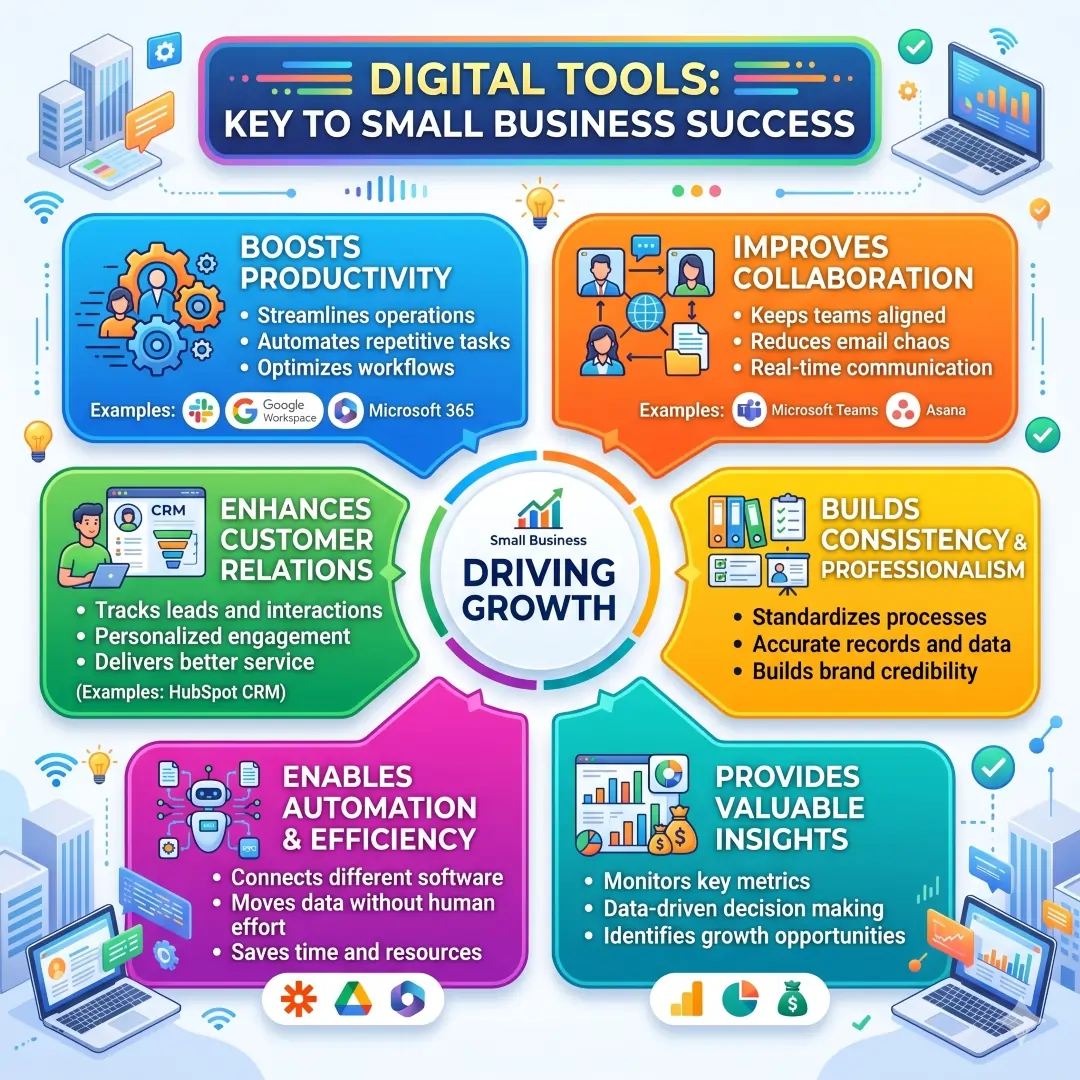
Small businesses often run with lean teams and tight timelines. A good digital tool can replace repetitive manual work, keep people aligned, and make the business look more organised from the outside. For example, a shared workspace can reduce email chaos, a CRM can help track leads, and automation can move data between apps without human effort. Platforms like Google Workspace, Microsoft 365, Slack, Asana, HubSpot CRM, and Zapier are built around these everyday business needs.
The real value of digital tools is not just speed. It is consistency. When files are stored properly, tasks are assigned clearly, invoices go out on time, and customer communication is tracked in one place, the business becomes easier to manage. That is one reason many small business solutions now combine email, chat, cloud storage, video meetings, task tracking, and AI features in one ecosystem.
How to choose the right digital tools
Before buying software, a small business should ask a few simple questions.
- Does this tool solve a real problem?
- Can the team learn it quickly?
- Will it work well with the tools we already use?
- Does it save more time than it costs?
- Is it secure enough for business data?
A smart choice is usually a tool that offers strong basics first. For example, a small team may need professional email, cloud storage, and video meetings before it needs advanced analytics. A new online store may need Shopify, Canva, Mailchimp, and Zapier before it needs a more complex enterprise stack. A service business may benefit more from HubSpot CRM, Slack, Zoom, and Google Workspace than from highly specialised software.
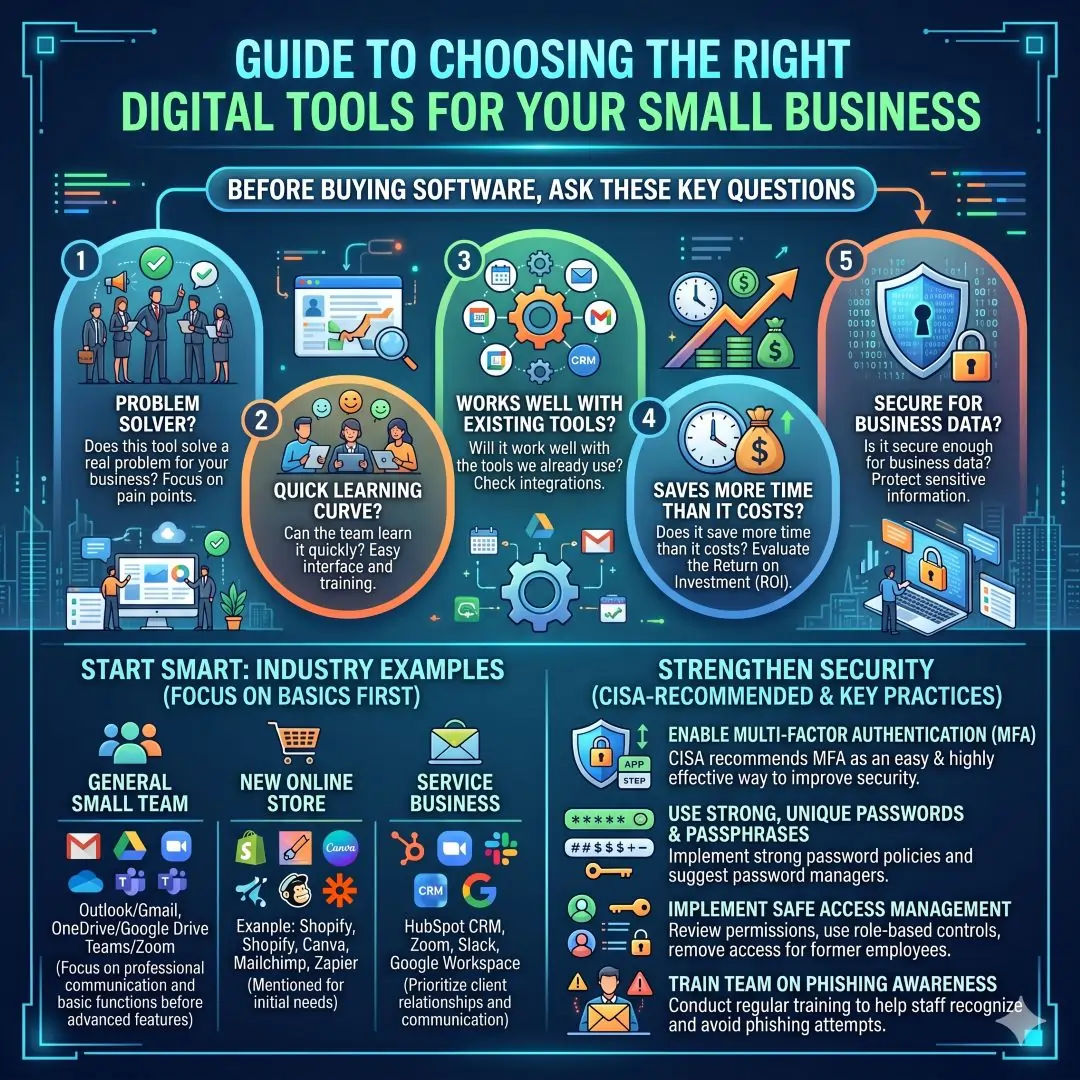
Another important point is security. Even a small team should think about strong passwords, multifactor authentication, and safe access management. CISA recommends MFA as one of the easiest and most effective ways to improve security, and also advises strong passwords and phishing awareness.
Best digital tools for small business success
1. Google Workspace for communication and collaboration
Google Workspace is one of the most practical all-in-one options for small businesses. Officially, it includes Gmail, Calendar, Meet, Chat, Drive, Docs, Sheets, Slides, Forms, and more, all designed for business collaboration. Google also positions Workspace for small businesses that need business email, video conferencing, cloud storage, and file sharing in one place.
For a small business, this matters because work stays connected. A team can draft documents, share files, schedule meetings, and coordinate within one ecosystem. A consultant can send a professional business email, store client files safely, and run meetings without switching between several separate systems.
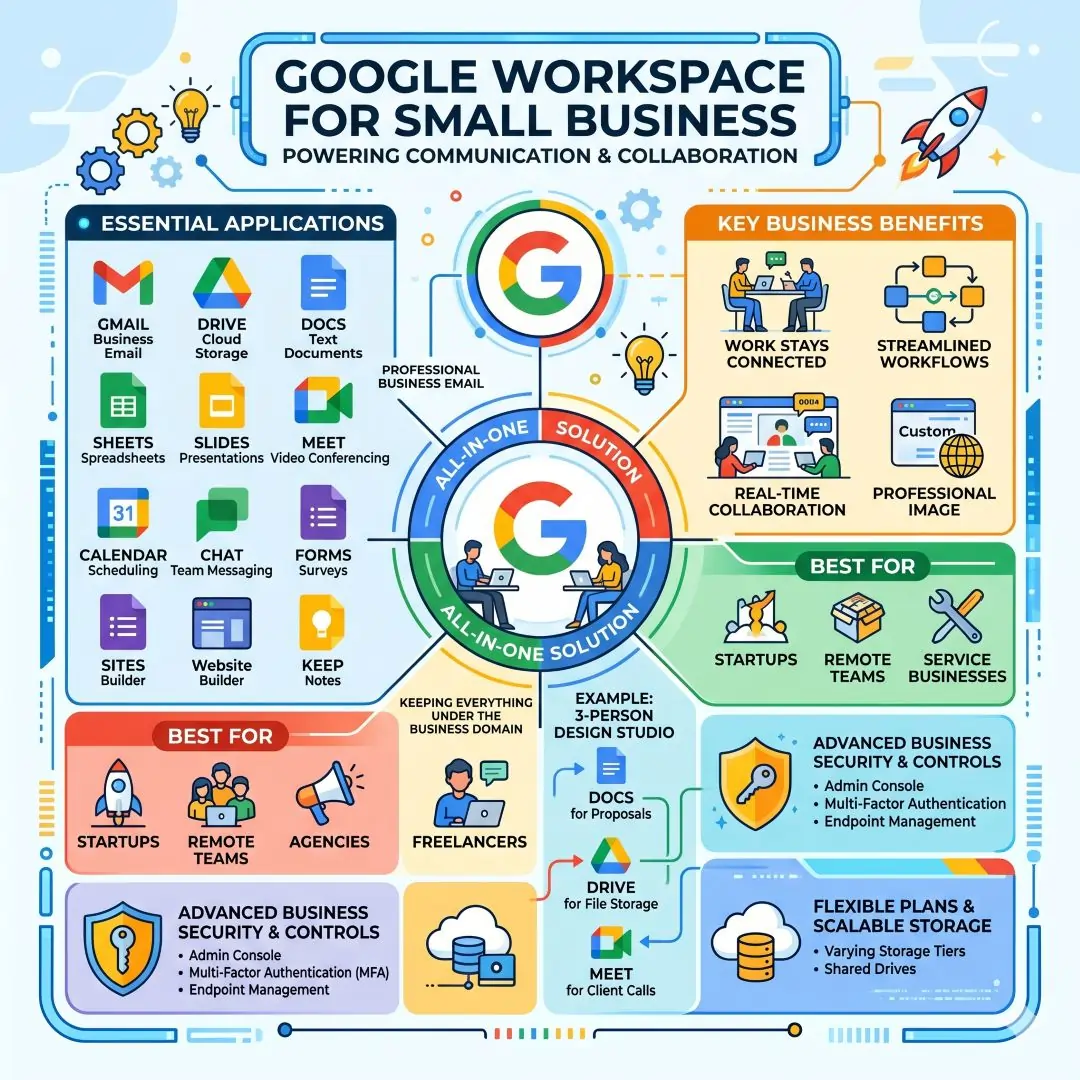
Best for: startups, remote teams, agencies, freelancers, and service businesses.
Example: A three-person design studio can use Docs for proposals, Drive for file storage, and Meet for client calls, while keeping everything under the business domain.
2. Microsoft 365 for productivity and secure business operations
Microsoft 365 is a strong choice for businesses that rely heavily on office documents, spreadsheets, email, and secure internal collaboration. Microsoft’s business plans include apps such as Word, Excel, PowerPoint, Outlook, and services like Exchange, SharePoint, Teams, Loop, Intune, and Entra ID, depending on the plan. Microsoft also states that its business plans are designed for organisations with up to 300 users.
This makes Microsoft 365 useful for businesses that want strong document creation, file sharing, business email, and security features in one environment. It is especially appealing when reporting, spreadsheets, and internal document workflows are central to the business.
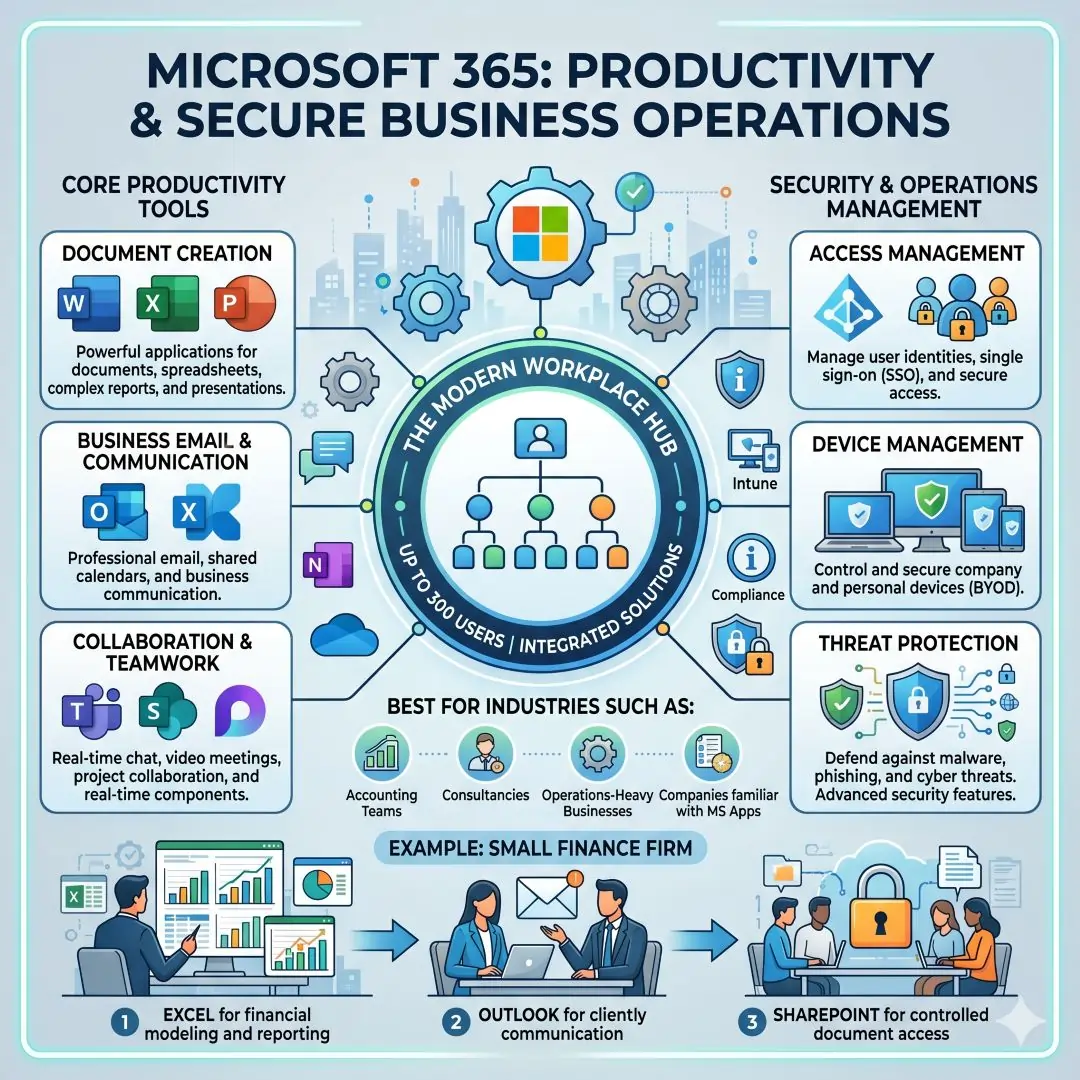
Best for: accounting teams, consultancies, operations-heavy businesses, and companies already familiar with Microsoft apps.
Example: A small finance firm can use Excel for reports, Outlook for client communication, and SharePoint for controlled document access.
3. Slack for team communication
Slack is designed for structured, searchable team communication. Slack’s official features highlight channels, direct messages, workflow automation, task management, file sharing, integrations, and AI-supported productivity features. Slack also offers ways to communicate with people outside the company through Slack Connect.
For small businesses, Slack is valuable because it reduces long email chains and keeps discussions organised by project, client, or department. It works well when a team needs quick updates, shared links, and instant collaboration without losing context.
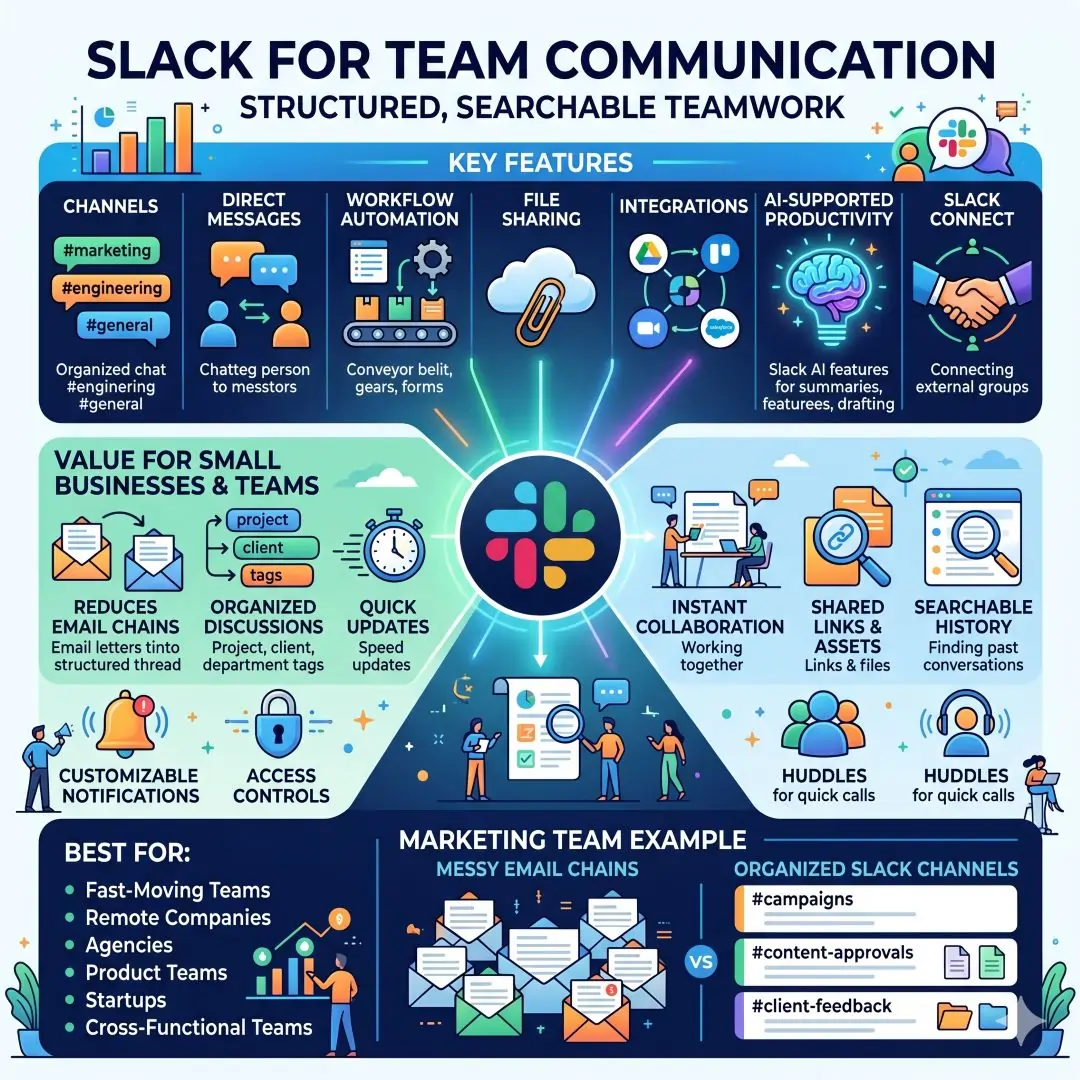
Best for: fast-moving teams, remote companies, agencies, and product teams.
Example: A marketing team can create one channel for campaigns, one for content approvals, and one for client feedback. That structure keeps work from getting buried in inboxes.
4. Asana for project and task management
Asana is one of the strongest tools for keeping tasks, deadlines, and workflows visible. Its official features include list, board, calendar, and timeline views, along with AI-powered workflows and project tracking features. Asana positions itself as a tool for clearly organising projects, workflows, and goals.
This matters because small teams often lose time when work is discussed but not assigned. A good project management tool turns ideas into action. It shows who owns each task, what is due next, and where a project stands.
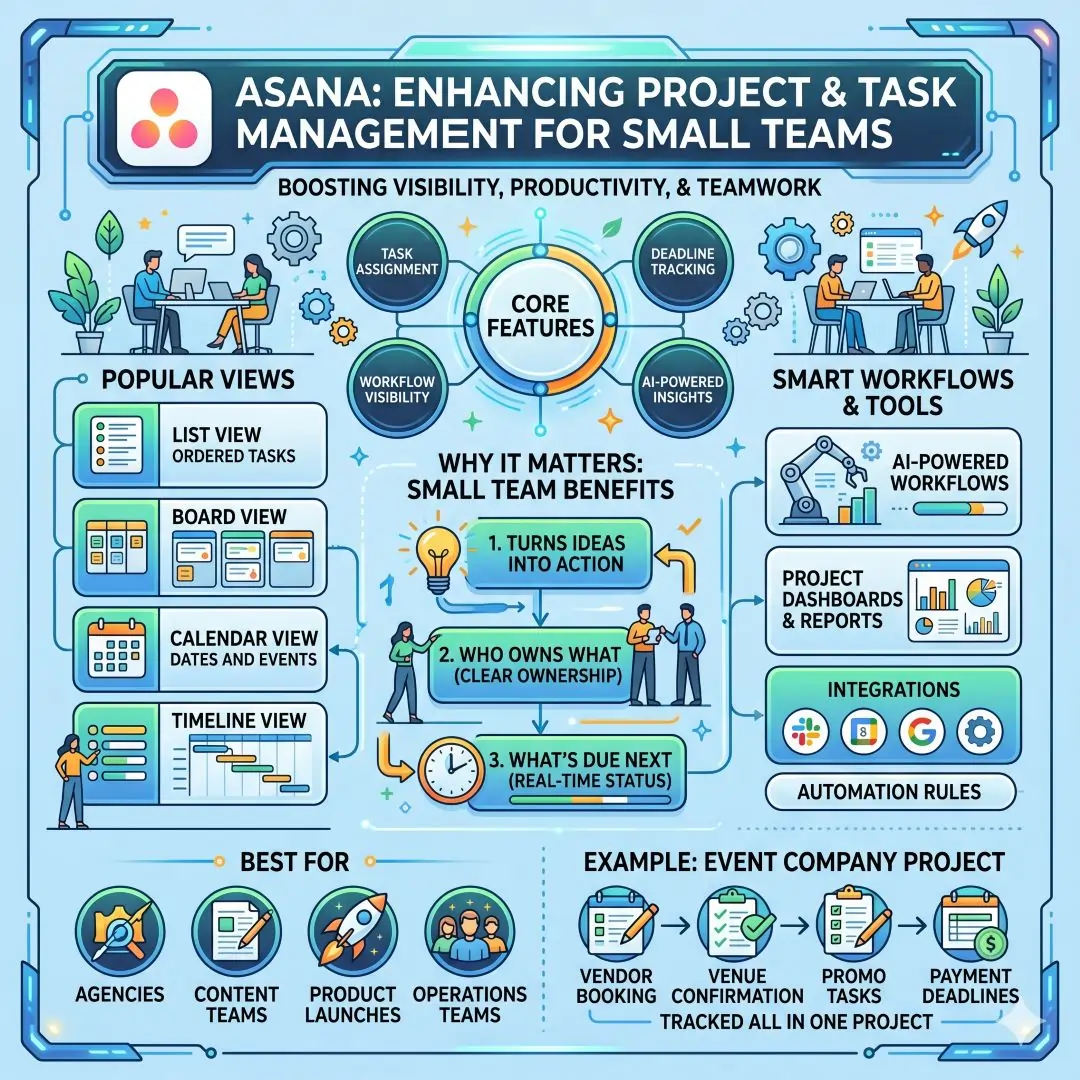
Best for: agencies, content teams, product launches, and operations-heavy small businesses.
Example: A small event company can track vendor bookings, venue confirmations, promo tasks, and payment deadlines in one Asana project.
5. Notion for knowledge management and flexible workspaces
Notion combines documents, planning, and project organisation into one connected workspace. Notion says teams use it to manage plans, tasks, timelines, docs, and status updates in one place, and its AI tools can help capture knowledge and automate repetitive work.
For a small business, Notion is useful when the team wants one space for internal documentation, onboarding notes, content calendars, SOPs, and project tracking. It is especially helpful for businesses that need a custom system but do not want to stitch together many separate apps.
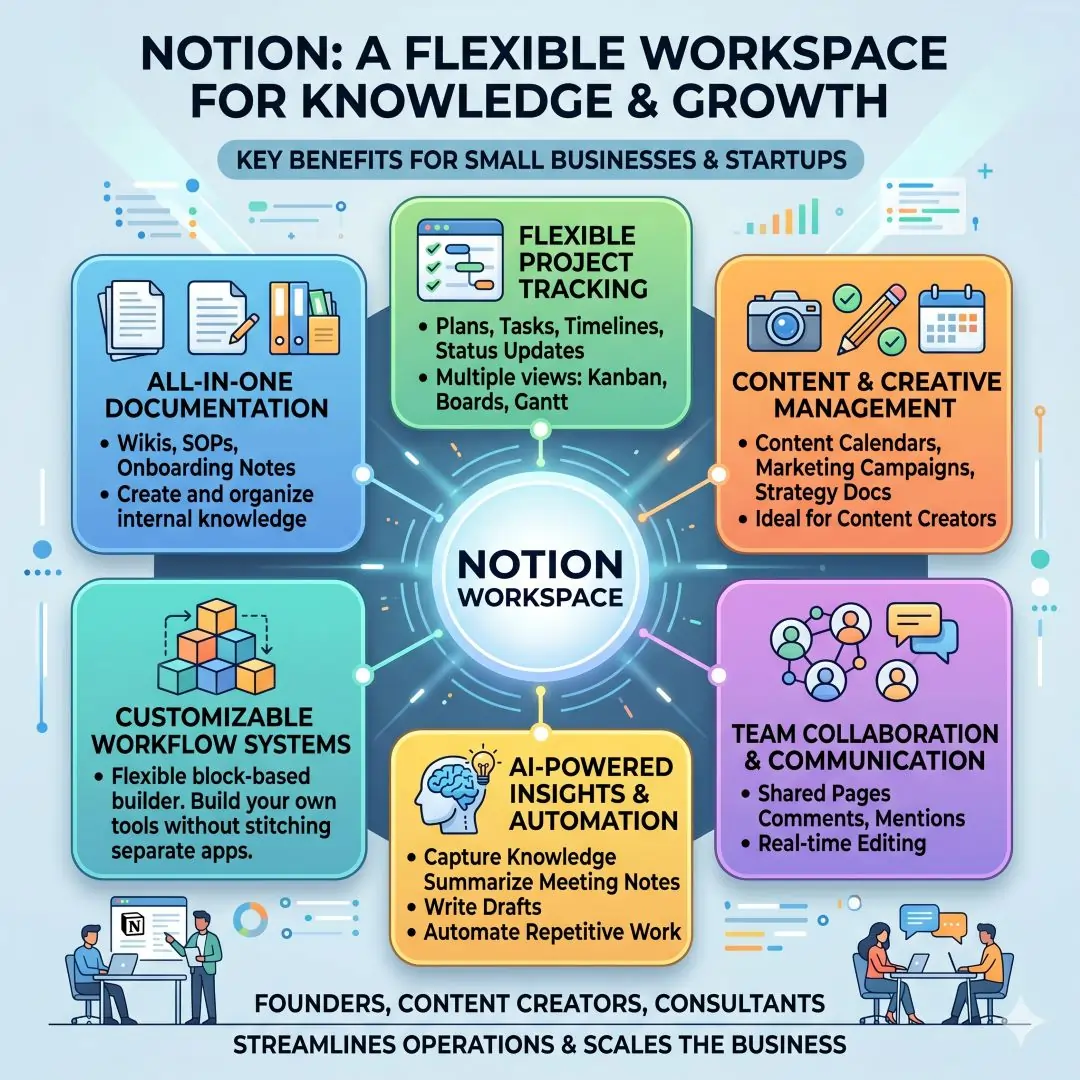
Best for: startups, content creators, consultants, and teams that value documentation.
Example: A founder can keep a product roadmap, hiring notes, meeting summaries, and standard operating procedures in one place, which makes the business easier to scale.
6. Zoom for meetings, calls, and hybrid teamwork
Zoom offers small business tools that bring meetings, Zoom Chat, phone, and productivity features together in one platform. Its small business pages also highlight tools like Docs, Whiteboard, Scheduler, and Clips, plus AI support for turning conversations into shareable content.
Zoom is especially helpful when face-to-face meetings are not possible or when the business serves clients in different locations. It gives even very small businesses a professional communication setup with a simple experience for customers and staff.
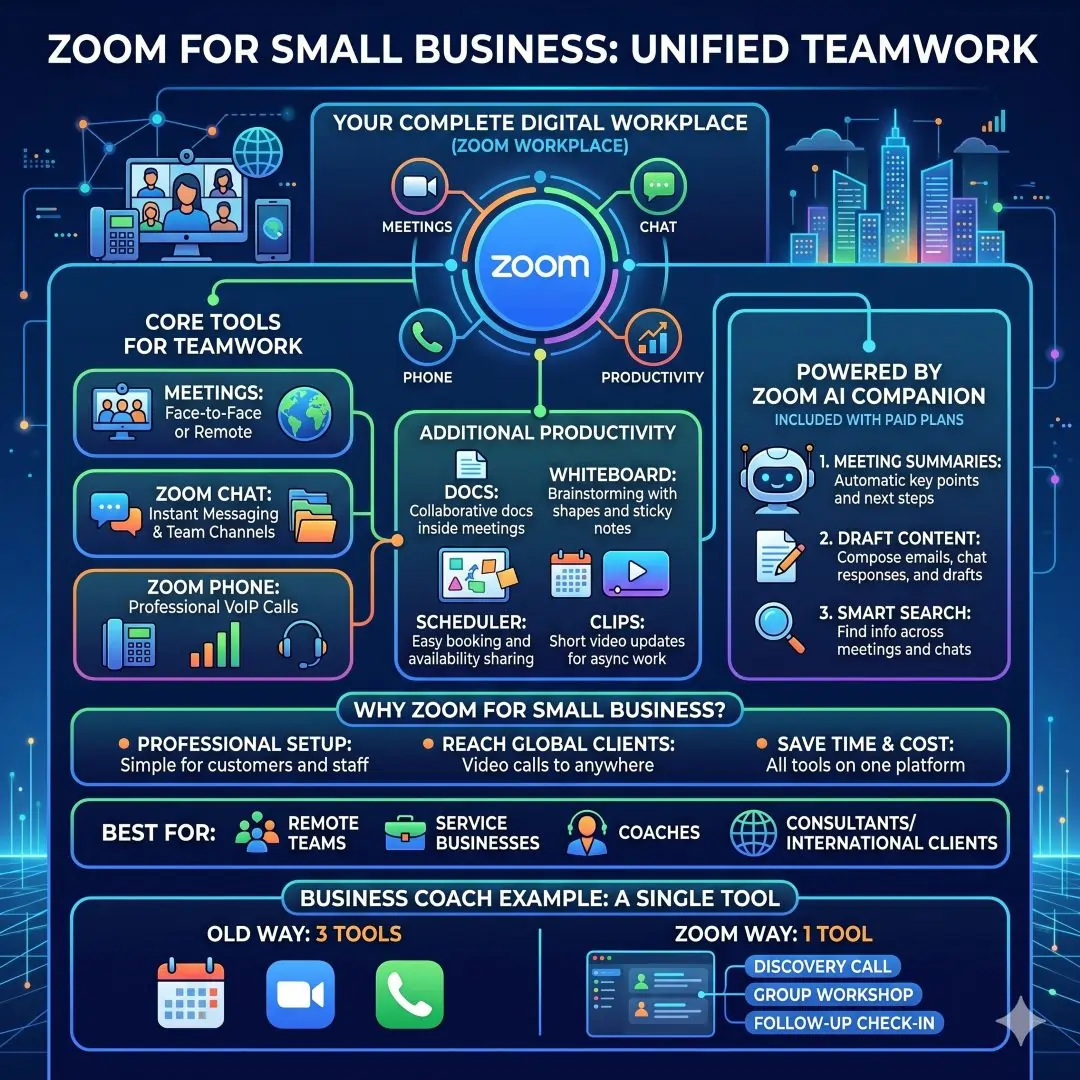
Best for: remote teams, service businesses, coaches, consultants, and international client work.
Example: A business coach can hold discovery calls, group workshops, and follow-up check-ins without needing separate tools for each format.
7. Dropbox for cloud storage and secure file sharing
Dropbox focuses on secure storage, file sharing, collaboration, and content management. Its business pages highlight tools for storing and protecting files, sharing content, collaborating on work, and managing business content. Dropbox also emphasises secure link sharing and permission controls.
For many small businesses, Dropbox is a straightforward answer to messy file handling. Instead of sending huge attachments back and forth, teams can store files in one place, share links, and control access. That reduces confusion and helps protect important documents.
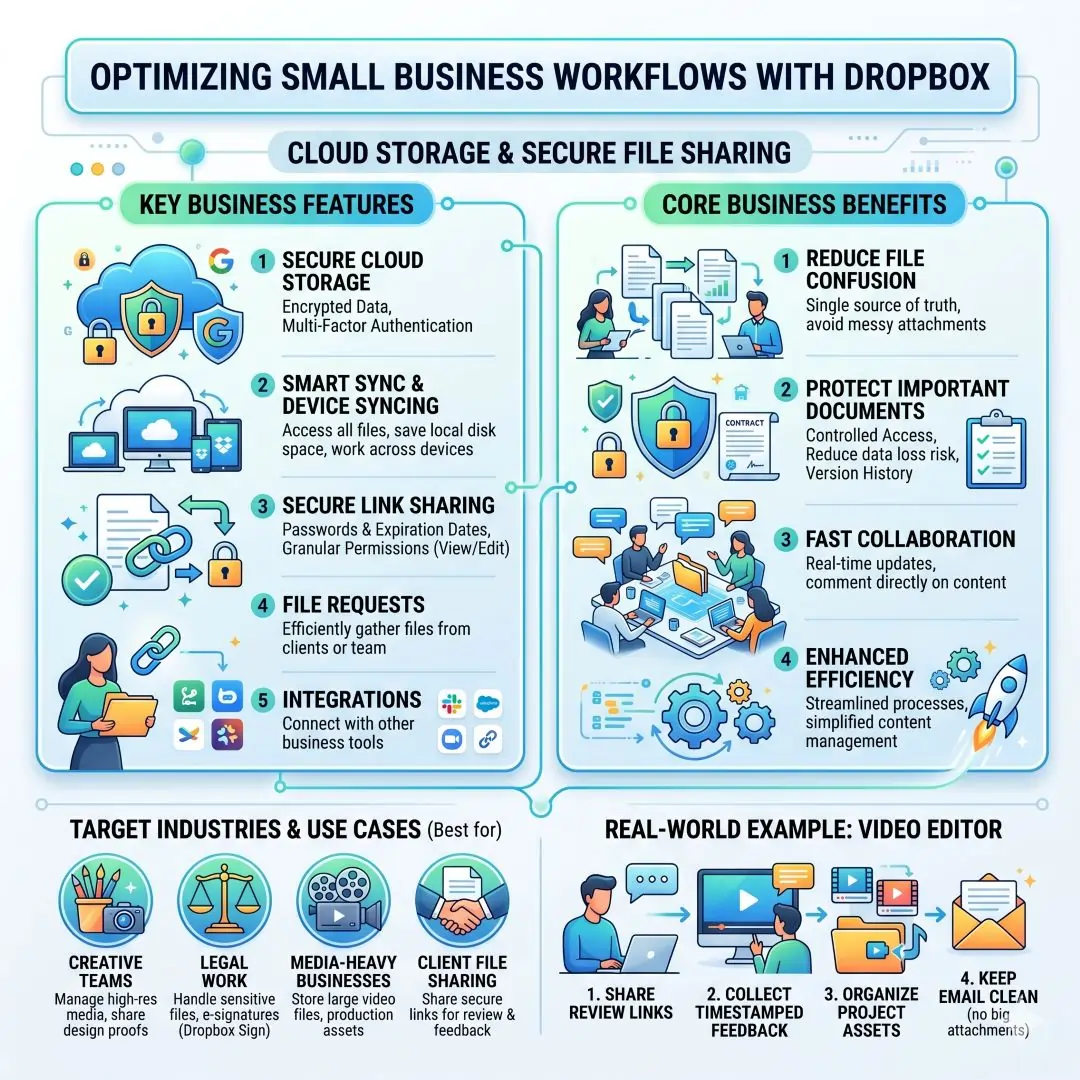
Best for: creative teams, legal work, client file sharing, and media-heavy businesses.
Example: A video editor can share review links, receive feedback, and keep project assets organised without clogging email inboxes.
8. Canva for brand design and visual content
Canva is one of the most accessible design tools for small businesses. Its official pages describe Canva as an all-in-one visual communication platform that helps businesses create content faster, stay on brand, and scale content production across different markets. Canva also highlights marketing use cases and collaboration features.
This is important because small businesses rarely have a full design department. Canva helps owners and marketers create social media posts, presentations, posters, videos, and ads without advanced design skills. That can save time and make brand communication look more professional.
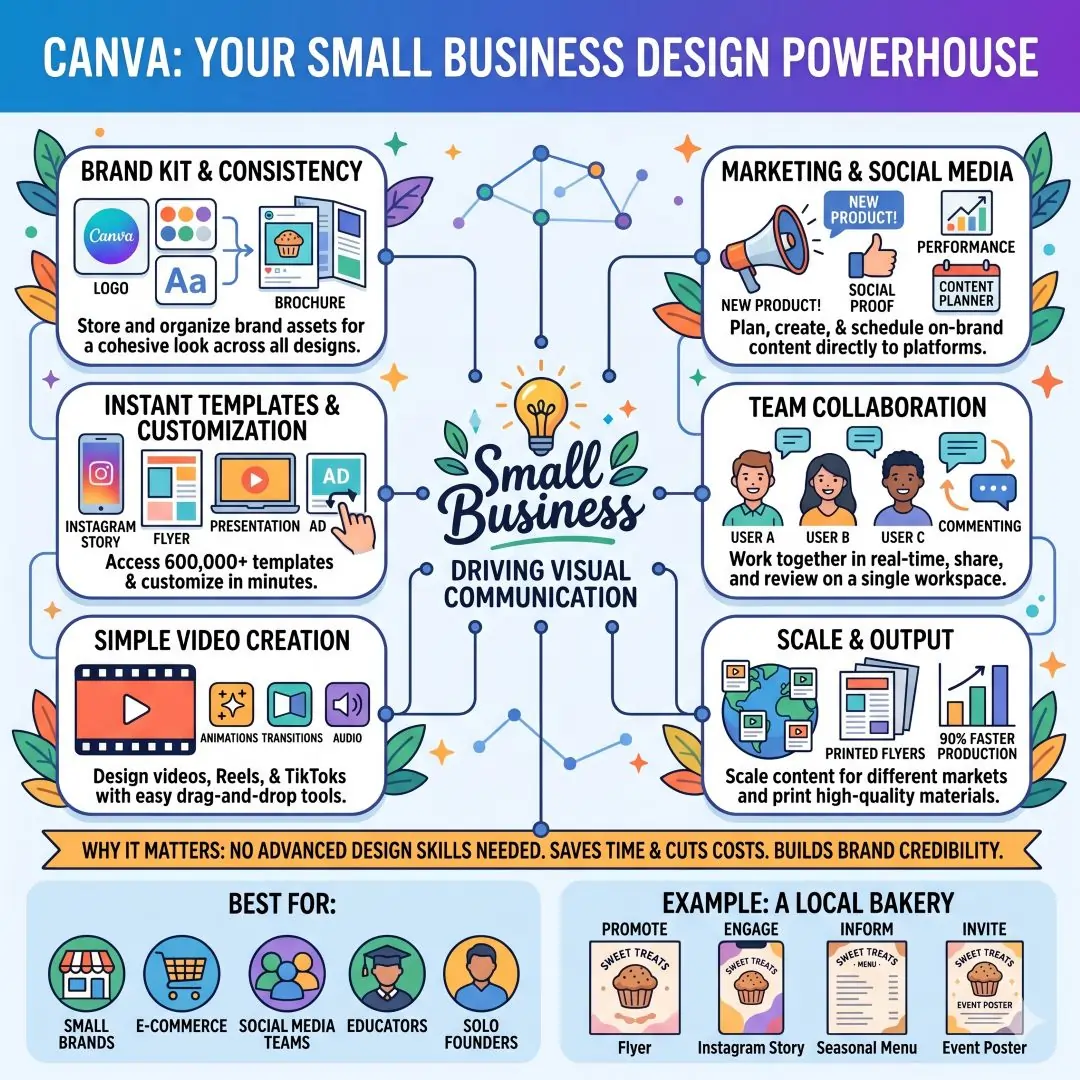
Best for: small brands, ecommerce businesses, social media teams, educators, and solo founders.
Example: A bakery can create promo flyers, Instagram stories, seasonal menus, and event posters from the same design workspace.
9. HubSpot CRM for sales, lead tracking, and customer growth
HubSpot CRM is a strong option for small businesses that need an easy way to manage contacts and sales activity. HubSpot says its free CRM helps teams organise contacts, automate repetitive tasks, close more deals, and support sales, marketing, and customer service in one platform. It also includes features like meeting scheduling, email tracking, live chat, sales quotes, and document sharing.
A CRM becomes valuable the moment lead details start slipping through the cracks. Instead of depending on memory, spreadsheets, or scattered notes, the business gets one place to see customer history and follow-up activity. That is a major advantage for any small team trying to grow systematically.
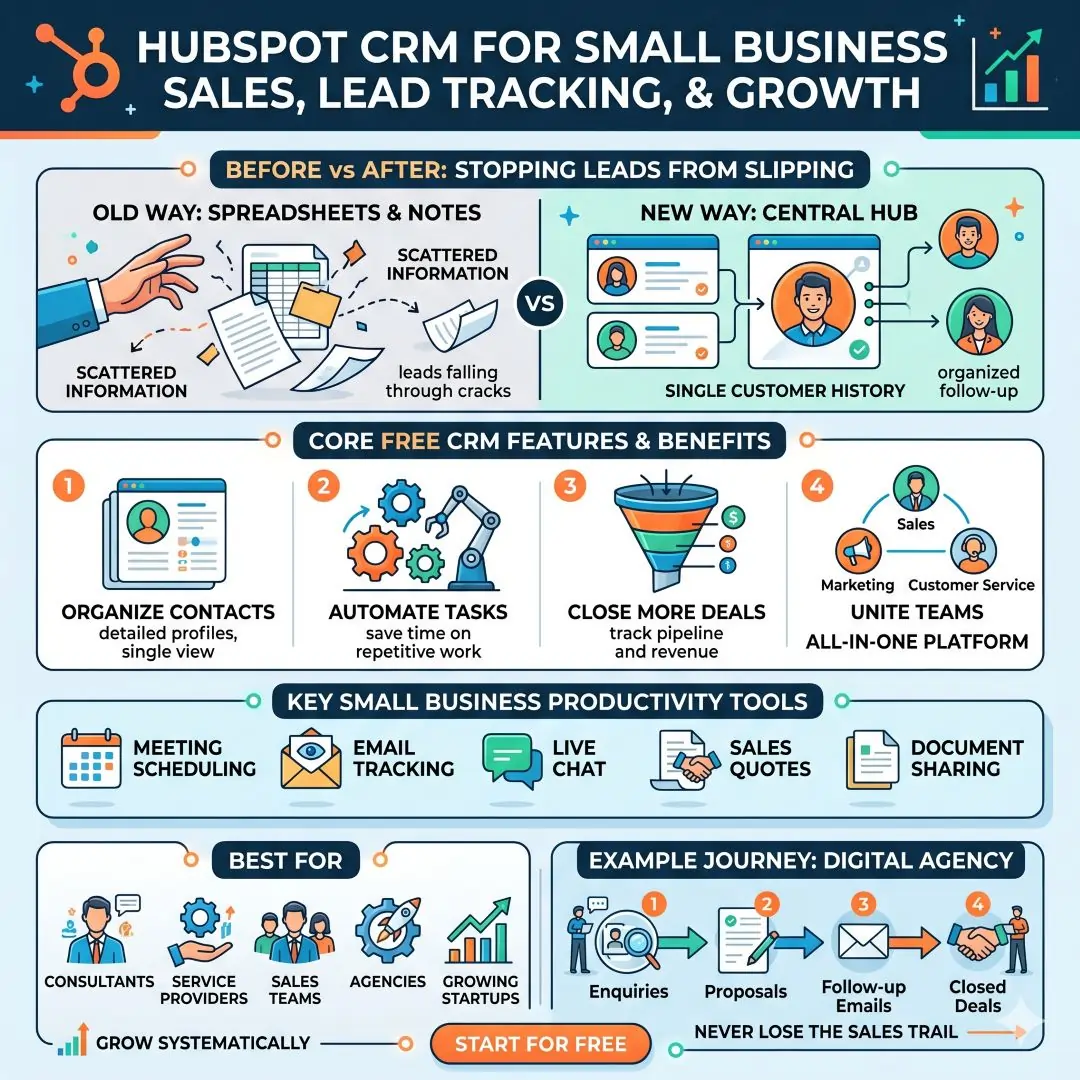
Best for: consultants, service providers, sales teams, agencies, and growing startups.
Example: A small digital agency can track enquiries, proposals, follow-up emails, and closed deals without losing the sales trail.
10. Mailchimp for email marketing and audience growth
Mailchimp is widely used for email marketing and audience engagement. Its official pages describe it as an all-in-one marketing platform built with small businesses in mind, with tools for campaigns across multiple channels. Mailchimp also positions itself as an AI-powered marketing platform that helps businesses grow their audience and keep customers coming back.
Email remains one of the most dependable ways to stay in touch with customers, announce offers, and build repeat business. For a small business, Mailchimp can be a useful bridge between a website visitor and a loyal customer.
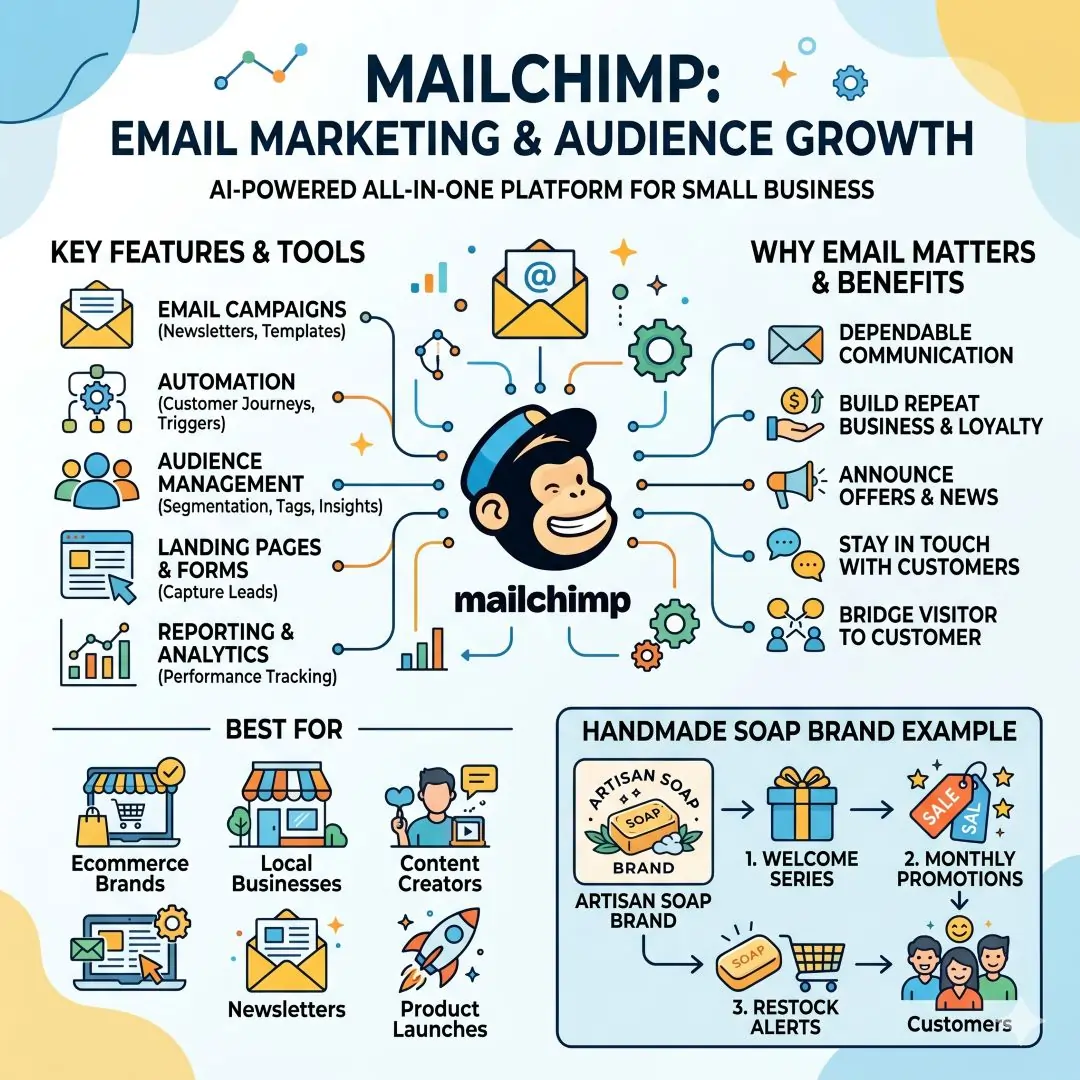
Best for: ecommerce brands, local businesses, content creators, newsletters, and product launches.
Example: A handmade soap brand can send a welcome series, monthly promotions, and product restock alerts to past customers.
11. QuickBooks for accounting and cash flow control
QuickBooks is a popular small business accounting platform. Its official pages say it helps businesses track expenses, manage cash flow, send custom invoices, create financial reports, capture and organise receipts, view insights, and manage inventory in real time.
Good accounting software is not just about taxes. It helps a business understand whether it is profitable, where money is being spent, and how fast invoices are getting paid. That kind of visibility can make daily decisions much smarter.
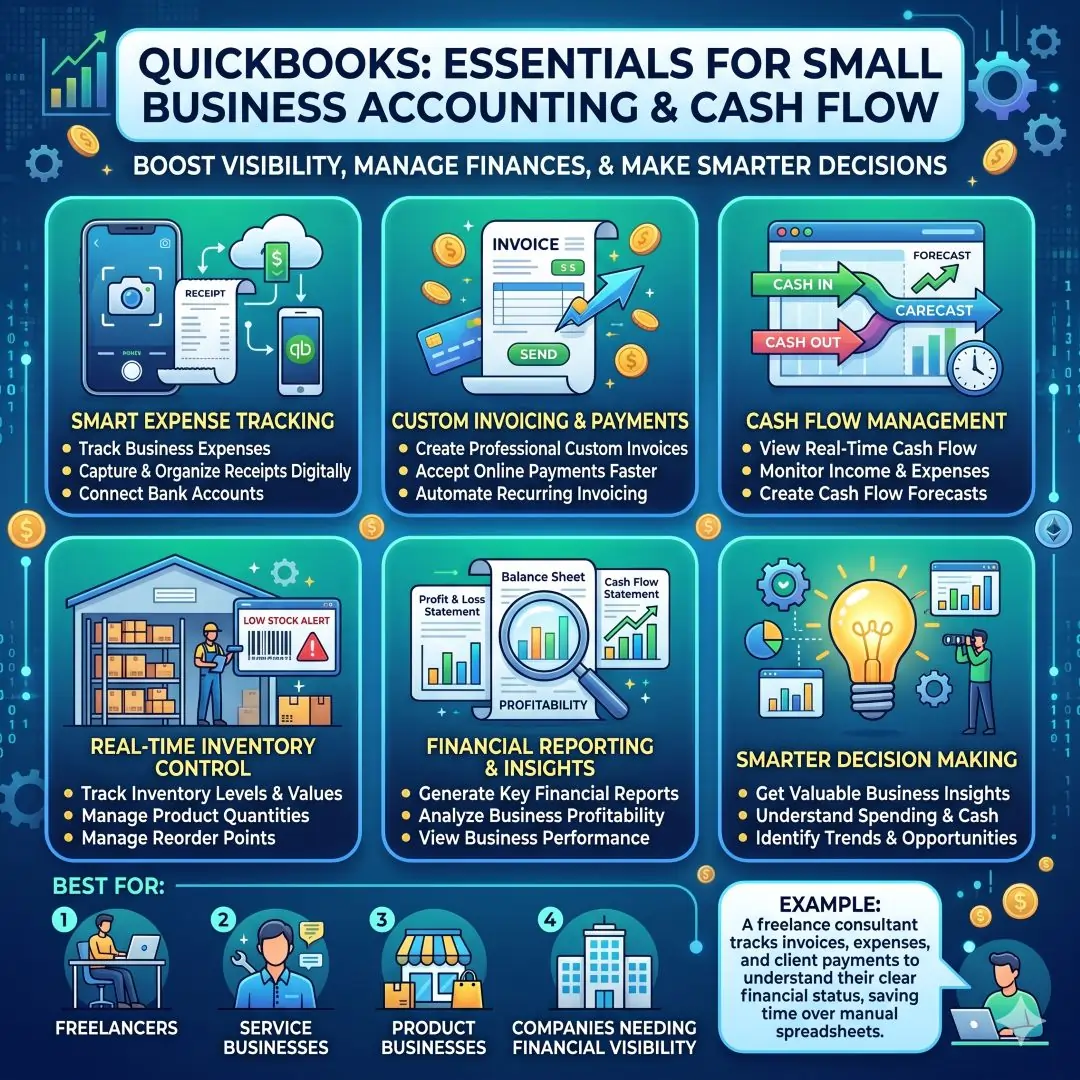
Best for: freelancers, service businesses, product businesses, and companies that need better financial visibility.
Example: A freelance consultant can track invoices, expenses, and client payments without relying on manual spreadsheets alone.
12. Shopify for e-commerce and online selling
Shopify is one of the most recognised e-commerce platforms for small businesses. Its official site says users can start a business or grow an existing one and manage many parts of the business from one platform. Shopify also highlights tools for website building, orders, inventory, shipping, workflow automation, advertising, email, customer chat, and analytics.
For any small business that wants to sell online, Shopify provides a fast path from idea to store. It can support new sellers who want a simple start as well as growing brands that need more advanced operational tools.
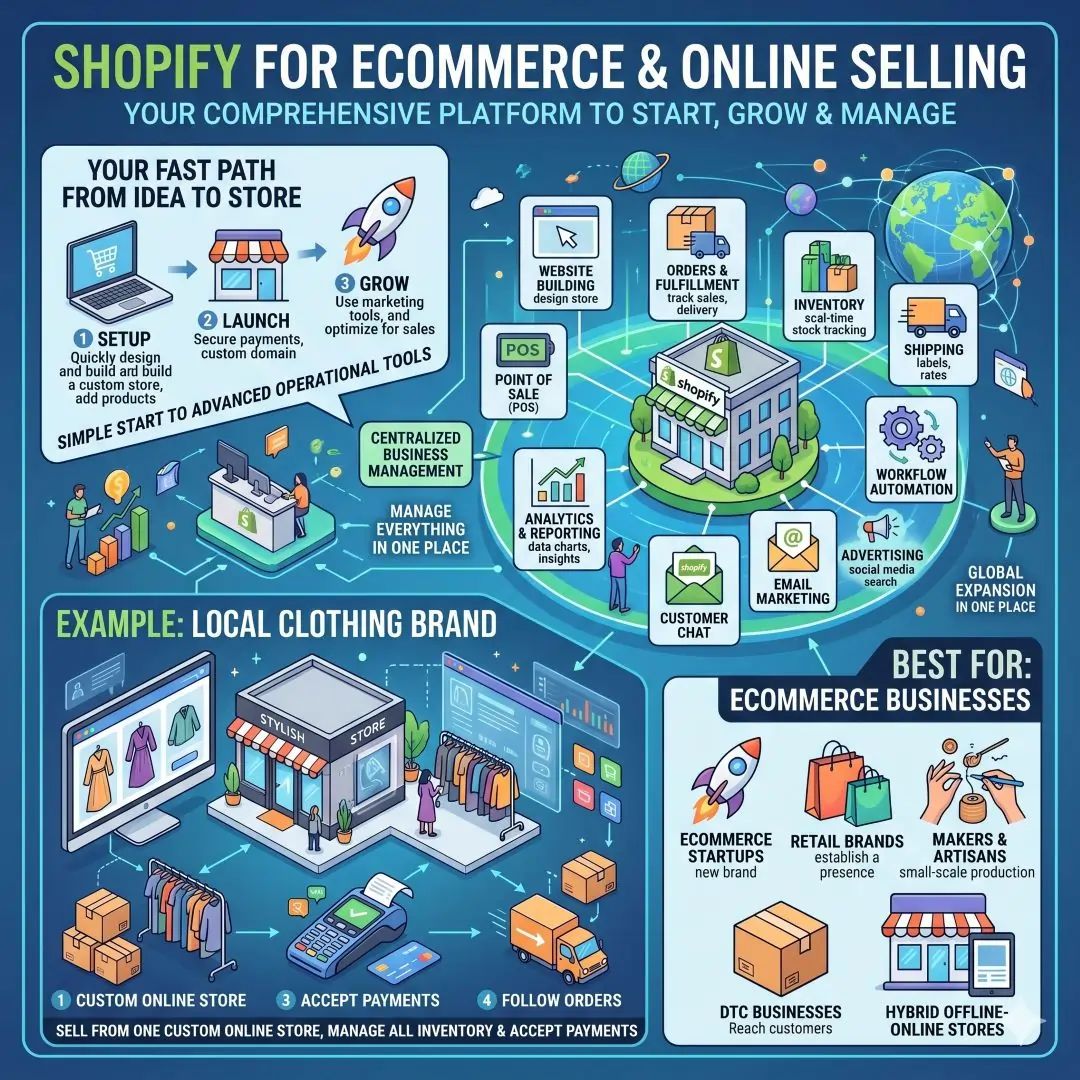
Best for: ecommerce startups, retail brands, makers, DTC businesses, and hybrid offline-online stores.
Example: A local clothing brand can sell from a custom online store, manage stock, accept payments, and follow orders in one place.
13. Zapier for workflow automation
Zapier helps businesses connect apps and automate repetitive work. Its official pages say it connects AI and workflows across thousands of tools, and it is built for no-code automation. Zapier’s workflow products help businesses move information between apps without a developer.
This is one of the most useful tools for small teams because it reduces manual work that otherwise consumes hours every week. A form submission can create a CRM record. A new lead can trigger an email. A closed sale can create a task in the project board. That kind of automation quietly improves the whole business.
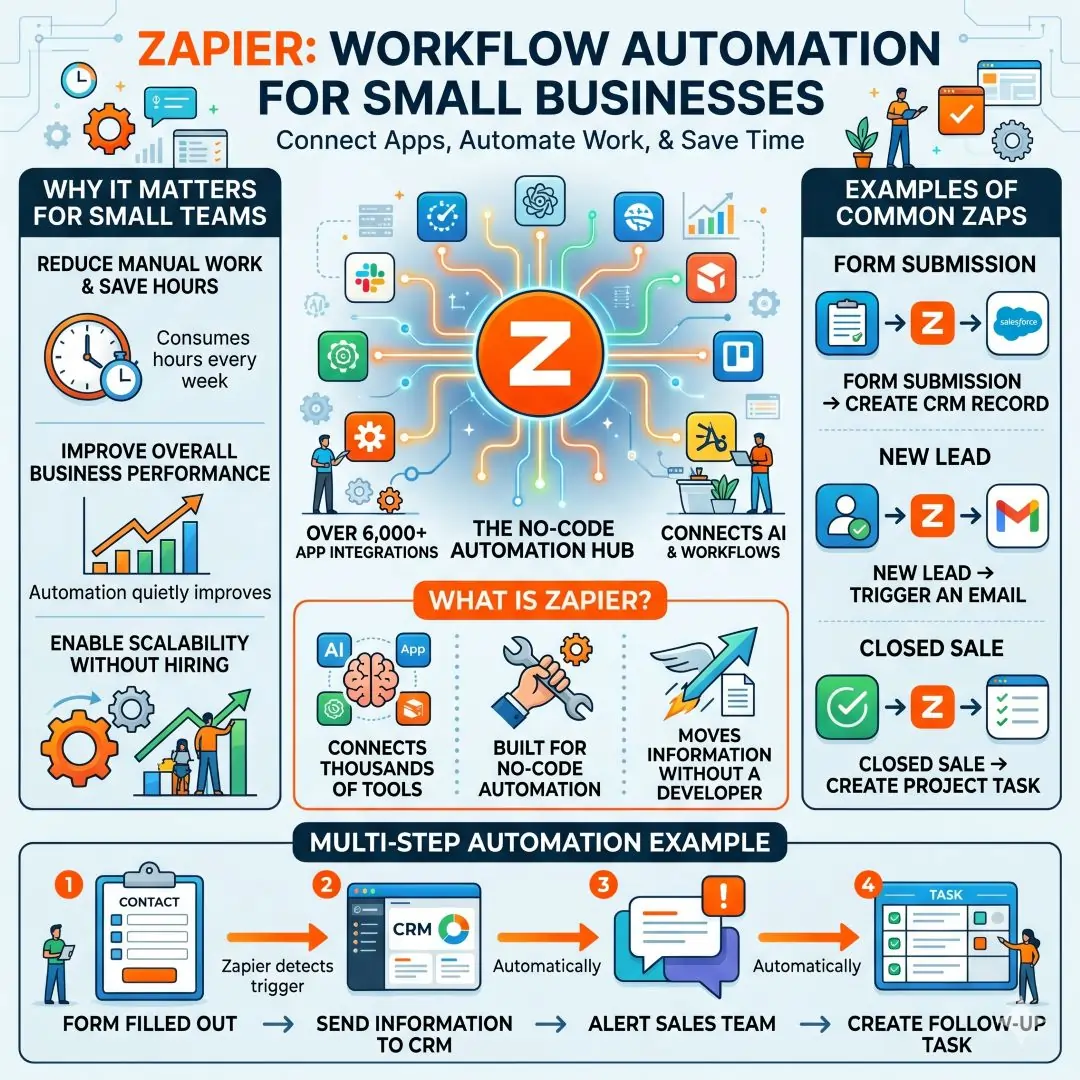
Best for: businesses that use many apps and want less repetitive admin work.
Example: When someone fills out a contact form, Zapier can send the information to a CRM, alert the sales team, and create a follow-up task automatically.
14. LastPass for password management and secure access
LastPass offers password and access management for small and medium-sized businesses. Its official pages emphasise secure password sharing, business access control, and easy team use. The product also promotes a built-in password generator, which helps avoid weak or reused passwords.
Security is often overlooked by small businesses until a problem happens. A password manager makes it easier to protect logins, share access safely, and reduce the risk of password reuse. Combined with MFA, it becomes a much stronger foundation for business security.
Best for: any business that stores client data, runs multiple accounts, or works with a team.
Example: A small agency can securely share login access for tools like email platforms, ad accounts, and ecommerce dashboards without exposing passwords in chat threads.
Large comparison table of the top digital tools
| Tool | Best for | Main strengths | Why small businesses like it |
|---|---|---|---|
| Google Workspace | Email, file sharing, meetings | Gmail, Drive, Meet, Chat, Docs, Sheets, Slides, Forms | Easy all-in-one collaboration for small teams |
| Microsoft 365 | Office productivity and security | Word, Excel, PowerPoint, Outlook, Teams, SharePoint, Loop, security features | Strong for document-heavy businesses and controlled access |
| Slack | Internal communication | Channels, DMs, workflow automation, integrations, file sharing | Keeps team conversations organised and searchable |
| Asana | Project management | List, board, calendar, timeline views, AI workflows | Makes tasks and deadlines visible |
| Notion | Documentation and planning | Docs, tasks, timelines, status updates, AI workspace features | Flexible all-in-one workspace for notes and projects |
| Zoom | Meetings and remote collaboration | Meetings, chat, phone, whiteboard, scheduler, clips | Simple for client calls and hybrid teamwork |
| Dropbox | Cloud storage | File sharing, secure links, permissions, collaboration | Great for large files and controlled sharing |
| Canva | Design and content creation | Templates, brand tools, visual communication, team collaboration | Lets non-designers create polished content quickly |
| HubSpot CRM | Sales and customer tracking | Contact management, email tracking, live chat, meeting scheduling | Helps track leads and close deals more consistently |
| Mailchimp | Email marketing | Campaigns, automation, audience growth, multi-channel marketing | Useful for staying connected with customers |
| QuickBooks | Accounting | Invoicing, expenses, cash flow, receipts, reports, inventory | Makes financial tracking easier and clearer |
| Shopify | Ecommerce | Online store, orders, inventory, shipping, automation, analytics | Fast way to start and manage online selling |
| Zapier | Automation | App connections, workflows, no-code automation | Removes repetitive admin work |
| LastPass | Password security | Password vault, secure sharing, generator, business access control | Helps protect accounts and team logins |
Which tools fit which type of business
| Business type | Best digital tools to start with | Why this stack works |
|---|---|---|
| Freelancer or consultant | Google Workspace, Zoom, Notion, HubSpot CRM, LastPass | Covers email, meetings, planning, leads, and secure logins |
| Agency | Slack, Asana, Canva, Dropbox, Google Workspace, Zapier | Supports creative work, task flow, client sharing, and automation |
| Local retail shop | Shopify, Canva, Mailchimp, QuickBooks, LastPass | Helps sell online, promote offers, manage money, and secure accounts |
| Remote team | Microsoft 365 or Google Workspace, Slack, Zoom, Asana, Dropbox | Supports communication, file sharing, meetings, and work tracking |
| Content creator or solopreneur | Canva, Notion, Mailchimp, Google Workspace, Zapier | Helps create content, organise ideas, email followers, and automate tasks |
Practical ways these tools help in real life
A small business owner does not need every tool on the list at once. The best strategy is to build a stack around daily pain points.
If the biggest problem is communication, start with Google Workspace, Microsoft 365, Slack, or Zoom. If the biggest problem is missed deadlines, choose Asana or Notion. If the biggest problem is losing leads, set up HubSpot CRM. If the biggest problem is marketing, use Canva and Mailchimp. If the biggest problem is repetitive admin work, connect apps with Zapier. If the biggest worry is security, use LastPass and enable MFA.
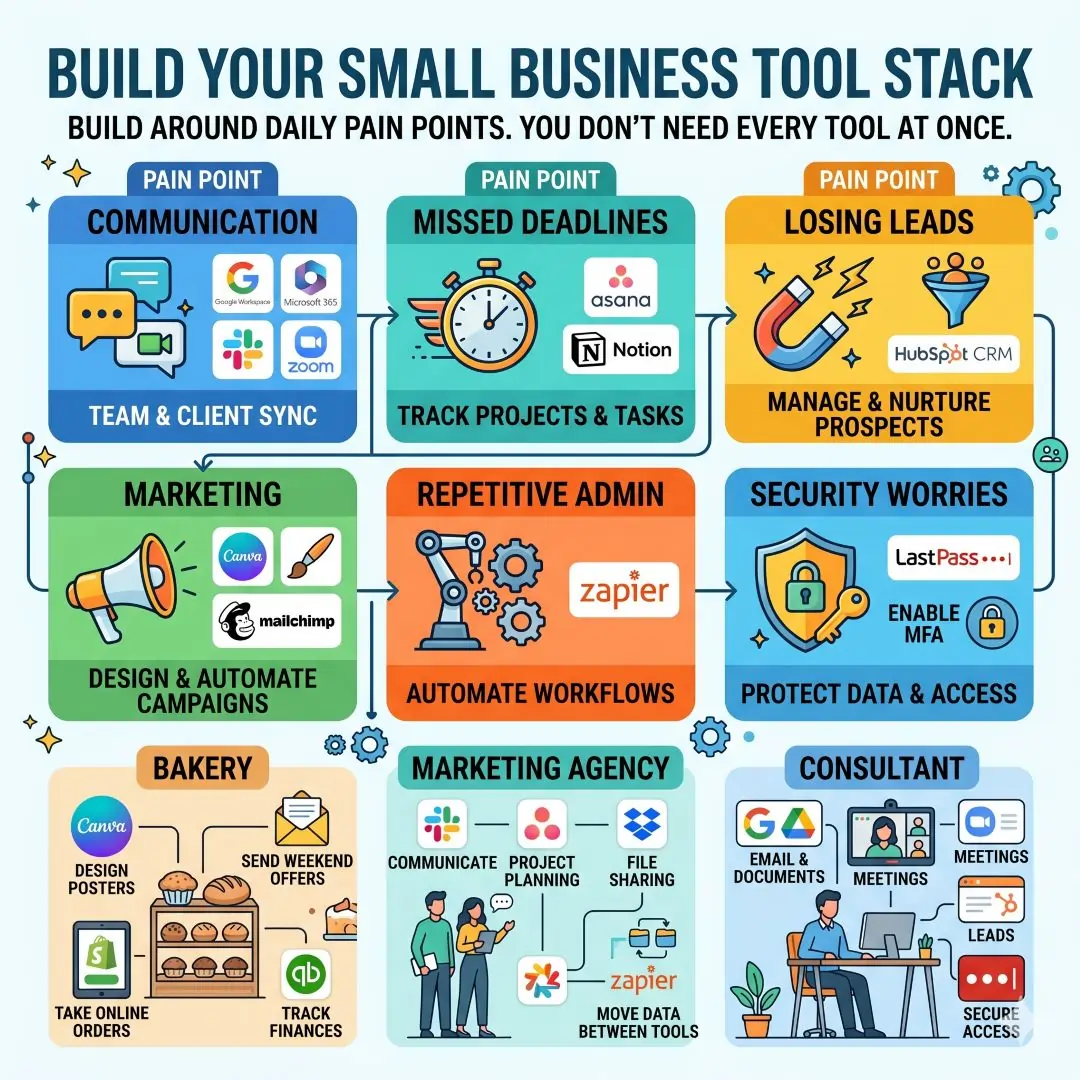
Here are a few simple business scenarios.
- A bakery can use Canva to design posters, Mailchimp to send weekend offers, Shopify to take online orders, and QuickBooks to track income and expenses.
- A marketing agency can use Slack for communication, Asana for project planning, Dropbox for file sharing, and Zapier to move data between tools.
- A consultant can use Google Workspace for email and documents, Zoom for meetings, HubSpot CRM for leads, and LastPass for secure access.
Security should be part of every digital stack
A small business often focuses on growth first and security later, but that approach can be risky. CISA recommends turning on multifactor authentication, using strong passwords, avoiding phishing scams, and keeping devices protected. It also stresses MFA for remote access and privileged access in guidance for organisations.
That is why security tools such as LastPass matter. They reduce password reuse, simplify secure sharing, and support better access control. Security is not only an IT issue. It is a business trust issue. Customers, suppliers, and partners all expect a company to handle data carefully.
A simple roadmap for choosing and rolling out tools
A small business can keep the process simple.
- Start with the biggest bottleneck.
- Choose one tool that solves that problem well.
- Train the team on the basics first.
- Connect the tool to your other systems only after the team is comfortable.
- Review usage after a few weeks and remove anything that creates confusion.
This approach works because digital tools are most useful when they fit real work habits. A clean, small stack is often better than a large, complicated one. The best setup is the one people actually use every day. That idea matches the general challenge highlighted by OECD and the World Bank, which note that smaller firms often face resource and adoption barriers even though digital tools can improve productivity and competitiveness.
Final thoughts
The top digital tools for small business success are the ones that help a company communicate better, stay organised, manage money accurately, market consistently, and protect sensitive information. Tools like Google Workspace, Microsoft 365, Slack, Asana, Notion, Zoom, Dropbox, Canva, HubSpot CRM, Mailchimp, QuickBooks, Shopify, Zapier, and LastPass each solve a different piece of the small business puzzle.
The most successful businesses usually do not use technology just to look modern. They use it to remove friction from daily work. That means less time wasted, fewer mistakes, better customer service, and more room to focus on growth. For a small business, that is the real promise of digital tools. They make the business easier to run and better prepared to scale.
Also, Read these Articles in Detail
- Best Business Tools for Small Businesses in 2026
- Top Business Tools Every Startup Needs
- Best Productivity Tools for Modern Teams
- Essential Business Tools for Remote Teams
- Best AI Business Tools to Save Time and Money
- Top 10 Project Management Tools for Growing Businesses
- 8 Best CRM Tools for Sales and Customer Growth
- Top 7 Accounting Tools for Small Business Owners
- Best Collaboration Tools for Business Teams
- Must-Have Business Tools for Entrepreneurs
- 10 Best Business Automation Tools for Faster Workflows
- Top Tools to Organize Your Business Like a Pro
Article’s References and Citations
- OECD – Digitalisation of SMEs
- Google Workspace for Small Business
- Microsoft 365 Business Solutions
- Slack Features Overview
- Asana Task Management Guide
- Notion Official Website
- Zoom for Small Business
- Dropbox Business Solutions
- Canva for Small Business
- HubSpot CRM for Small Business
- Mailchimp Marketing Platform
- Mailchimp Email Marketing Guide
- QuickBooks Accounting Software
- Shopify E-commerce Platform
- Zapier Automation Platform
- Zapier Workflow Automation Guide
- LastPass Password Management
- LastPass Small Business Solutions
- CISA – Multifactor Authentication (MFA)
Frequently Asked Questions
FAQ 1: What are digital tools, and why are they so important for small business success?
Digital tools are software applications and online platforms that help a business handle daily work more easily, accurately, and efficiently. They can support many different tasks such as communication, task management, file storage, customer relationship management, marketing, accounting, design, and automation. For a small business, these tools are important because they reduce manual work and help the team stay organized even when the staff is small.
A small business usually has limited time, money, and manpower. That means every task has to be handled in a smart way. Digital tools make this possible by saving time and reducing confusion. For example, instead of keeping customer details in scattered notes, a business can store them in a CRM. Instead of sending documents through email again and again, the business can use cloud storage. Instead of managing deadlines on paper, it can use a project management tool. These changes may seem small at first, but over time, they create a big difference in productivity.
Another reason digital tools matter is that they help a business look more professional. Customers expect fast replies, clear communication, online payments, and smooth service. When a small business uses the right tools, it can deliver that experience more easily. A well-organized business is also less likely to make mistakes such as missing a lead, forgetting an invoice, or losing important files. That improves trust, and trust is one of the most valuable things any small business can build.
In simple terms, digital tools help small businesses work smarter, serve customers better, and grow with less stress. They are not just extra features. They are part of the foundation of modern business success.
FAQ 2: Which digital tools should a small business start with first?
A small business should begin with the tools that solve its most urgent daily problems. There is no single perfect list for everyone, because every business works differently. However, most small businesses should start with a strong base that includes communication tools, file storage, task management, accounting, and customer tracking.
The first tool many businesses need is a communication platform. This may include business email, chat, and video meetings. Clear communication is essential because it helps the team coordinate work and speak with clients professionally. The next tool is cloud storage, which allows the business to keep documents in one secure place and share them easily with team members or customers. After that, a task management tool helps everyone know what needs to be done, who is responsible, and when work is due.
A CRM is another smart starting point for any business that talks to leads or customers regularly. It helps track names, contact details, follow-up notes, and sales opportunities. This keeps the business from losing potential customers due to poor tracking. A small business should also consider accounting software early on, because money management becomes harder when invoices, expenses, and payments are handled manually.
For many businesses, it is also useful to add one design tool and one marketing tool early. A design platform helps create social media graphics, banners, and promotional materials, while an email marketing tool helps keep customers engaged. Once those basic tools are working well, the business can slowly add automation and more advanced apps.
The best approach is to start simple. A business does not need ten different apps on day one. It needs a few reliable tools that solve real problems well. That is how a strong digital system begins.
FAQ 3: How do communication tools help small businesses grow faster?
Communication tools help small businesses grow faster because they improve the speed, clarity, and quality of daily interactions. In a small business, a lot of time can be lost when messages are scattered across email, phone calls, private chats, and handwritten notes. A good communication tool keeps everything more organized and easier to follow.
For internal teamwork, communication tools make it easier for employees to ask questions, share updates, and solve problems quickly. This reduces delays and helps work move forward without unnecessary confusion. For example, if a team member needs approval on a task, they can send a message directly instead of waiting for a long email thread. If a project update is needed, it can be shared in one place where everyone can see it.
For customer communication, these tools help a business respond faster and more professionally. Customers usually appreciate quick replies and clear answers. If a business can answer questions on time, book meetings easily, and send updates without delay, it creates a much better customer experience. That can lead to more trust, better reviews, and more repeat business.
Communication tools also help remote and hybrid teams stay connected. Many small businesses now have team members working from different places. A strong communication system keeps everyone aligned, even when they are not physically in the same office. It supports meetings, shared messages, file sharing, and quick coordination.
In the long run, better communication often means better business performance. Misunderstandings go down, work gets done faster, and the team spends less time trying to find information. That is why communication tools are among the most valuable digital tools a small business can use.
FAQ 4: Why is project management software so useful for small teams?
Project management software is useful for small teams because it brings structure to daily work. Small businesses often handle many tasks at once, such as customer service, marketing, sales, planning, content creation, and operations. Without a system, it is easy for things to get missed. A project management tool helps keep all of this visible and organized.
The biggest advantage of project management software is clarity. It shows what tasks need to be done, who is responsible, and what the deadline is. This prevents confusion and reduces the chance that two people do the same task or that nobody does it at all. It also makes it easier to see which work is urgent and which work can wait.
Another important benefit is accountability. When tasks are assigned inside a shared system, each person knows what they are responsible for. This improves follow-through and helps the team stay on track. Managers can also see how work is progressing without needing constant status updates. That saves time and creates a smoother workflow.
Project management software is also useful because it gives the team one place to store notes, links, files, and updates related to a project. That means fewer lost messages and fewer moments where someone says, “I did not see that email.” Everything stays connected to the task itself.
For small businesses, this kind of tool is especially valuable because even one missed task can affect sales, customer satisfaction, or deadlines. A project management system helps avoid those problems and makes the business look more reliable and professional. It is one of the simplest ways to bring order into a busy workday.
FAQ 5: What is a CRM, and why does a small business need one?
A CRM, or Customer Relationship Management tool, is software that helps a business manage leads, customers, and sales activity in one place. It stores important details such as names, phone numbers, email addresses, meeting notes, follow-up reminders, and purchase history. For a small business, this is very useful because customer information can easily become messy when it is stored in notebooks, spreadsheets, or random email threads.
A CRM helps a business avoid missed opportunities. For example, if a potential customer asks for a quote and the business forgets to follow up, that lead may be lost. A CRM keeps the lead visible and reminds the team to respond. It also helps businesses understand where each customer is in the sales process, whether they are a new lead, an active prospect, or a repeat buyer.
Another reason a CRM is valuable is that it improves customer service. When a team can quickly see a customer’s past interactions, they can respond in a more helpful and personal way. This makes the customer feel remembered and valued. That can improve trust and increase the chance of future sales.
A CRM also helps with planning. When a business knows how many leads are coming in, where they came from, and how many are turning into sales, it can make better decisions about marketing and growth. It becomes easier to see what is working and what needs improvement.
For a small business that wants to grow steadily, a CRM is more than a record-keeping tool. It is a system for building stronger customer relationships and turning interest into real revenue.
FAQ 6: How can marketing tools help a small business attract more customers?
Marketing tools help a small business attract more customers by making it easier to promote products, share content, and stay in touch with an audience. In today’s market, a business cannot rely only on word of mouth. It also needs to appear clearly and consistently online. Marketing tools help make that possible.
One of the biggest advantages of marketing tools is that they make promotion easier and faster. A business can create social media posts, email campaigns, banners, flyers, and product updates without needing a large marketing team. This is especially useful for small businesses with limited resources. A strong design tool can help produce polished visuals, while an email marketing platform can help send updates to customers at the right time.
Marketing tools also help businesses stay connected with existing customers. It is often cheaper to keep a current customer than to find a new one. Regular emails, promotions, and updates help a business remain visible. When customers hear from a brand often enough, they are more likely to return.
These tools can also help businesses understand their audience better. Many marketing platforms show how many people opened an email, clicked a link, or visited a page. This information helps the business learn what people are interested in and what kind of message works best.
In simple terms, marketing tools help a small business do three important things. They help the business get noticed, keep customers engaged, and measure what works. That makes them a powerful part of long-term growth.
FAQ 7: Why are accounting and invoicing tools necessary for small businesses?
Accounting and invoicing tools are necessary because they help a business keep track of money in a clear and organized way. Even a small business deals with income, expenses, invoices, taxes, and cash flow. If these things are handled manually, mistakes can happen easily. A good accounting tool reduces that risk and gives the business a better view of its financial health.
One major benefit is that it helps with invoicing. A business can create and send professional invoices quickly, which improves the chances of getting paid on time. It can also track which invoices have been paid and which ones are still outstanding. That makes follow-up much easier.
Another important benefit is expense tracking. Small businesses often spend money on supplies, software, travel, marketing, or contractor fees. Accounting software helps record these expenses in one place. Over time, this makes it easier to understand where money is going and where savings may be possible.
These tools also support cash flow management. Cash flow is one of the most important parts of a small business because even a profitable company can run into trouble if money is not coming in at the right time. Accounting software helps the business see its financial position more clearly, which supports better decision-making.
In addition, accounting tools make tax preparation less stressful. Instead of gathering papers at the last minute, the business can keep financial records organised throughout the year. That saves time and reduces errors. For any small business, financial clarity is not optional. It is one of the foundations of stability and growth.
FAQ 8: How do design tools like Canva help a business look more professional?
Design tools help a business look more professional by making it easy to create clean, attractive, and consistent visual content. This matters because customers often notice how a business looks before they understand everything it offers. A strong visual identity can make the business feel more trustworthy, modern, and memorable.
A tool like Canva is especially useful because it allows non-designers to create graphics without needing advanced software skills. A small business owner can design social media posts, posters, presentations, flyers, menus, ads, and product announcements simply and intuitively. This saves both time and money.
Design tools also help with brand consistency. A business can use the same colors, fonts, and logo style across all marketing materials. That consistency makes the brand easier to recognize. When customers keep seeing the same visual style, they begin to associate it with the business more easily.
Another major benefit is speed. Small businesses often need content quickly. A design tool makes it possible to create something useful in a short time instead of waiting for a long design process. That is helpful for promotions, event updates, holiday campaigns, and daily marketing posts.
Good design does not just make content prettier. It also improves communication. A clear visual can explain an offer, a service, or a product much faster than text alone. That makes design tools one of the easiest ways for a small business to improve its overall presentation and marketing impact.
FAQ 9: How can automation tools save time for small business owners?
Automation tools save time by handling repetitive tasks automatically. These tasks may seem small, but together they can take up a large part of the day. For a small business owner, that lost time can prevent more important work from getting done. Automation tools help reduce this burden.
A common example is moving data from one app to another. For instance, when someone fills out a contact form on a website, automation can send that information to the CRM, notify the sales team, and create a follow-up task. Without automation, a person would have to do each of those steps manually. Doing this many times each week can become tiring and error-prone.
Automation also helps with internal business processes. It can send reminders, update records, create reports, or trigger notifications when something important happens. This makes daily operations smoother and more reliable. It also reduces the chance that tasks will be forgotten.
For small businesses, automation is especially valuable because staff time is limited. Every hour saved from repetitive admin work can be used for sales, customer service, product improvement, or planning. That is where automation creates real business value. It does not replace people. It gives people more time to do meaningful work.
Another benefit is consistency. Automated workflows follow the same steps every time, which means fewer errors and more predictable results. That makes automation one of the smartest tools for a business that wants to grow without adding unnecessary complexity.
FAQ 10: How should a small business build the best digital tool stack without getting overwhelmed?
A small business should build its digital tool stack slowly and with purpose. The goal is not to collect as many apps as possible. The goal is to create a simple system that supports real work. The best way to do this is to start with the most urgent problem first and solve it before adding anything else.
For example, if the business struggles with communication, it should begin with a strong email and chat system. If it struggles with missed deadlines, it should start with a project management tool. If it struggles with sales tracking, it should add a CRM. If it struggles with marketing, it should use a design tool and an email marketing platform. By solving one issue at a time, the business avoids confusion.
It is also helpful to choose tools that work well together. A business saves time when its apps can share data or connect through automation. That reduces double entry and makes the work smoother. Training is also important. Even the best tool will not help if the team does not know how to use it properly. A short training session can often make a big difference.
Another important idea is to review the tool stack regularly. Some apps may stop being useful over time, while others may need to be upgraded. A small business should keep only the tools that truly support the way it works. That keeps the system clean and efficient.
In the end, the best digital stack is the one that is simple, secure, affordable, and easy for the team to use. When a business chooses tools with care, it creates a strong foundation for growth without unnecessary stress.
Article Disclaimer
The information provided in this article, “Top Digital Tools for Small Business Success,” is intended for general informational and educational purposes only. While every effort has been made to present accurate, up-to-date, and reliable information, the content should not be considered as professional advice in areas such as business strategy, financial planning, legal compliance, or technology implementation. Readers are encouraged to evaluate their own business needs and consult with qualified professionals before making any significant decisions.
This article discusses various digital tools, software platforms, and business solutions based on commonly available features and general industry understanding. However, features, pricing, availability, and performance of these tools may change over time without notice. The effectiveness of any tool depends on several factors, including the specific requirements of a business, team size, budget, and level of technical expertise. Therefore, no guarantee is made regarding the suitability or results of using any particular tool mentioned in this content.
The examples, use cases, and recommendations provided throughout the article are for illustrative purposes only. They are meant to help readers better understand how digital tools can be applied in real-world scenarios. These examples may not reflect the exact outcomes for every business, as results can vary widely depending on implementation, market conditions, and individual business strategies.
Additionally, this article may include references to third-party platforms and services. These references are provided for informational convenience and do not constitute endorsements, affiliations, or guarantees of quality, reliability, or performance. Users are advised to conduct their own research, review official documentation, and carefully assess terms and conditions before using any external services.
The author and publisher are not responsible for any losses, damages, or issues that may arise from the use or misuse of the information provided in this article. This includes, but is not limited to, financial loss, data security concerns, or operational challenges. Readers assume full responsibility for their decisions and actions based on the content presented.
By reading this article, you acknowledge that business success depends on multiple factors, including planning, execution, market conditions, and continuous improvement. Digital tools can support growth, but they are not a substitute for thoughtful strategy, consistent effort, and sound decision-making.
