Best Collaboration Tools for Business Teams are no longer just nice-to-have software. They are now the systems that help teams chat, share files, manage projects, run meetings, brainstorm ideas, and keep work moving in one place. Modern tools like Slack, Microsoft Teams, Google Workspace, Asana, Trello, Notion, Monday.com, Zoom Workplace, Miro, Confluence, Dropbox Paper, and Webex all support different parts of collaboration, from quick messaging to full project coordination.
For business teams, the best tool is usually not the one with the most features. It is the one that fits the team’s real workflow. A sales team may need fast chat and video calls. A product team may need task boards and shared docs. A creative team may need a digital whiteboard. A company with many departments may need one platform that combines meetings, messaging, documents, and project tracking. That is why choosing the right collaboration stack matters so much.
Table of Contents
Why collaboration tools matter for business teams
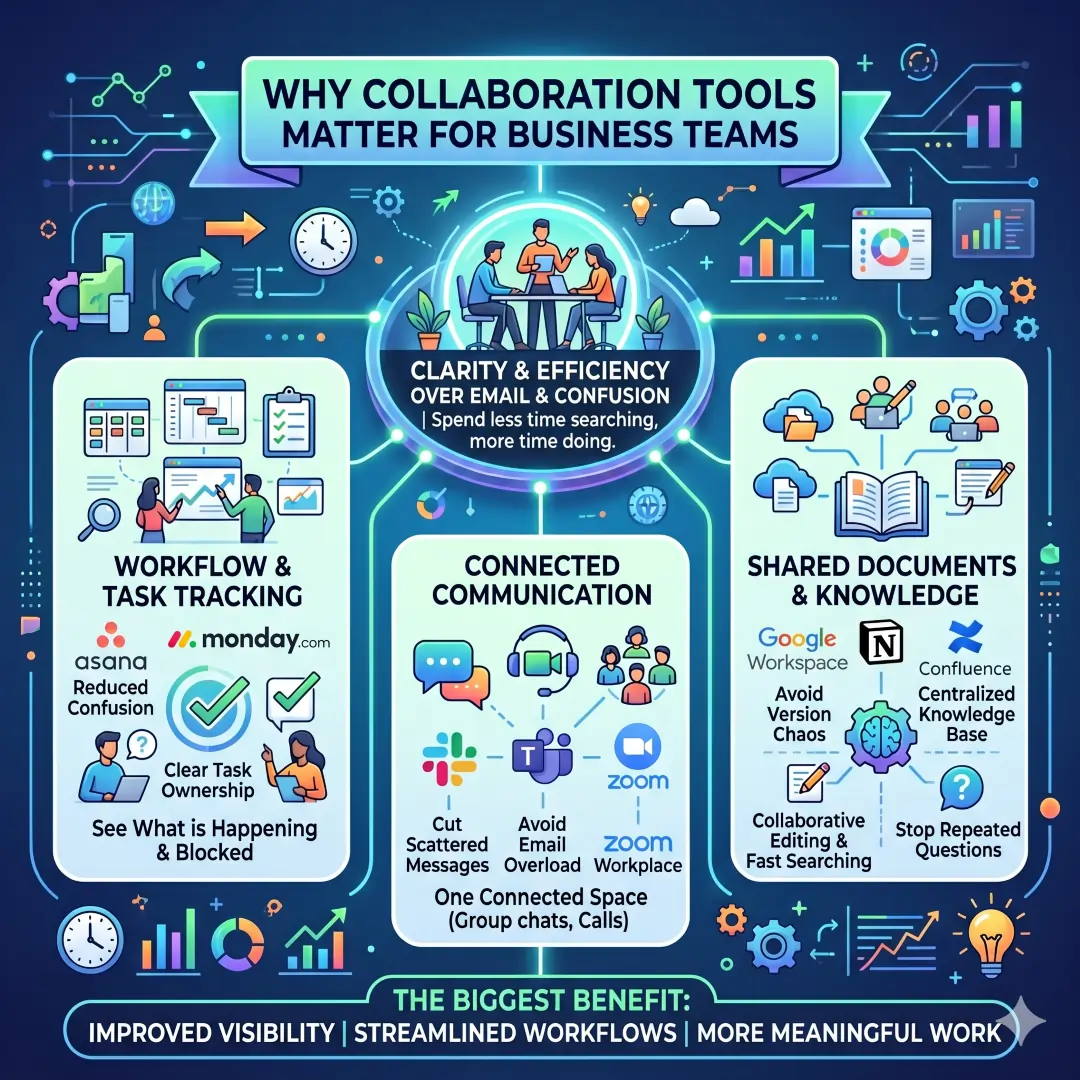
A strong collaboration platform reduces confusion, cuts down on scattered messages, and makes it easier for people to see what is happening, what is blocked, and who owns each task. Tools such as Asana and monday.com are built around task visibility and workflow coordination, while tools such as Slack, Teams, and Zoom Workplace bring communication into one connected space. Google Workspace, Notion, Confluence, and Dropbox Paper focus more on shared documents and knowledge, which helps teams avoid version chaos and repeated questions.
The biggest benefit is not just convenience. It is clarity. When people can communicate, share files, edit documents, and track progress in one system, they spend less time searching and more time doing meaningful work. That is why many business teams now choose a combination of tools rather than relying on email alone.
How to choose the right collaboration tool
Before comparing brands, it helps to look at the real work your team does every day.
Ask these questions first:
- Does the team need chat, meetings, documents, or project tracking most?
- Does work happen in real time, asynchronously, or both?
- Do people need to collaborate mostly inside one department, or across the entire company?
- Are you trying to reduce email, organize projects, or build a shared knowledge base?
- Do you need a tool that connects with other apps your team already uses?
A good rule is simple. Choose a communication tool for conversations, a work management tool for tasks, and a knowledge tool for docs and processes. Some platforms combine all three, but many teams still work best with a small, thoughtful stack.
Best collaboration tools for business teams at a glance
| Tool | Best For | Core Collaboration Strengths | Best Team Type | Notable Official Features |
|---|---|---|---|---|
| Slack | Fast team communication | Channels, direct messages, canvases, workflow automation, file sharing | Cross-functional teams, startups, remote teams | Slack highlights channels, huddles, canvases, lists, workflow builder, and app integrations. |
| Microsoft Teams | Chat, meetings, and file collaboration | Instant messaging, meetings, cloud recording, tasks, file sharing | Businesses already using Microsoft 365 | Teams includes chat, meetings, threaded conversations, file sharing, and AI-enhanced collaboration features. |
| Google Workspace | Shared documents and lightweight teamwork | Docs, Sheets, Slides, Meet, Chat, Drive | Distributed teams, content teams, small businesses | Workspace includes Gmail, Calendar, Meet, Chat, Drive, Docs, Sheets, Slides, and more. |
| Asana | Project and task management | Work tracking, timelines, Kanban, automation, goals | Operations, marketing, product, and agency teams | Asana supports projects, workflows, goals, Kanban boards, Gantt charts, and real-time collaboration. |
| Trello | Simple task boards | Boards, lists, cards, templates | Small teams, visual planners, lightweight projects | Trello focuses on boards, lists, cards, and team-friendly templates. |
| Notion | Docs plus projects in one workspace | Notes, docs, projects, permissions, databases | Knowledge teams, startups, product teams | Notion supports docs, projects, AI meeting notes, enterprise search, and sharing controls. |
| Monday.com | Visual work management | Dashboards, automations, workflows, shared docs | Teams that want one platform for many departments | Monday.com emphasizes automations, dashboards, workdocs, and purpose-built solutions for different teams. |
| Zoom Workplace | Meetings plus collaboration | Meetings, chat, docs, whiteboard, tasks, clips | Hybrid and remote teams | Zoom Workplace combines Meetings, Chat, Docs, Whiteboard, Tasks, and content hubs. |
| Miro | Visual brainstorming and workshops | Whiteboarding, async collaboration, templates | Product, design, strategy, and innovation teams | Miro supports real-time collaboration, async editing, workshops, presentations, and a large template library. |
| Confluence | Knowledge management | Team docs, templates, real-time editing, integration with other Atlassian tools | Teams building shared knowledge bases | Confluence is positioned as a team workspace for creating and sharing knowledge with templates and AI support. |
| Dropbox Paper | Collaborative doc editing | Real-time editing, comments, to-dos, file sharing | Teams that work heavily with content and shared documents | Dropbox Paper lets teams work on documents simultaneously, comment, assign tasks, and track contributions. |
| Webex | Enterprise communication | Calling, meetings, messaging, webinars, whiteboarding, video messaging | Larger organizations and regulated environments | Webex Suite combines calling, meetings, messaging, polling, events, whiteboarding, and video messaging. |
1. Slack
Slack is one of the most popular collaboration platforms for teams that want fast communication without drowning in email. It is built around channels, direct messages, huddles, canvases, lists, file sharing, and app integrations, which makes it especially useful for teams that need conversations to stay organized by topic or project.
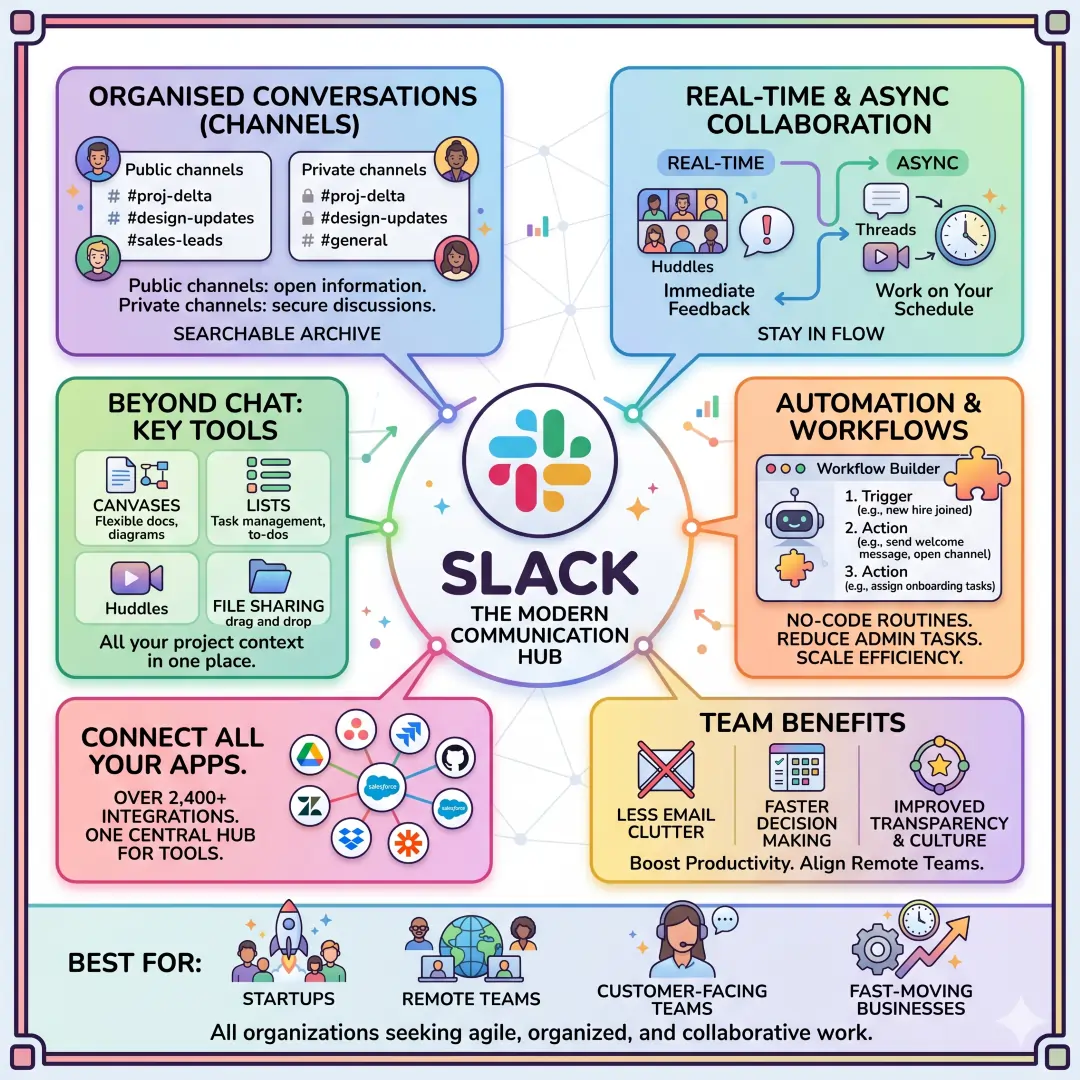
The strongest point of Slack is how naturally it supports both real-time and asynchronous work. A team can keep design updates in one channel, sales questions in another, and project decisions in a shared canvas. Its workflow tools also help automate routine work, which helps grow teams that want to reduce repetitive admin tasks.
Best for: startups, remote teams, customer-facing teams, and fast-moving businesses that want a clean communication hub.
Example: A marketing team can use a campaign channel for daily updates, a canvas for launch notes, and lists for approvals. That way, the conversation, the plan, and the files live close together. (Slack)
2. Microsoft Teams
Microsoft Teams is a strong choice for businesses that already rely on Microsoft 365. It brings together chat, meetings, threaded conversations, file sharing, and AI-enhanced messaging and task flow in one environment. Microsoft also highlights cloud recording, quick meeting access, and collaborative planning features.
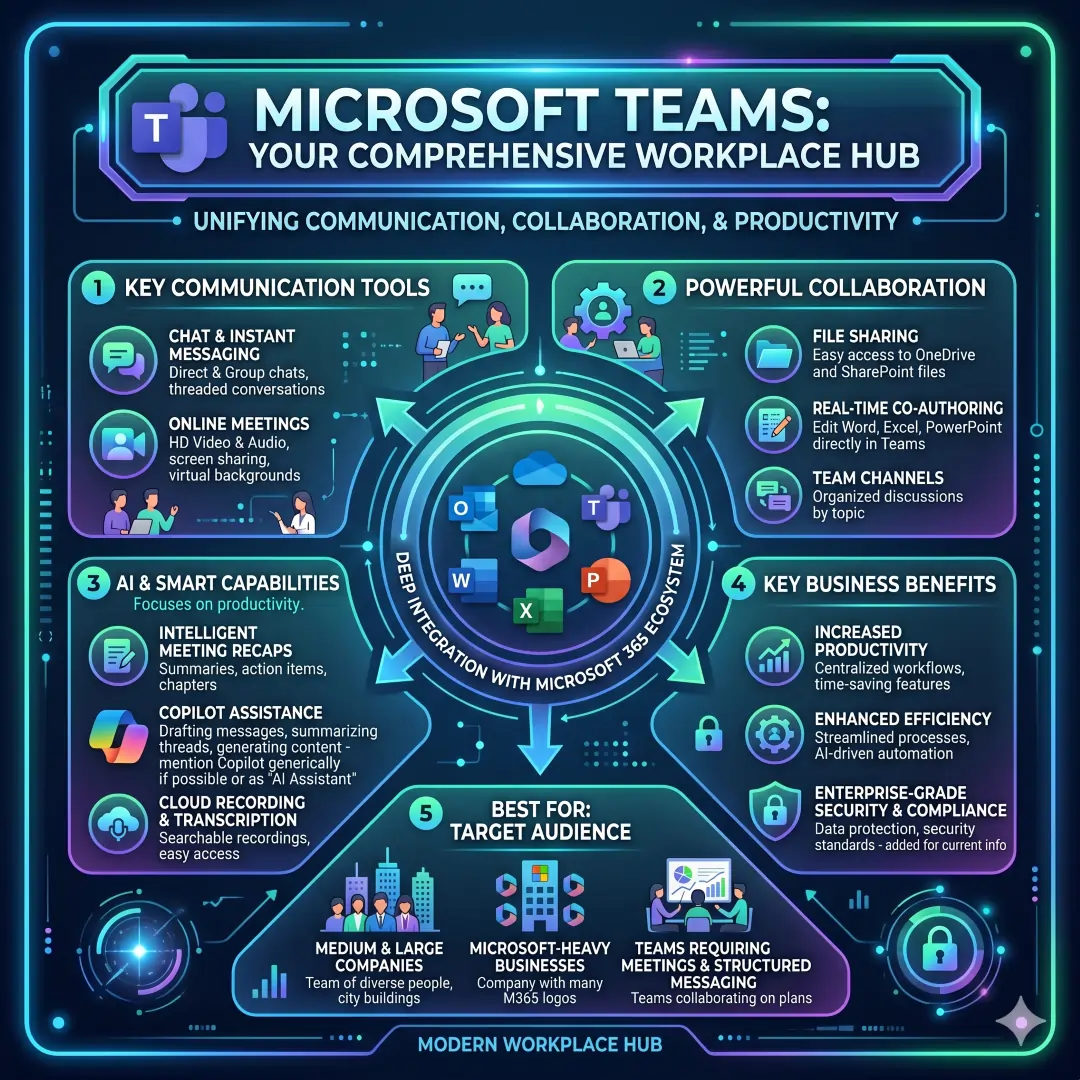
Teams works well because it sits close to the rest of the Microsoft ecosystem. If a company already uses Outlook, OneDrive, Word, Excel, and PowerPoint, Teams can become the natural place where those files and discussions come together. That creates a familiar workflow for many office teams.
Best for: medium and large companies, Microsoft-heavy businesses, and teams that need meetings plus structured messaging.
Example: A finance team can hold weekly review meetings in Teams, store spreadsheets in shared folders, and keep approval threads in the same app. That reduces friction and keeps context in one place.
3. Google Workspace
Google Workspace is one of the easiest collaboration systems for teams that live in the cloud. It includes Gmail, Calendar, Meet, Chat, Drive, Docs, Sheets, Slides, Forms, and Sites, all tied together as a business collaboration suite. Google also emphasizes real-time editing and collaboration directly inside documents.
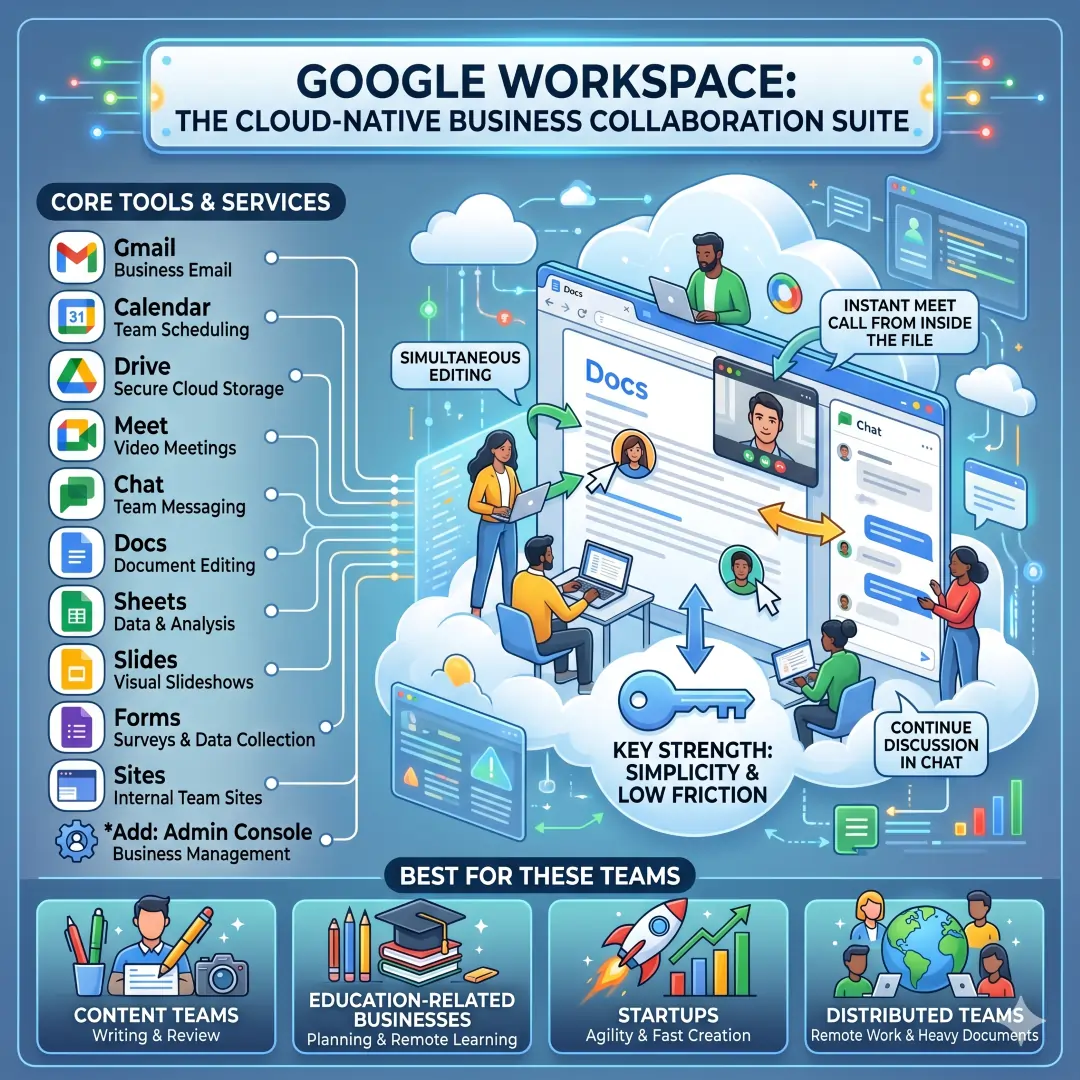
Its biggest strength is simplicity. Many teams can open a shared document, edit at the same time, start a Meet call from inside the file, and continue the discussion in Chat. That makes Google Workspace especially helpful for teams that value speed and low friction.
Best for: content teams, education-related businesses, startups, and distributed teams that work heavily in documents and spreadsheets.
Example: A blog team can draft an article in Docs, review edits in real time, keep research in Drive, and schedule a final meeting in Meet without switching tools constantly.
4. Asana
Asana is a leading work management tool for teams that need to track projects, responsibilities, and deadlines clearly. Its official feature set includes projects, goals, workflows, automation, Kanban boards, Gantt charts, calendar views, and AI-powered project support.
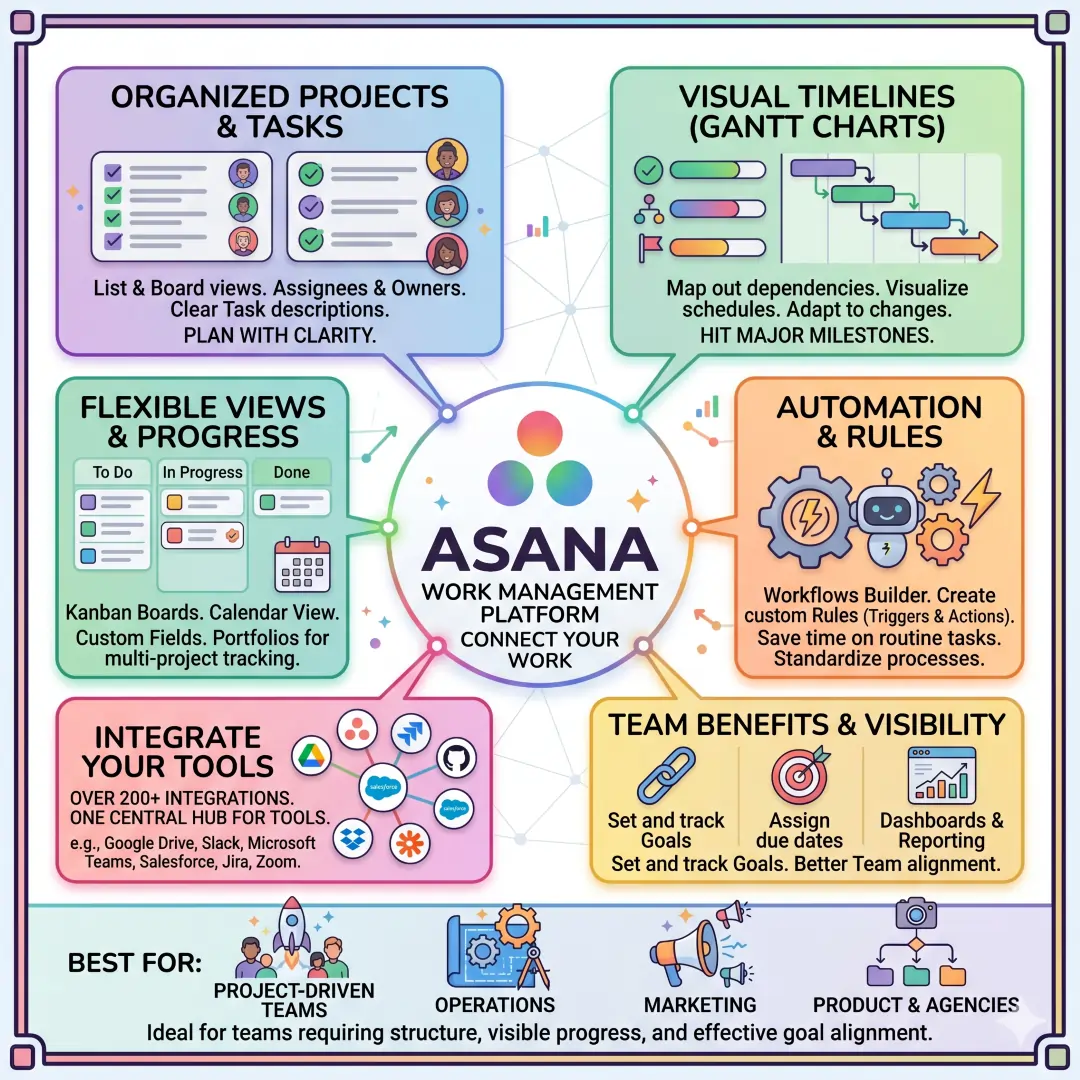
Asana is especially useful when a team has lots of moving parts. It helps people see who owns what, when work is due, and how tasks connect to larger objectives. That makes it valuable for operations teams, product teams, and agencies handling many client deliverables at once.
Best for: project-driven teams, operations, marketing, product, and agencies.
Example: A product launch can be broken into design tasks, copywriting tasks, QA tasks, and release tasks, all with owners and deadlines in one shared system.
5. Trello
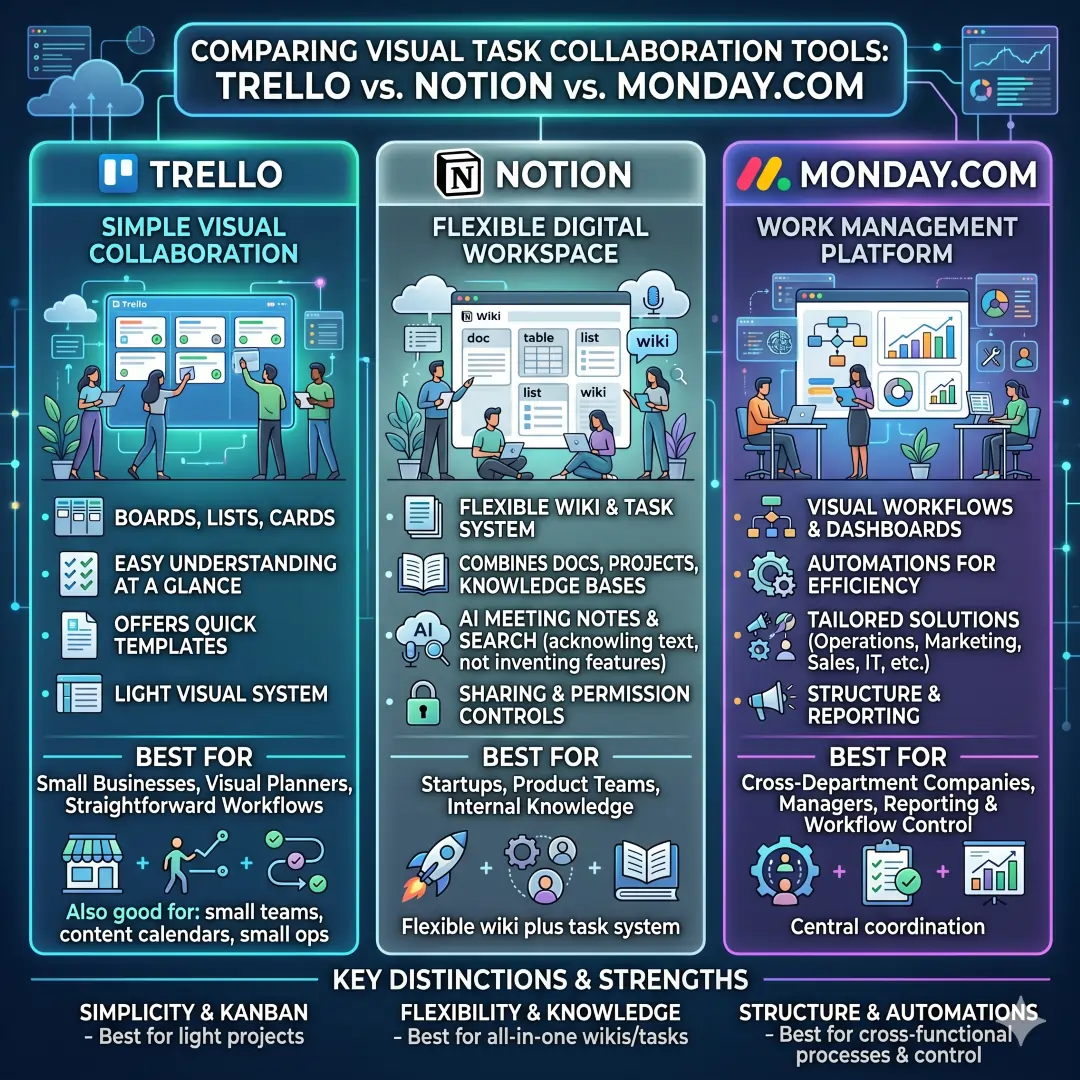
Trello is one of the simplest tools for visual task collaboration. It uses boards, lists, and cards so teams can organize work in a way that is easy to understand at a glance. Trello also offers templates that help teams get started quickly.
Trello works best when a team wants a light, visual system rather than a heavy project management platform. It is often a good fit for smaller teams, content calendars, small operations groups, and anyone who likes moving cards from one stage to the next.
Best for: small businesses, visual planners, and teams with straightforward workflows.
Example: A social media team can make columns for ideas, draft, approval, scheduled, and published. That gives the whole team a fast visual snapshot of content progress.
6. Notion
Notion is a flexible workspace that combines docs, projects, knowledge bases, AI meeting notes, enterprise search, and integrations in one platform. Its team pages show how it is designed to help groups collaborate, organize, and ship work faster.
Notion is especially attractive for teams that want one system for notes, SOPs, project tracking, and shared information. It also has sharing and permission controls, which help teams organize access without making the workspace messy.
Best for: startups, product teams, internal knowledge teams, and companies that want a flexible wiki plus task system.
Example: A SaaS startup can keep its meeting notes, product roadmap, hiring checklist, and customer research in one Notion workspace instead of scattering them across different apps.
7. Monday.com
Monday.com is a work management platform built for teams that want visual workflows, dashboards, automations, and tailored solutions for different functions. The company highlights use cases for operations, marketing, sales, IT, product, and engineering.
Its strength is structure with flexibility. Teams can adapt boards, dashboards, and automations to match how they actually work. That can be especially useful for companies with several departments that need one central place to coordinate work.
Best for: cross-department companies, managers, and teams that want reporting and workflow control.
Example: An HR team can manage recruitment, onboarding, and employee requests on separate boards while leadership watches progress through dashboards.
8. Zoom Workplace
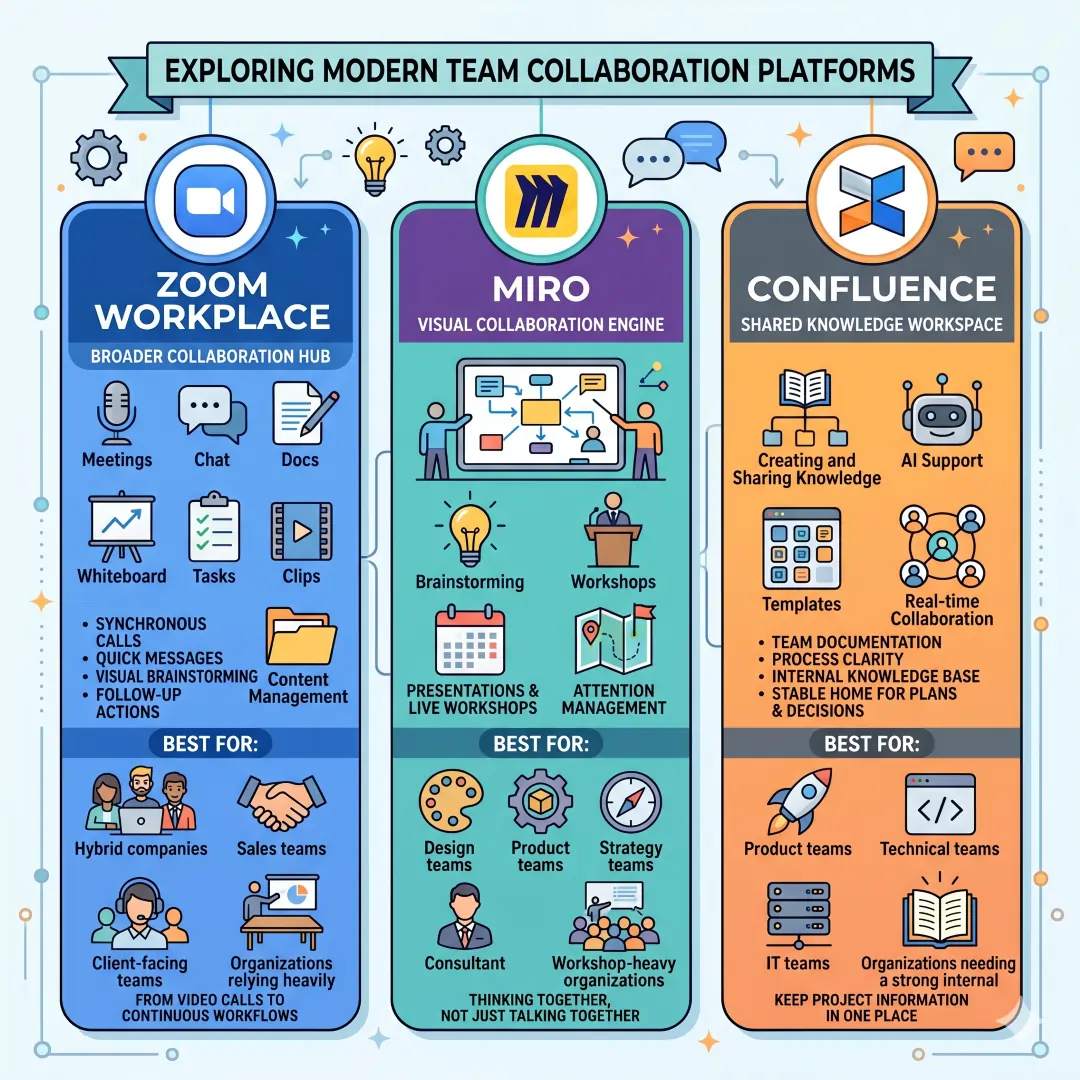
Zoom Workplace has grown beyond video calls into a broader collaboration platform. Zoom now highlights Meetings, Chat, Docs, Whiteboard, Tasks, Clips, and content management tools inside the same ecosystem.
This is useful for hybrid teams that need more than a meeting tool. The same platform can support synchronous calls, quick messages, visual brainstorming, and follow-up actions. Zoom also positions whiteboarding as a core part of continuous collaboration.
Best for: hybrid companies, sales teams, client-facing teams, and organizations that rely heavily on meetings.
Example: A consulting team can hold a client call, sketch ideas on Zoom Whiteboard, save action items in Tasks, and continue the thread in Chat afterward.
9. Miro
Miro is one of the best tools for visual collaboration. It offers a digital whiteboard for real-time and asynchronous collaboration, plus templates for brainstorming, workshops, meetings, and planning. Miro also highlights features for presentations, live workshops, and attention management in larger sessions.
Miro is especially valuable when teams need to think together, not just talk together. It is a strong fit for product discovery, design reviews, sprint planning, strategy workshops, and map-based thinking. Its whiteboard format supports sticky notes, diagrams, and freeform collaboration naturally. (Miro)
Best for: design teams, product teams, strategy teams, consultants, and workshop-heavy organizations.
Example: A product team can use Miro to map a user journey, collect feature ideas, and run a remote brainstorming session before turning ideas into tasks in another system.
10. Confluence
Confluence is built as a shared knowledge workspace. Atlassian describes it as a team workspace for creating and sharing knowledge, with AI support, templates, and real-time collaboration. It is especially strong for team documentation and process clarity.
Confluence helps teams keep project information in one place so people do not depend on memory or scattered messages. It is especially helpful when teams need a stable home for plans, decisions, meeting notes, and internal guides.
Best for: product teams, technical teams, IT teams, and organizations that need a strong internal knowledge base.
Example: A support team can keep troubleshooting guides, handoff notes, and process documentation in Confluence so everyone has a single source of truth.
11. Dropbox Paper
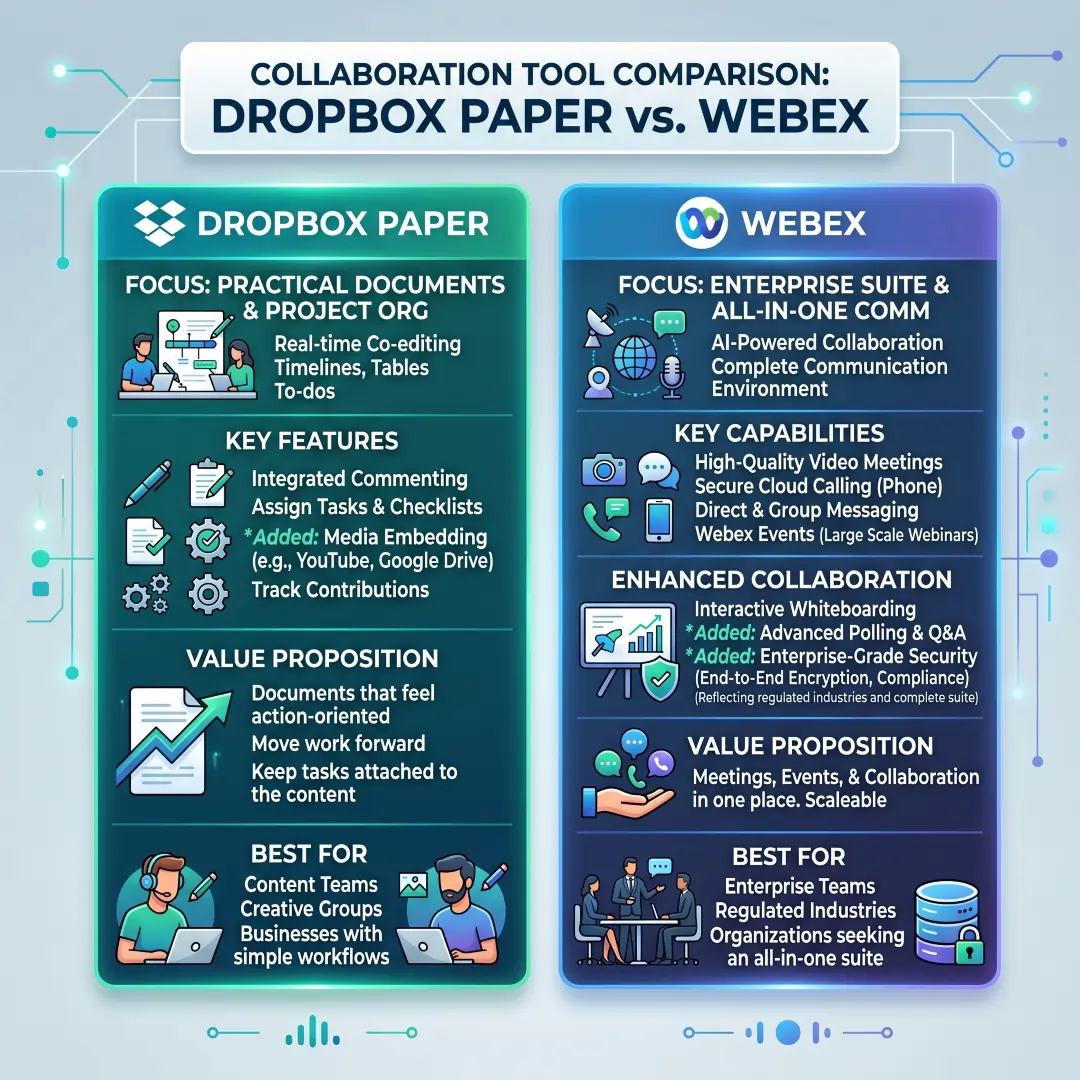
Dropbox Paper is a collaborative document tool that lets people work on the same document at the same time, comment, assign to-dos, and track contributions. Dropbox also positions Paper as a place to organize projects with timelines, to-dos, and tables.
Paper works well for teams that want documents to feel practical and action-oriented. It is not only a writing space. It also helps move work forward because comments and tasks stay attached to the document itself.
Best for: content teams, creative teams, and businesses that want collaborative docs with simple task assignment.
Example: A content review team can draft, comment, assign revisions, and finalize the same document without switching between separate apps.
12. Webex
Webex is a strong enterprise collaboration suite that combines calling, meetings, messaging, polling, events, whiteboarding, and video messaging. Cisco also positions it as an AI-powered collaboration suite.
Webex is especially relevant for larger businesses that want a more complete communication environment. It works well when a company needs meetings, event support, and collaboration in the same platform, along with whiteboarding for visual teamwork.
Best for: enterprise teams, regulated industries, and organizations that want an all-in-one communication suite.
Example: A global operations team can use Webex for live meetings, quick messaging, event sessions, and whiteboard planning across offices in different time zones.
Which collaboration tool is best for which business team?
| Team Type | Best Match | Why It Fits |
|---|---|---|
| Startup team | Slack, Notion, Trello | Fast communication, flexible docs, and simple task tracking fit early-stage teams well. |
| Marketing team | Slack, Asana, Miro | Campaigns need communication, deadlines, and visual brainstorming. |
| Sales team | Microsoft Teams, Zoom Workplace, monday.com | Meetings, follow-ups, and pipeline visibility matter most. |
| Product team | Notion, Miro, Asana, Confluence | Product teams need docs, roadmaps, brainstorming, and project tracking. |
| Remote team | Slack, Google Workspace, Zoom Workplace | These tools support chat, cloud docs, and meetings from anywhere. |
| Enterprise team | Microsoft Teams, Webex, Confluence | Larger organizations often need communication depth, governance, and knowledge control. |
| Creative team | Miro, Dropbox Paper, Google Workspace | Visual ideation and collaborative drafting are central to creative workflows. |
| Operations team | Asana, monday.com, Microsoft Teams | Operations need task ownership, process visibility, and easy communication. |
How to build the best collaboration stack
A smart collaboration stack is usually a combination of tools, not a single all-purpose app. Many teams do best with one platform for messaging, one for tasks, and one for docs or knowledge. For example, a team might use Slack for conversations, Asana for projects, and Google Workspace or Notion for documentation.
Another common pattern is to choose a suite first and then add specialized tools only when needed. A Microsoft-centered company might use Teams as the hub. A Google-centered company might use Google Workspace. A visually creative team might rely on Miro for workshops and Notion or Confluence for written knowledge.
Features that matter most in collaboration tools
When comparing platforms, pay attention to these features:
- Real-time editing so people can work together in the same document at once.
- Chat and threaded conversations so discussions stay organized.
- Task management so ownership and deadlines are visible.
- Whiteboarding for brainstorming and visual planning.
- Permissions and sharing controls so the right people can view or edit the right content.
- Integrations so the tool connects with the rest of your software stack.
Common mistakes businesses make
One common mistake is buying a tool because it is popular rather than because it fits the workflow. A second mistake is using too many tools at once, which creates confusion and duplicate work. A third mistake is choosing software without clear ownership, so no one maintains the workspace properly. These problems are avoidable when the team agrees on a simple system from the start.
Another mistake is ignoring adoption. A collaboration tool only helps if people actually use it consistently. That is why easy onboarding, clear naming conventions, and a few shared rules matter just as much as the software itself.
Practical rollout tips for business teams
A smooth rollout usually works best in phases.
- Start small with one department.
Choose one team and one use case, such as project tracking or internal communication. - Define the purpose of each tool.
For example, one app may be for chat, another for tasks, and another for shared documents. - Create templates and standard workflows.
Tools like Asana, Notion, Confluence, Trello, and monday.com all support reusable structures that help teams repeat good habits. - Train people on the basics.
When people know where to post updates, where to store files, and where to track work, the entire system becomes easier to trust.
Final thoughts
The best collaboration tools for business teams are the ones that fit how your people already work and how your business wants to grow. Slack is excellent for fast communication. Microsoft Teams is strong for meetings and Microsoft 365 users. Google Workspace is great for cloud-first document collaboration. Asana and monday.com shine when project structure matters. Notion, Confluence, and Dropbox Paper help teams organize knowledge. Miro and Zoom Workplace support live and visual teamwork. Webex remains a serious option for enterprise communication. Trello is still one of the simplest ways to manage work visually.
The real goal is not to collect software. The real goal is to create a workplace where communication is clear, projects move forward, and everyone knows where to find the information they need. When a collaboration tool does that well, it becomes part of the team’s everyday success.
Also, Read these Articles in Detail
- Best Business Tools for Small Businesses in 2026
- Top Business Tools Every Startup Needs
- Best Productivity Tools for Modern Teams
- Essential Business Tools for Remote Teams
- Best AI Business Tools to Save Time and Money
- Top 10 Project Management Tools for Growing Businesses
- 8 Best CRM Tools for Sales and Customer Growth
- Top 7 Accounting Tools for Small Business Owners
Article’s References And Sources
- Slack Official Website and Features Overview
- Microsoft Teams – Group Chat and Collaboration Software
- Google Workspace – Business Collaboration Tools
- Real-Time Editing in Google Workspace
- Asana Work Management Platform
- Asana: Task Management Features
- Trello Project Management Tool
- Notion Workspace and Collaboration Platform
- Sharing and Permissions Guide
- Work Management Platform Overview
- Zoom Workplace and Collaboration Tools
- Zoom Whiteboard Features
- Miro Online Whiteboard and Collaboration Platform
- Confluence Team Workspace and Knowledge Management
- Dropbox Content Collaboration and Paper Features
- Cisco: Webex Collaboration Suite
Frequently Asked Questions (FAQs)
FAQ 1: What are the best collaboration tools for business teams?
The best collaboration tools for business teams are the platforms that help people communicate, share information, manage work, and stay aligned on goals. In simple terms, these tools make teamwork easier by bringing important work into one place. Some tools are better for chat and quick updates, some are better for task and project management, and others are best for documents, notes, meetings, or brainstorming.
A strong collaboration setup usually includes more than one type of tool. For example, a team may use one app for messaging, another for tasks, and another for shared documents. This combination helps reduce confusion and makes it easier for everyone to know where to look for updates, files, and decisions. The right choice depends on your team size, work style, and business goals.
For many teams, the best tools are the ones that are simple to use and easy to adopt. A tool can have many features, but if people do not use it consistently, it will not help much. That is why the most useful collaboration tools are often the ones that balance clarity, speed, flexibility, and ease of use.
FAQ 2: Why are collaboration tools important for modern business teams?
Collaboration tools are important because most business work today happens across different people, departments, and locations. Teams need to share updates, review work, manage deadlines, and make decisions quickly. Without a good system, communication can become messy, files can get lost, and tasks can be forgotten.
These tools help create a more organized work environment. Instead of depending only on email or scattered chat messages, teams can keep conversations, documents, and tasks in a more structured place. This makes it easier to track progress, reduce repeated questions, and avoid misunderstandings. It also saves time because people do not need to search through multiple systems to find the latest information.
Another big advantage is better teamwork across remote and hybrid work environments. When people are not sitting in the same office, they need clear systems for staying connected. Collaboration tools support real-time communication, shared editing, project visibility, and easy access to files, which makes distance much less of a barrier.
FAQ 3: How do I choose the right collaboration tool for my business team?
Choosing the right collaboration tool starts with understanding what your team needs most. Some teams need faster communication, while others need better project tracking or stronger document sharing. The best way to decide is to look at your daily workflow and identify where people lose time or get confused.
Start by asking a few important questions. Does your team need chat, video meetings, shared files, task boards, or knowledge management? Do people work mostly in real time, or do they need to collaborate asynchronously? Do you want one all-in-one platform or a small set of tools that each handle one job well?
It also helps to think about ease of adoption. A collaboration tool should feel natural for the team. If the platform is too complicated, people may avoid it or use it in the wrong way. It is often better to choose a tool that matches the team’s habits rather than forcing the team to change everything at once. The best option is usually the one that fits your workflow, supports your goals, and stays easy to use every day.
FAQ 4: What is the difference between communication tools and project management tools?
Communication tools and project management tools serve different but connected purposes. Communication tools are mainly used for conversations, updates, calls, and quick coordination. They help people talk to each other, ask questions, and respond quickly. Examples of this type of tool often include chat platforms, meeting apps, and messaging systems.
Project management tools, on the other hand, are built to organize work. They help teams track tasks, deadlines, responsibilities, priorities, and progress. These tools make it easier to see who is doing what and how each task fits into the bigger project. They are especially useful when work has many steps, deadlines, and approvals.
Both types of tools are important. A team might discuss an idea in a chat tool, then move the actual work into a project management system. That way, communication stays fast while execution stays organized. When these two types of tools work together, teams usually become much more efficient and clear.
FAQ 5: Which collaboration tools are best for remote and hybrid teams?
Remote and hybrid teams need tools that support both synchronous collaboration and asynchronous collaboration. That means people should be able to work together live when needed, but also continue working smoothly when they are in different time zones or working at different hours. The best tools for these teams usually combine messaging, meetings, file sharing, and task tracking.
For remote teams, tools that support cloud access, real-time editing, video meetings, and organized communication channels are especially helpful. These features make it easier for everyone to stay informed without needing to be physically in the same office. Hybrid teams also benefit from tools that keep work visible, so in-office and remote employees have the same level of access to information.
A good remote collaboration system also reduces dependency on informal conversations that happen in the office. Important decisions should live in shared spaces where everyone can find them later. That is why remote teams often need a mix of chat, documents, task boards, and meeting tools to stay fully connected and productive.
FAQ 6: What features should I look for in a collaboration platform?
When choosing a collaboration platform, the most important features are the ones that solve real problems for your team. A platform should make work easier, not more complicated. Some of the most useful features include real-time editing, file sharing, task assignment, commenting, search, permissions, and integrations with other tools.
Real-time editing is valuable because it lets several people work on the same document together. File sharing keeps important resources in one place. Task assignment makes ownership clear, so people know who is responsible for what. Commenting helps teams give feedback without long email chains. Permissions protect private information and keep the right people in the right spaces. Integrations are useful because they connect your collaboration tool to other software your business already uses.
It is also worth looking at ease of navigation, mobile access, and notification settings. A good platform should let people focus on work instead of constantly searching for information. In the long run, a tool with the right combination of features can save time, improve coordination, and make teamwork feel much smoother.
FAQ 7: Can one collaboration tool do everything for a business team?
In some cases, one collaboration tool can do a lot, but very few tools truly do everything perfectly. Some platforms combine chat, meetings, documents, and task tracking in one workspace. That can be helpful because it reduces the number of apps a team has to manage. However, not every team needs an all-in-one system, and not every all-in-one system is the best at every task.
Many businesses work better with a carefully chosen stack of tools. For example, one tool may be excellent for communication, another may be better for project planning, and another may be ideal for documentation. This approach often gives teams more flexibility and better results. The key is to avoid unnecessary overlap and make sure each tool has a clear purpose.
So, while a single platform can be enough for some small teams, larger or more specialized teams usually benefit from combining tools. The goal is not to use as many tools as possible. The goal is to choose the smallest set of tools that still gives the team everything it needs to communicate, organize, and deliver work efficiently.
FAQ 8: How can collaboration tools improve productivity in a business team?
Collaboration tools improve productivity by reducing friction in everyday work. When teams can communicate clearly, share files quickly, and track tasks in one place, they spend less time searching for information and more time completing real work. That creates a smoother and faster workflow across the entire team.
These tools also help reduce repeated mistakes. If a project update is stored in a shared place, team members do not need to ask the same questions again and again. If a task system shows deadlines and owners clearly, fewer tasks get missed. If a document can be edited together, teams can finish reviews and approvals faster. All of this leads to better output with less wasted time.
Another important benefit is accountability. When responsibilities are visible, people know what they are expected to do and by when. This helps teams stay focused and work more confidently. In that way, collaboration tools do not just make work easier. They also help create a stronger culture of ownership, clarity, and momentum.
FAQ 9: What mistakes should businesses avoid when using collaboration tools?
One common mistake is using too many tools at the same time. When teams spread work across many apps without a clear system, it becomes hard to know where to look for updates or files. This often leads to confusion, duplicate work, and missed information. A simple and organized setup is usually much better than a crowded one.
Another mistake is choosing a tool based only on popularity instead of actual business needs. A tool may be widely known, but if it does not match the team’s workflow, adoption will be low. Businesses should focus on how people actually work, not just on features or trends. It is also a mistake to launch a tool without proper training or team guidelines.
A final mistake is not assigning ownership. Collaboration tools work best when someone is responsible for keeping them organized, updated, and useful. Without that structure, even a good platform can become messy over time. Clear rules, simple naming habits, and regular cleanup can make a big difference in long-term success.
FAQ 10: How should a business team roll out a new collaboration tool successfully?
A successful rollout should be done simply and gradually. It is usually best to start with one team or one use case instead of changing everything at once. This gives the business a chance to test the tool, learn what works, and make improvements before a wider launch. Starting small also makes the transition less stressful for employees.
It helps to define a clear purpose for the tool from the beginning. For example, one platform may be used for team chat, another for project tracking, and another for shared documents. When everyone understands the role of each tool, there is less confusion and better adoption. Creating templates, standard workflows, and simple usage rules can also help people get comfortable faster.
Training matters too. People should know how to post updates, where to store files, and how to track progress. The easier it is to understand the system, the more likely the team is to use it well. A good rollout is not just about installing software. It is about helping people build a better way to work together every day.
Article Disclaimer
The information provided in this article, “Best Collaboration Tools for Business Teams,” is intended for general informational and educational purposes only. While every effort has been made to present accurate, up-to-date, and reliable insights, the content should not be considered as professional, legal, financial, or technical advice. Business needs vary widely, and readers are encouraged to evaluate their own requirements and consult with qualified professionals before making any decisions related to software selection or implementation.
All tools, platforms, and features discussed in this article are based on publicly available information, general industry knowledge, and commonly accepted use cases at the time of writing. Features, pricing, integrations, and capabilities of collaboration tools may change over time without notice. Therefore, it is strongly recommended that readers verify the latest details directly from the official sources of each platform before making a purchase or commitment.
This article may include general comparisons, opinions, and recommendations regarding different business collaboration tools. These are provided solely to help readers understand available options and are not endorsements or guarantees of performance. The effectiveness of any tool depends on various factors such as team size, workflow, technical environment, and user adoption. What works well for one business may not produce the same results for another.
The author and publisher of this content do not assume any responsibility for errors, omissions, or outcomes resulting from the use of the information presented. Any reliance you place on this information is strictly at your own risk. Businesses should conduct their own research, trials, and evaluations before selecting any collaboration software or integrating it into their operations.
Additionally, this article does not establish any official relationship, partnership, or affiliation with the tools or platforms mentioned. All product names, trademarks, and brands belong to their respective owners. Their inclusion is purely for informational and comparative purposes to provide readers with a broader understanding of available solutions.
By reading this article, you acknowledge and agree that the information is provided “as is” without any warranties of completeness, accuracy, or suitability for a particular purpose. It is always advisable to perform due diligence and consider your organization’s unique needs before adopting any team collaboration tools or digital solutions.
