
Entrepreneurs rarely fail because they lack ideas. More often, they lose time, energy, and momentum because they lack the right business tools. A strong tool stack helps you stay organized, communicate clearly, manage money, serve customers, and grow without chaos. The U.S. Small Business Administration encourages entrepreneurs to plan carefully, understand costs, and use modern resources to launch and grow a business. At the same time, its guidance on AI for small businesses also notes that digital tools can solve many types of business problems when used thoughtfully.
The best approach is not to collect as many apps as possible. The smarter move is to build a simple, reliable system around the work every entrepreneur does repeatedly. That usually means communication, project management, cloud storage, accounting, CRM, marketing, automation, design, payments, and security. The tools below come from reputable official sources and reflect what modern business platforms are built to do.
Table of Contents
Why business tools matter so much
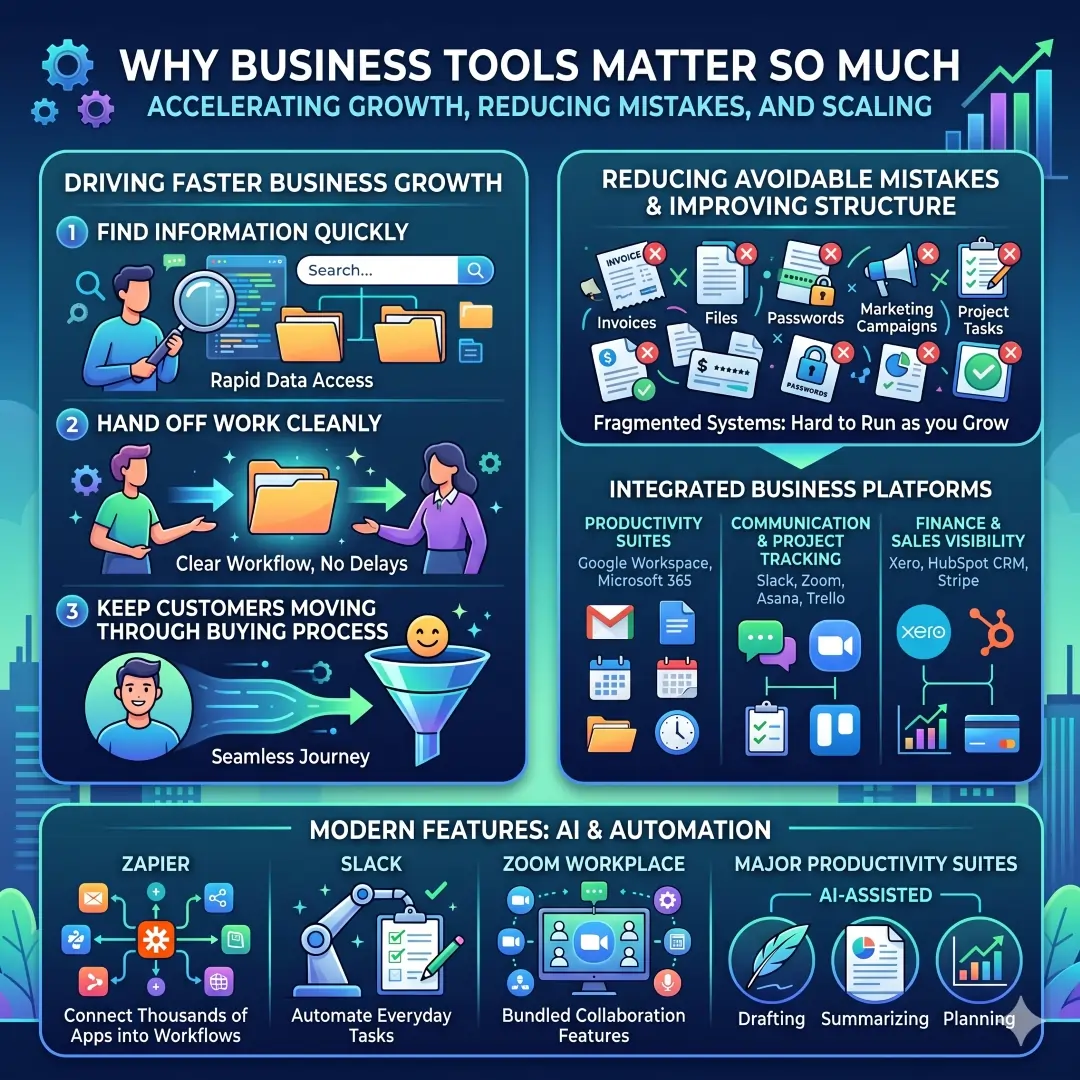
A business grows faster when people can find information quickly, hand off work cleanly, and keep customers moving through the buying process. Tools like Google Workspace and Microsoft 365 centralize email, docs, calendars, storage, and meetings. Platforms like Slack, Zoom, Asana, and Trello keep communication and task tracking from falling through the cracks. Finance and sales tools such as Xero, HubSpot CRM, and Stripe help entrepreneurs stay visible on cash flow, customers, and payments.
Good tools also reduce avoidable mistakes. When invoices, files, passwords, campaigns, and project tasks all live in separate places without structure, the business becomes harder to run as it grows. That is why many modern platforms now include automation, AI assistants, and built-in collaboration features. Zapier connects thousands of apps into workflows, Slack automates everyday tasks, Zoom now bundles collaboration features into Zoom Workplace, and major productivity suites increasingly include AI-assisted drafting, summarizing, and planning.
The must-have business tools every entrepreneur should consider
| Business need | Why it matters | Example tools | Useful features to look for |
|---|---|---|---|
| Email, docs, and meetings | Keeps communication and daily work in one place | Google Workspace, Microsoft 365 | Business email, shared docs, calendars, cloud storage, meetings, collaboration |
| Team communication | Reduces messy email threads and speeds up decisions | Slack, Zoom Chat | Channels, chat, calls, file sharing, workflow automation, AI summaries |
| Project management | Tracks tasks, deadlines, and responsibility | Asana, Trello | Task boards, project setup, milestones, workflow management, status updates |
| File storage and sharing | Protects documents and makes collaboration easier | Dropbox, Google Drive | Secure file sharing, large file transfer, shared folders, collaboration |
| Accounting and invoicing | Helps track income, expenses, and cash flow | Xero, QuickBooks | Invoicing, expense tracking, bank reconciliation, reports, cash flow visibility |
| CRM and sales | Keeps leads and customer follow-up organized | HubSpot CRM | Contact management, sales automation, scheduling, email tracking, live chat |
| Marketing and email | Helps reach customers consistently | Mailchimp | Email marketing, SMS, automation, segmentation, analytics, templates |
| Design and content creation | Makes your brand look professional | Canva | Social posts, presentations, logos, PDF editing, brand controls |
| Automation | Saves time on repetitive work | Zapier | AI workflows, triggers, forms, tables, app connections |
| Payments and ecommerce | Makes it easier to sell and get paid | Stripe, Shopify | Online payments, checkout, invoices, orders, inventory, workflow automation |
| Security and access control | Protects business data and logins | 1Password, Microsoft 365 security features | Password management, passkeys, access control, device management, threat protection |
1. Communication tools are the backbone of speed
Every entrepreneur needs a fast and clear way to talk to customers, partners, freelancers, and team members. That is why Slack, Google Workspace, and Zoom are so valuable. Slack is built for team communication, task coordination, file sharing, workflow automation, and connected apps. Google Workspace combines Gmail, Calendar, Meet, Chat, Drive, Docs, Sheets, and Slides in one business suite. Zoom Workplace brings meetings, chat, phone, email, calendar, whiteboard, notes, and docs into one platform.
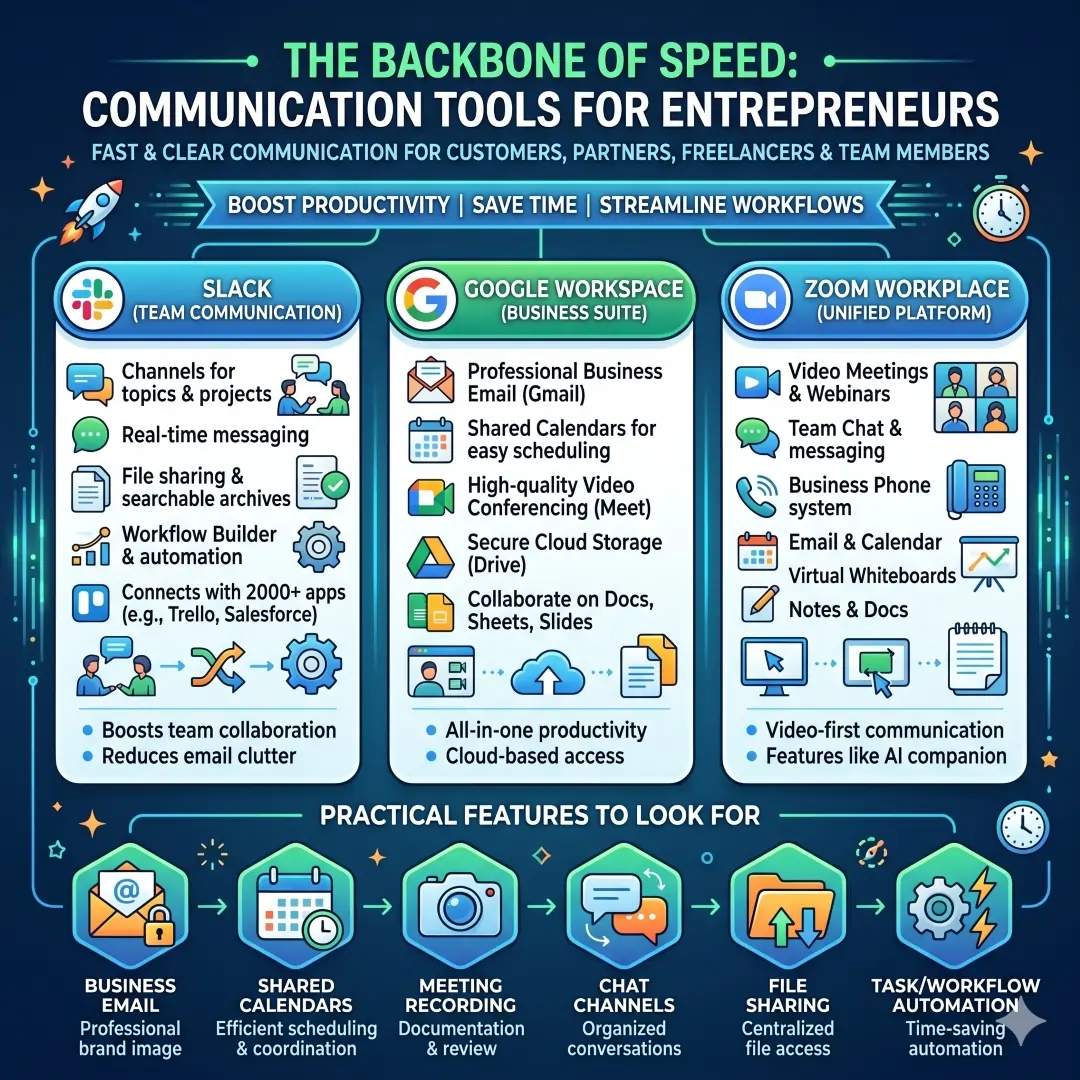
For a solo founder, this matters because communication problems waste time very quickly. For example, a consultant can use Google Calendar to schedule calls, Slack to keep client feedback organized, and Zoom to run discovery meetings. A startup team can use Slack channels for internal conversations and Zoom for formal client demos. That combination keeps daily work moving without forcing everyone to jump across too many disconnected tools.
Practical features to look for
- Business email
- Shared calendars
- Meeting recording
- Chat channels
- File sharing
- Task or workflow automation
2. Project management tools keep work from slipping
A lot of business stress comes from simple confusion. Who owns the task? What is due next? What got blocked? What is waiting on review? Asana and Trello solve this by making work visible. Asana’s small business and project management pages focus on project setup, workflow management, status updates, resource management, goals, reporting, and automation. Trello is built around boards and simple workflow organization so teams can capture, organize, and tackle to-dos from anywhere.
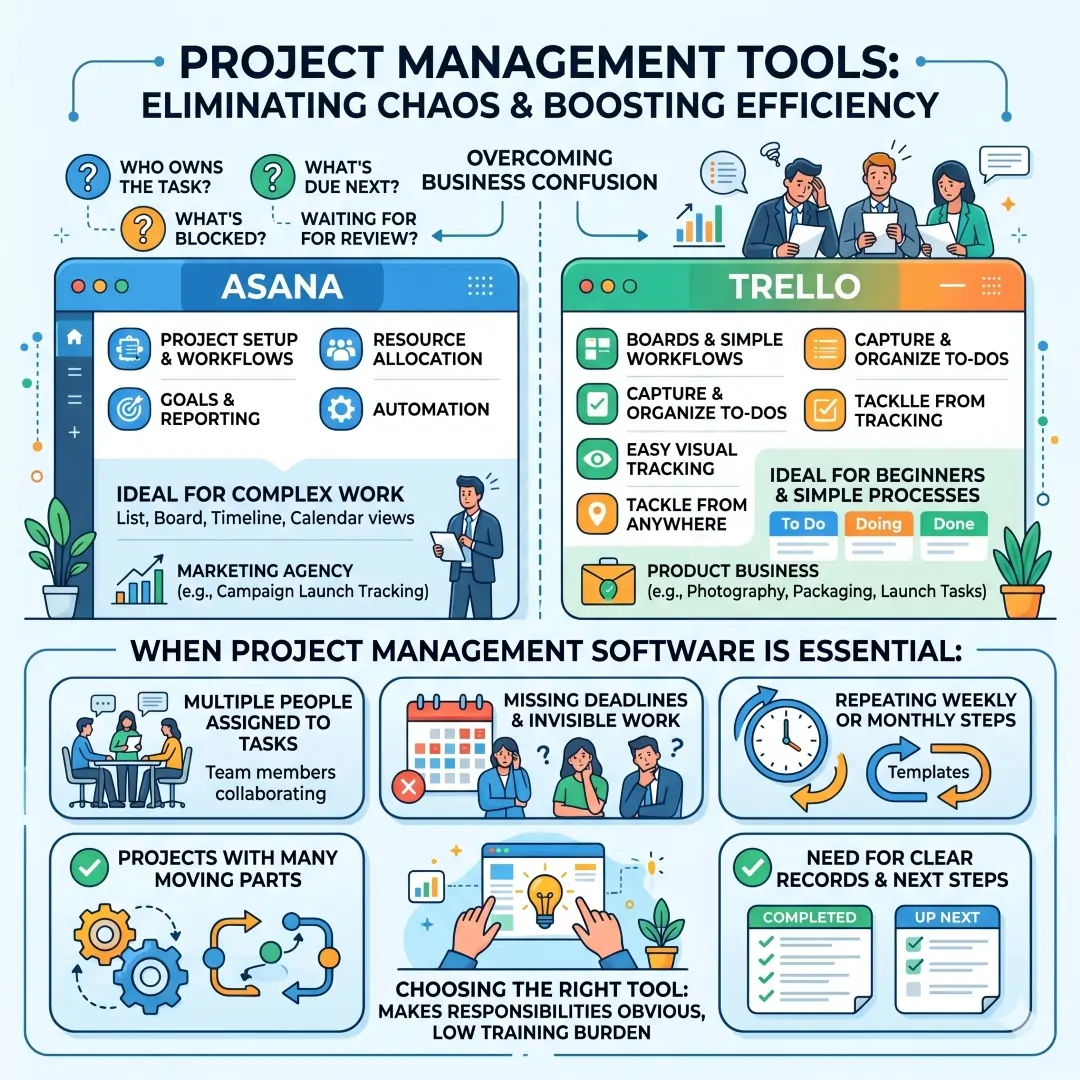
This is especially useful for entrepreneurs who manage contractors or part-time staff. A marketing agency can track campaign launch dates in Asana, while a small product business can use Trello to organize product photography, packaging, and launch tasks. The right tool is the one that makes responsibilities obvious without creating a training burden.
When project management software becomes essential
- When tasks are being assigned to more than one person
- When deadlines are missed because the work is not visible
- When a project has more than a few moving parts
- When the same steps repeat every week or month
- When you need a clear record of what was done and what is next
3. Cloud storage and document tools protect your work
Entrepreneurs create a surprising amount of content, such as contracts, proposals, client files, invoices, images, and product documents. Dropbox, Google Drive, and Microsoft cloud tools help store those files securely and make them easy to share. Dropbox offers secure file sharing, large file transfer, shared folders, collaboration, and document-related tools. Google Workspace includes Drive, Docs, Sheets, and Slides for live collaboration. Microsoft 365 business plans include web, mobile, and desktop apps along with business email and cloud storage.
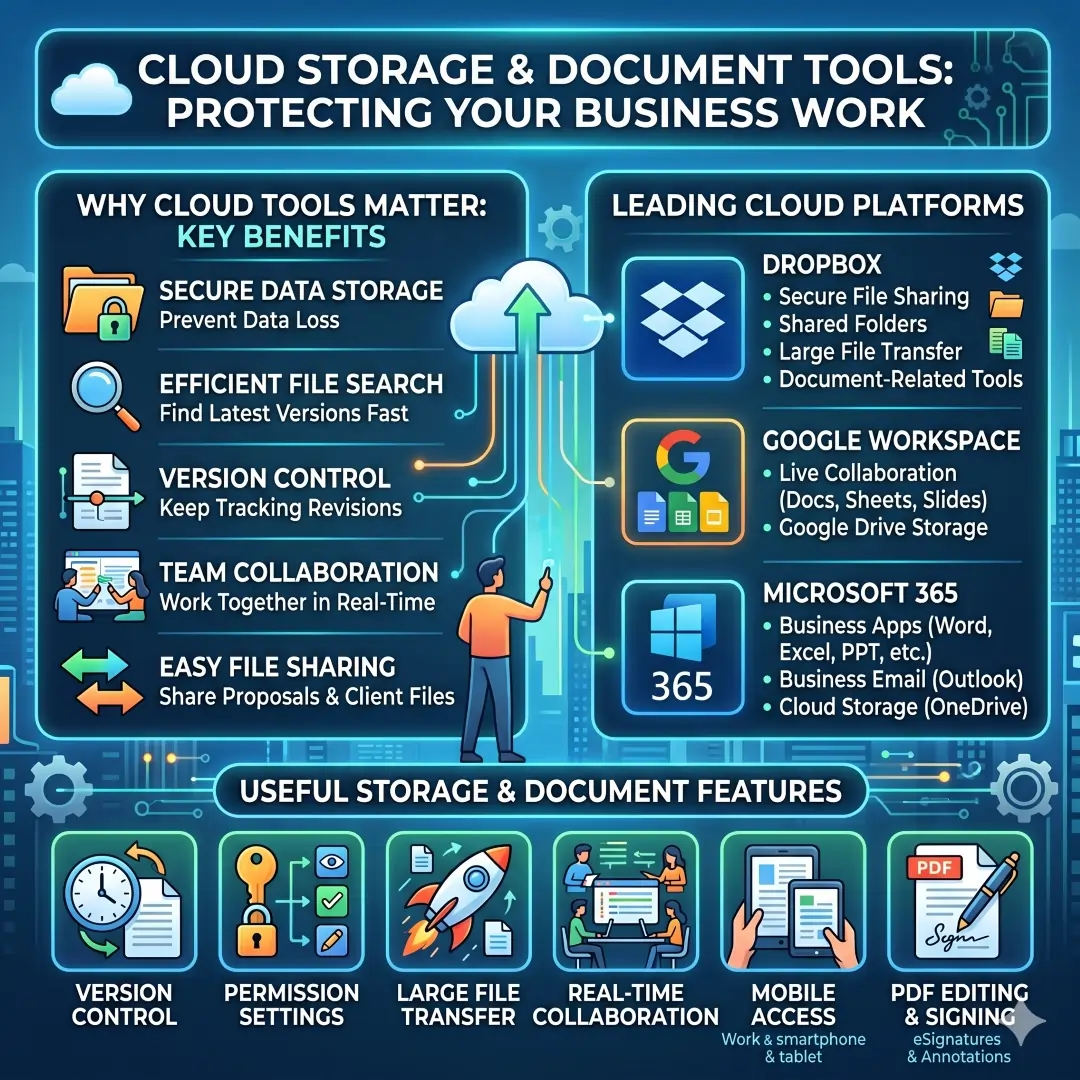
This matters because a business cannot afford to lose important files or spend half a day searching for the latest version of a document. A founder can keep pitch decks, client proposals, legal templates, and internal SOPs in shared folders. A freelancer can send large files without relying on email attachments. A growing team can co-edit files in real time and keep everyone working from the same version.
Useful storage features
- Version control
- Permission settings
- Large file transfer
- Real-time collaboration
- Mobile access
- PDF editing and signing
4. Accounting tools help entrepreneurs stay alive financially
Many businesses do not fail because of a bad idea. They struggle because cash flow becomes confusing. That is why accounting software is one of the most important tools a founder can buy. Xero is built for small businesses and sole traders, and its features include invoicing, expense tracking, bank reconciliation, online payments, reports, cash flow visibility, and app integrations. It also has mobile accounting tools for managing business finances on the go. QuickBooks also offers invoicing, expense tracking, reporting, and app connections through its global features page, although product availability can vary by country.
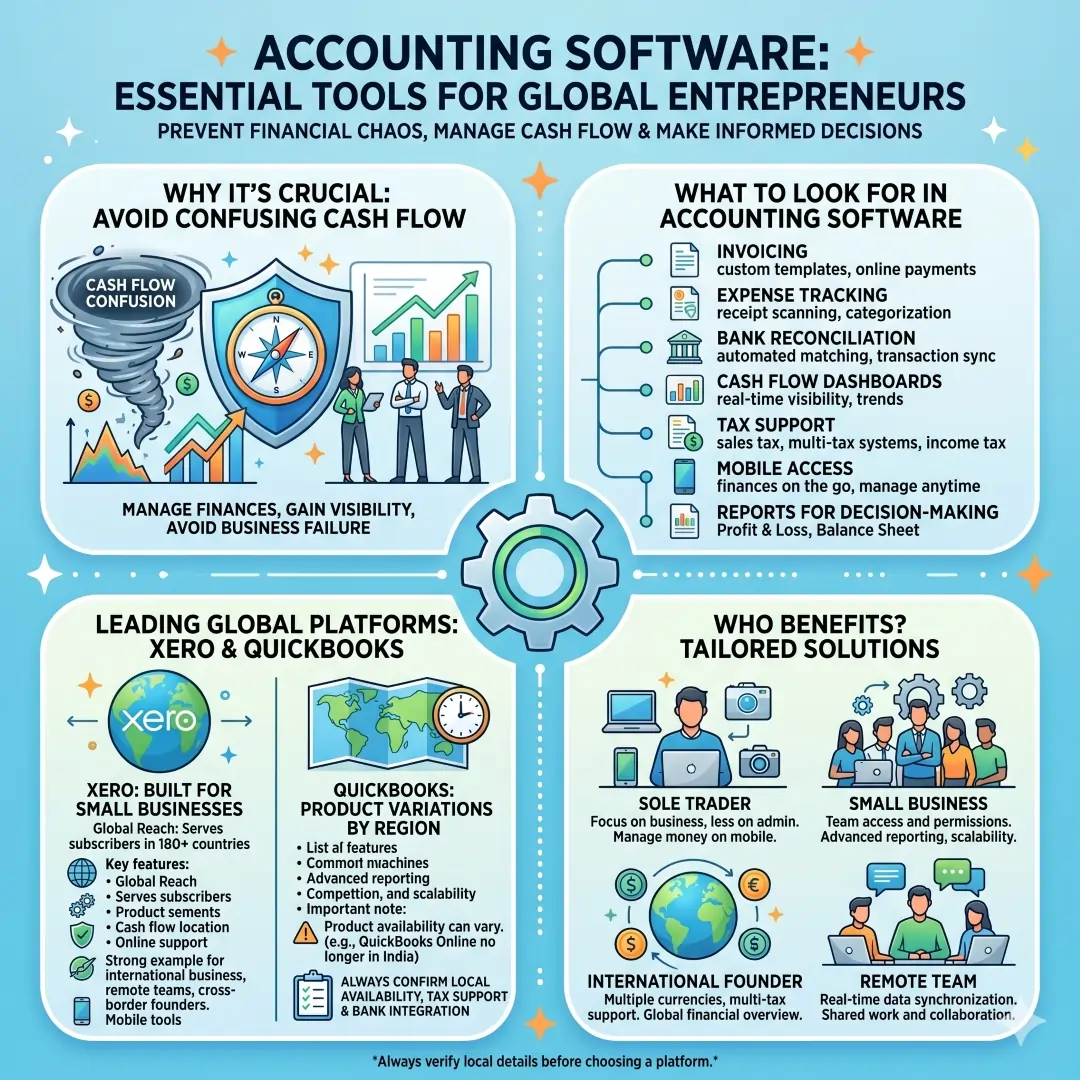
For a worldwide blog audience, that regional point matters a lot. Entrepreneurs should always confirm local availability, tax support, and bank integration before choosing an accounting platform. Xero is especially relevant globally because it serves subscribers in more than 180 countries. That makes it a strong example of a cloud accounting tool that supports international businesses, remote teams, and founders who work across borders.
What to look for in accounting software
- Invoicing
- Expense tracking
- Bank reconciliation
- Cash flow dashboards
- Tax support
- Mobile access
- Reports for decision-making
Simple example
A freelance designer can send invoices from a phone, track expenses after buying equipment, and reconcile bank transactions each week. A retail entrepreneur can use accounting software to monitor cash position, sync sales data, and manage payments more cleanly.
5. CRM tools help you turn leads into real customers
A good CRM or customer relationship management system keeps your contacts, deals, notes, and follow-up tasks in one place. HubSpot CRM is a strong example because its small business CRM page highlights contact organization, repetitive-task automation, sales growth, and easy setup. HubSpot’s free CRM includes contact and deal management, email tracking, scheduling, document sharing, live chat, and sales quotes. The broader HubSpot platform brings marketing, sales, customer service, and CRM software together on one connected system.
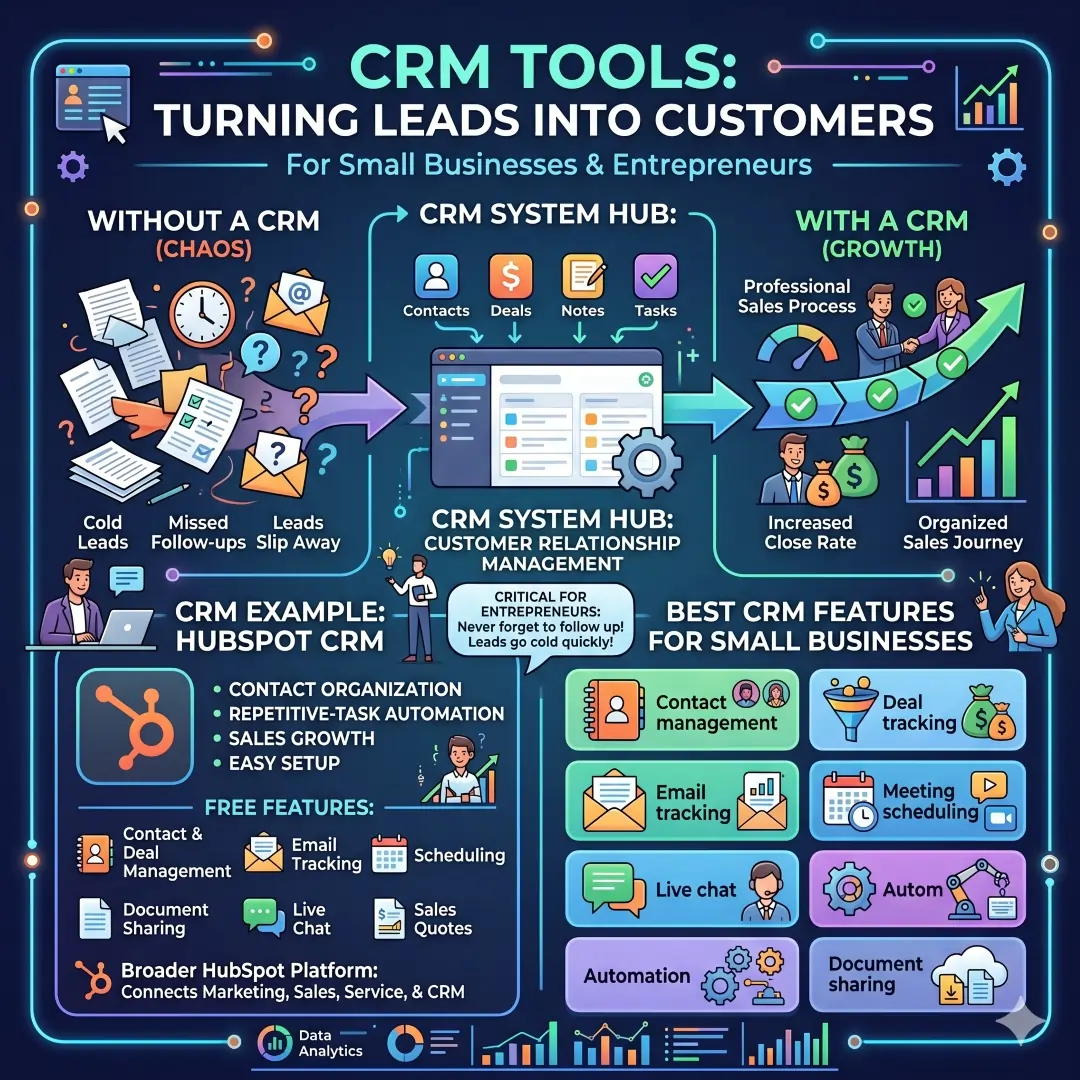
For entrepreneurs, a CRM matters because leads go cold quickly. If a prospect asks for a quote on Monday and you forget to follow up until next week, the opportunity may be gone. A CRM helps you track where each person is in the buying journey and what needs to happen next. This is one of the simplest ways to make a small sales process feel much more professional.
Best CRM features for small businesses
- Contact management
- Deal tracking
- Email tracking
- Meeting scheduling
- Live chat
- Automation
- Document sharing
6. Email marketing tools keep your audience warm
An entrepreneur needs more than social media posts. You also need a direct line to people who have already shown interest in your business. That is where email marketing matters. Mailchimp offers email marketing, SMS marketing, automation, templates, segmentation, analytics, and content creation tools. Its official pages emphasize building campaigns, measuring results, and personalizing messages based on customer data.
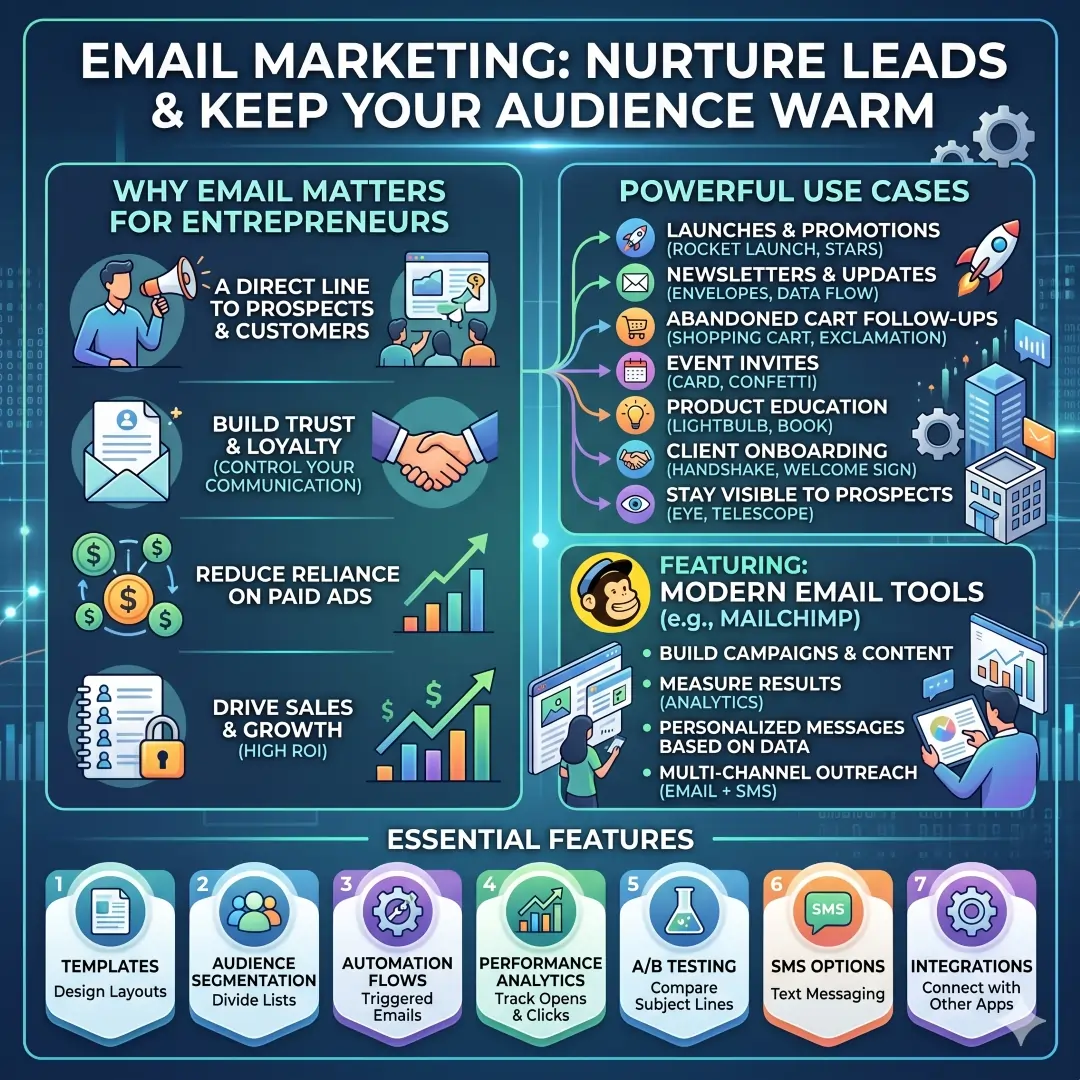
This is powerful for launches, newsletters, abandoned cart follow-ups, event invites, and product education. A startup can use email to explain how a product works. A service business can send onboarding emails after a client signs up. A coach or consultant can stay visible to prospects without depending entirely on paid ads.
Email marketing features worth having
- Templates
- Audience segmentation
- Automation flows
- Performance analytics
- A/B testing
- SMS options
- Integrations with other apps
7. Design tools make your brand look credible
Design matters more than many entrepreneurs expect. Good visuals help a brand look trustworthy, organized, and memorable. Canva is one of the easiest tools for this job because it supports social media posts, presentations, posters, videos, logos, image enhancement, PDF editing, and brand control features for business teams. Canva Business adds brand management, team collaboration, content management, and productivity tools.
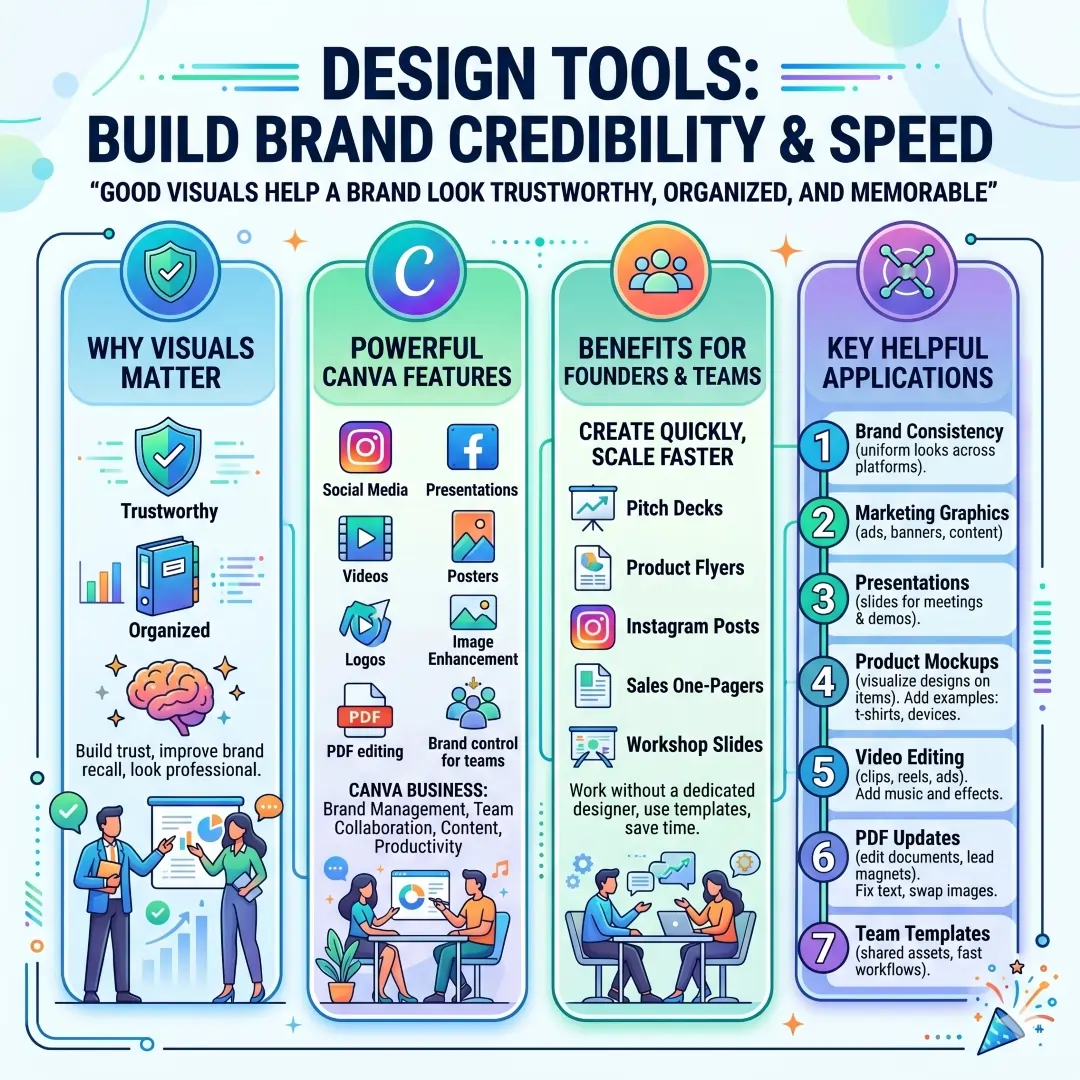
This is useful even when a business has no designer on staff. A founder can create a pitch deck, a product flyer, an Instagram post, a simple sales one-pager, or a workshop slide deck without starting from zero. For many early-stage businesses, speed matters more than having a huge creative department.
Design tools help with
- Brand consistency
- Marketing graphics
- Presentations
- Product mockups
- Video editing
- PDF updates
- Team templates
8. Automation tools save hours every week
When a business grows, repetitive work begins to eat into the day. That is exactly where automation becomes essential. Zapier connects thousands of apps and lets users build automated workflows without code. Its pages highlight AI workflows, AI agents, forms, tables, and connections across thousands of tools. In simple terms, Zapier helps one app trigger an action in another app so humans do not have to do the same task again and again.
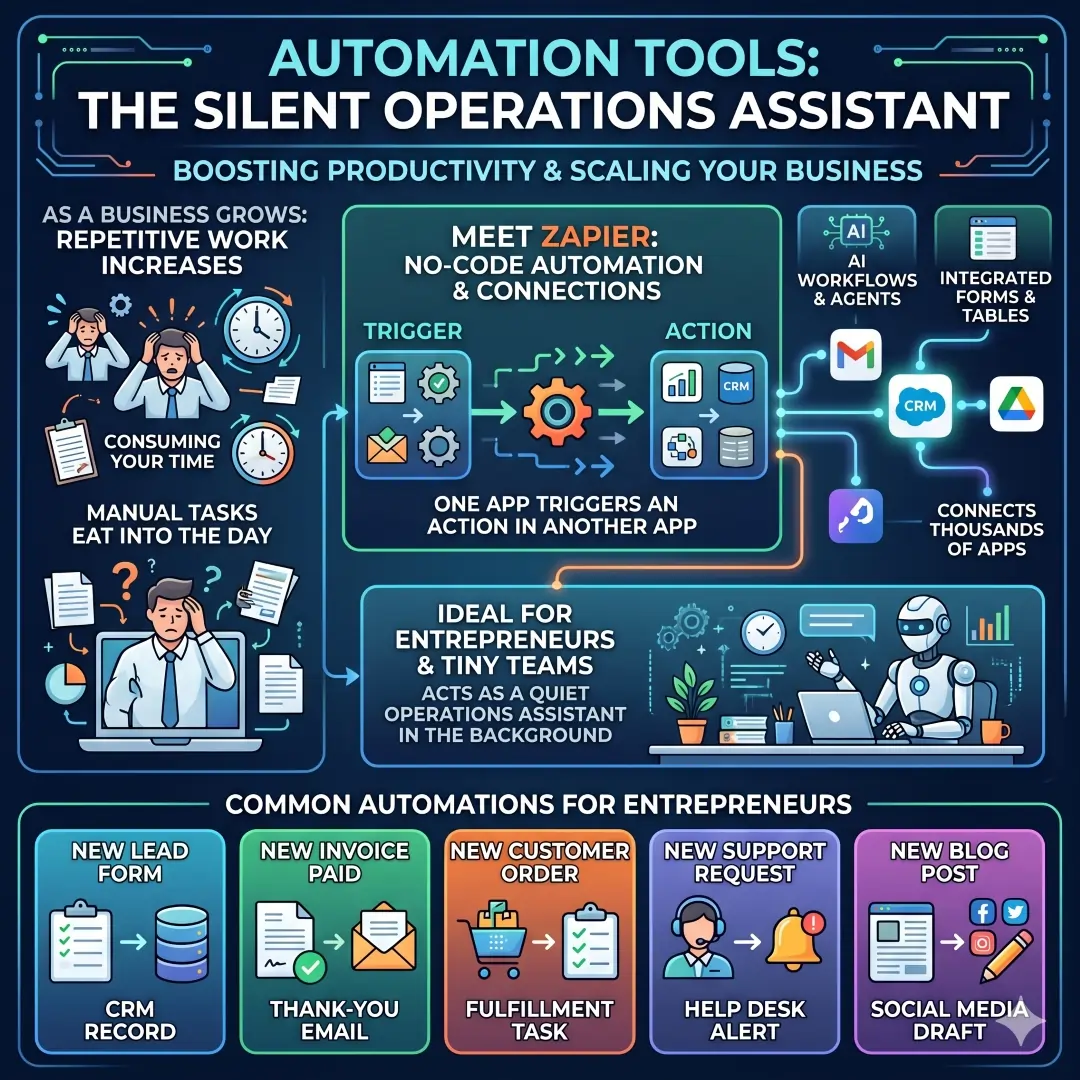
Examples include sending new form responses into a CRM, creating a task when an invoice is paid, or moving leads from a website form into an email list. This kind of automation is especially useful for entrepreneurs with tiny teams, because the platform acts like a quiet operations assistant in the background.
Common automations for entrepreneurs
- New lead form → CRM record
- New invoice paid → thank-you email
- New customer order → fulfillment task
- New support request → help desk alert
- New blog post → social media draft
9. Payment and e-commerce tools help you sell smoothly
A business must make it easy for customers to pay. Stripe is a financial infrastructure platform that helps businesses accept payments, build billing models, and manage money movement. Its payment pages show support for online, in-person, and global payments, along with payment methods and checkout options. This makes it useful for subscriptions, online stores, services, and platform businesses.
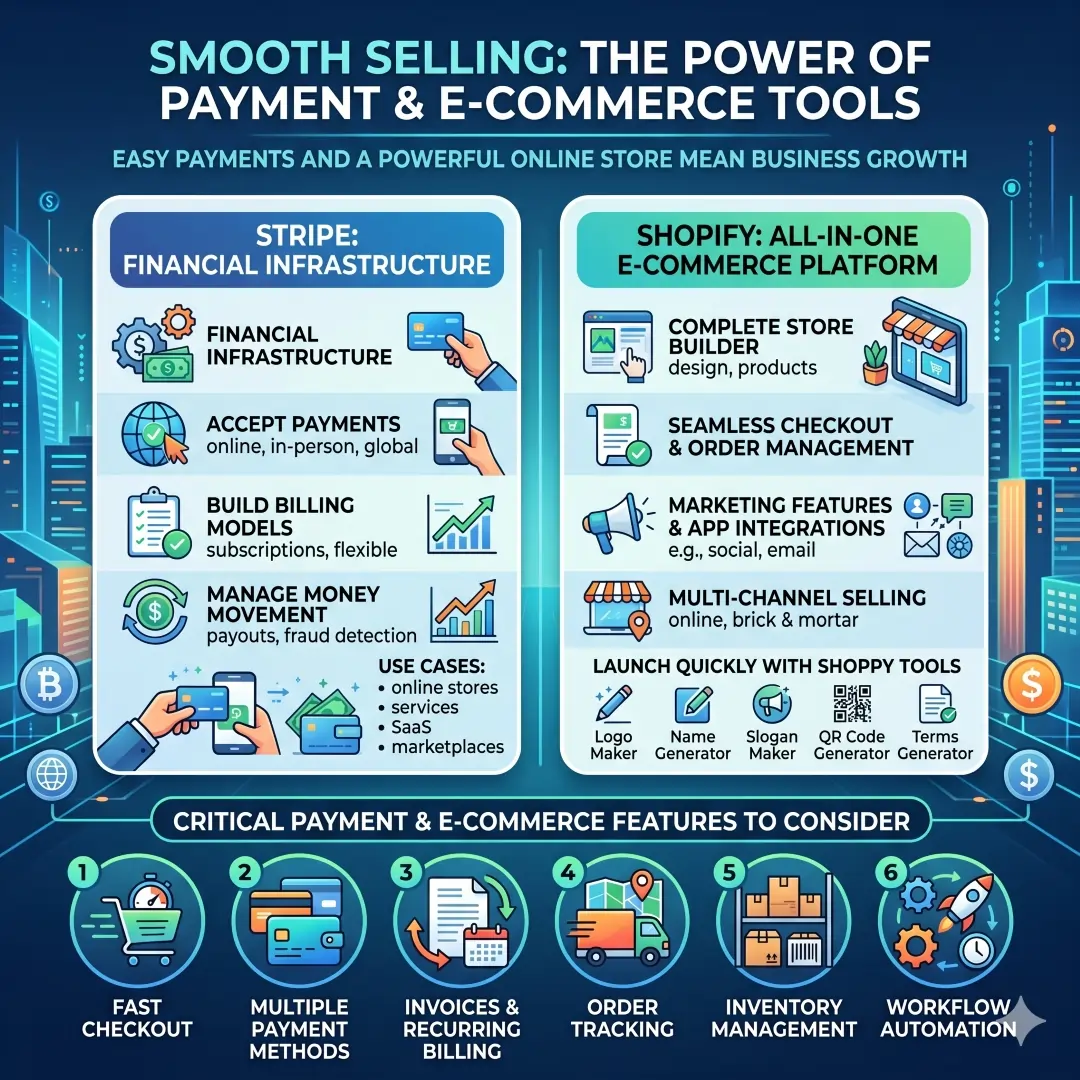
For entrepreneurs running an online store, Shopify is another major tool because it combines store building, checkout, orders, inventory, workflow automation, marketing features, and business utilities. Shopify also offers practical tools such as a logo maker, name generator, slogan maker, QR code generator, and terms generator. That mix is helpful for people who want to launch quickly without building every piece from scratch.
Payment and e-commerce features to consider
- Fast checkout
- Multiple payment methods
- Invoices and recurring billing
- Order tracking
- Inventory management
- Workflow automation
- Global currency support
10. Security tools are not optional anymore
Security is one of those areas entrepreneurs often postpone until something goes wrong. That is risky. 1Password helps protect passwords, secrets, app access, and AI tools. Its business pages highlight secure sharing, passkeys, access control, guest accounts, reports, logs, and password risk visibility. Microsoft 365 business plans also offer security features such as malware protection, device management, identity and access management, and information protection.
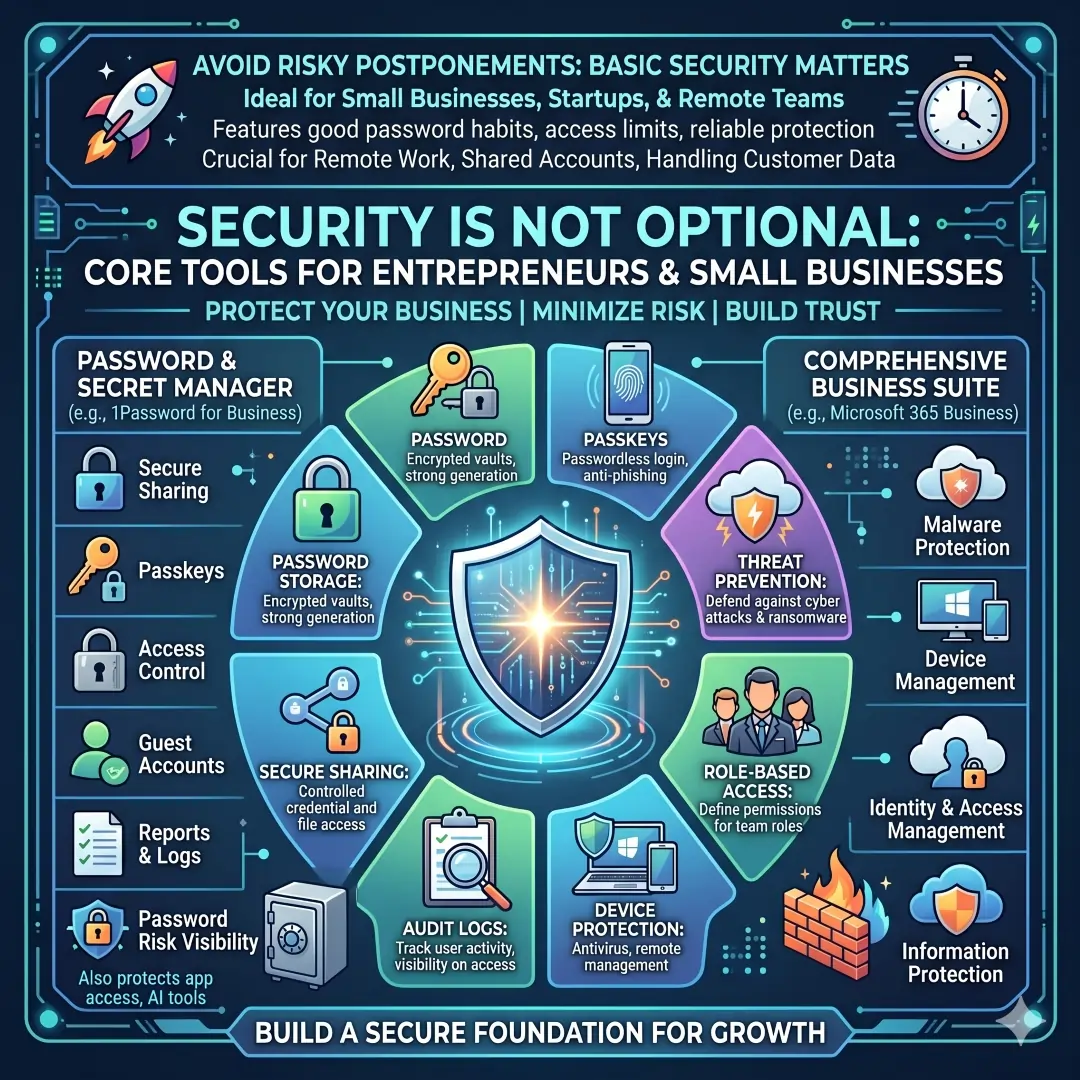
A small business does not need enterprise complexity to benefit from security basics. It only needs good password habits, access limits, and reliable protection for files and devices. That becomes even more important when teams work remotely, use shared accounts, or handle customer data.
Security tools should help with
- Password storage
- Passkeys
- Secure sharing
- Role-based access
- Audit logs
- Device protection
- Threat prevention
11. AI is now part of the modern tool stack
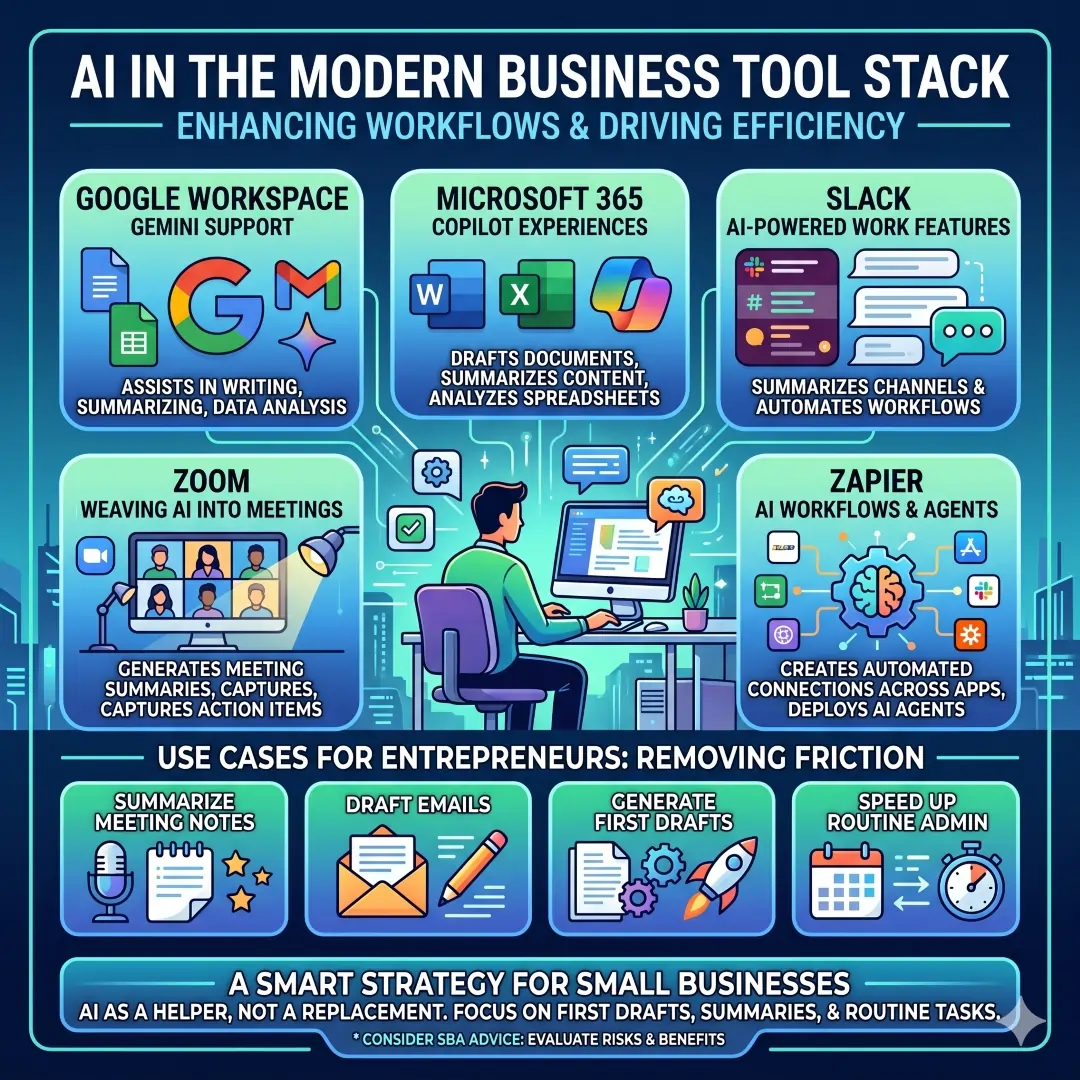
Many of today’s top business platforms are adding AI features directly into everyday work. Google Workspace is promoting Gemini support across its apps, Microsoft 365 is offering Copilot experiences for drafting and summarizing, Slack includes AI-powered work features, Zoom is weaving AI into meetings and collaboration, and Zapier positions its platform around AI workflows and agents. The SBA also notes that small businesses can use AI tools for a wide range of needs, while still thinking carefully about risks and benefits.
For entrepreneurs, AI is useful when it removes friction. It can help summarize meeting notes, draft an email, generate a first version of a document, or speed up repetitive admin tasks. The smartest way to use AI is not to hand over everything, but to use it as a helper for first drafts, summaries, and routine tasks.
A practical starter stack for different types of entrepreneurs
| Business type | Recommended starter stack | Why this stack works |
|---|---|---|
| Solo freelancer | Google Workspace, Trello, Dropbox, Xero, Canva, 1Password | Covers email, calendar, files, task tracking, invoices, visuals, and security |
| Service business | Microsoft 365, Slack, Asana, HubSpot CRM, Mailchimp, Stripe | Handles communication, project workflow, leads, email marketing, and payments |
| Online store | Shopify, Stripe, Xero, Canva, Zapier, Dropbox | Supports store setup, checkout, bookkeeping, brand content, automation, and file sharing |
| Small team startup | Google Workspace, Slack, Asana, HubSpot, Mailchimp, 1Password | Provides collaboration, task tracking, sales, marketing, and security in one system |
How to choose the right tools without wasting money
Choosing tools is easier when you ask a few simple questions first. Does the tool solve a real bottleneck? Will your team actually use it? Does it connect well with the other tools you already own? Can it scale as the business grows? Does it support your country, tax system, or preferred payment method? These questions matter because a tool that looks exciting on a homepage may still be the wrong fit for your actual workflow.
A practical rule is to start small. Use one tool for communication, one for tasks, one for finance, one for marketing, one for design, and one for security. Then expand only when you can explain exactly what problem the next tool will solve. That approach keeps your stack lean, affordable, and easier to train.
A simple tool selection checklist
- Solves a daily business problem
- Easy for your team to learn
- Works on desktop and mobile
- Integrates with your existing apps
- Has good security and access control
- Fits your budget and region
- Can grow with your business
Real-world example of a smart entrepreneur stack
Imagine a small digital marketing agency run by two founders. They use Google Workspace for email and documents, Slack for internal messaging, Asana for campaign tasks, HubSpot CRM for leads, Canva for social graphics, Mailchimp for newsletters, Stripe for payments, Dropbox for client file delivery, and 1Password for secure account sharing. That stack covers operations, sales, marketing, delivery, and protection without feeling overly complex. Each tool has a clear job, which makes the whole business easier to manage.
Final thoughts
The best must-have business tools for entrepreneurs are the ones that reduce friction, improve follow-through, and make growth easier to manage. A strong stack usually includes communication, project management, cloud storage, accounting, CRM, email marketing, design, automation, payments, and security. The exact brands may change depending on your country, budget, and industry, but the core needs stay the same. That is why the smartest entrepreneurs do not chase every shiny app. They build a system that helps them work faster, think more clearly, and serve customers better.
Also, Read these Articles in Detail
- Best Business Tools for Small Businesses in 2026
- Top Business Tools Every Startup Needs
- Best Productivity Tools for Modern Teams
- Essential Business Tools for Remote Teams
- Best AI Business Tools to Save Time and Money
- Top 10 Project Management Tools for Growing Businesses
- 8 Best CRM Tools for Sales and Customer Growth
- Top 7 Accounting Tools for Small Business Owners
- Best Collaboration Tools for Business Teams
Article’s References And Sources
- Reference: Google Workspace. Business productivity and collaboration tools.
- Reference: Microsoft. Microsoft 365 for Business.
- Reference: Slack Technologies. Business communication and collaboration platform.
- Reference: Zoom Video Communications. Zoom Workplace collaboration tools.
- Reference: Asana, Inc. Project management for small businesses.
- Reference: Atlassian. Trello task and workflow management.
- Reference: Dropbox, Inc. Secure file storage and sharing.
- Reference: Xero Limited. Cloud accounting software for small businesses.
- Reference: Intuit Inc. QuickBooks accounting solutions.
- Reference: HubSpot, Inc. Customer relationship management software.
- Reference: Intuit Mailchimp. Email and marketing automation platform.
- Reference: Canva Pty Ltd. Graphic design and content creation tools.
- Reference: Zapier Inc. Workflow automation and app integration.
- Reference: Shopify Inc. E-commerce platform for online stores.
- Reference: Stripe Inc. Online payment processing and financial infrastructure.
- Reference: 1Password. Password and access management platform.
- Reference: U.S. Small Business Administration. Small business guide and resources.
Frequently Asked Questions (FAQs)
FAQ 1. What are the most important business tools every entrepreneur should have?
The most important business tools for entrepreneurs are the ones that help you manage daily work without confusion. A strong setup usually includes tools for communication, project management, cloud storage, accounting, customer relationship management, marketing, design, automation, payments, and security. These tools are valuable because they support the core parts of running a business, from staying in touch with clients to tracking money and completing tasks on time.
An entrepreneur does not need a huge tool stack to get started. In fact, a smaller and well-chosen set of tools often works better than too many apps. The goal is to build a simple system that helps you save time, reduce mistakes, and keep your business organized. When these tools work together, they create a smoother workflow and make it easier to grow with confidence.
FAQ 2. Why do entrepreneurs need project management tools so early?
Project management tools are important because they help entrepreneurs keep track of work, deadlines, and responsibilities in one place. When a business is small, it may feel easy to manage tasks in your head or through messages. But as soon as more work comes in, things can become messy fast. A project management tool makes each task visible, which helps prevent delays and missed steps.
These tools also make teamwork much easier. If you work with freelancers, partners, or employees, everyone can see what needs to be done and who owns each task. This reduces repeated questions, unfinished work, and confusion. It also helps create a more professional business process, which is useful whether you are handling client projects, product launches, or internal operations.
FAQ 3. How do communication tools help a small business grow?
Communication tools help a business move faster and stay more organized. Entrepreneurs often need to talk with customers, team members, suppliers, and service providers in a short amount of time. Good communication tools bring those conversations into one place, so important information does not get lost. They are especially helpful for meetings, quick updates, file sharing, and follow-up messages.
Clear communication also improves customer experience. When clients receive fast replies and accurate information, they are more likely to trust the business. Inside the team, communication tools help people coordinate better and avoid confusion. This matters a lot for entrepreneurs because poor communication can waste time, create mistakes, and slow down growth.
FAQ 4. Why is accounting software so important for entrepreneurs?
Accounting software is one of the most valuable tools for any entrepreneur because it helps you understand the financial health of your business. It keeps track of income, expenses, invoices, cash flow, and financial reports. Without this kind of system, it becomes very easy to lose track of money or make decisions based on guesswork instead of facts.
For small businesses, accounting software also saves time during tax season and makes daily bookkeeping easier. It can help you see what is coming in, what is going out, and where your money is being spent. That level of clarity is important because cash flow problems are one of the most common reasons businesses struggle. With proper accounting tools, entrepreneurs can make smarter financial decisions and avoid surprises.
FAQ 5. What is a CRM, and why does every entrepreneur need one?
A CRM or Customer Relationship Management tool helps you manage leads, customers, deals, and follow-up tasks in one place. It keeps track of important customer details, past conversations, sales stages, and next steps. This is useful because many entrepreneurs lose sales simply because they forget to follow up or cannot find the right customer information at the right time.
A CRM makes the sales process more organized and more professional. It helps you build stronger relationships with customers by reminding you when to check in, send a proposal, or respond to a question. For businesses that depend on leads and repeat customers, a CRM can make a big difference in revenue and customer satisfaction. It is one of the easiest ways to improve sales without adding more manual work.
FAQ 6. How can marketing tools help entrepreneurs reach more customers?
Marketing tools help entrepreneurs connect with more people and stay visible in a busy market. They make it easier to run email campaigns, manage content, segment audiences, track results, and send messages at the right time. This is important because most businesses need regular communication to turn interest into sales. A good marketing system helps you stay in front of people without doing everything manually.
These tools are also useful for brand building. A business that sends helpful emails, shares useful content, and follows up consistently often feels more trustworthy to customers. Marketing tools also give you data, which helps you learn what works and what does not. That means you can improve your message, save time, and focus on the methods that bring real results.
FAQ 7. Why should entrepreneurs use design tools even if they are not designers?
Design tools are important because they help entrepreneurs create professional-looking content without needing advanced design training. A business often needs visuals for social media, presentations, flyers, product images, ads, and proposals. Good design makes a brand look more polished and more trustworthy, which can influence how customers see the business.
Even if you do not have a design background, modern tools make it easier to create clean visuals quickly. This helps entrepreneurs save money, keep branding consistent, and respond faster when content is needed. A strong visual identity can make a small business look much more established, which is a major advantage in competitive markets.
FAQ 8. What role does automation play in a modern business?
Automation helps entrepreneurs remove repetitive work from their daily routine. Instead of doing the same small tasks over and over, automation tools can connect different apps and complete actions automatically. For example, a new lead can be added to a customer list, a task can be created after a form is submitted, or a follow-up message can be triggered after a purchase.
This is useful because time is one of the most valuable resources for any entrepreneur. Automation allows small teams to work like larger teams by reducing manual effort and improving consistency. It also lowers the chance of human error. When used well, automation gives entrepreneurs more time to focus on strategy, customers, and growth instead of repetitive admin tasks.
FAQ 9. Why are payment and e-commerce tools essential for entrepreneurs?
Payment and e-commerce tools are essential because they make it easy for customers to buy products or pay for services. A business can have a great idea, but if the payment process is slow or confusing, sales can be lost. These tools help businesses accept payments, create invoices, manage orders, and track revenue in a more organized way.
For online businesses, e-commerce tools are even more important because they support the full sales process from browsing to checkout. They can also help with inventory, order management, and customer updates. A smooth payment experience builds trust and makes customers more likely to complete their purchase. That is why payment tools are not just convenient. They are a core part of business growth.
FAQ 10. Why should entrepreneurs care about security tools?
Security tools protect your business from data loss, password problems, and unauthorized access. Entrepreneurs often handle sensitive information such as customer details, financial records, contracts, and login credentials. Without proper security, a small mistake can cause serious damage. That is why password managers, access controls, and security protection are no longer optional.
Security also builds trust. When customers know their information is being handled carefully, they feel more comfortable doing business with you. For entrepreneurs, this means protecting both operations and reputation. Even a simple setup with strong passwords, secure sharing, and account protection can make a big difference. As a business grows, strong security becomes even more important because the risks grow too.
FAQ 11. How can an entrepreneur choose the right tools without overspending?
The best way to choose the right tools is to start with real problems, not features. First, look at where your business is losing time or creating confusion. Then choose tools that solve those specific issues. For example, if communication is messy, start with a better chat and email system. If sales are hard to track, start with a CRM. If finances are unclear, begin with accounting software.
It is also smart to begin with the basics and add more tools only when needed. Many entrepreneurs waste money by subscribing to tools they rarely use. A better approach is to choose tools that are easy to learn, work well together, and can grow with the business. This keeps costs under control and makes your work easier instead of more complicated.
FAQ 12. What does a good beginner tool stack look like for a new entrepreneur?
A good beginner tool stack is usually simple and practical. It should cover the main areas of business without becoming overwhelming. For most new entrepreneurs, that means one tool for communication, one for tasks, one for files, one for money, one for customer management, one for marketing, one for design, and one for security. That setup is enough to handle most daily operations with clarity and control.
The best beginner stack is the one you can actually use consistently. A business grows faster when the systems are easy to manage and do not require constant switching between different apps. Starting small also gives you time to learn what your business really needs. As your workload grows, you can add more advanced tools in a way that supports growth rather than creating stress.
Article Disclaimer
The information provided in this article, “Must-Have Business Tools for Entrepreneurs,” is intended for general informational and educational purposes only. While every effort has been made to ensure that the content is accurate, up-to-date, and useful, the business environment, technology landscape, and software features can change frequently. Readers are encouraged to conduct their own research and verify details before making any business decisions.
This article does not constitute professional advice, including but not limited to financial, legal, accounting, or business consulting advice. The tools, platforms, and strategies mentioned are based on general industry knowledge and publicly available information. What works for one entrepreneur or business may not necessarily be suitable for another due to differences in location, industry, budget, regulations, and operational needs.
Any references to specific business tools, software platforms, or services are provided for informational purposes only and should not be interpreted as endorsements or guarantees of performance. Users should carefully review the official documentation, pricing, terms of service, and regional availability of each tool before use. In particular, some tools may not be available or fully supported in certain countries, and features may vary based on geographic location.
The author and publisher of this content are not responsible for any losses, damages, or business outcomes that may result from the use or reliance on the information provided. All decisions regarding tool selection, implementation, and business strategy are made at the reader’s own discretion and risk.
Additionally, the use of digital tools, cloud platforms, and online services involves inherent risks, including data privacy, cybersecurity, and system reliability concerns. Entrepreneurs are advised to implement appropriate security measures, such as strong passwords, access controls, and data protection practices, to safeguard their business information.
By reading this article, you acknowledge that you are solely responsible for evaluating the relevance and applicability of the information to your own business situation. It is always recommended to seek guidance from qualified professionals when making critical business, financial, or legal decisions.
