As a business grows, simple to-do lists and casual group chats usually stop being enough. More people join the team, more clients need updates, more deadlines overlap, and more work has to be done at the same time. That is exactly where project management tools become essential. They help teams organize tasks, track progress, assign responsibility, manage deadlines, and create a clearer system for communication and delivery. Modern platforms now go far beyond basic task lists. Many offer automation, dashboards, Gantt charts, Kanban boards, resource management, AI assistance, and deep integrations with the apps teams already use every day.
For growing businesses, the right tool can save time, reduce confusion, and make it easier to scale without losing control. Some platforms are ideal for creative teams. Some are better for software development. Others work well for operations, agencies, consultants, and remote teams that need one place to see everything. The best choice depends on how your business works today and how quickly it plans to grow in the months ahead.
Table of Contents
Why Project Management Tools Matter for Growing Businesses
A growing business usually faces the same problems over and over again. Tasks get scattered across emails, files are stored in different places, team members lose visibility into priorities, and managers struggle to understand who is overloaded. A good project management tool gives the business a central place to plan work, monitor progress, and keep everyone aligned. Many current platforms are built to support exactly that kind of coordination with shared views, automations, reporting, and team collaboration features.
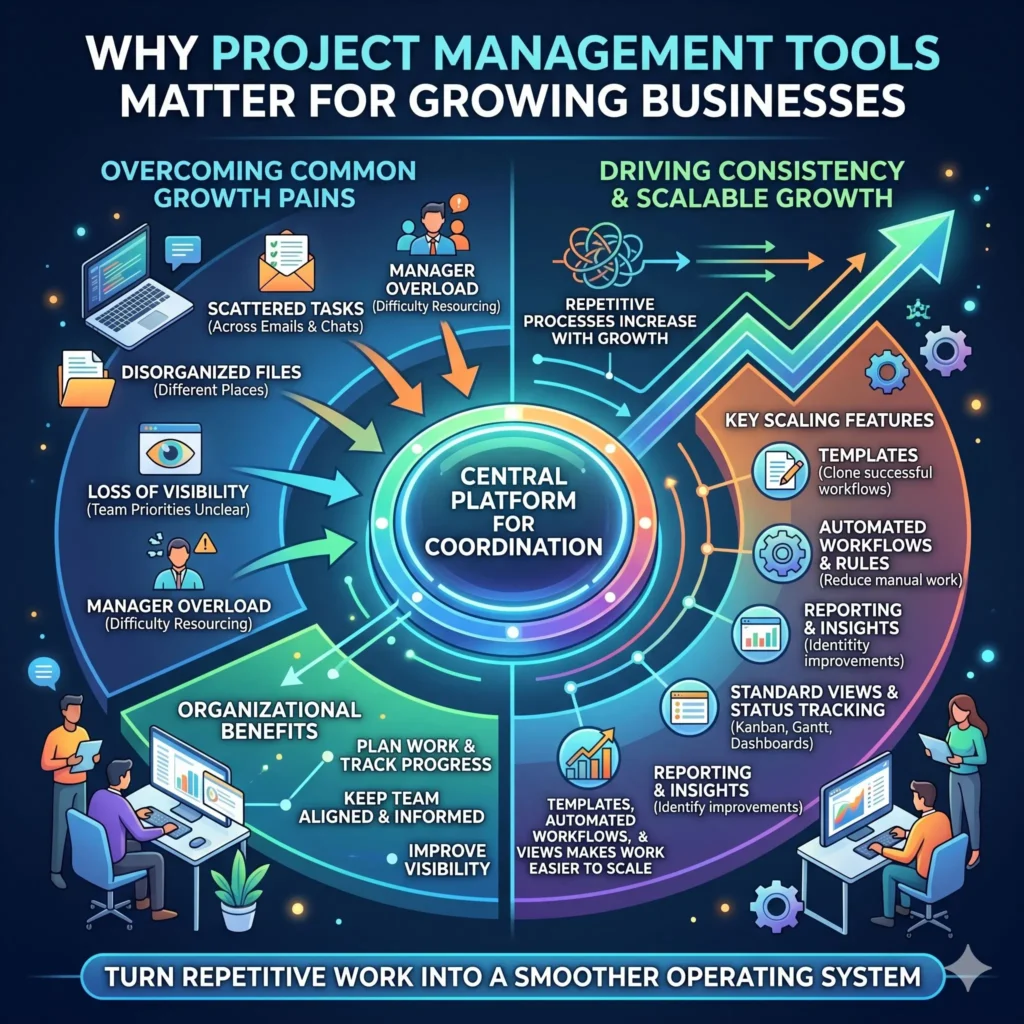
The real value is not only the organization. It is also consistent. When a business repeats the same process many times, a platform with templates, automated workflows, and standard views makes the work easier to scale. That matters for growing teams because growth often creates more repetitive work, not less. Tools that support templates, rules, reports, and status tracking can turn that repetitive work into a smoother operating system.
What Growing Businesses Should Look For in a Project Management Tool
The best tool is not always the one with the most features. It is the one that helps the team work faster without making the system harder to maintain. A strong choice usually includes clear task management, multiple ways to view work, collaboration tools, and reporting that gives leaders a reliable picture of what is happening. Many leading platforms also support resource management, dependency tracking, mobile access, and integrations with other business software.
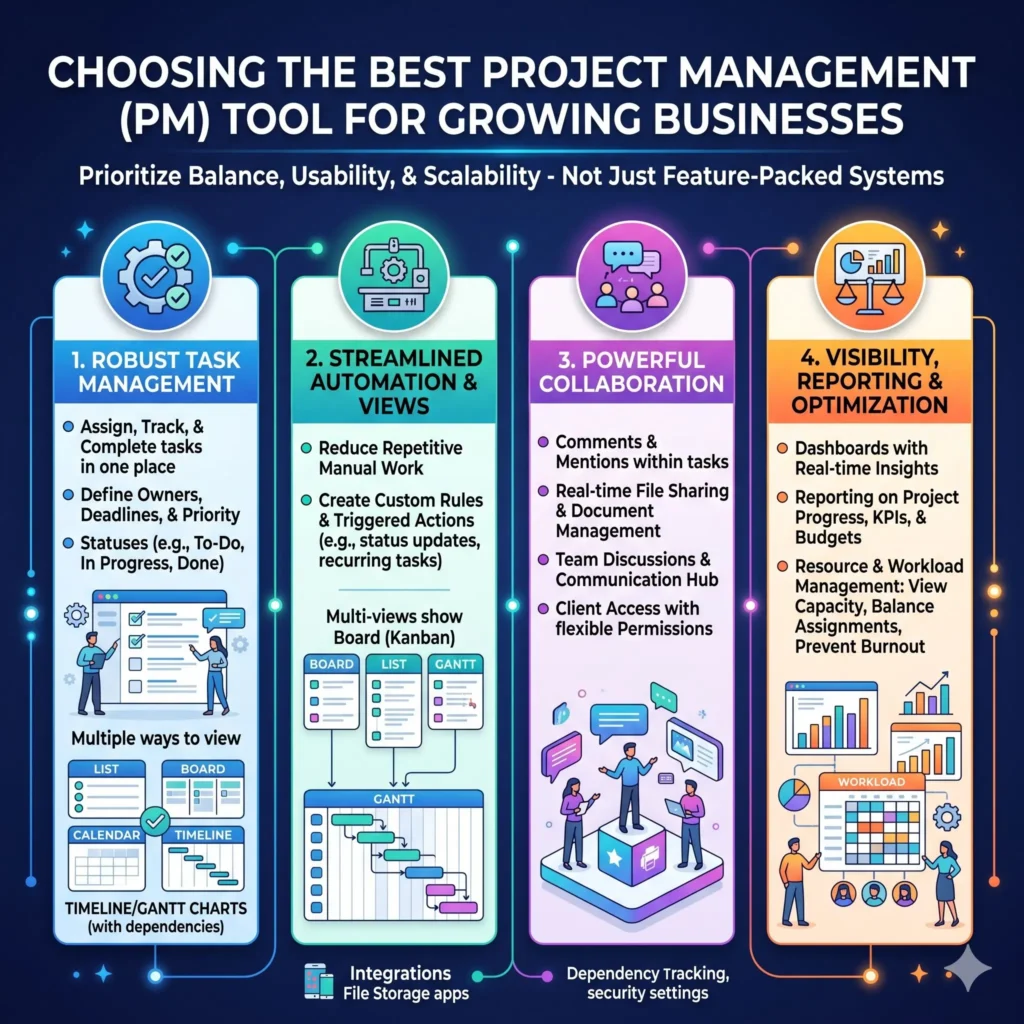
Here are the main features that matter most for a business that is expanding.
- Task management so work is assigned, tracked, and completed in one place.
- Multiple views, such as list, board, calendar, timeline, and Gantt views, so different teams can work in the format they understand best.
- Automation to reduce repetitive manual work and keep routine processes moving.
- Dashboards and reporting to improve visibility into deadlines, workloads, and progress.
- Collaboration features such as comments, document sharing, team communication, and client access.
- Resource and workload management to prevent burnout and improve planning.
- Integrations so the tool connects with email, chat, design, development, and file storage apps.
Top Project Management Tools for Growing Businesses
1. Asana
Asana is a strong option for teams that need structure without making work feel overly complicated. Its project management features include list, board, calendar, and timeline views, along with workflow automation, goals, and workload management. That mix makes it especially useful for businesses that want one system for day-to-day tasks, higher-level planning, and cross-team coordination.
One of Asana’s biggest strengths is visibility. Managers can see how work is distributed across team members and rebalance workloads when necessary. Asana also supports goal tracking, which helps growing businesses connect everyday tasks to company objectives instead of treating them as isolated to-dos.
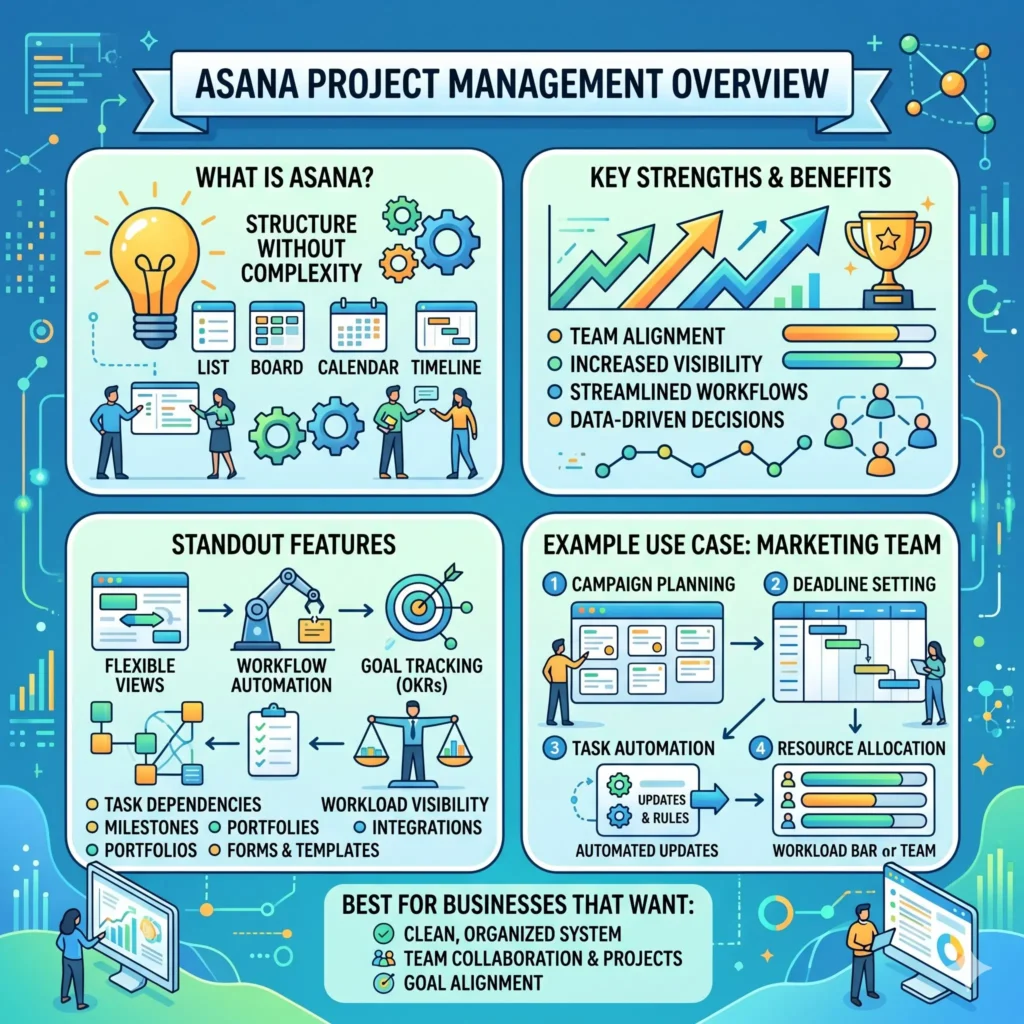
Best for: businesses that want a clean, organized system for team projects, planning, and goal alignment.
Why it stands out:
- Flexible project views
- Workflow automation
- Goals and progress tracking
- Workload visibility across projects
Example use case: A marketing team can track campaign launches in a board view, plan deadlines in a timeline, automate status updates, and watch team capacity before assigning a new campaign.
2. Monday work management
Monday work management is built for teams that want a highly visual and customizable system. The platform highlights automations, dashboards, Gantt, Kanban, and Workdocs, and positions itself as a connected work platform for planning, execution, and delivery. For growing businesses, that means it can support both simple team workflows and more advanced operational needs.
The biggest appeal of Monday is flexibility. Teams can design workflows around the way they actually work instead of forcing everything into a rigid structure. That makes it useful for departments like operations, marketing, client services, and project delivery teams that need both visibility and customization.
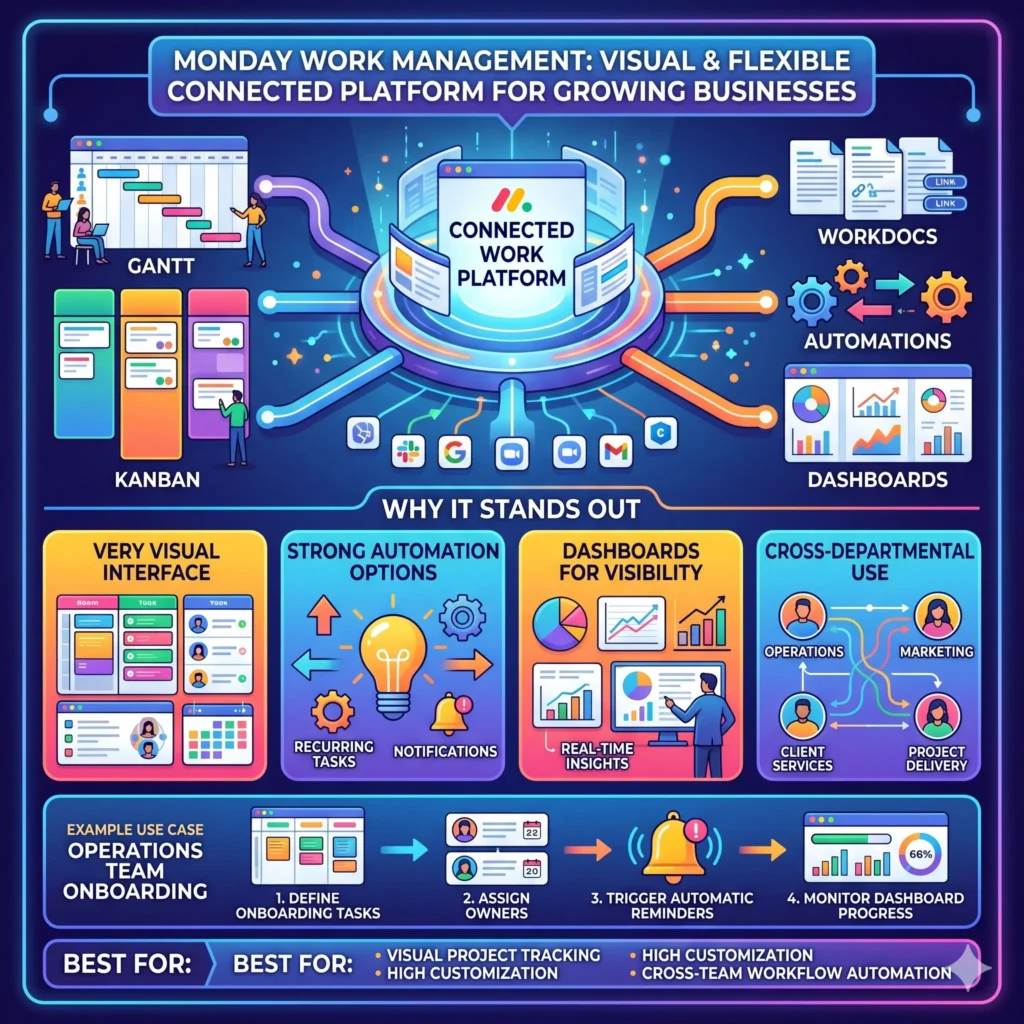
Best for: businesses that want visual project tracking with strong customization and cross-team workflow automation.
Why it stands out:
- Very visual interface
- Strong automation options
- Dashboards for visibility
- Works well across multiple departments
Example use case: An operations team can manage onboarding tasks, assign owners, trigger reminders automatically, and monitor everything from a dashboard.
3. ClickUp
ClickUp is one of the most feature-rich tools on the market and is positioned as an all-in-one workspace for projects, docs, and chat. Its project management features include tasks, sprints, goals, milestones, task relationships, multiple assignees, custom task statuses, and custom task types. That makes it a strong fit for businesses that want a single platform for many different workflows.
The platform is especially attractive to growing businesses that need more than a basic task board. It supports detailed task structures, flexible workflow stages, and project templates, which can be helpful when a team is scaling quickly and needs repeatable systems.
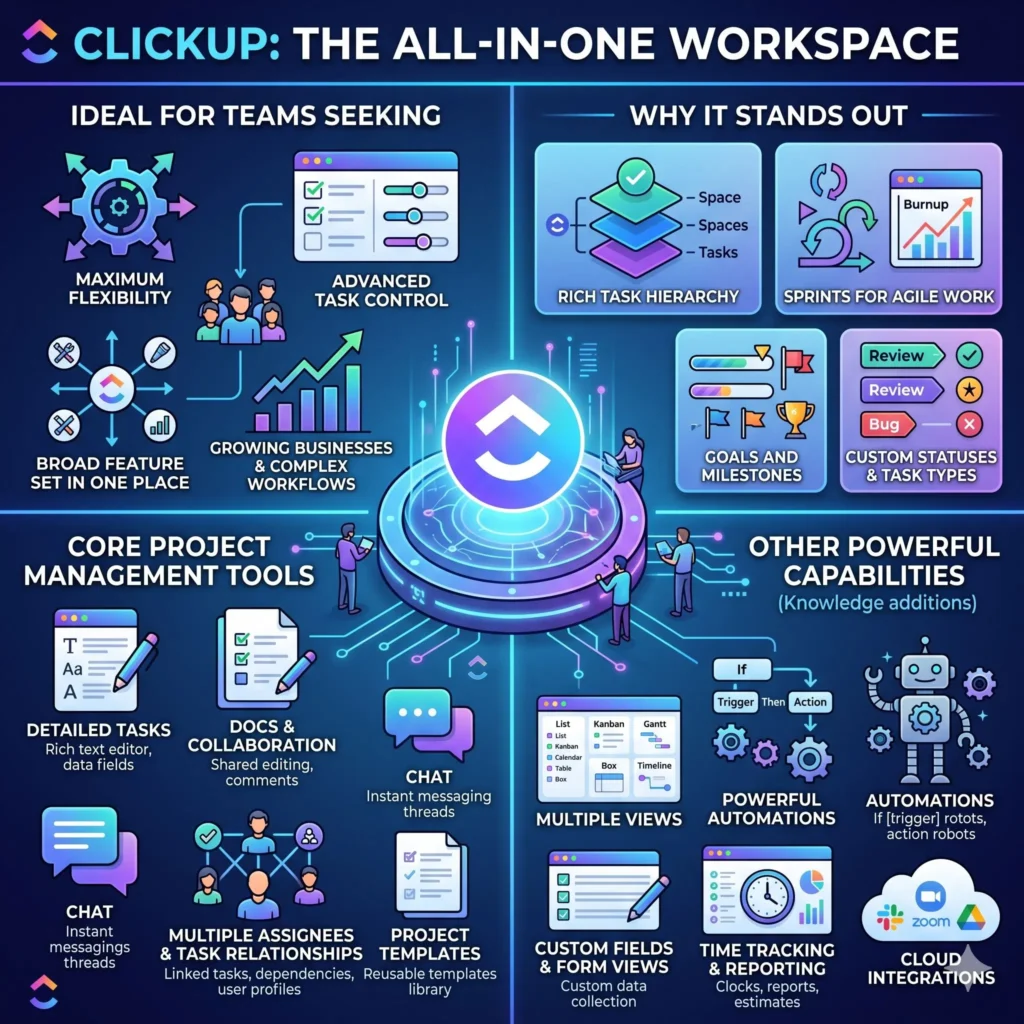
Best for: teams that want maximum flexibility, advanced task control, and a broad feature set in one place.
Why it stands out:
- Rich task hierarchy
- Sprints for agile work
- Goals and milestones
- Custom statuses and task types
Example use case: A product team can track roadmap items, break large work into milestones, and use relationships to show which tasks must happen before others.
4. Jira
Jira is a powerful option for businesses that need a strong structure, especially in software and product work. Its official features include boards, lists, timeline, calendar views, automations, and dependency management. Jira also emphasizes connecting work across tools like Slack, Figma, and Gmail, which can be useful for modern cross-functional teams.
Jira is often the right fit when work is complex, interdependent, and moving across engineering, product, and business teams. Its focus on dependencies and automation makes it especially useful where large launches, releases, and coordinated delivery are involved.
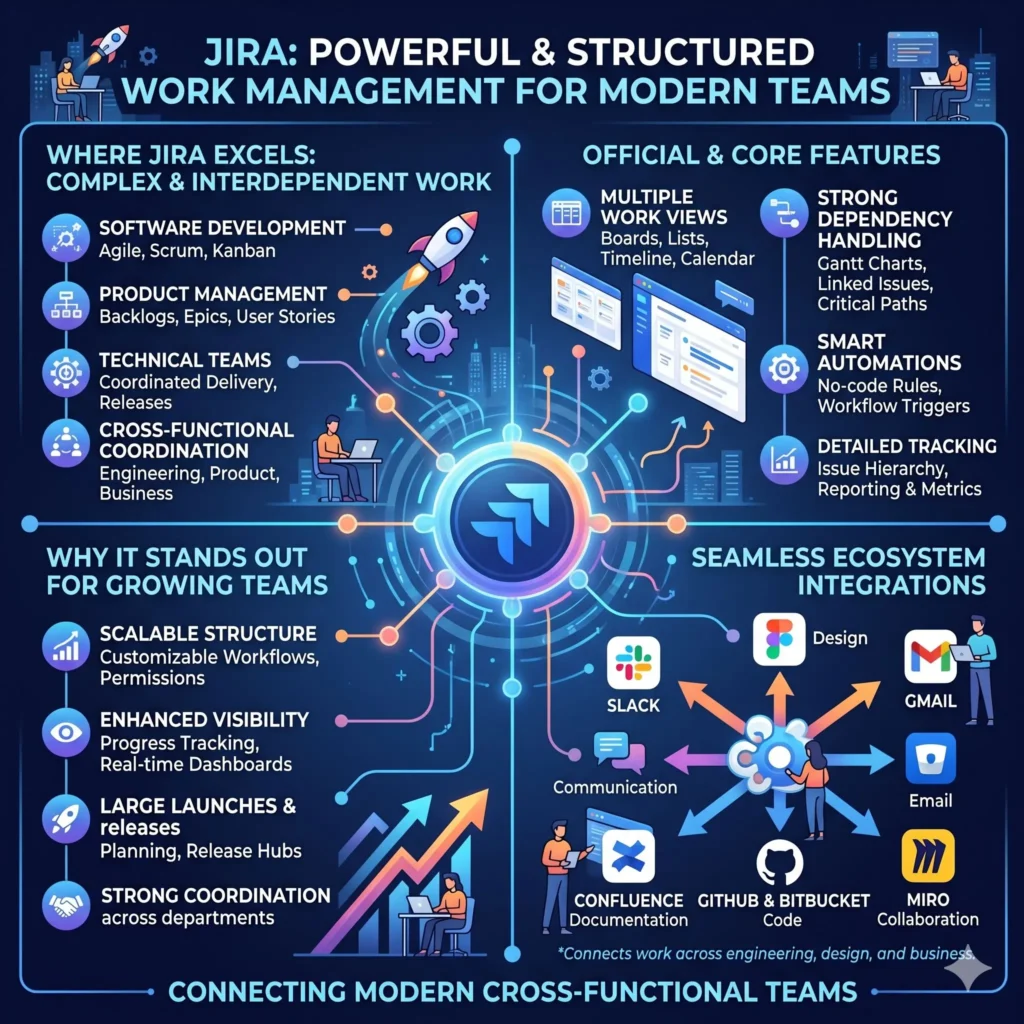
Best for: software teams, product teams, and businesses that need detailed tracking and dependency management.
Why it stands out:
- Strong dependency handling
- Multiple work views
- Automation for repetitive tasks
- Good fit for technical and cross-functional work
Example use case: A product release team can map dependencies between design, development, QA, and marketing tasks so nothing is missed before launch.
5. Wrike
Wrike is a good choice for businesses that care deeply about planning, resources, and visibility. Its feature set includes resource planning, Gantt charts, dashboards, reporting, and broader project management tools. Wrike’s official materials also emphasize real-time collaboration and centralized work updates.
This makes Wrike especially useful for teams that manage multiple client projects or need to see who is available and where work is overloaded. Its resource planning features can be valuable when growing teams need to assign work more carefully instead of simply adding more tasks.
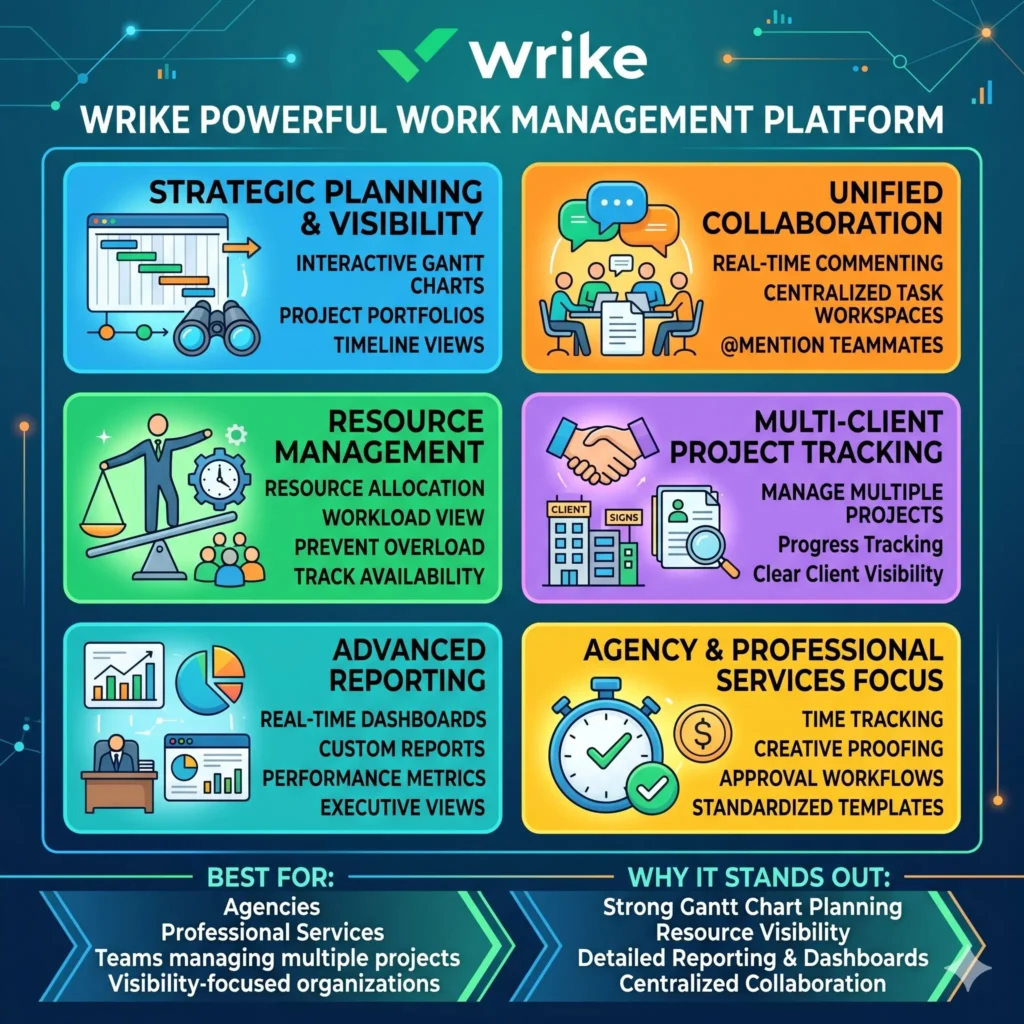
Best for: agencies, professional services, and teams that need strong reporting and resource planning.
Why it stands out:
- Strong Gantt chart planning
- Resource visibility
- Reporting and dashboards
- Good for centralized collaboration
Example use case: A consulting firm can manage client deliverables, balance consultant workloads, and track milestones on an interactive timeline.
6. Smartsheet
Smartsheet is ideal for teams that want the familiarity of a spreadsheet with the power of a modern work management system. Its official feature list includes AI, automation, team collaboration, dashboards and reporting, resource management, portfolio management, and integrations. Smartsheet also emphasizes managing projects at scale with tasks, subtasks, relationships, milestones, and critical paths.
It is a particularly strong fit for growing businesses that already think in terms of processes, schedules, and reporting. The dashboard and automation tools are useful when many people need the same up-to-date information without manual follow-up.
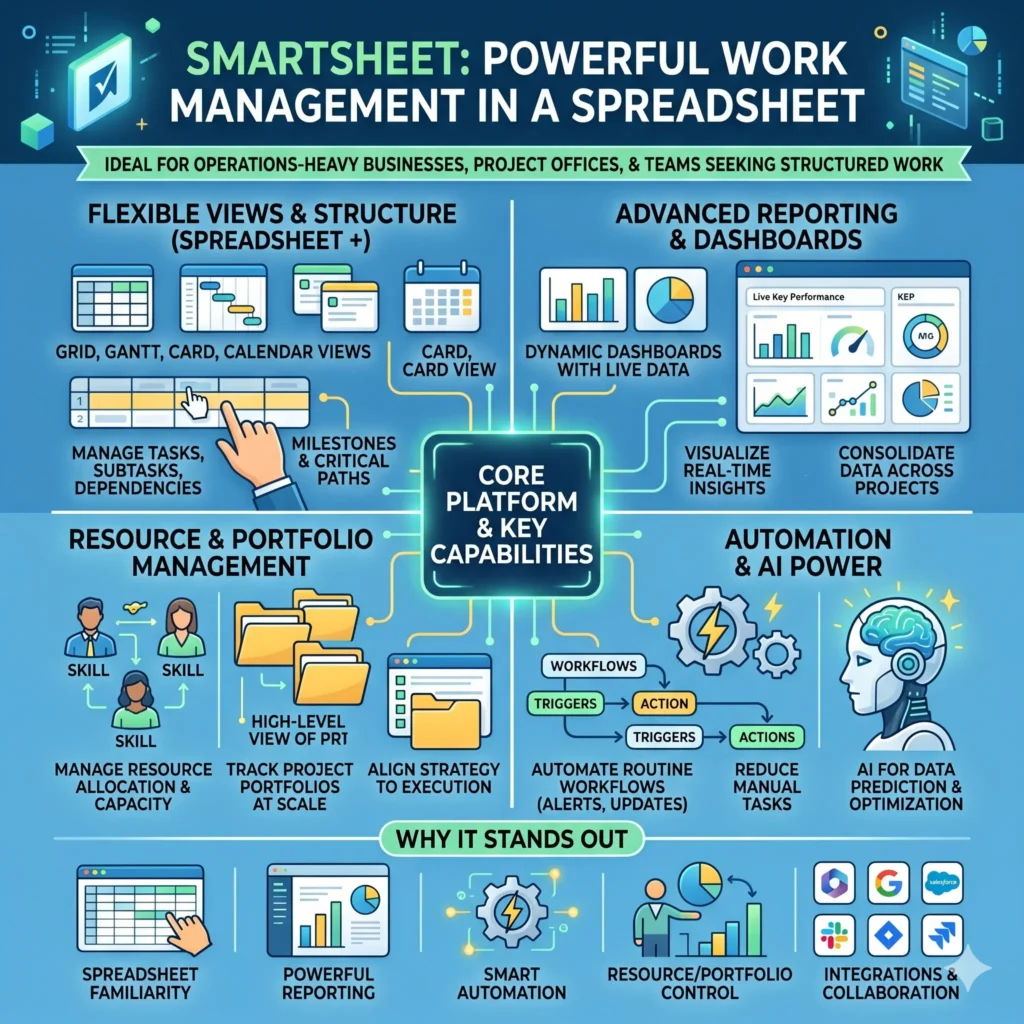
Best for: operations-heavy businesses, project offices, and teams that want structured work management with strong reporting.
Why it stands out:
- Spreadsheet-like structure
- Advanced reporting and dashboards
- Automation for routine workflows
- Resource and portfolio management
Example use case: A growing operations team can manage task ownership, send approval reminders automatically, and share a live dashboard with executives.
7. Notion
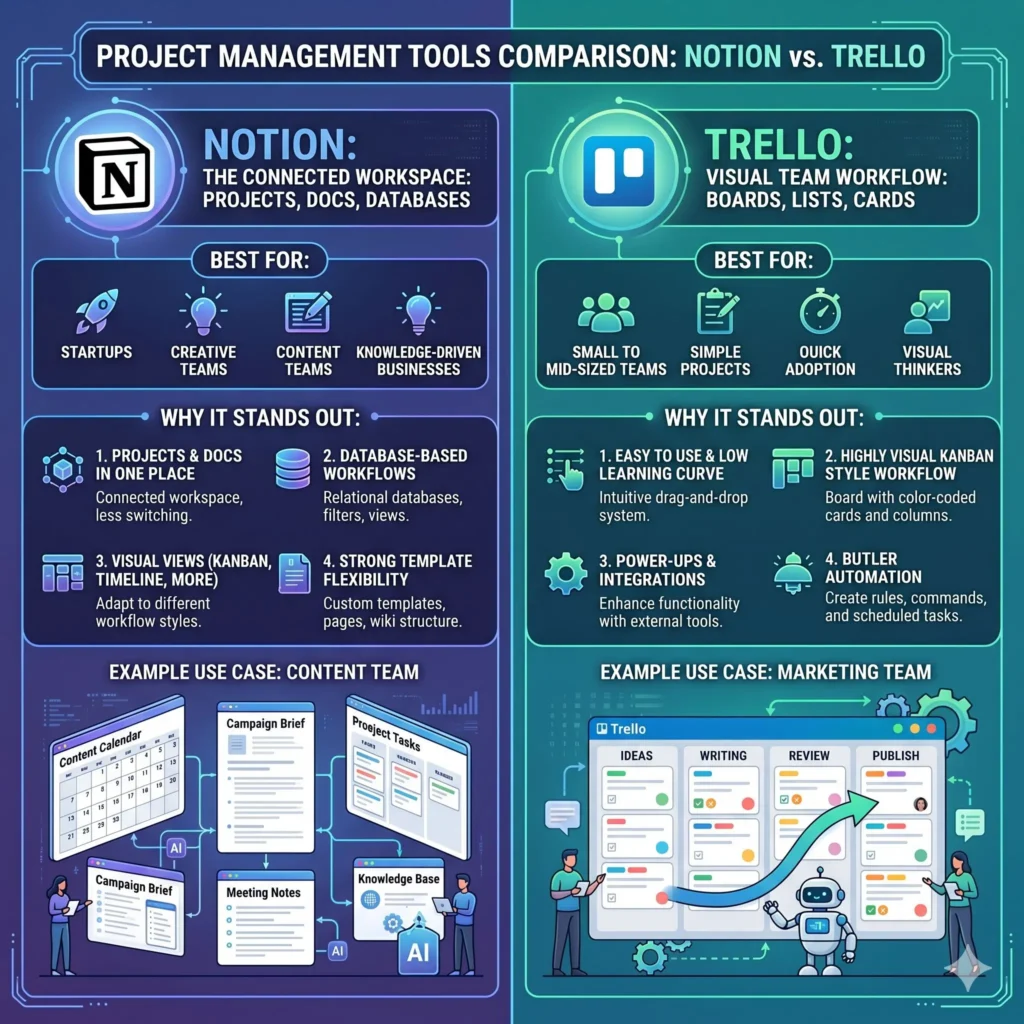
Notion works differently from many traditional project management tools because it blends notes, docs, databases, and projects into one connected workspace. Its official guidance shows that projects and tasks can live beside notes and documents, and that databases can be viewed as Kanban boards, timelines, and more. Notion also positions itself as an AI workspace with projects, docs, knowledge bases, integrations, and automation features.
This flexibility makes Notion attractive for startups and creative teams that want one workspace for planning, documentation, and collaboration. It is especially valuable when a business wants its project tracker and knowledge base to live together instead of in separate systems.
Best for: startups, creative teams, content teams, and businesses that want projects and documentation together.
Why it stands out:
- Projects and docs in one place
- Database-based workflows
- Timeline and board views
- Strong template flexibility
Example use case: A content team can keep editorial calendars, campaign briefs, meeting notes, and project tasks in a single workspace.
8. Trello
Trello is one of the simplest and most approachable tools on this list. It is built around boards, lists, and cards, which makes it easy for teams to get started quickly. Trello also offers templates, calendar views, Power-Ups, and Butler automation for rule-based workflows.
For growing businesses, Trello is a strong fit when the team needs a lightweight system that is easy to understand and easy to adopt. It works especially well for content calendars, simple project pipelines, team task tracking, and early-stage workflow management.
Best for: small to mid-sized teams that want a simple visual system with low learning effort.
Why it stands out:
- Easy to use
- Highly visual Kanban-style workflow
- Automations through Butler
- Templates for many use cases
Example use case: A marketing team can run an editorial calendar using cards for each post, labels for status, and automation to move tasks forward.
9. Basecamp
Basecamp is designed for simplicity and calm coordination. Its official pages emphasize keeping tasks, deadlines, files, messages, and approvals centralized, especially when working with clients. It also supports team organization through message boards, to-dos, card tables, templates, and controlled client access.
Basecamp stands out because it avoids unnecessary complexity. That can be a real advantage for businesses that want fewer moving parts and a single place to keep work and communication together. It is especially appealing to agencies and client-facing teams that need transparency without chaos.
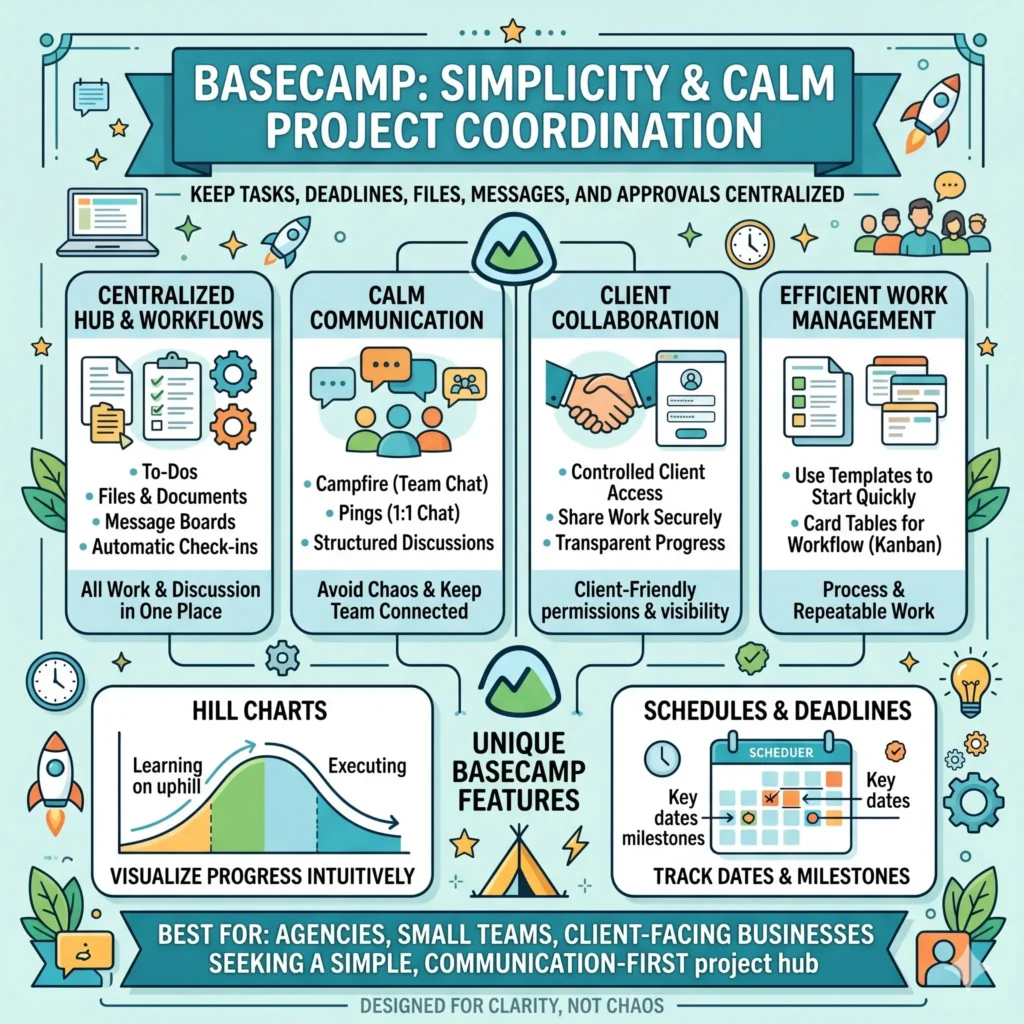
Best for: agencies, small teams, and client-facing businesses that want a simple communication-first project hub.
Why it stands out:
- Centralized work and communication
- Client-friendly permissions
- Simple interface
- Templates and card tables for repeatable work
Example use case: A design agency can manage client feedback, deadlines, file sharing, and project updates in one shared environment.
10. Microsoft Planner
Microsoft Planner is a strong choice for businesses that already live inside the Microsoft 365 ecosystem. The newer Planner combines elements of Microsoft Planner, Microsoft Project for the web, Microsoft To Do, and Copilot, and it adds features such as goals, people view, sprints, baselines, and critical path for more advanced project delivery. It also connects closely with Microsoft Teams for collaboration.
This makes Planner especially useful for organizations that want a familiar interface and tight integration with the tools they already use. For growing companies that already depend on Microsoft apps, this can reduce adoption friction and help teams work in one connected environment.
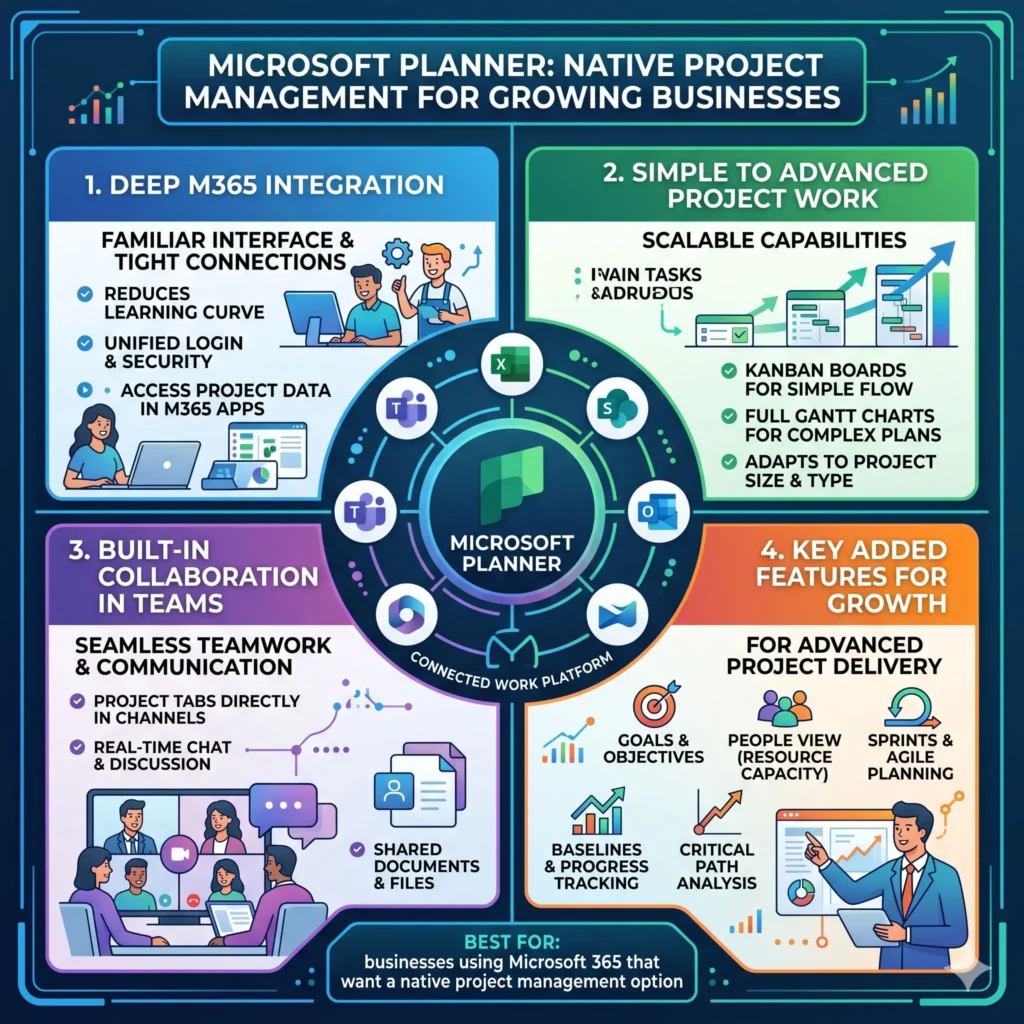
Best for: businesses using Microsoft 365 that want a native project management option.
Why it stands out:
- Deep Microsoft 365 integration
- Useful for both simple and advanced project work
- Built-in collaboration in Teams
- Planning features for more complex work
Example use case: A department that already uses Teams and SharePoint can track projects, assign work, and review progress without switching to a separate ecosystem.
Quick Comparison Table
| Tool | Best for | Standout strengths | Why growing businesses like it |
|---|---|---|---|
| Asana | Cross-functional teams | List, board, calendar, timeline, goals, workload | Helps teams see priorities, balance work, and connect tasks to goals. |
| Monday work management | Departments that want visual workflows | Automations, dashboards, Gantt, Kanban, Workdocs | Flexible enough for multiple teams and processes. |
| ClickUp | Teams that want one all-in-one workspace | Tasks, sprints, goals, milestones, custom statuses | Offers deep customization for scaling workflows. |
| Jira | Product and software teams | Boards, timeline, calendar, automation, dependencies | Built for complex work that depends on careful sequencing. |
| Wrike | Agencies and service teams | Resource planning, Gantt charts, dashboards, reporting | Helps with visibility, planning, and workload control. |
| Smartsheet | Operations-heavy organizations | Automation, resource management, dashboards, portfolio management | Great for structured work and executive reporting. |
| Notion | Startups and knowledge-driven teams | Projects, docs, databases, Kanban, timelines | Combines planning and documentation in one workspace. |
| Trello | Small teams and simple workflows | Boards, lists, cards, templates, Butler automation | Very easy to adopt and quick to set up. |
| Basecamp | Client-facing teams | Tasks, messages, files, deadlines, client access | Keeps communication and project work in one calm system. |
| Microsoft Planner | Microsoft 365 users | Goals, people’s views, sprints, baselines, critical path | Fits naturally into the Microsoft ecosystem. |
Which Tool Fits Which Growing Business?
| Business need | Best match | Why | Example |
|---|---|---|---|
| Simple team task tracking | Trello or Basecamp | Easy to learn, low setup time, and good for straightforward collaboration. | A small agency tracks deliverables and client feedback. |
| Cross-team planning and visibility | Asana or monday work management | Strong views, automation, and dashboards help teams stay aligned. | A growth-stage company manages product, marketing, and operations together. |
| Deep customization and all-in-one work | ClickUp or Notion | Flexible structure, multiple workflow types, and docs in the same environment. | A startup builds a custom operating system for projects and knowledge. |
| Technical product delivery | Jira | Excellent for dependencies, structured tracking, and cross-functional release planning. | A software team coordinates a launch across engineering and product. |
| Resource-heavy work | Wrike or Smartsheet | Good for workload planning, dashboards, and reporting at scale. | A consultancy balances consultant capacity across multiple clients. |
| Microsoft-first environment | Microsoft Planner | Best when teams already use Teams, To Do, and Microsoft 365. | A company manages work inside the Microsoft ecosystem. |
How to Choose the Right Tool for Your Business
A growing business should choose a project management tool based on actual working style, not just popular opinion. The first question is whether the team needs simplicity or depth. A small team may be best served by Trello or Basecamp, while a larger operation may need Asana, monday work management, Wrike, or Smartsheet. If the team needs a single home for documents and projects, Notion can be a strong fit. If the work is highly technical, Jira often makes the most sense.
Another important factor is the kind of reporting the business needs. Leaders who want quick visibility into team load, deadlines, and progress will usually appreciate tools with strong dashboards and reporting. Teams that repeat the same process again and again should lean toward tools with strong automation and templates. Businesses that work with clients should think carefully about collaboration, file sharing, and permission control.
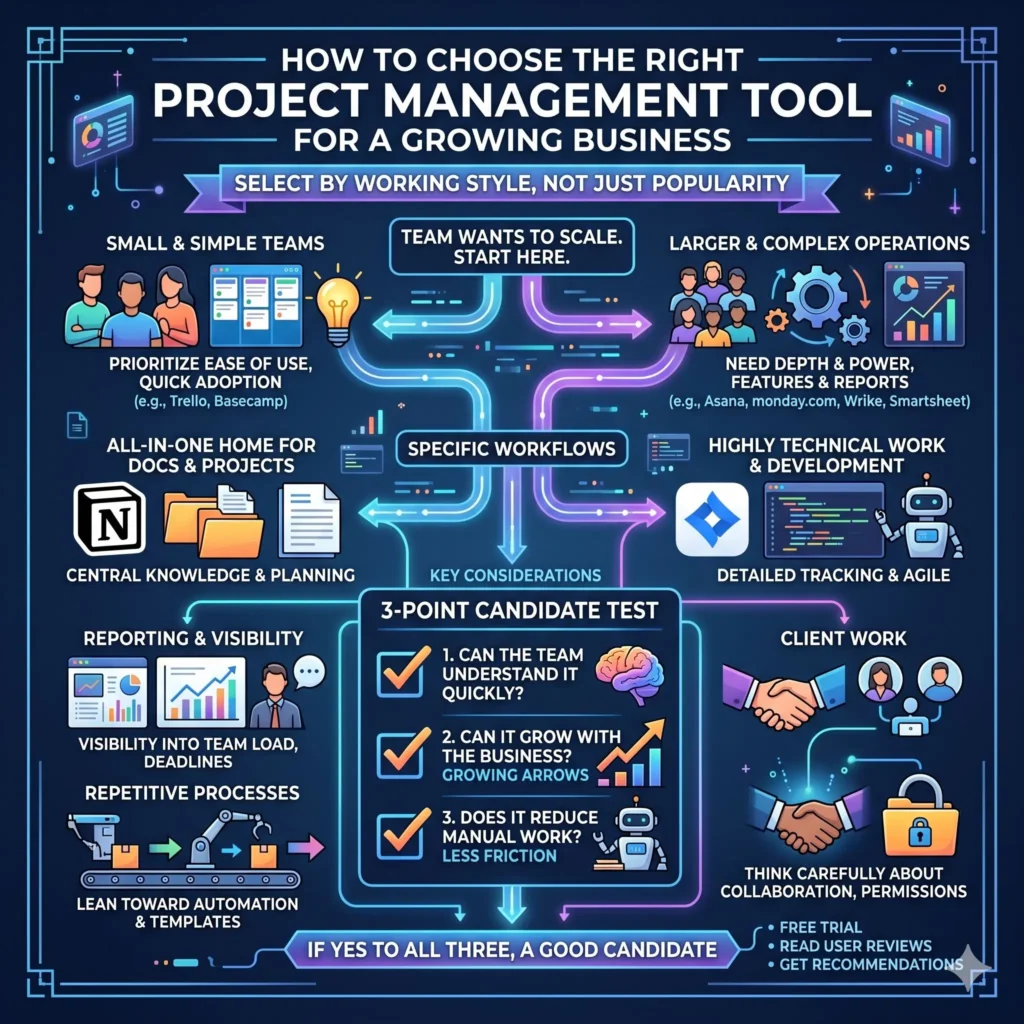
A practical way to decide is to ask three questions.
- Can the team understand it quickly?
- Can it grow with the business?
- Does it reduce manual work rather than add more of it?
If the answer to all three is yes, the tool is probably a good candidate.
A Simple 30-Day Rollout Plan for a Growing Business
The best software only works when the team actually uses it. A careful rollout helps prevent confusion and keeps adoption high. Many of the top tools above support templates, workflows, dashboards, and automation, so that a structured launch can make a big difference.
Week 1: Set the structure
- Decide the main workflow stages.
- Create a shared project template.
- Define who owns each kind of task.
- Choose the main views the team will use.
Week 2: Load real work
- Add current projects, not fake examples.
- Enter deadlines, owners, and dependencies.
- Import or connect related tools where needed.
- Start using dashboards or summary views.
Week 3: Automate repetitive steps
- Set reminders for due dates.
- Create rules for status changes.
- Build request forms or intake workflows.
- Save templates for repeatable work.
Week 4: Review and improve
- Check where the team still feels friction.
- Refine labels, views, and permissions.
- Adjust workload or resource allocation if needed.
- Keep only the truly useful features.
Common Mistakes Businesses Make When Choosing a Tool
One common mistake is choosing a platform because it looks powerful, even when the team only needs a simple system. Another mistake is ignoring adoption. A tool can have excellent reporting and automation, but if employees find it confusing, the company will end up with wasted software and broken processes. Simple, practical tools often outperform complicated ones when the team is still growing.
A second mistake is failing to match the tool to the workflow. A content team, an operations team, and a software team usually do not need the same setup. The best project management software is the one that fits the actual work pattern, not just the one with the longest feature list.
Final Thoughts
The right project management tool can help a growing business stay organized, communicate better, and scale with less chaos. For a clean, all-around system, Asana is a strong choice. For visual workflow control, monday work management is excellent. For maximum flexibility, ClickUp stands out. For technical delivery, Jira is hard to beat. For resource-heavy work, Wrike and Smartsheet are powerful. For a documentation-first workspace, Notion is highly attractive. For simplicity, Trello and Basecamp are strong options. For Microsoft-centered organizations, Microsoft Planner is a natural fit.
The best result usually comes from matching the tool to the business stage, the type of work being done, and the level of visibility the team needs. Once that match is right, project management software stops being just another app and becomes part of how the business grows with confidence.
Article’s References And Sources
- Asana Features and Project Management Pages.
- Monday Work Management Official Pages.
- ClickUp Official Features and Project Management Pages.
- Jira Official Features and Work Management Pages.
- Wrike Official Features and Project Management Pages.
- Smartsheet Official Project Management Pages.
- Notion Official Projects and Templates Pages.
- Trello Official Home, Templates, Automation, and Pricing Pages.
- Basecamp Official Home, Learning, and Pricing Pages.
- Microsoft Planner Official Product and Help Pages.
Also, Read these Articles in Detail
- Best Business Tools for Small Businesses in 2026
- Top Business Tools Every Startup Needs
- Best Productivity Tools for Modern Teams
- Essential Business Tools for Remote Teams
- Best AI Business Tools to Save Time and Money
Frequently Asked Questions (FAQs)
FAQ 1: What is a project management tool, and why do growing businesses need one?
A project management tool is a digital system that helps teams plan work, assign tasks, track deadlines, and follow progress in one organized place. Instead of keeping everything in emails, chat messages, and separate spreadsheets, a business can use one central platform to see what needs to be done and who is responsible for it. This creates clarity, which becomes more important as a company grows and more people start working on the same goals.
Growing businesses usually need a tool like this because growth often brings more projects, more teams, and more chances for confusion. A good project management tool helps reduce missed deadlines, duplicate work, and miscommunication. It also makes it easier for managers to understand workload, spot problems early, and keep work moving smoothly from one stage to the next.
FAQ 2: Which project management tool is best for a growing business?
The best tool depends on how the business works, how large the team is, and how much structure is needed. For example, a company that wants a simple and flexible platform may prefer Trello or Basecamp. A business that needs more advanced planning, reporting, and automation may find Asana, monday work management, or ClickUp more suitable. If the team works on software or product development, Jira is often a better fit because it handles complex workflows and dependencies well.
There is no single tool that is perfect for every business. The right choice is the one that feels easy to adopt, supports the team’s daily work, and can grow with the company over time. A business should think about task tracking, collaboration, reporting, integrations, and automation before making a final decision. That way, the tool becomes a real support system instead of another app that people ignore.
FAQ 3: What features should a growing business look for in a project management tool?
A growing business should look for features that make work easier to organize and easier to scale. The most important features usually include task management, multiple project views, automation, dashboards, collaboration tools, and workload tracking. These features help teams stay focused, improve visibility, and reduce the amount of manual follow-up needed every day.
It is also wise to look for integrations with other tools the business already uses, such as email, chat, file sharing, and calendars. For many teams, templates and recurring workflows are just as important because they save time and create consistency. A strong project management platform should simplify daily work, not complicate it.
FAQ 4: How does Asana help growing businesses stay organized?
Asana helps growing businesses stay organized by bringing tasks, projects, timelines, and goals into one place. It offers different ways to view work, including lists, boards, calendars, and timelines, so teams can choose the view that makes the most sense for them. This flexibility is very helpful when different departments need different ways of managing the same project.
Another major benefit of Asana is its ability to improve visibility. Managers can see how much work each person has, which makes it easier to balance workloads and avoid overload. The platform also supports workflow automation and goal tracking, which means teams can spend less time on repetitive coordination and more time on real work. For businesses that are growing quickly, that kind of structure can make a big difference.
FAQ 5: Why do many teams choose Monday Work Management for project tracking?
Many teams choose Monday work management because it is highly visual and easy to customize. The platform makes it simple to build workflows that match the way a business actually operates. This is useful for companies that manage different kinds of work across departments, because each team can organize its projects in a way that feels natural to them.
Another reason people like monday work management is that it combines visual planning with strong automation and dashboard tools. That means teams can track progress, see deadlines, and automate routine updates without having to do everything manually. For growing businesses, this can save time while also making the workflow much easier to follow.
FAQ 6: Is ClickUp a good option for businesses that want everything in one platform?
Yes, ClickUp is often a strong choice for businesses that want a broad set of tools in one workspace. It supports tasks, goals, milestones, sprints, and custom statuses, which makes it very flexible. Many teams appreciate this because they can build one system for project planning, team communication, and progress tracking instead of switching between several different apps.
ClickUp is especially useful when a business wants detailed control over how work is structured. It can handle simple project lists as well as more advanced workflows with task relationships and custom task types. For a growing company, this flexibility can be very valuable because the system can expand as the business becomes more complex.
FAQ 7: When should a business use Jira instead of a simpler project management tool?
A business should consider Jira when projects are complex, technical, or highly dependent on one another. It is especially useful for software teams, product teams, and organizations that need detailed tracking of development work. Jira offers features like boards, timelines, calendars, automations, and dependency management, which help teams organize work that has many moving parts.
A simpler tool may be enough for straightforward task tracking, but Jira becomes more valuable when a team needs to manage releases, coordinate multiple contributors, and keep track of tasks that cannot move forward until other work is finished. In that kind of environment, its structure and depth can prevent major confusion and improve delivery quality.
FAQ 8: How can a project management tool improve teamwork and communication?
A project management tool improves teamwork by giving everyone a shared view of what is happening. Instead of asking for updates in separate messages or meetings, team members can check tasks, comments, deadlines, and project status in one place. This creates fewer misunderstandings and helps everyone stay aligned on priorities.
It also improves communication by making responsibility clear. When each task has an owner, a due date, and a visible status, people know exactly what is expected. This reduces the risk of work being forgotten or duplicated. In growing businesses, that kind of clarity is especially useful because more people are usually involved, and the number of tasks increases quickly.
FAQ 9: What is the easiest project management tool for a small, growing team?
For a small growing team, the easiest tool is often Trello or Basecamp. These platforms are simple to understand and do not require a long learning curve. Trello works well with boards, lists, and cards, which makes it very easy to see progress at a glance. Basecamp keeps tasks, files, messages, and deadlines in one calm and straightforward environment.
A small team usually benefits from simplicity more than complexity. If the tool is too advanced too soon, people may stop using it properly. That is why many smaller businesses prefer a platform that is quick to set up, easy to explain, and flexible enough to grow with the team over time. Simplicity often leads to better adoption.
FAQ 10: How should a business choose the right project management tool without wasting time or money?
A business should start by identifying its real needs before comparing tools. It should ask what kind of work is being managed, how many people will use the system, and whether the team needs simple task tracking or advanced planning and reporting. A company should also think about automation, integrations, resource management, and how easy the tool will be for employees to adopt.
The best way to avoid wasting time or money is to choose a platform that matches the team’s daily workflow, not just one that looks impressive in a feature list. A tool should make work smoother, reduce stress, and support growth. If it helps the team stay organized, communicate clearly, and complete projects with less effort, it is probably the right fit for the business.
FAQ 11: How do project management tools help a business grow more smoothly?
Project management tools help a business grow more smoothly by creating structure around daily work. As a company expands, more tasks appear, more people become involved, and more mistakes can happen if everything is handled informally. A good project management tool brings order to that process by making tasks visible, deadlines clear, and responsibilities easy to follow. This helps the team move in the same direction without constant confusion.
These tools also support better decision-making. When leaders can see project status, workload, and bottlenecks in one place, they can respond faster and plan with more confidence. That is especially important in a growing business, where delays and miscommunication can quickly become expensive. A well-chosen system helps growth feel organized instead of overwhelming.
FAQ 12: What is the difference between a simple task board and a full project management system?
A simple task board usually helps teams track work in a visual way, often by moving tasks through stages such as to do, in progress, and done. This is useful for straightforward workflows and smaller teams. A full project management system, however, usually offers much more than task tracking. It may include timeline views, automation, resource planning, reporting, dashboards, dependencies, and collaboration features.
The difference becomes more important as the business grows. A task board can be enough for basic coordination, but a full system is better when the team needs deeper visibility, structured planning, and better control over multiple projects at once. Businesses that are scaling often need more than a board. They need a complete work management system that can grow with them.
FAQ 13: Why are automation features so valuable in project management tools?
Automation is valuable because it saves time and reduces repetitive manual work. Instead of asking someone to move tasks, send reminders, or update statuses every time, the system can do those things automatically. This helps teams stay consistent and keeps projects moving even when people are busy with more important work. For a growing business, that saved time can add up very quickly.
Automation also reduces human error. People forget updates, miss reminders, or skip steps when work becomes fast-paced. A project management tool with smart automation helps prevent those mistakes by keeping processes steady. It can also improve accountability because tasks and notifications follow a clear pattern. That makes the whole workflow easier to trust.
FAQ 14: How can project management software improve accountability in a team?
Project management software improves accountability by making ownership visible. When each task has an assigned person, a deadline, and a status, it becomes much easier to see who is responsible for what. This removes confusion and helps team members stay focused on their commitments. Everyone knows where their work stands, and managers can follow progress without needing constant check-ins.
It also creates a shared record of activity. Comments, updates, and task history make it easy to understand how work has moved over time. That is useful when projects involve multiple people or when a manager needs to review decisions later. In a growing business, this kind of visibility helps build trust and keeps the team working with more discipline and clarity.
FAQ 15: Can small businesses use the same project management tools as larger businesses?
Yes, small businesses can absolutely use the same project management tools as larger businesses, but the way they use them may be different. A smaller team may only need a few boards, a simple workflow, and basic deadlines. A larger business may use the same platform in a more advanced way, with dashboards, reporting, automation, and multiple team spaces. The tool itself can often serve both, as long as it is configured properly.
The key is not to overcomplicate the setup at the beginning. A small business should start with the core features it truly needs and add more structure only when necessary. That keeps the system easy to use while still leaving room for growth. A tool that can scale from simple task management to more advanced project control is often the smartest choice.
FAQ 16: What role do dashboards play in project management tools?
Dashboards play a very important role because they turn large amounts of project data into a clear summary. Instead of looking through every task one by one, managers can use a dashboard to see progress, deadlines, workload, and problem areas at a glance. This saves time and makes it easier to make decisions quickly.
For growing businesses, dashboards are especially useful because they show whether work is on track or falling behind. They help leaders spot risks before they turn into serious delays. A dashboard can also support better team communication because everyone can see the same picture of the project. That makes the whole workflow more transparent and easier to manage.
FAQ 17: Why is integration important in a project management tool?
Integration is important because no business works in only one app. Teams usually use email, chat, file storage, calendars, design tools, and sometimes customer support or finance systems. A project management tool that connects with these other tools makes work much easier. It reduces the need to switch between platforms and keeps information synchronized across the business.
This matters even more for growing businesses, where the number of tools often increases quickly. Good integrations save time, reduce copy-paste work, and make the workflow more reliable. They also help teams keep everything connected in one place, which improves efficiency and lowers the chance of missing important details.
FAQ 18: How do project management tools support remote and hybrid teams?
Project management tools are especially helpful for remote teams and hybrid teams because they create a shared workspace that everyone can access from anywhere. When people are not sitting in the same office, it becomes harder to keep track of work through casual conversation. A digital system solves that problem by showing tasks, deadlines, updates, and project status in a clear format.
These tools also reduce the need for unnecessary meetings. Team members can leave comments, attach files, update progress, and review priorities without waiting for live discussions. That saves time and helps remote teams stay aligned across different locations and time zones. For businesses that are growing with flexible work arrangements, this kind of visibility is extremely valuable.
FAQ 19: What is the best way to get a team to actually use a new project management tool?
The best way to get a team to use a new project management tool is to keep the rollout simple and practical. People are more likely to adopt a tool when they can see how it makes their own work easier. That is why it helps to start with real projects, clear tasks, and a small number of useful features instead of trying to use everything at once. Training should focus on everyday use, not just technical settings.
It is also important to create a consistent team habit. If some people use the tool and others do not, the system will quickly become unreliable. Managers should lead by example, keep the structure clean, and show that the platform is the main place for project updates. Once the team sees that it saves time and reduces confusion, adoption usually becomes much easier.
FAQ 20: What mistakes should businesses avoid when choosing project management software?
One major mistake is choosing software based only on popularity or feature count. A tool may look impressive, but if it does not match the team’s workflow, people may struggle to use it properly. Another mistake is picking a system that is too complex for the business stage. A growing business needs room to expand, but it also needs a platform that people can understand and use every day without frustration.
Another common mistake is ignoring long-term needs. A business should think beyond the current month and consider how the team will work six months or a year from now. It should also look at usability, integrations, reporting, and scalability before making a decision. The right software should support growth, not create extra work. A thoughtful choice will save time, improve teamwork, and make expansion much more manageable.
Article Disclaimer
The information provided in this article, “Top 10 Project Management Tools for Growing Businesses,” is intended for general informational and educational purposes only. While every effort has been made to present accurate, up-to-date, and reliable information, the content should not be considered as professional, financial, legal, or business advice. Readers are encouraged to conduct their own research and consult with qualified professionals before making any decisions related to software selection, business operations, or investment in project management tools.
The tools, features, and examples discussed in this article are based on commonly available information, industry practices, and general use cases. However, software platforms frequently update their features, pricing, and policies, which means certain details may change over time. The article does not guarantee the completeness, accuracy, or current validity of all information presented. Users should always verify details directly from official sources before making any commitments.
This article may include references to various project management tools, platforms, and technologies. These references are provided solely for informational purposes and do not constitute endorsements, affiliations, or recommendations of any specific product or service. The suitability of any tool depends on individual business needs, team size, workflow complexity, and budget considerations. What works well for one organization may not necessarily be the best fit for another.
Additionally, the examples and scenarios mentioned are intended to illustrate possible use cases and should not be interpreted as guaranteed outcomes. The effectiveness of any project management system depends on several factors, including team adoption, implementation strategy, training, and ongoing management practices. Results may vary significantly based on how the tool is used within a specific business environment.
By reading this article, you acknowledge that any actions taken based on the information provided are at your own discretion and risk. The author and publisher shall not be held responsible for any losses, damages, or business disruptions resulting from the use or reliance on the content. It is always advisable to evaluate multiple options carefully and choose solutions that align with your long-term business goals and operational requirements.
