Modern teams work fast, across time zones, devices, and communication styles. That is why the best productivity tools are no longer just about making a task list. They help teams communicate clearly, track work, share knowledge, automate repetitive steps, and keep everyone aligned without endless status meetings. Microsoft’s Work Trend Index says its research draws on global surveys and observational studies, and its 2024 report noted that 75% of global knowledge workers were using generative AI. Atlassian’s Teamwork Lab also reported that more than a third of workers lose 40-plus hours each year to unclear written communication. Together, these findings show why modern teams need tools that reduce friction and organize work better.
This article looks at the best productivity tools for modern teams, why they matter, and how different teams can combine them into a practical stack. Rather than chasing every new app, the goal is to choose tools that support focus, collaboration, and simple workflows. The strongest platforms today usually cover at least one of these areas well, and the best setups smartly combine a few of them.
Table of Contents
What Makes a Productivity Tool Truly Useful?
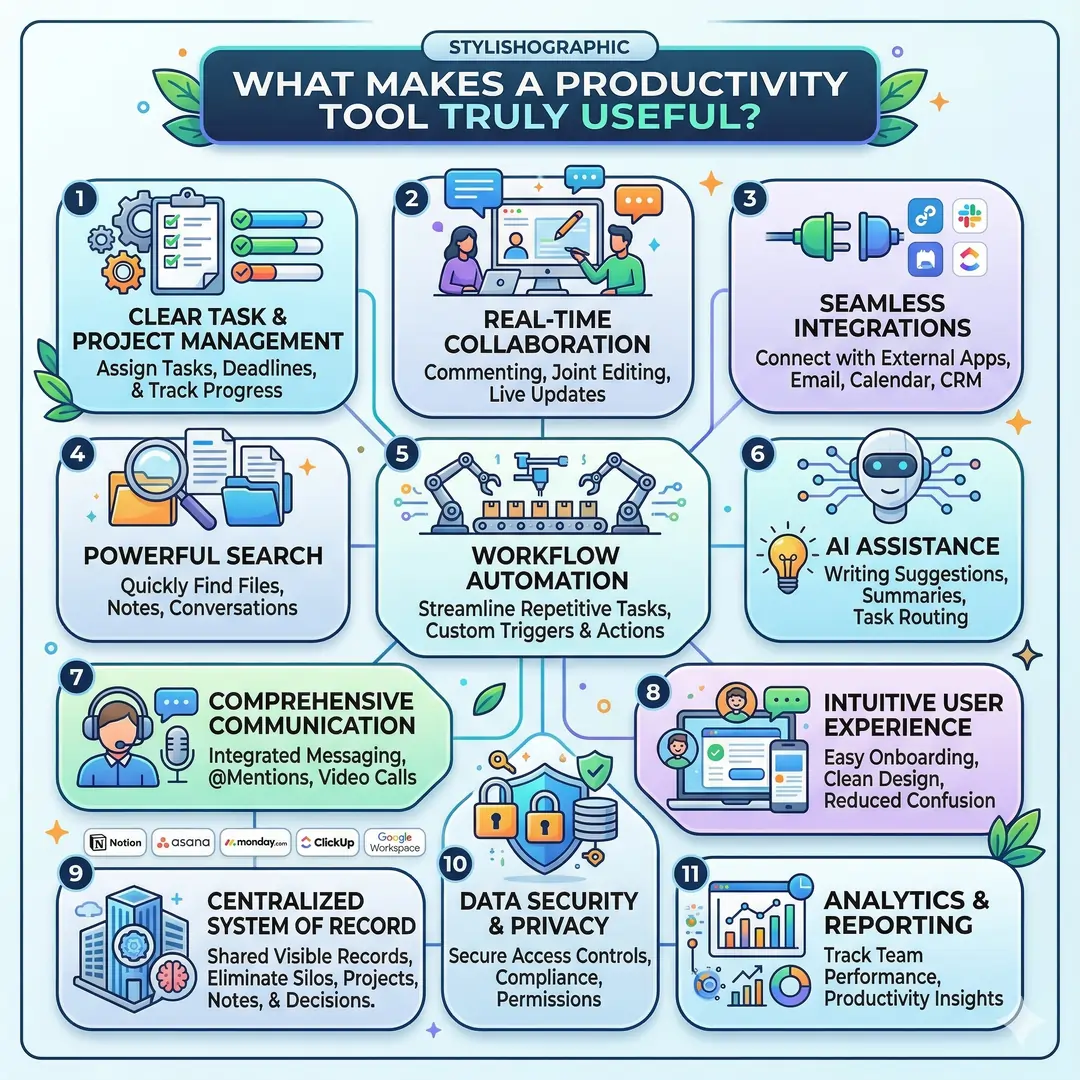
A good productivity tool should do more than look modern. It should save time, reduce confusion, and help people work together with less effort. In practice, that usually means the tool has clear task management, good real-time collaboration, useful automation, strong search, and easy integrations with other apps. Tools that also support AI assistance can be especially helpful when they reduce repetitive writing, summarizing, or routing work.
For modern teams, the biggest wins often come from tools that centralize work. Instead of keeping project notes in one app, tasks in another, and decisions in a third, the best platforms help teams create a shared system of record. That is why tools like Notion, Asana, monday.com, ClickUp, and Google Workspace have become popular for teams that want fewer silos and more visibility.
Best Productivity Tools for Modern Teams at a Glance
| Tool | Best For | Core Strengths | Example Use |
|---|---|---|---|
| Slack | Fast team communication | Channels, huddles, canvases, workflow automation, app integrations | A product team can keep launch updates in channels and automate routine handoffs |
| Microsoft Teams | Chat, meetings, files, and task flow | Messaging, meetings, files, tasks, calendar, AI recaps | A hybrid company can run meetings, share files, and follow up in one place |
| Google Workspace | Document collaboration | Gmail, Drive, Meet, Docs, Sheets, Slides, Chat | A distributed team can co-edit documents and present from Docs or Slides |
| Asana | Project and work management | Projects, timelines, goals, reporting, automation, AI | A marketing team can track campaign stages and deadlines in one system |
| Trello | Visual task tracking | Boards, cards, roadmaps, automation, card mirroring | A small team can move work across simple columns without complexity |
| monday.com | Flexible work management | Dashboards, automations, AI agents, cross-team workflows | An operations team can monitor projects and workload in one dashboard |
| Notion | Knowledge hubs and docs | Docs, wikis, projects, databases, AI search, meeting notes | A startup can keep notes, SOPs, and project data in one workspace |
| ClickUp | All-in-one work hub | Tasks, docs, chat, goals, automations, AI | A scaling team can manage work without switching between too many apps |
| Zoom Workplace | Meetings and collaboration | Meetings, chat, docs, whiteboard, mail, AI Companion | A remote team can meet, chat, and co-work inside the same platform |
1. Slack: Best for Fast, Organized Communication
Slack is one of the strongest tools for team communication because it organizes conversations into channels instead of endless email threads. Slack also supports huddles for quick real-time conversations, canvases for shared working docs, and workflow automation so teams can reduce repetitive updates. That makes it a strong choice for teams that need quick coordination without losing context.
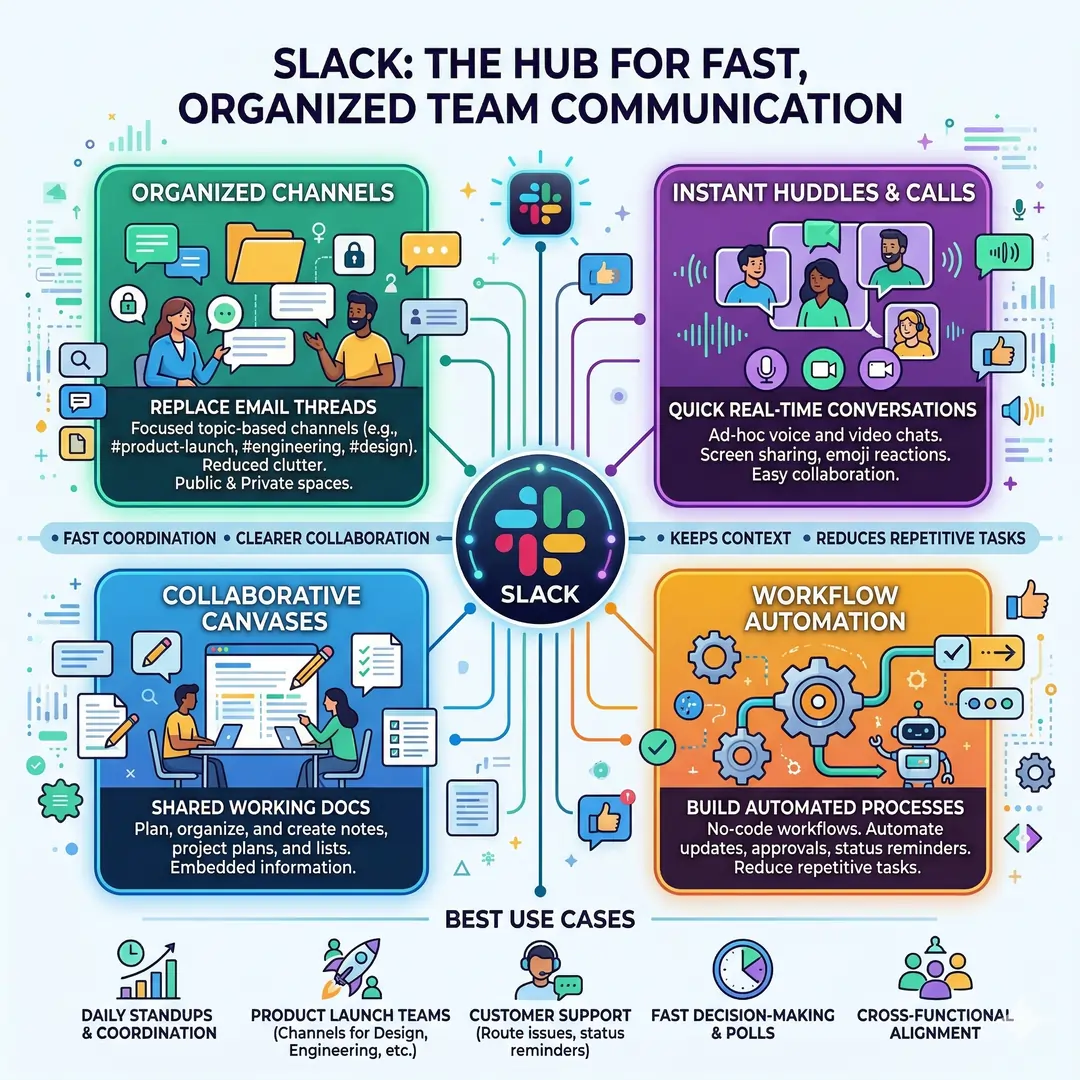
Where Slack shines most is in teams that talk often and move quickly. A product launch team can keep design updates in one channel, engineering questions in another, and launch checklists in a canvas. A support team can route issues through channels and automate status reminders. The result is not just faster chat, but clearer collaboration.
Best use cases for Slack
- Daily team coordination
- Cross-functional updates
- Fast decision-making
- Workflow automation
- Light documentation with canvases
2. Microsoft Teams: Best for Unified Chat, Meetings, and Files
Microsoft Teams is a strong all-in-one choice for organizations that want chat, meetings, files, tasks, and calendar features in one place. Microsoft’s own pages describe Teams as a platform that brings those core collaboration elements together, and it also includes AI-enhanced meeting recaps and message support in newer experiences.
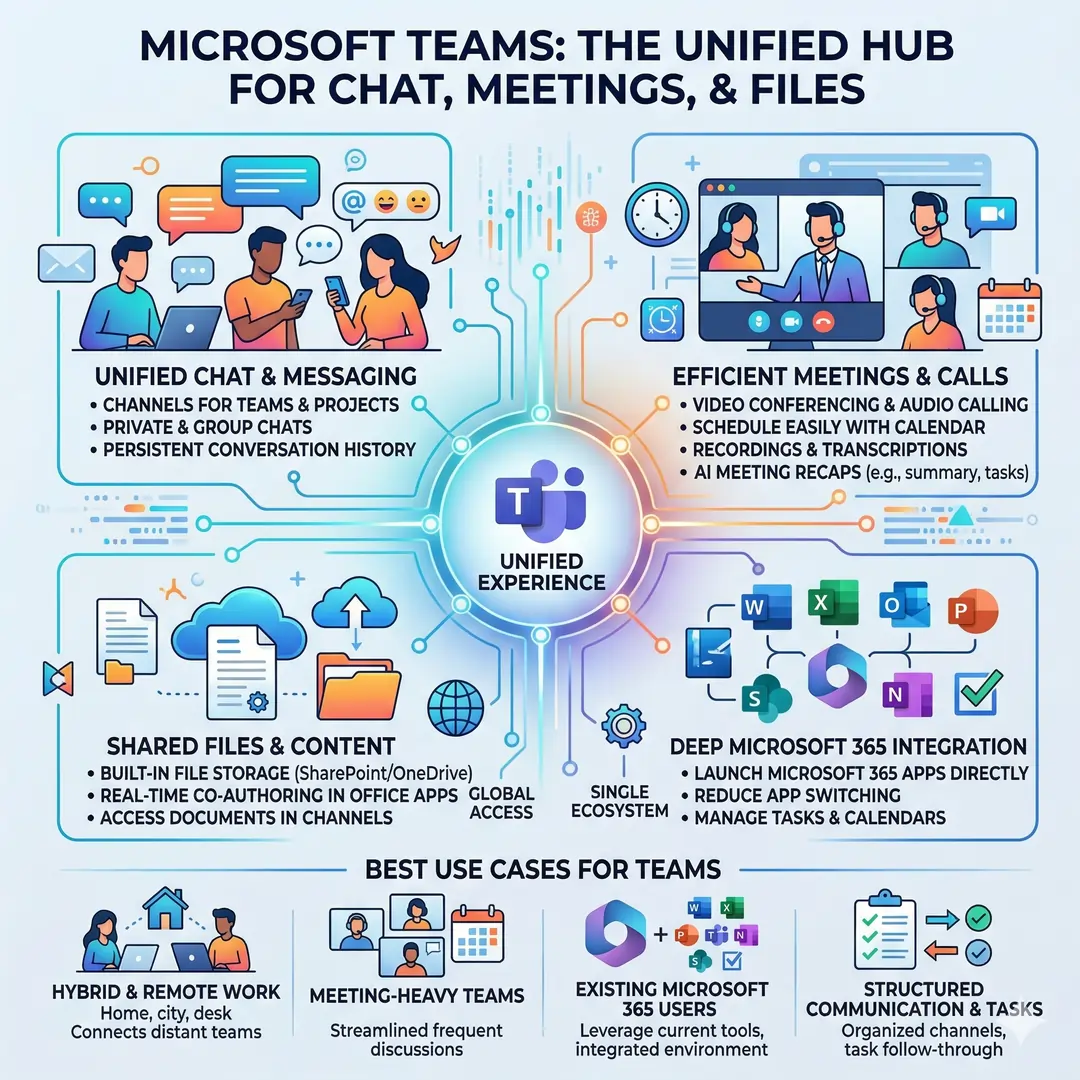
Teams is especially useful for companies that already use Microsoft 365. In that environment, it becomes easier to keep meetings, internal messages, and file sharing under one roof. A manager can schedule a meeting, share supporting documents, and follow up with tasks in the same ecosystem. That reduces the chance of losing notes across different apps.
Best use cases for Teams
- Hybrid and remote workplaces
- Meeting-heavy teams
- Companies already using Microsoft 365
- Structured communication with task follow-through
3. Google Workspace: Best for Real-Time Document Collaboration
Google Workspace remains one of the easiest ways for teams to work together on documents, spreadsheets, presentations, and shared files. Google’s official pages list tools like Gmail, Calendar, Meet, Chat, Drive, Docs, Sheets, Slides, Forms, and Sites. That broad set of tools makes it ideal for teams that need a simple, familiar collaboration stack.
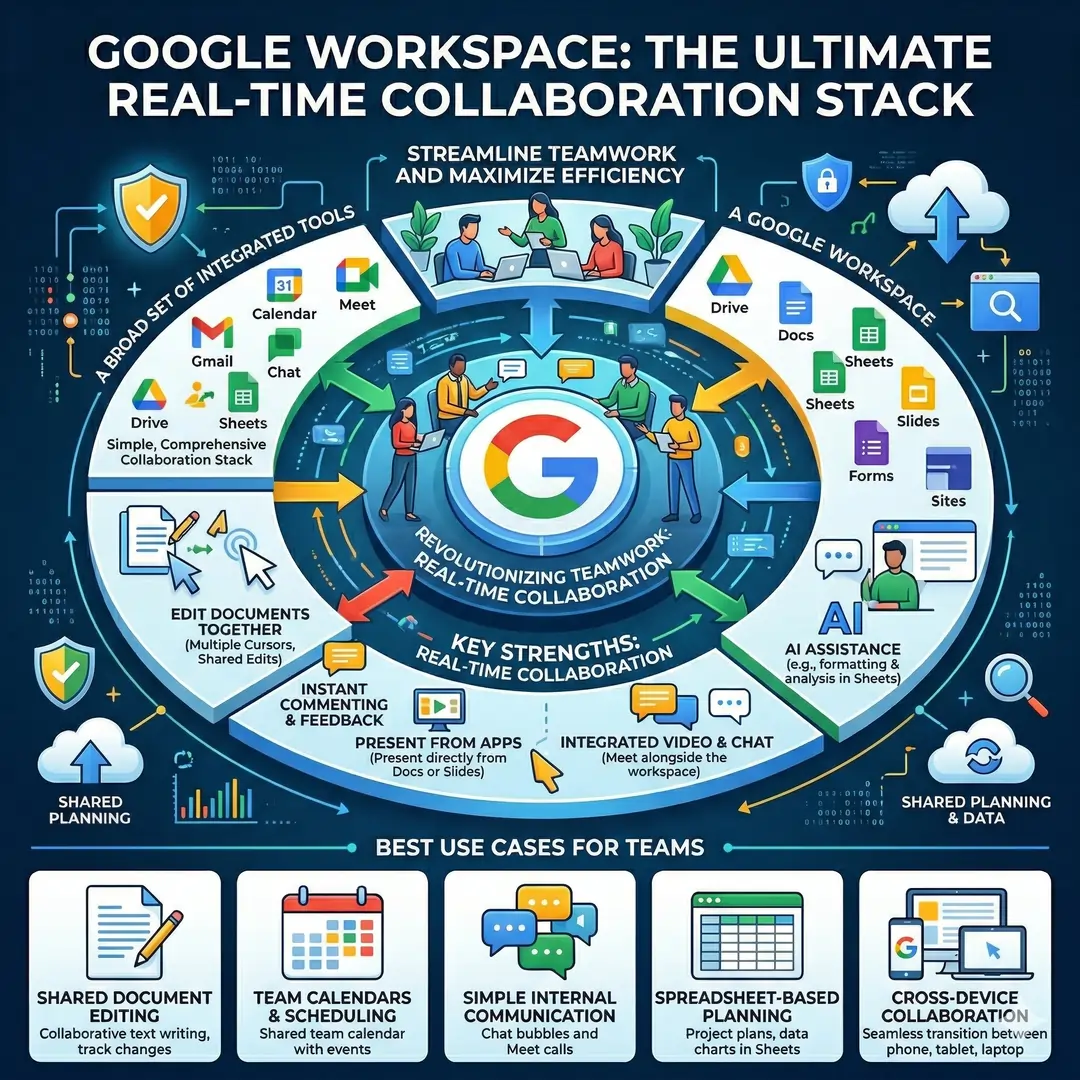
The biggest strength of Google Workspace is real-time collaboration. Teams can edit documents together, comment instantly, present from Docs or Slides, and use Meet alongside the same workspace. Google Sheets also supports collaboration from any device and AI assistance for formatting and analysis, which makes it useful for teams that rely on shared planning and data.
Best use cases for Google Workspace
- Shared document editing
- Team calendars and scheduling
- Simple internal communication
- Spreadsheet-based planning
- Cross-device collaboration
4. Asana: Best for Structured Project Management
Asana is a top choice when a team needs to track projects from start to finish. Its official features highlight project management, goals and reporting, workflows and automation, resource management, and AI. It also supports timelines, which help teams see dependencies and deadlines more clearly.
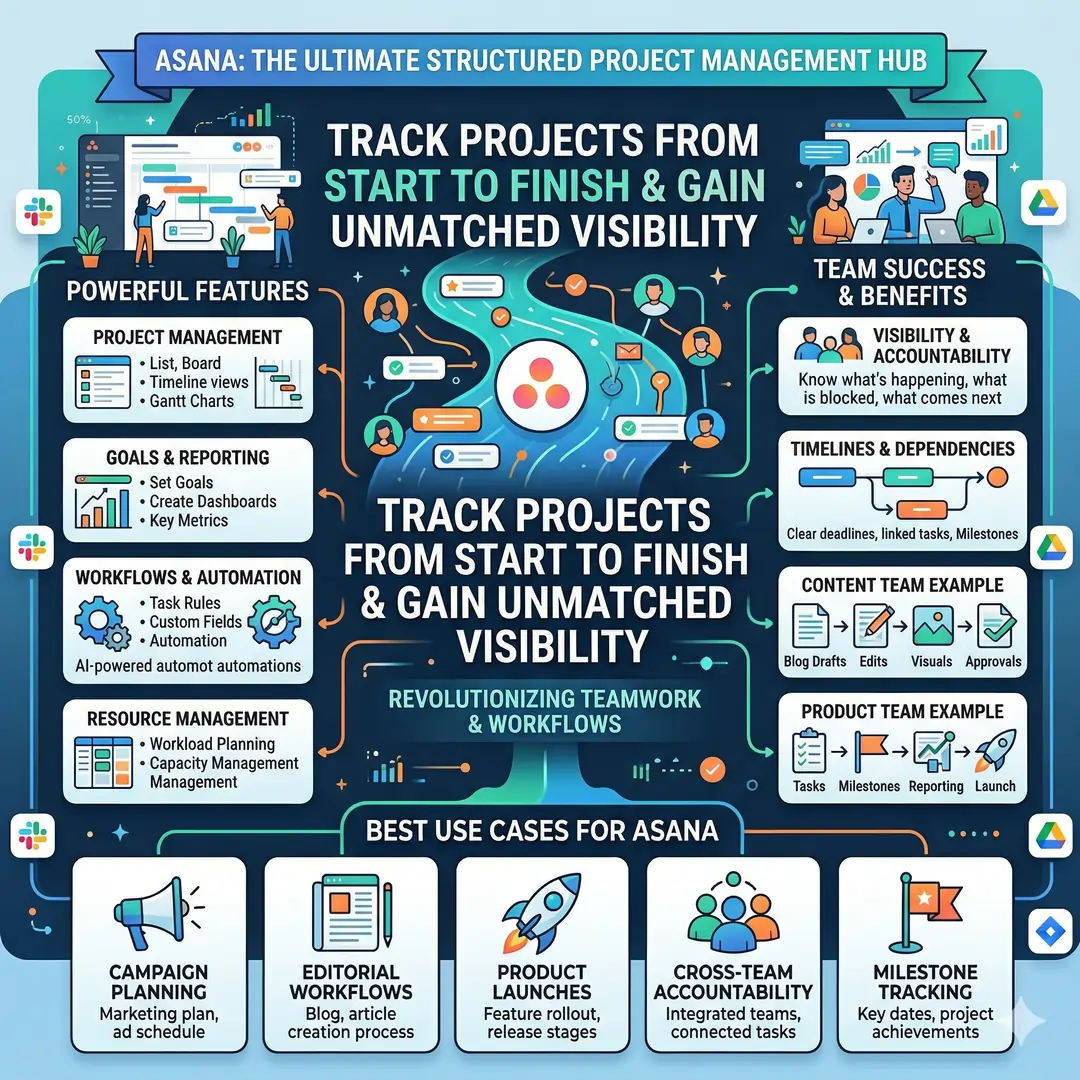
Asana works well for teams that manage many moving pieces. A content team can track blog drafts, edits, visuals, and approvals. A product team can connect tasks to milestones and reporting. The main advantage is visibility. Everyone knows what is happening, what is blocked, and what comes next.
Best use cases for Asana
- Campaign planning
- Editorial workflows
- Product launches
- Cross-team accountability
- Milestone tracking
5. Trello: Best for Simple, Visual Workflows
Trello is the classic choice for teams that want an easy visual board system. Its boards, lists, and cards make it simple to see work move from one stage to another. Trello also offers no-code automation, roadmap features, and card mirroring in paid workspaces, which helps teams stay aligned without complicated setup.
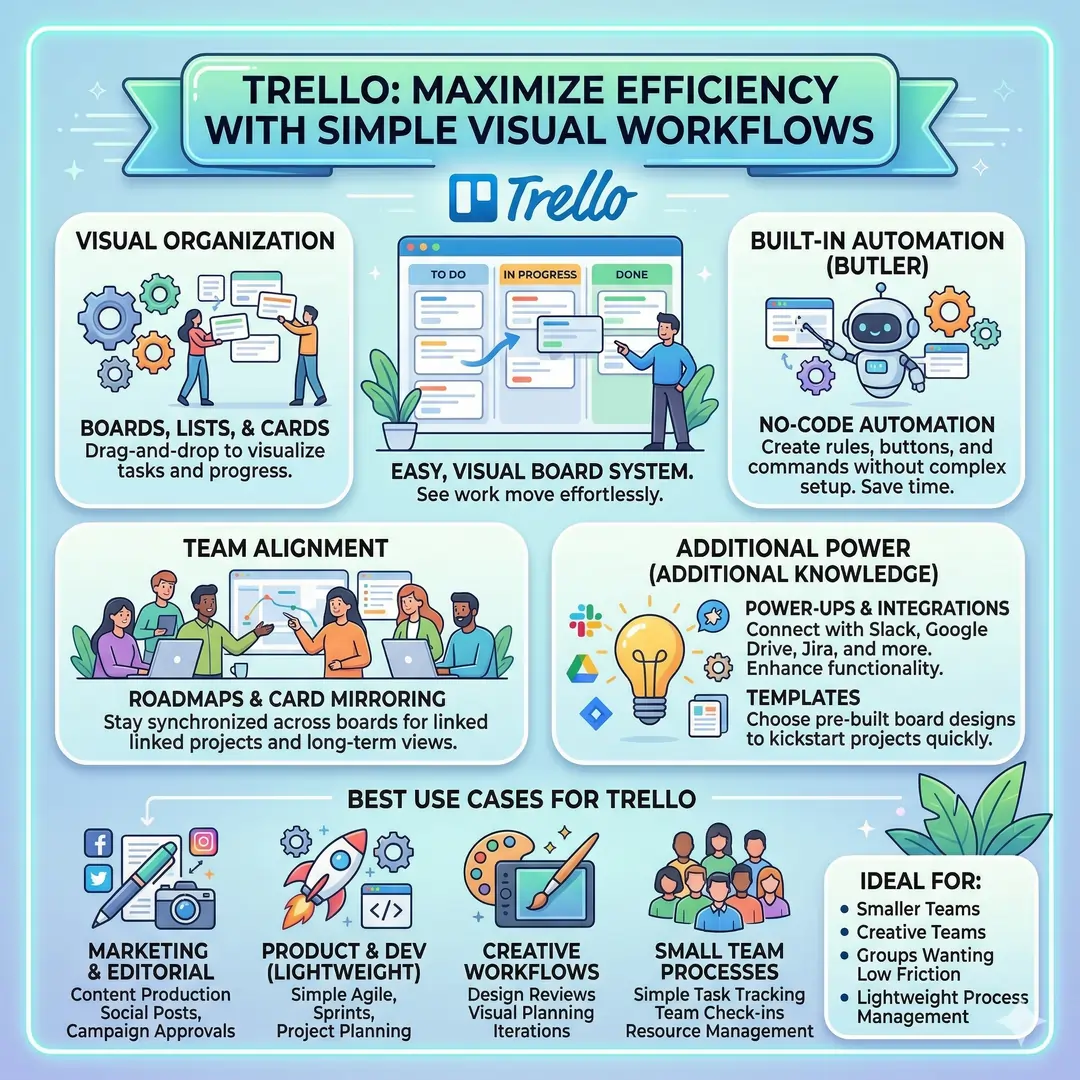
Trello is often the right fit for smaller teams, creative teams, and groups that want low friction. If a team does not need a very heavy project management system, Trello can feel refreshing because it is straightforward. A marketing team can use one board for content production, another for social posts, and another for campaign approvals.
Best use cases for Trello
- Simple task tracking
- Editorial boards
- Creative workflows
- Small teams
- Lightweight process management
6. monday.com: Best for Flexible, Cross-Team Work Management
Monday.com is built for teams that want a flexible platform for projects, operations, sales, marketing, IT, and product work. Its site highlights AI agents, work products, dashboards, and automations, which makes it useful for teams that need both visibility and customization.
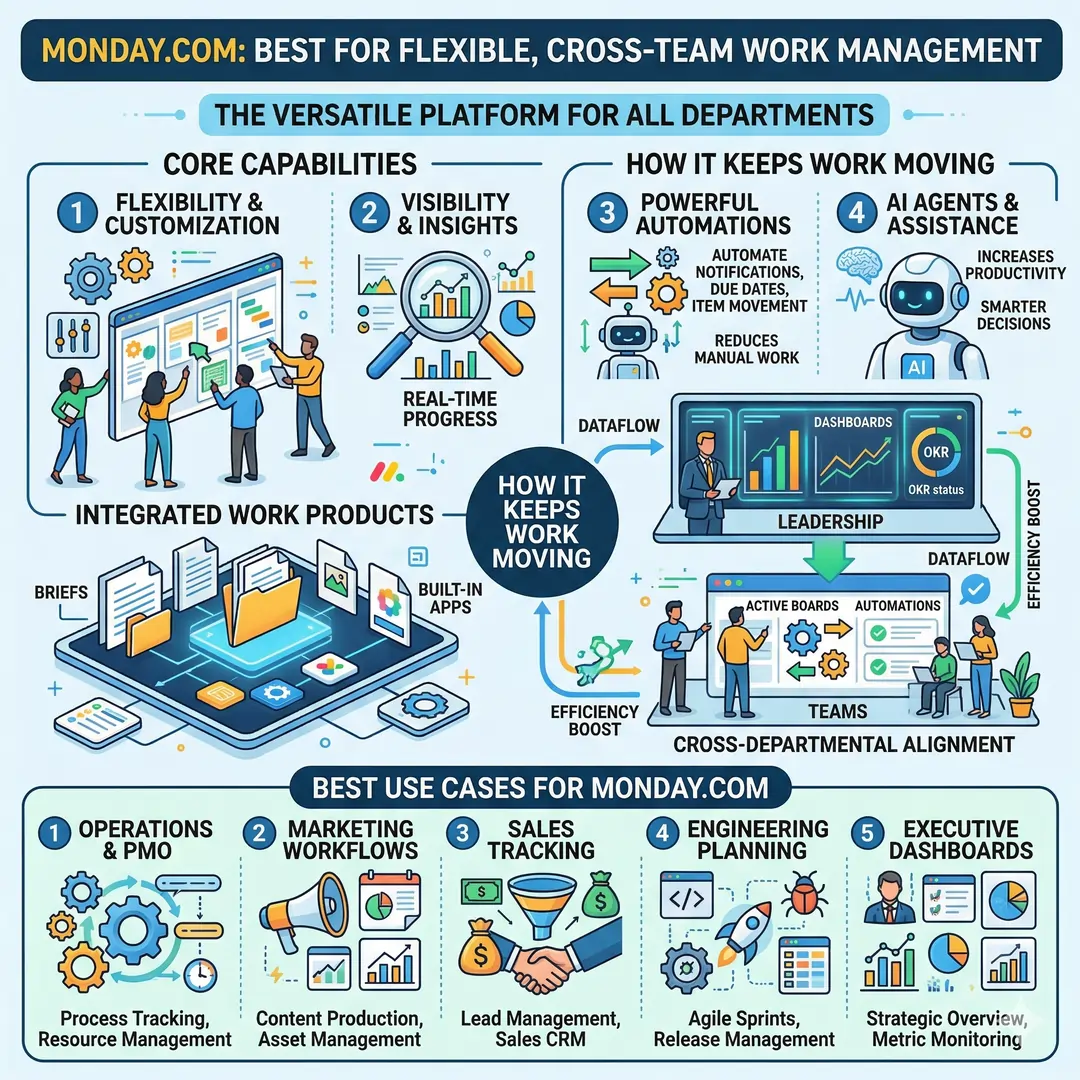
One reason monday.com works so well for modern teams is that it is not limited to one department. A leadership team can monitor progress in dashboards, while individual teams automate repetitive steps like notifications, due dates, and item movement. That helps reduce manual coordination and keeps work moving.
Best use cases for monday.com
- Operations and PMO
- Marketing workflows
- Sales tracking
- Engineering planning
- Executive dashboards
7. Notion: Best for Knowledge Management and Team Wikis
Notion is one of the best tools for building a shared knowledge base. Its official pages describe it as an AI workspace with docs, projects, wikis, integrations, and AI tools that can help teams organize information and automate busywork. Its wiki and documentation pages also emphasize search, databases, and finding answers quickly across the workspace.
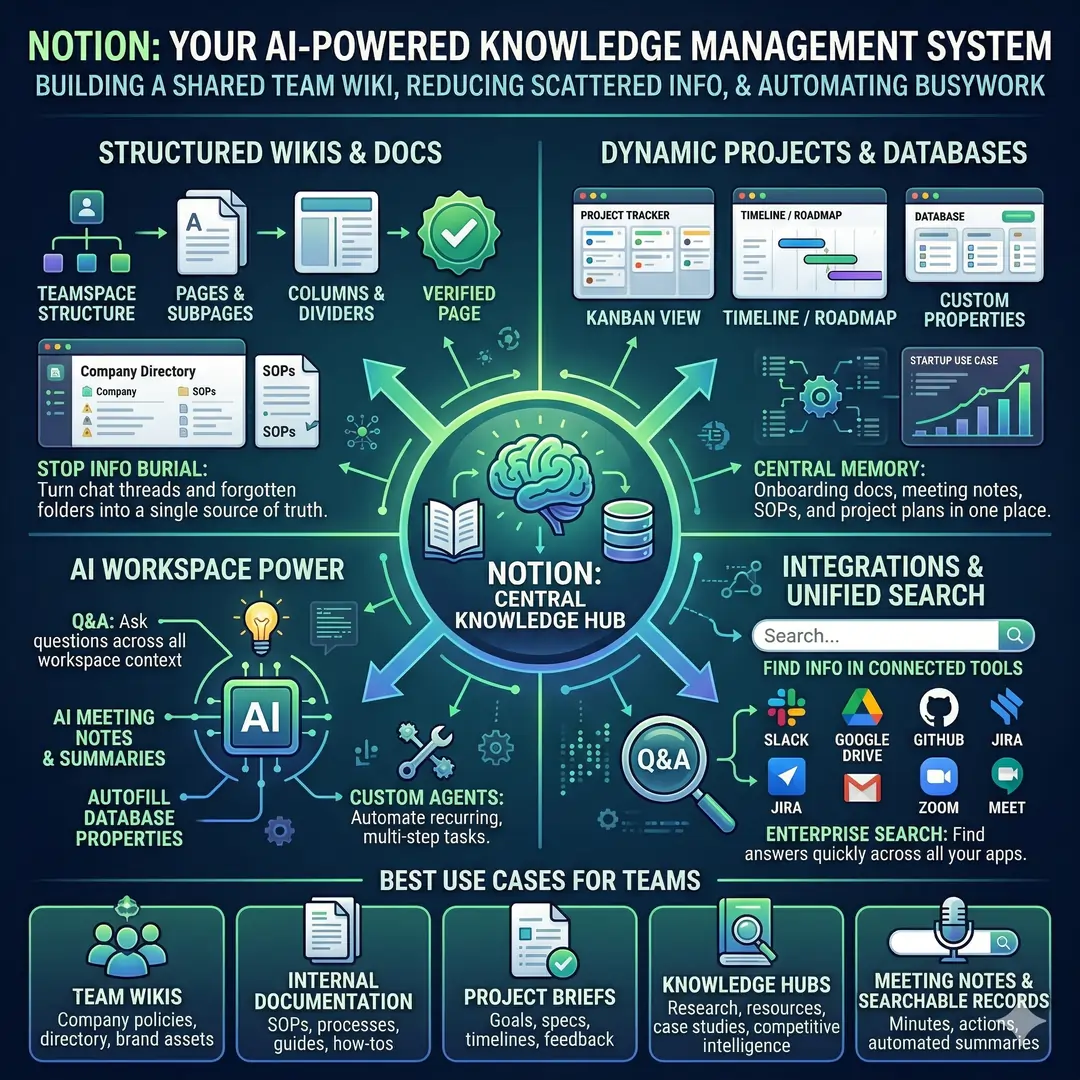
Notion is especially powerful for teams that want to reduce scattered information. A startup can store onboarding docs, meeting notes, SOPs, project plans, and team directories in one place. That turns Notion into a central memory system for the organization. For many teams, this is what finally stops important knowledge from being buried in chat threads or forgotten folders.
Best use cases for Notion
- Team wikis
- Internal documentation
- Project briefs
- Knowledge hubs
- Meeting notes and searchable records
8. ClickUp: Best for Teams That Want an All-in-One Workspace
ClickUp markets itself as an all-in-one productivity system with tasks, docs, and chat in one place, supported by AI. Its help center also highlights views, docs for project management, and automations that reduce manual work. That makes it a strong option for teams that want one platform to cover many work types.
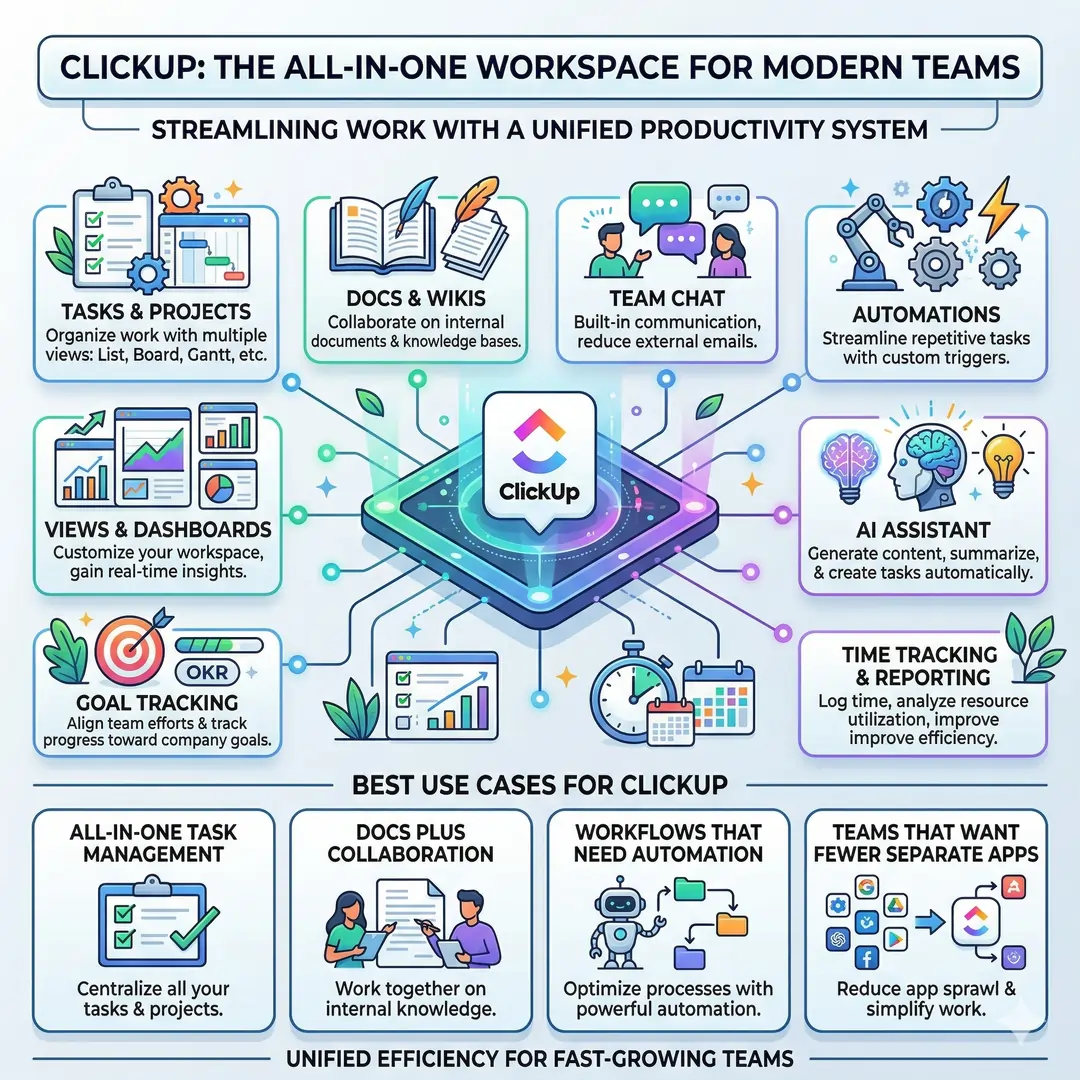
ClickUp is attractive for fast-growing teams because it can reduce app sprawl. Instead of using one tool for docs, another for tasks, and another for status updates, teams can keep more of their workflow in one place. For organizations that want high configurability, that can be a major benefit.
Best use cases for ClickUp
- All-in-one task management
- Docs plus collaboration
- Workflows that need automation
- Teams that want fewer separate apps
9. Zoom Workplace: Best for Meetings That Connect to the Rest of Work
Zoom Workplace has grown beyond video meetings. Zoom now presents it as a collaboration platform that combines meetings, chat, docs, whiteboard, calendar, and more, with AI Companion built in. That makes Zoom useful for teams that spend a lot of time in live discussions and want those conversations to connect back into daily work.
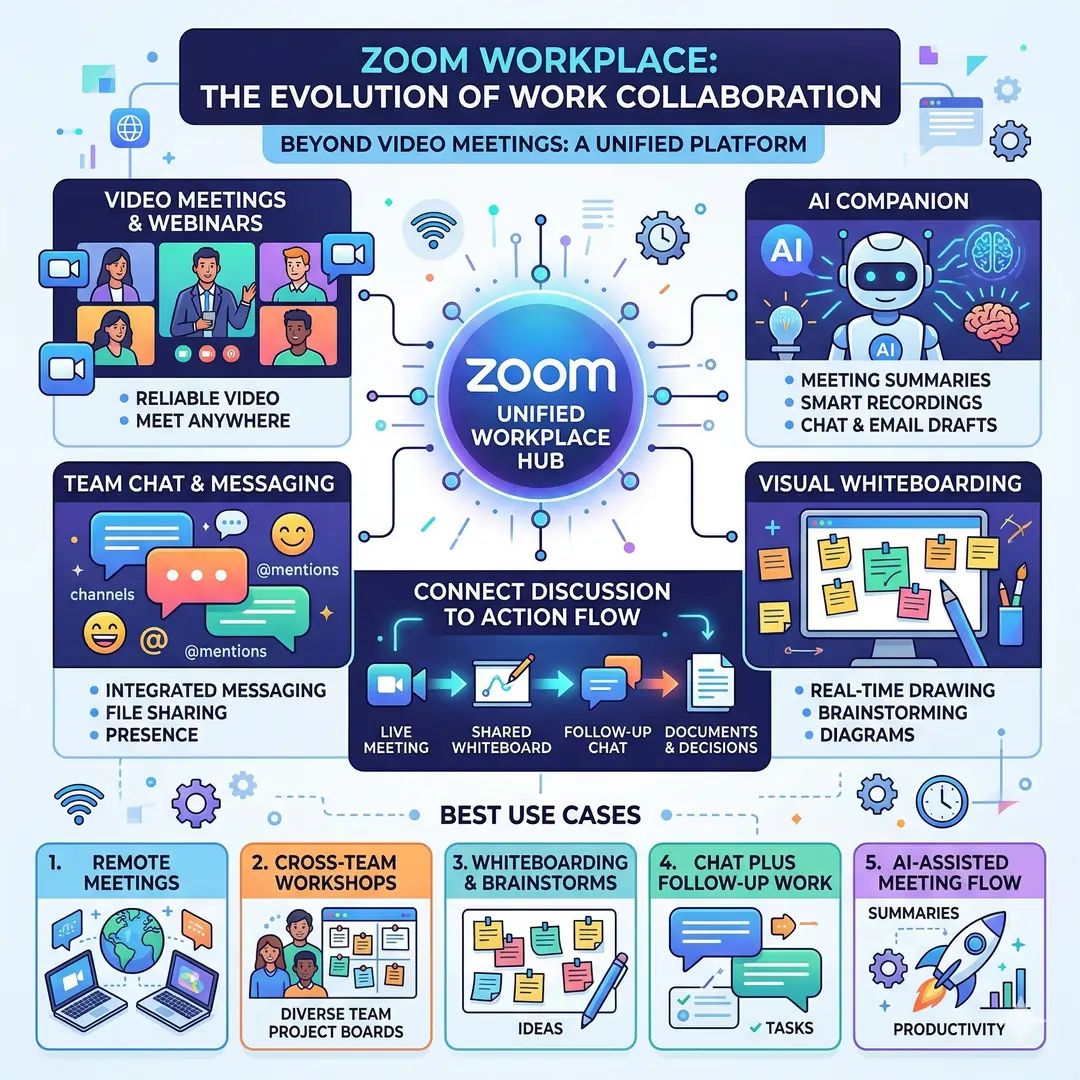
Zoom is especially valuable for distributed teams and organizations that need reliable video meetings. The addition of chat and docs means people can move from discussion to action more smoothly. A meeting can lead to a shared whiteboard, follow-up messages, and a record of decisions without forcing everyone to jump between several unrelated apps.
Best use cases for Zoom Workplace
- Remote meetings
- Cross-team workshops
- Whiteboarding and brainstorms
- Chat plus follow-up work
- AI-assisted meeting flow
Feature Comparison Table
| Feature | Slack | Teams | Google Workspace | Asana | Trello | monday.com | Notion | ClickUp | Zoom Workplace |
|---|---|---|---|---|---|---|---|---|---|
| Chat | Strong | Strong | Yes, via Chat | Limited | Limited | Limited | Limited | Yes | Strong |
| Meetings | Huddles | Strong | Meet | Limited | Limited | Limited | Limited | Limited | Strong |
| Docs / Wiki | Canvases | Basic file sharing | Docs and Drive | Project notes | Limited | Limited | Strong | Strong | Docs |
| Task Management | Lists | Tasks | Basic via ecosystem | Strong | Basic | Strong | Strong | Strong | Limited |
| Automation | Workflow Builder | Ecosystem dependent | Some integrations | Strong | Strong | Strong | AI automation | Strong | Limited |
| Best For | Fast communication | Unified collaboration | Shared editing | Structured planning | Simple boards | Cross-team visibility | Knowledge hub | All-in-one work | Meetings plus collaboration |
| Source Basis | Slack | Microsoft | Google Workspace | Asana | Atlassian | monday.com | Notion | ClickUp | Zoom |
This comparison shows an important point. The best tool is not always the one with the most features. Often, the best tool is the one that fits the way your team already works. A team that needs quick communication may get more value from Slack or Teams, while a team that needs planning and accountability may get more value from Asana, monday.com, or ClickUp. A team that is drowning in scattered notes may benefit most from Notion or Google Workspace. That is a practical inference based on the capabilities each platform emphasizes.
Which Productivity Stack Fits Which Team?
| Team Type | Best Stack | Why It Works | Example Workflow |
|---|---|---|---|
| Startup team | Slack + Notion + Trello or ClickUp | Fast communication, shared knowledge, simple execution | Chat in Slack, store SOPs in Notion, track tasks in Trello or ClickUp |
| Remote marketing team | Google Workspace + Asana + Zoom | Strong content collaboration, campaign tracking, and meetings | Draft in Docs, manage campaigns in Asana, review results in Zoom |
| Operations team | monday.com + Teams | Dashboards plus internal communication | Track workloads in monday.com, coordinate in Teams |
| Product and engineering team | Slack + Asana + Notion | Clean communication, milestone visibility, and documentation | Use Slack for decisions, Asana for roadmap tasks, Notion for specs |
| Content and editorial team | Google Workspace + Trello + Slack | Easy writing, visual planning, and quick coordination | Draft in Docs, organize stories on Trello, discuss updates in Slack |
| Large enterprise team | Teams + Asana or monday.com + Shareable docs | Structured collaboration with visibility and meeting flow | Meet in Teams, manage programs in Asana or monday.com, store files centrally |
This is where many teams make a smart decision. They choose one tool for communication, one for projects, and one for knowledge, instead of trying to force one app to do everything. That balanced approach usually leads to less confusion and better adoption. It also helps teams keep a cleaner workflow, because each tool has a clear job.
How to Build a Strong Productivity Stack
A good productivity stack is not just a list of apps. It is a system. The best systems usually have five layers.
- 1. Communication layer
- Use Slack, Teams, or Zoom Workplace for day-to-day communication, meetings, and quick decisions. These tools handle the live conversation layer of work.
- 2. Execution layer
- Use Asana, Trello, monday.com, or ClickUp to manage tasks, deadlines, and ownership. These tools help teams move from discussion to action.
- 3. Knowledge layer
- Use Notion or Google Workspace to store docs, wiki pages, project briefs, meeting notes, and decision histories. That way, people do not need to ask the same questions repeatedly.
- 4. Automation layer
- Use built-in automation features to reduce repetitive work. Slack, Asana, Trello, monday.com, and ClickUp all highlight automation in some form, which can save time and reduce manual follow-up.
- 5. Review layer
- Use dashboards, reports, or recurring summaries so leaders can see progress without interrupting the team. Asana and monday.com both emphasize reporting and dashboards, which makes them useful for this layer.
Practical Examples of How Teams Use These Tools
A marketing team might use Google Workspace for content drafting, Slack for fast coordination, Asana for campaign deadlines, and Zoom Workplace for review calls. That combination supports writing, feedback, execution, and meetings in one connected flow.
A product team might use Notion for feature specs and meeting notes, Slack for daily communication, and monday.com or Asana for roadmap tracking. That gives the team one place for strategy, one place for conversations, and one place for delivery
A remote operations team might use Teams for meetings and file sharing, monday.com for dashboards and automations, and Google Workspace for shared documents. That setup works well when people need regular updates but also need visibility into work progress.
Best Practices for Choosing the Right Tool
Before adopting a new tool, teams should ask a few simple questions.
- Does it solve a real problem, or is it just adding another app?
- Will the team actually use it every day?
- Does it reduce confusion, or create more tabs and more alerts?
- Can it connect with the tools we already use?
- Does it support search, automation, and clear ownership?
The most effective teams usually keep the stack lean. They avoid giving every department a different system unless there is a strong reason. Instead, they build a shared routine where communication, tasks, and documentation all connect. That makes onboarding easier and helps new people understand the workflow faster.
Another useful habit is to keep the team’s source of truth very clear. For example, if a decision lives in Notion, then everyone knows where to find it. If task owners live in Asana or monday.com, then nobody needs to guess who is responsible. This kind of clarity is one of the simplest ways to improve team productivity.
Why AI Features Matter in Modern Productivity Tools
AI is now built into many of the best productivity platforms. Microsoft’s 2024 Work Trend Index noted the rapid rise of generative AI use among knowledge workers, and many major tools have responded by adding AI features for summarizing, drafting, searching, and automating tasks. That matters because teams spend a huge amount of time on repetitive work that does not always require human judgment.
In practical terms, AI can help with:
- Drafting notes and summaries
- Finding information faster
- Turning meetings into action items
- Filling databases or templates
- Reducing repetitive admin work
This does not mean AI should replace human judgment. It means the best tools now help people spend more time on strategy, creativity, and decision-making. That is one reason modern productivity tools are becoming more valuable, not less.
Final Thoughts
The best productivity tools for modern teams are the ones that help people communicate better, track work clearly, and keep knowledge organized. For communication, Slack, Microsoft Teams, and Zoom Workplace are strong choices. For project tracking, Asana, Trello, monday.com, and ClickUp stand out. For documentation and shared knowledge, Google Workspace and Notion are especially useful.
The smartest approach is not to adopt everything at once. It is to choose a small, reliable stack that fits the team’s communication style, project complexity, and documentation needs. When the stack is clear, work feels lighter, decisions move faster, and the whole team gains more room to focus on meaningful work. That is the real promise of modern productivity tools.
Also, Read these Articles in Deatil
Article’s References And Sources
- Microsoft Work Trend Index (2024)
Title: Work Trend Index Annual Report
Link: https://www.microsoft.com/en-us/worklab/work-trend-index - Microsoft Teams Official Page
Title: Microsoft Teams Group Chat Software
Link: https://www.microsoft.com/en-in/microsoft-teams/group-chat-software - Slack Official Website
Title: Slack Collaboration and Messaging Platform
Link: https://slack.com/intl/en-in - Slack Workflow Automation
Title: Slack Workflow Builder Features
Link: https://slack.com/features/workflow-automation - Google Workspace Official
Title: Google Workspace Tools and Solutions
Link: https://workspace.google.com/intl/en_in/ - Google Sheets Features
Title: Google Sheets Collaboration Features
Link: https://workspace.google.com/intl/en_in/products/sheets/ - Asana Features
Title: Asana Project Management Features
Link: https://asana.com/features - Asana Project Management Guide
Title: Asana Project Management Capabilities
Link: https://asana.com/features/project-management - Trello Official
Title: Trello Project Management Tool
Link: https://www.atlassian.com/software/trello - Trello Tour
Title: Trello Features Overview
Link: https://trello.com/tour - Monday.com Official
Title: monday.com Work OS Platform
Link: https://monday.com/ - Monday.com Dashboards Guide
Title: monday.com Dashboard Features
Link: https://support.monday.com/hc/en-us/articles/360002187819-The-Dashboards - Notion Official
Title: Notion All-in-One Workspace
Link: https://www.notion.com/ - Notion Projects
Title: Notion Project Management Features
Link: https://www.notion.com/product/projects - Notion Wikis
Title: Notion Wiki and Knowledge Base
Link: https://www.notion.com/product/wikis - Notion AI Guides
Title: Notion AI Tools and Automation
Link: https://www.notion.com/help/guides/category/ai - ClickUp Official
Title: ClickUp Project Management Software
Link: https://clickup.com/teams/project-management - Zoom Workplace
Title: Zoom Collaboration Tools
Link: https://www.zoom.com/en/products/collaboration-tools/ - Microsoft AI at Work Insights
Title: AI at Work Trend Analysis
Link: https://www.microsoft.com/en-us/worklab/work-trend-index/ai-at-work-is-here-now-comes-the-hard-part - Atlassian Teamwork Lab
Title: Teamwork and Productivity Research
Link: https://www.atlassian.com/blog/teamwork-lab
Frequently Asked Questions (FAQs)
FAQ 1: What are the best productivity tools for modern teams?
The best productivity tools for modern teams are the ones that help people communicate clearly, manage tasks efficiently, and keep important information in one place. In most teams, that usually means combining a communication tool, a project management tool, and a knowledge-sharing platform instead of trying to make one app do everything.
Popular choices include Slack for fast communication, Microsoft Teams for meetings and internal collaboration, Google Workspace for document editing, Asana for structured task tracking, Trello for simple visual workflows, monday.com for flexible team management, Notion for documentation, and ClickUp for an all-in-one workspace. The right mix depends on how your team works every day and how much structure it needs.
FAQ 2: Why do modern teams need productivity tools?
Modern teams often work across different locations, time zones, and schedules. Without the right tools, it becomes very easy for messages to get lost, tasks to be forgotten, and important decisions to remain unclear. Productivity tools help solve these problems by creating a more organized and connected way of working.
They also save time by reducing repeated questions and manual follow-ups. For example, instead of asking the same thing in chat over and over again, a team can store the answer in a wiki, assign tasks in a project board, and use automation to handle routine updates. This makes work smoother and helps teams spend more time on meaningful tasks.
FAQ 3: Which productivity tool is best for communication?
For team communication, Slack and Microsoft Teams are two of the strongest options. Slack is especially useful for fast-moving teams that need organized channels for different topics, quick conversations, and light collaboration. It is a very good choice when a team wants simple, focused communication without relying too much on email.
Microsoft Teams is a strong choice for organizations that want communication, meetings, file sharing, and task flow in one platform. It works especially well for businesses already using Microsoft 365. Both tools are useful, but the better option depends on whether your team wants a chat-first environment or a more all-in-one workplace system.
FAQ 4: What is the best tool for project management?
The best tool for project management depends on the size of the team and the complexity of the work. Asana is excellent for teams that need structured project planning, deadlines, task dependencies, and progress tracking. It works very well for campaigns, product launches, and cross-functional projects where accountability matters.
Trello is often better for teams that want a simpler and more visual system. Its board-based layout is easy to understand and very beginner-friendly. monday.com and ClickUp are also strong choices for teams that want more flexibility, reporting, and automation. In short, the best project management tool is the one that fits your team’s workflow without making work feel harder than it should be.
FAQ 5: Is Notion good for team productivity?
Yes, Notion is a very useful tool for team productivity, especially when a team needs a place for documentation, knowledge sharing, and project organization. It can work as a wiki, a note-taking system, a project planner, and a shared workspace all at the same time. That makes it very helpful for teams that want to keep information in one central place.
Notion is especially good for startups, content teams, and remote teams that need easy access to meeting notes, SOPs, onboarding materials, and project briefs. When used properly, it reduces confusion and helps people find answers faster. It is not always the best tool for heavy task management, but it is excellent for building a shared knowledge base.
FAQ 6: How do productivity tools help remote teams?
Productivity tools are especially important for remote teams because they help replace the natural coordination that happens in an office. When people work from different places, they need clear systems for communication, file sharing, task updates, and meeting follow-up. Tools like Slack, Teams, Google Workspace, and Zoom Workplace make that possible.
Remote teams also benefit from tools that create transparency. A shared task board shows who is responsible for what, a document hub keeps important files easy to find, and chat tools allow quick responses without long email threads. This kind of structure helps remote teams stay aligned, even when they are not physically together.
FAQ 7: What is the difference between a communication tool and a productivity tool?
A communication tool is mainly used for messaging, calls, meetings, and quick collaboration. Examples include Slack, Microsoft Teams, and Zoom Workplace. These tools help people talk, share ideas, and stay connected in real time.
A productivity tool has a broader purpose. It may include communication features, but it also helps teams manage tasks, track projects, organize documents, and automate work. Asana, Notion, monday.com, and ClickUp are good examples. In many modern teams, the best setup includes both types of tools because communication alone is not enough to manage work well.
FAQ 8: Which productivity tools are best for small teams?
Small teams usually need tools that are simple, flexible, and easy to adopt quickly. Trello is a great choice for small teams that want a clean visual board for tasks. Notion is also helpful because it can store notes, documents, and lightweight project tracking in one place. For communication, Slack is often a strong option.
Small teams should focus on tools that reduce complexity instead of adding more of it. A small group does not always need a heavy enterprise system. Often, a combination of one chat tool, one task tool, and one document tool is enough to create a strong and efficient workflow.
FAQ 9: How do AI features improve productivity tools?
AI features make productivity tools more powerful by reducing repetitive work and helping teams move faster. They can summarize meetings, draft messages, organize notes, search information more quickly, and automate common tasks. This saves time and lowers the amount of manual effort people need to spend on routine work.
Many modern platforms now include AI support because teams want to work smarter, not just faster. For example, AI can help turn a long discussion into action points, suggest task updates, or make internal information easier to search. Used well, AI can improve productivity without removing the human thinking that good teamwork still needs.
FAQ 10: How should a team choose the right productivity stack?
A team should choose a productivity stack by first understanding its biggest problems. If communication is messy, then a strong chat platform like Slack or Teams may be the first priority. If deadlines and responsibilities are unclear, then a tool like Asana, monday.com, or ClickUp may be more important. If knowledge is scattered, then Notion or Google Workspace can help bring everything together.
The best stack is usually not the one with the most features. It is the one that the team will actually use consistently. A simple and well-connected setup is usually better than a large collection of apps that nobody follows properly. When the stack is clear and easy to maintain, productivity improves naturally and work becomes less stressful.
